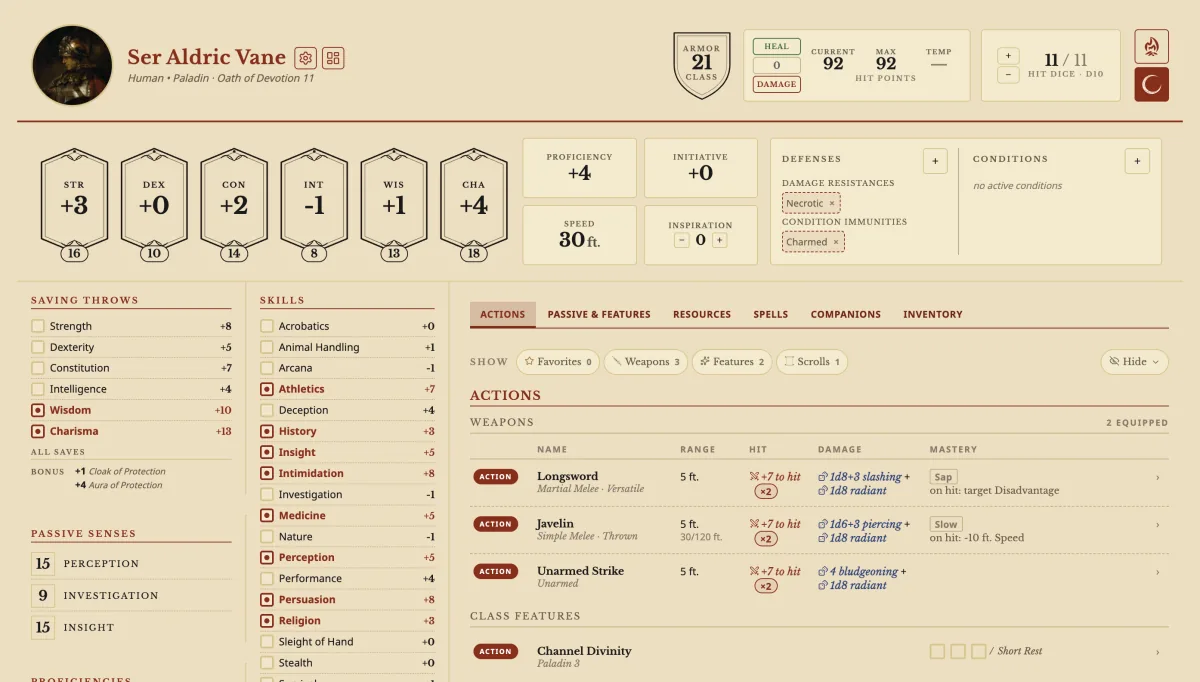
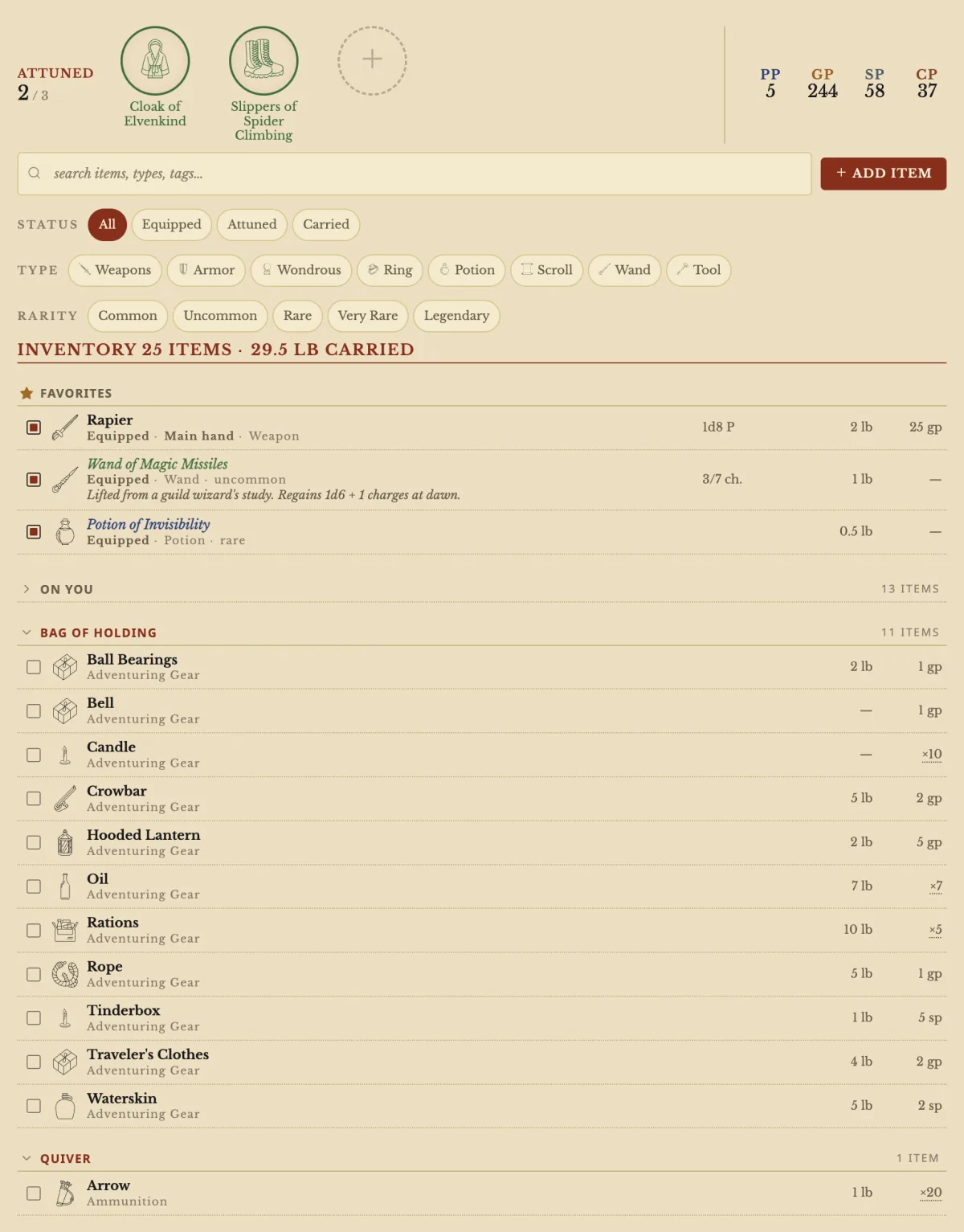
An inventory with bags, stacks and attunement
Drag items into a Bag of Holding, track charges, and an item's benefits switch on when you wear it.
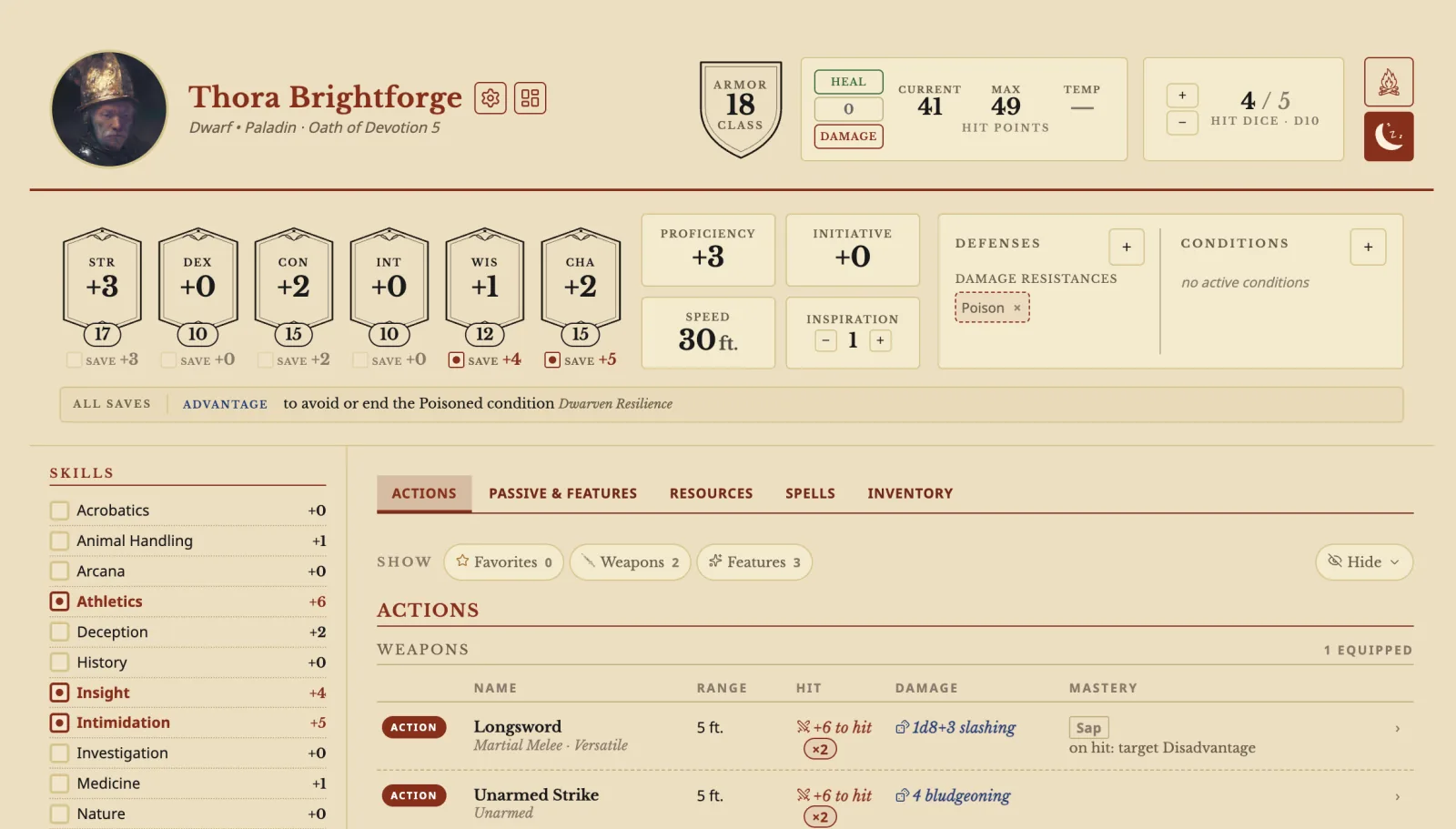
It works out your AC, saves, attacks and spell DC from the rules, rolls when you click a number, and tracks hit points, spell slots and rests while you play.
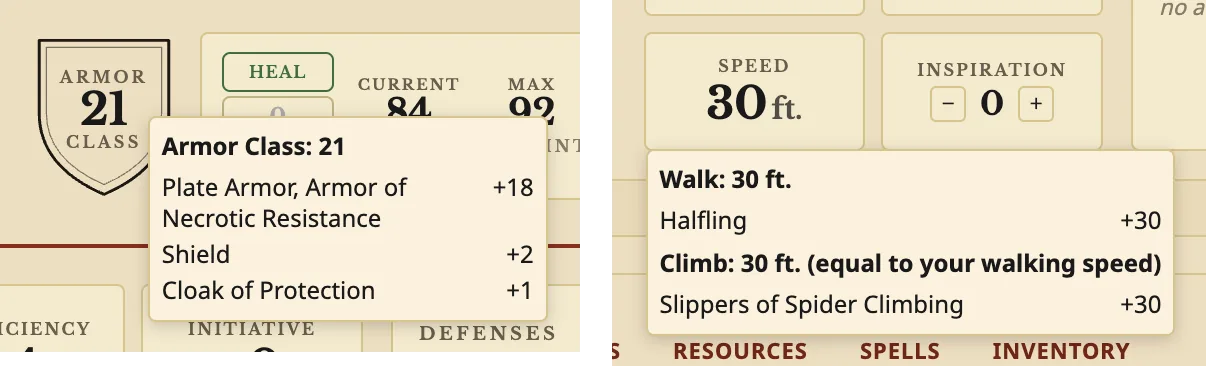
Put on a shield, attune a cloak or gain a level, and every number on the sheet updates. Hover Armor Class, Speed or an ability to see what adds up to it.
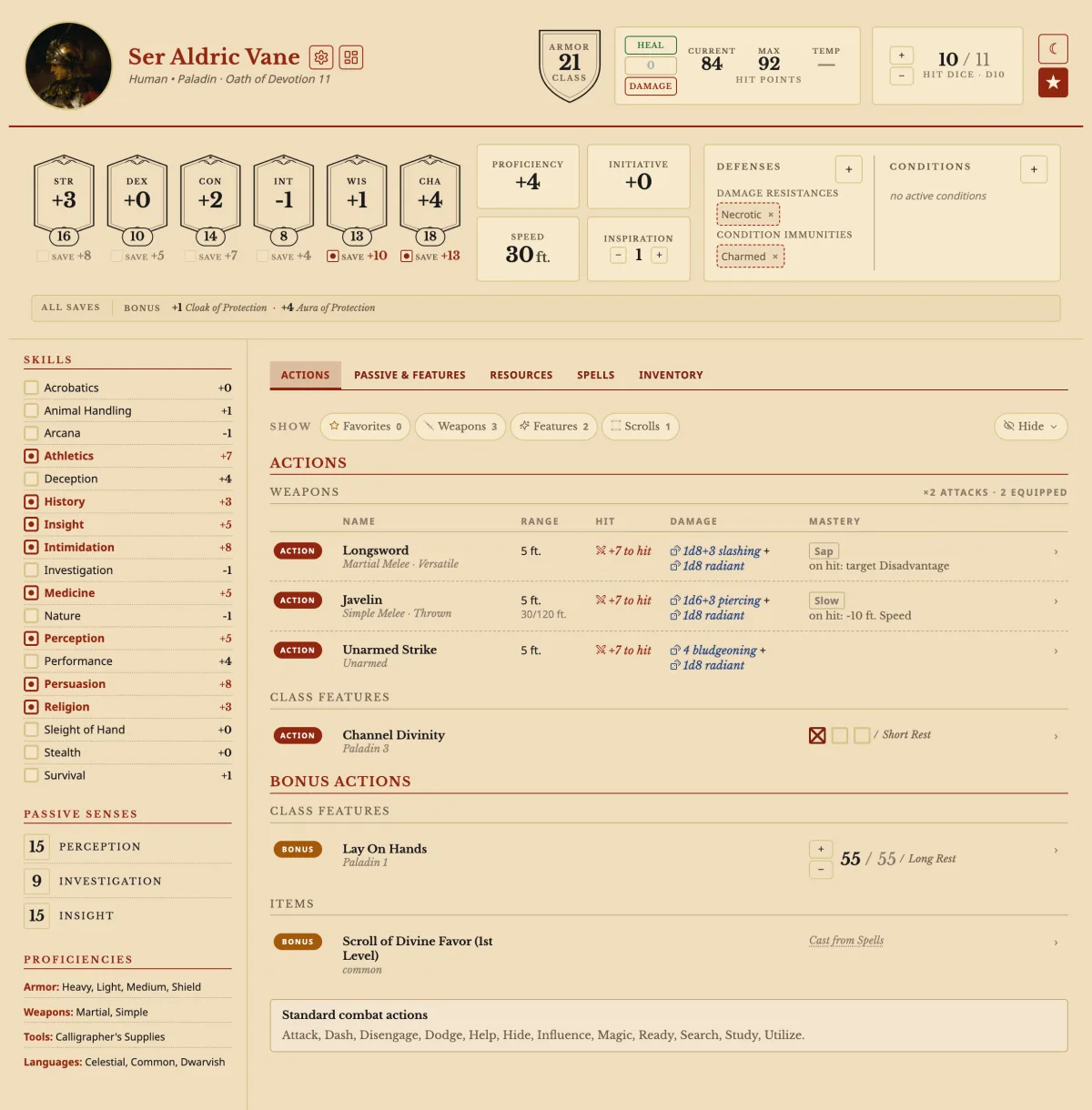
Every check, save, attack and damage number on the sheet rolls with a click. Option+click (Alt+click) a damage number to open Roll damage…, tick what this hit adds, and see the whole roll before you make it.
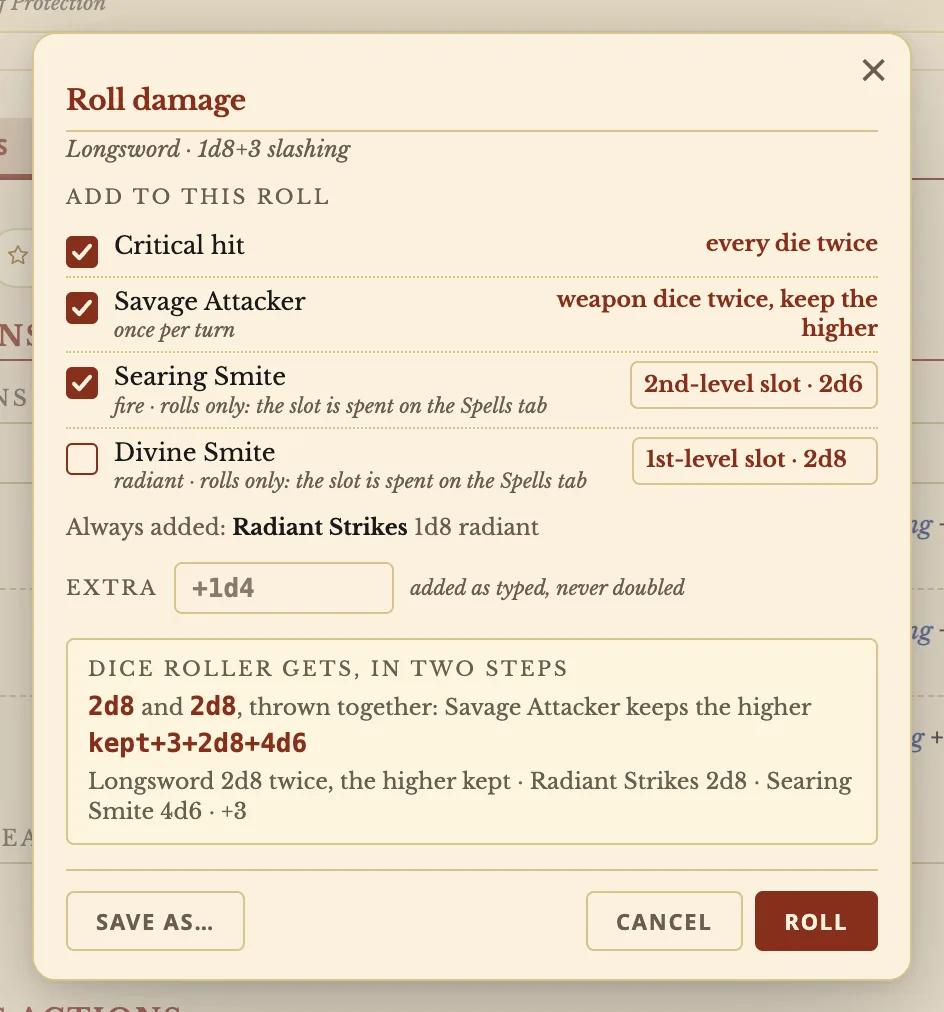

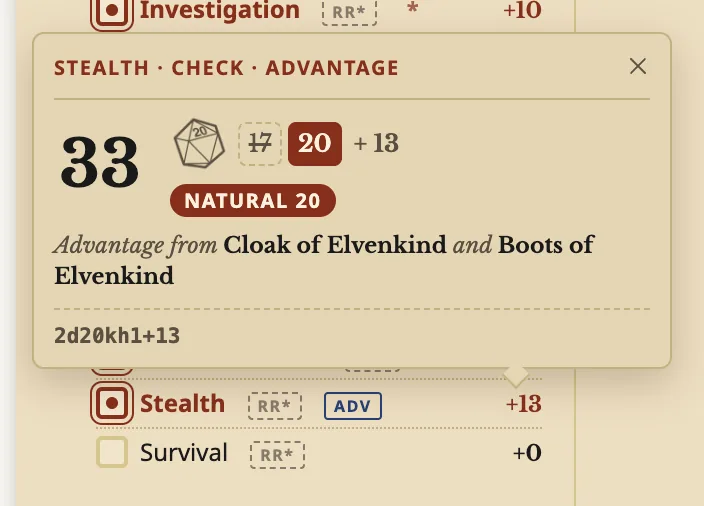
Save as… keeps it for this weapon or every attack. Checks and saves roll the same way, and the result says where your advantage came from: Cloak of Elvenkind, Boots of Elvenkind.
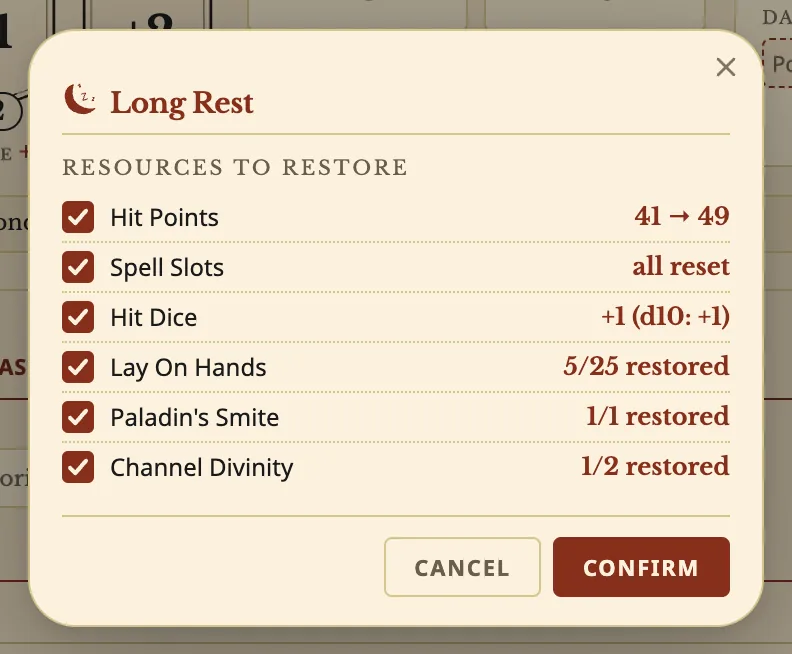
Heal and Damage buttons, temporary hit points and death saves at 0 HP. A Short or Long Rest lists exactly what comes back before you confirm.
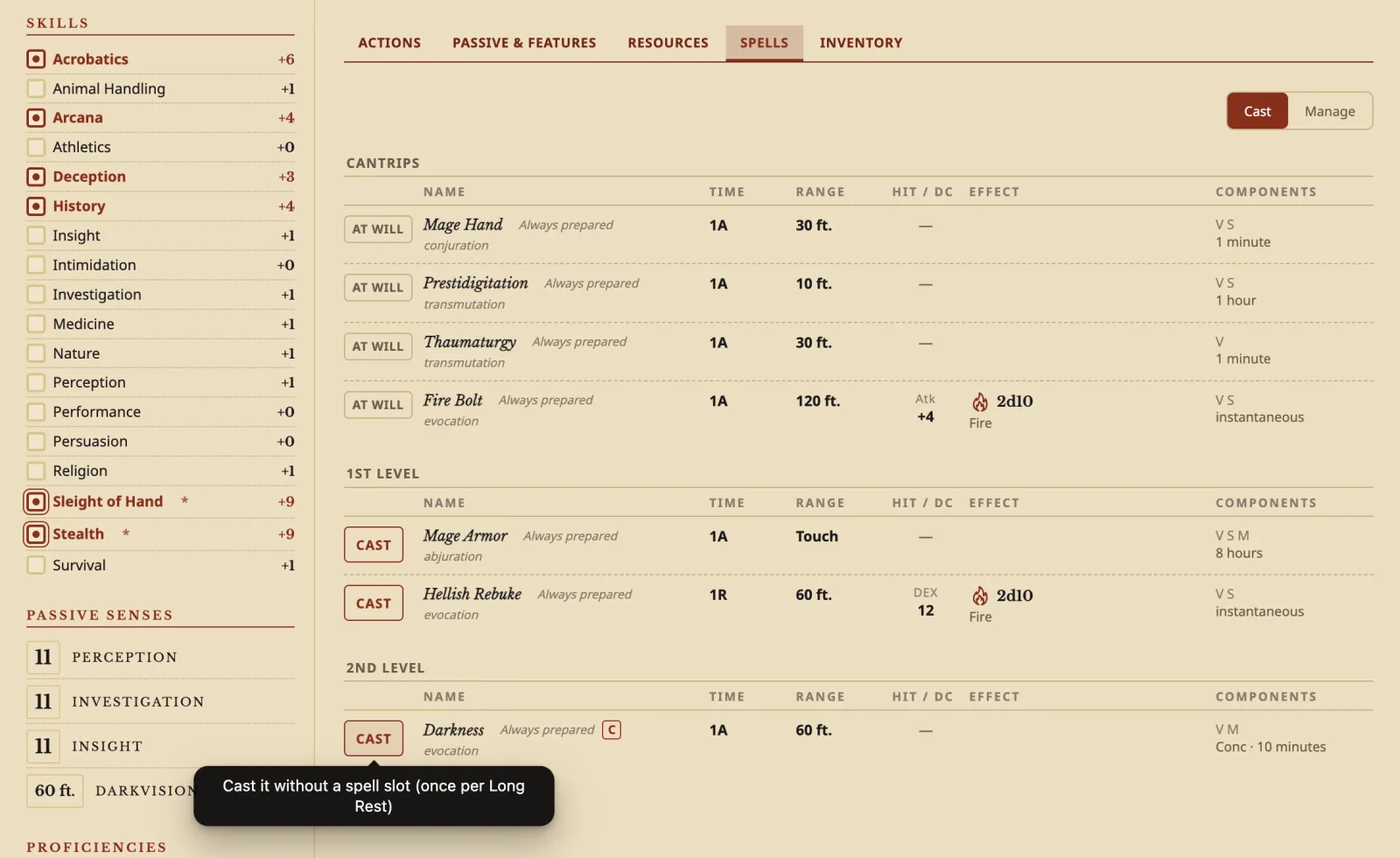
CAST spends the slot. Spell attacks roll, save DCs show, damage dice roll with a click. Free casts from your species or a feat grey out once used, and a rest gives them back.
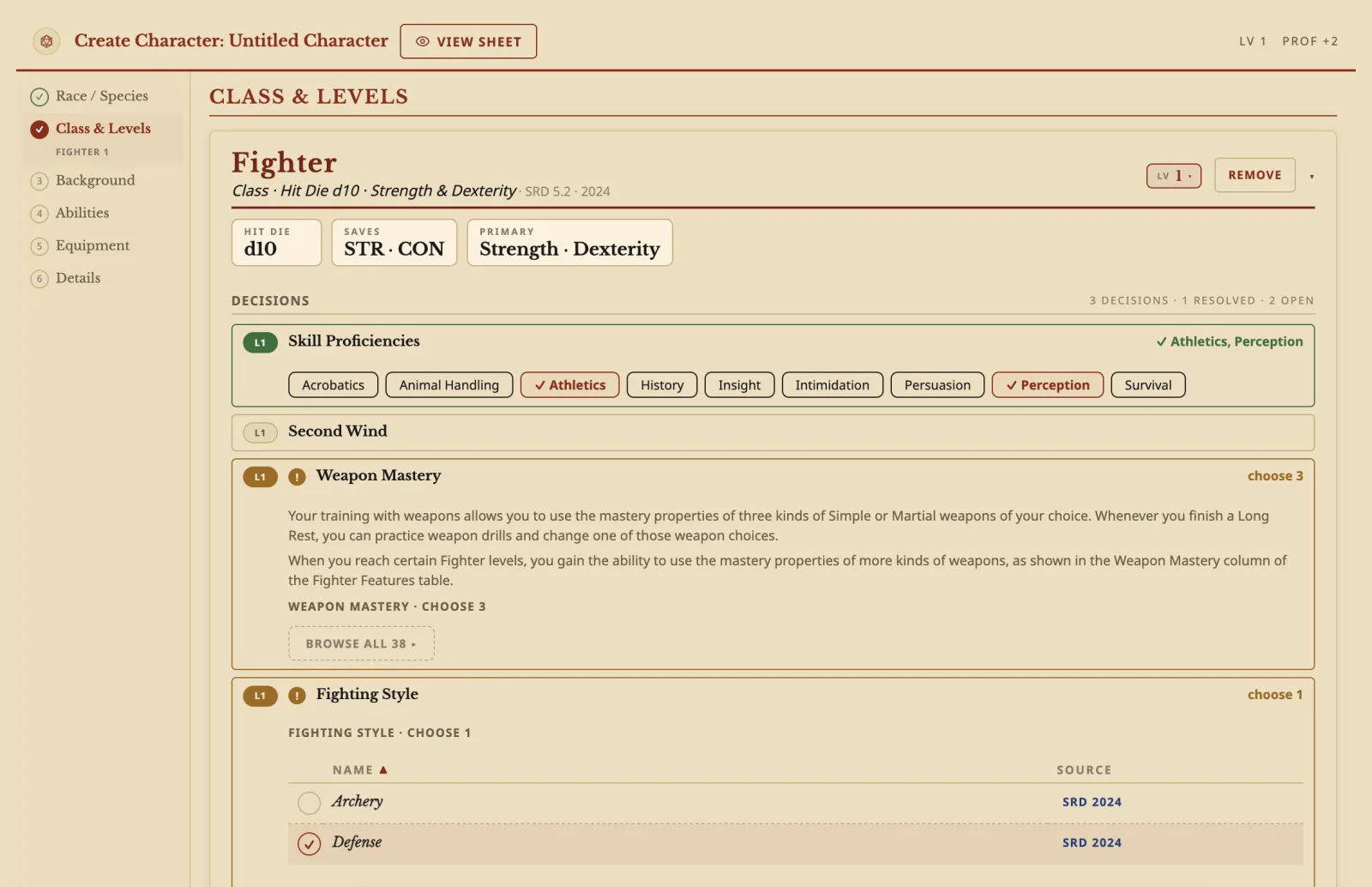
Species, class and levels, background, abilities, equipment and details. Every option shows its full card, from the SRD and your homebrew together.
Cast Find Familiar, Find Steed or Animate Dead and the creature appears on its own tab, worked out for your character, with its own hit points, conditions and attacks that roll.
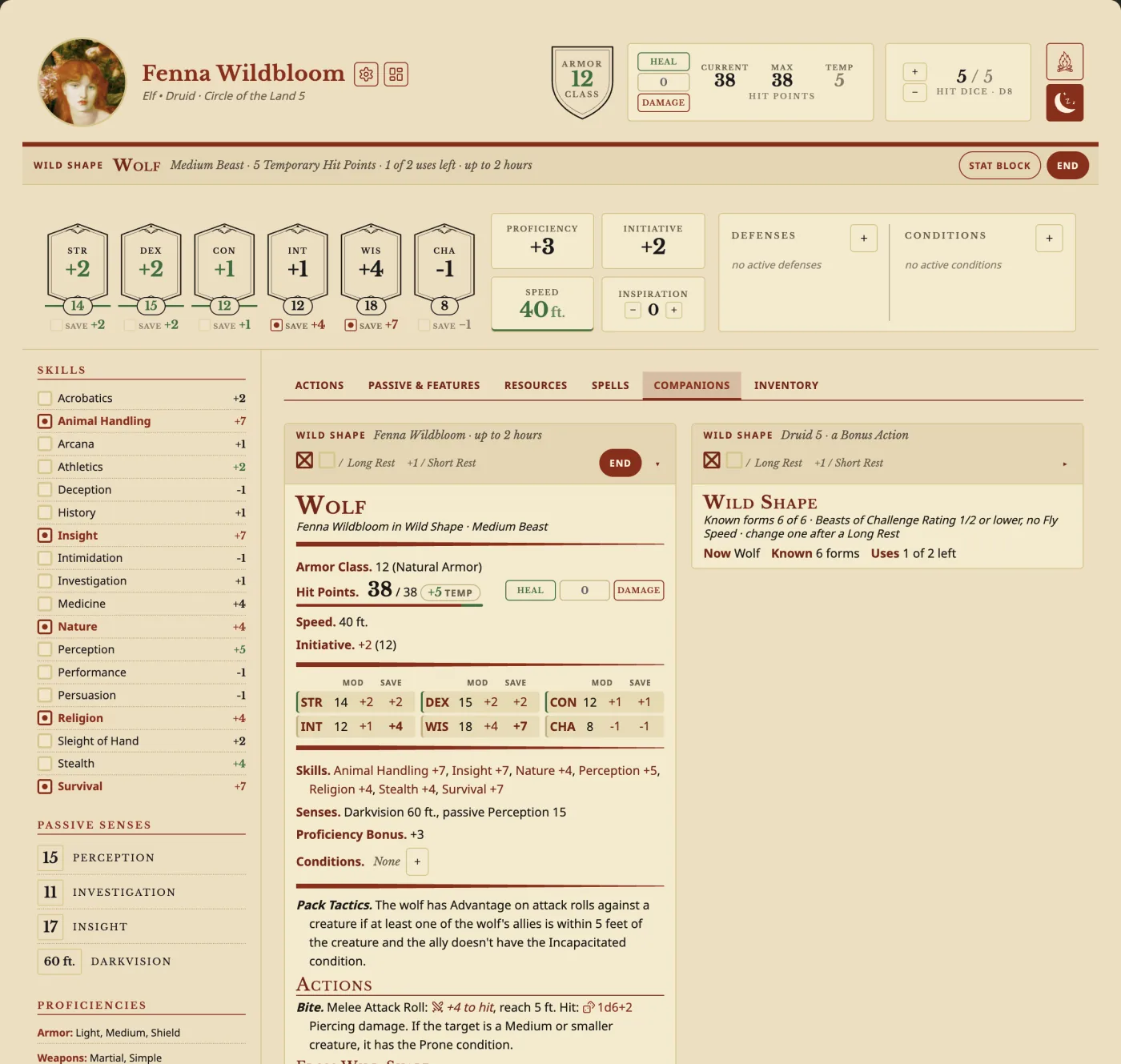
 button on a beast turns you into it, and every number the form changes turns green.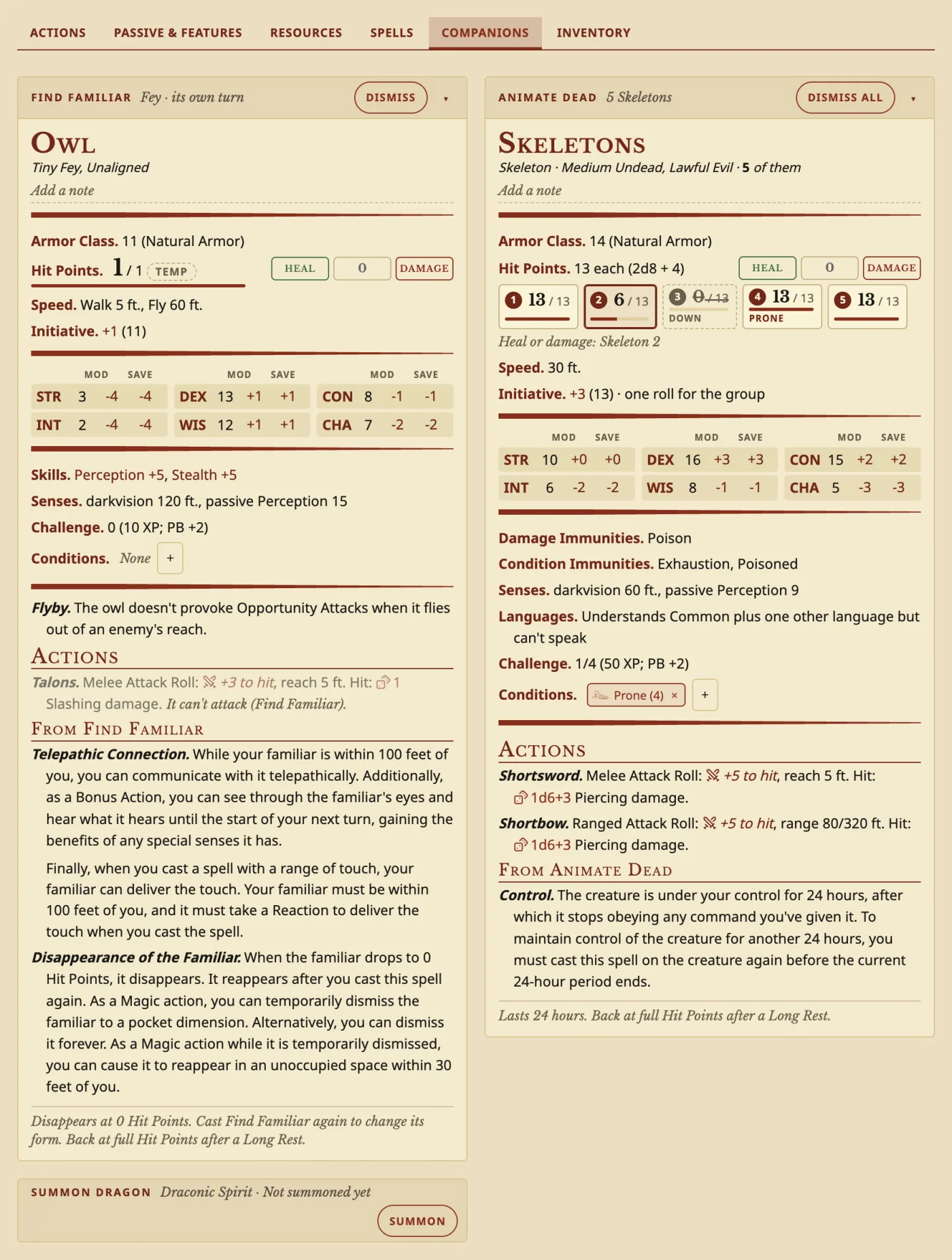
Drag items into a Bag of Holding, track charges, and an item's benefits switch on when you wear it.
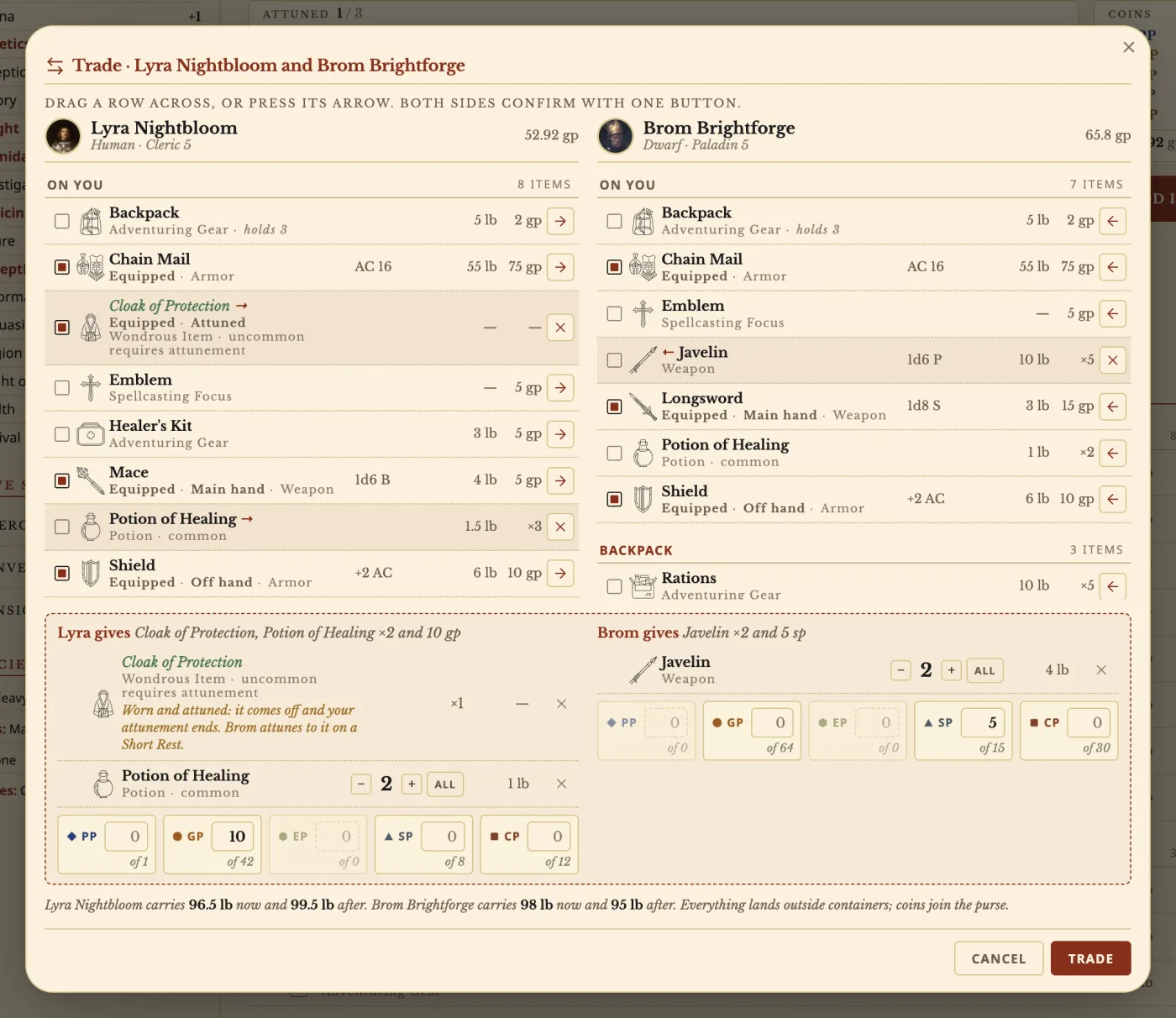
Move items and coins to another character in your vault, with undo.
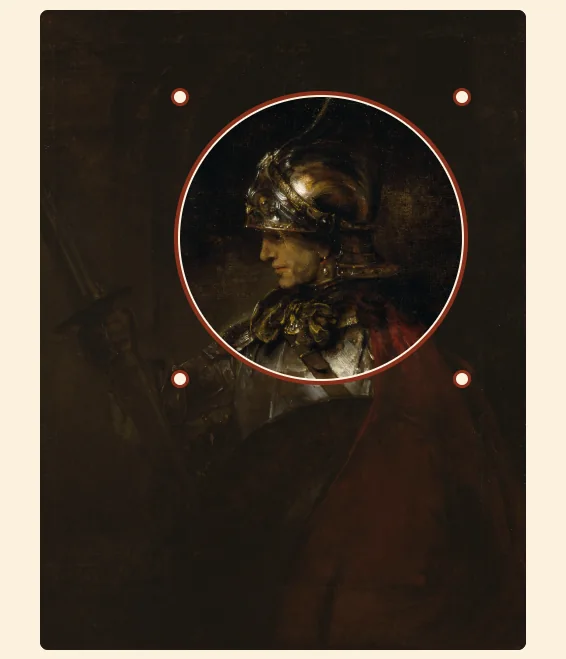
Pick a picture from your vault and frame the face.
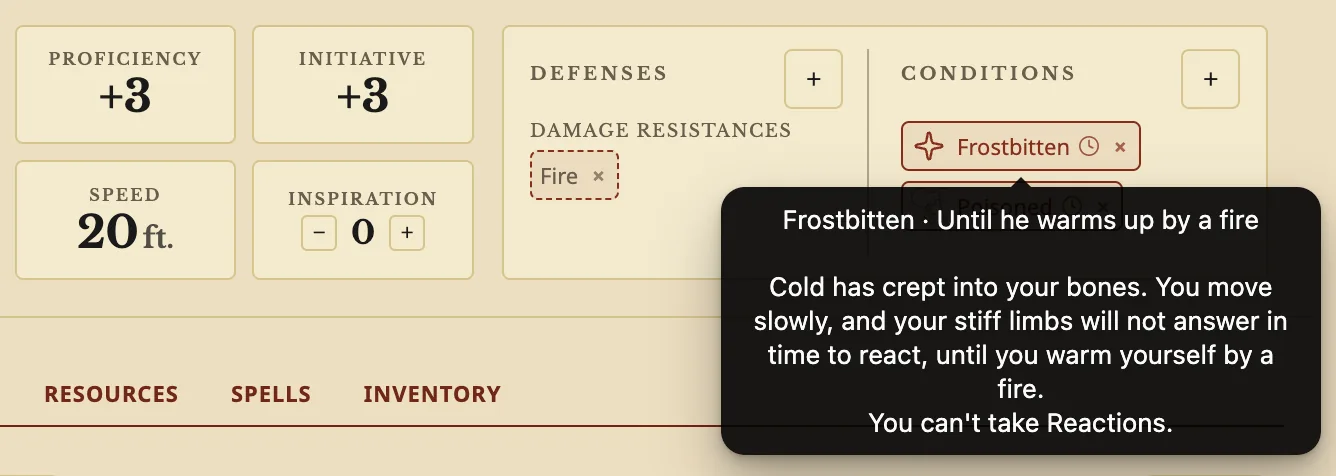
Make a condition with real effects on the sheet, like slower Speed or disadvantage.
The sheet fills the screen edge to edge, and pressing and holding opens the menu a right-click opens on a computer.
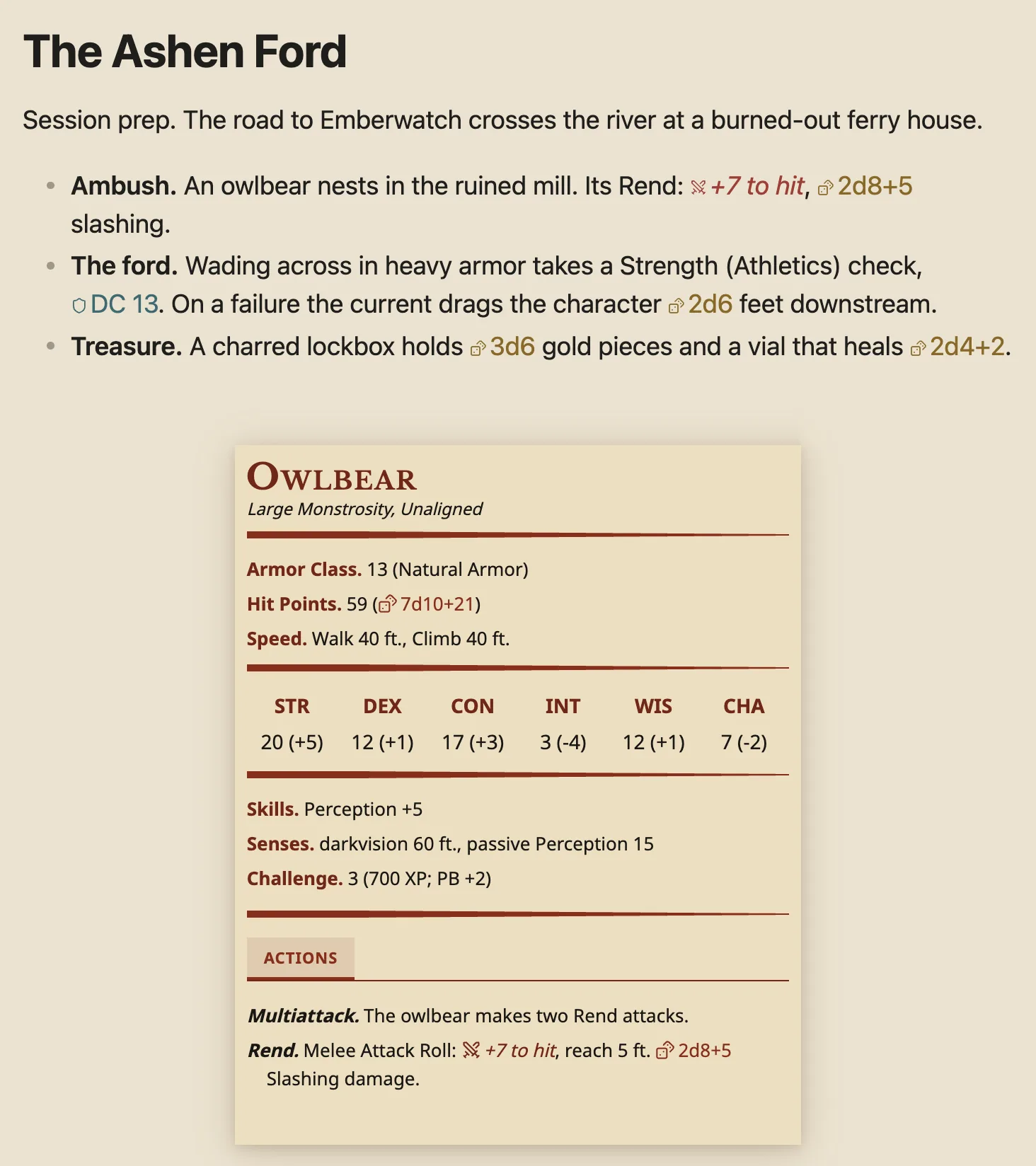
Write a monster, spell or item in any note and it becomes a parchment stat block. Type {{ to pull in anything from the SRD or your homebrew, and put a roll in backticks to make it a button.
Release notes land there first, and you can vote on what gets built next.
Archivist is a free D&D plugin for Obsidian. Players get a character sheet that works out every number from the rules and rolls when you click, a step-by-step character Builder, spells, rests and companions. DMs get parchment stat blocks for monsters, spells and items, and dice that roll from their session notes. The SRD 5.1 and 5.2 come as linked compendiums, and anyone can bring in content from books they own or their own homebrew to use alongside them. Everything stays in your vault as ordinary notes.
Yes. Archivist is completely free to use.
Yes. Keep your own monsters, spells, items, species, classes and feats in your own compendium, next to the SRD. The sheet and the Builder use them like any other entry.
Yes. Rebuild it in the Builder with the same species, class, background and choices. The sheet works out every number.
Yes. On a tablet the sheet fills the screen and pressing and holding opens the menus. Phones work, but the layout isn't polished for small screens yet.
Rolling uses the free Dice Roller plugin. The sheet, the Builder, stat blocks and the compendiums work without it.
Yes. Search for Archivist GG under Settings → Community plugins → Browse.
In your vault, as ordinary notes you can open, search and back up.
Only if it is Archivist GG (id archivist-gg) by archivist-gg. Other plugins and apps named Archivist are unrelated.