How to make a 5e character in two minutes with Quick build
The short answerPress New character, then Quick build. Give a name and a face, pick a species, class, background and level (or roll any of them), and press Create: Archivist fills in the ability scores, skills, gear and spells, and opens the finished sheet.
- For players
- 6 short steps
- Updated 7 November 2026, for Archivist 1.4.0
Everything Quick build picks can be changed later in the Builder.
Two screens to a finished sheet
- On the Characters page, press New character, then Quick build.
- Type a name, or press Pick a random name. Press Pick a random portrait or Choose portrait, then press Next: species, class and level.
- Each row, Species, Class, Background and Level, starts with a pick already made. Press Change to choose your own.
- Press the die on a row to roll it again, or Randomise all to roll every row.
- Set Level with − and +, from 1 to 20.
- Press Create and your character's name. The sheet opens, ready to play.
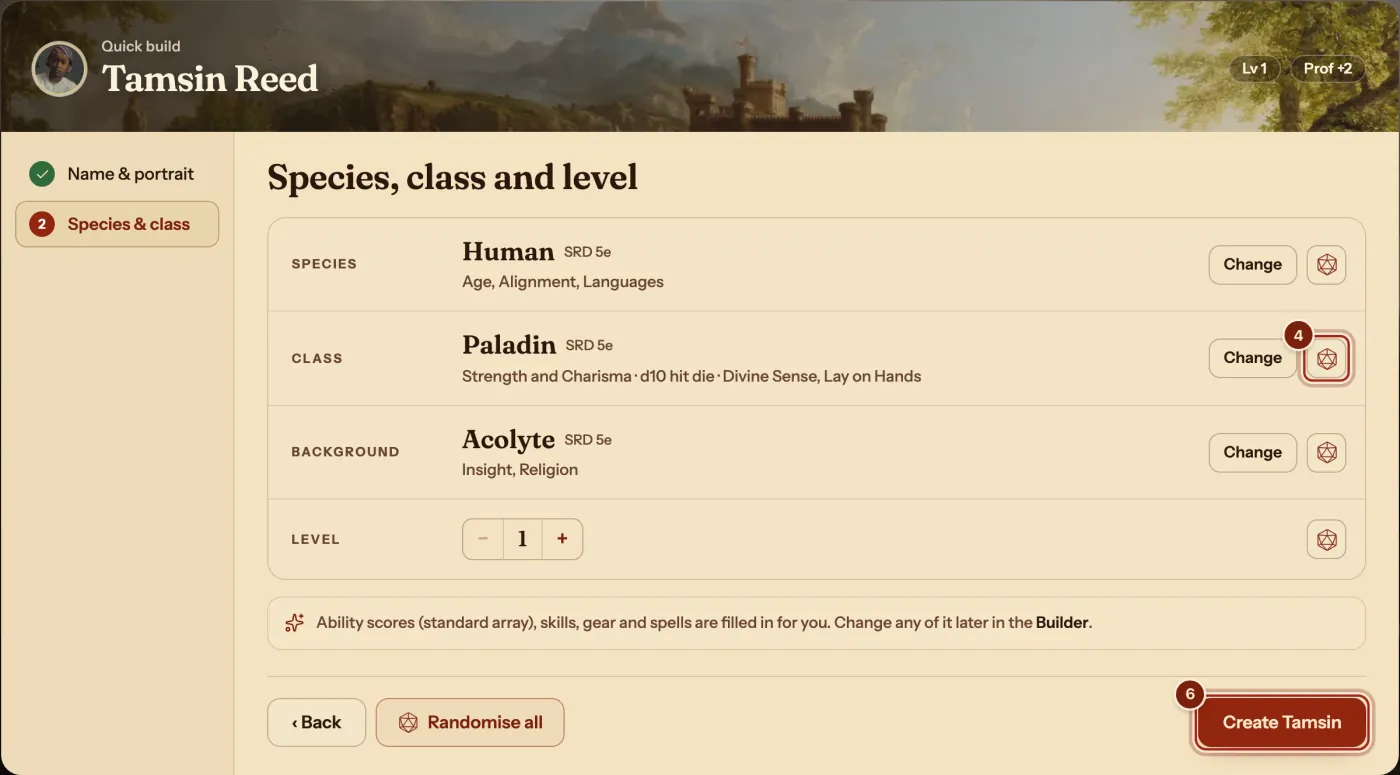
What Quick build fills in for you
All of it can be changed afterwards: open the character menu and choose Builder.
| Part of the sheet | What it picks |
|---|---|
| Ability scores | The standard array, placed for your class, with no score over 20. |
| Skills and languages | The choices your species, class and background ask for. |
| Subclass and feats | A subclass when your level has one, and feats or Ability Score Improvements at their levels. |
| Gear | Your class's first starting equipment choice and the best weapons you can use. |
| Spells | Cantrips and spells for a spellcaster, up to your level. |
| Background | One from your class's rules edition that suits its main ability, when it is rolled. |
Questions
How long does it take?
About two minutes. A name and a portrait, then four rows that are already filled in.
Can I change what it picked?
Yes. Open the gear beside your character's name and choose Builder to change any choice, step by step.
Does it work for a high-level character?
Yes. Set Level up to 20, and it fills in the subclass, feats, gear and spells for that level.
Is Quick build free?
Yes. Unlimited characters, the Builder and Quick build are all free.