How to level up a character
The short answerOn your sheet, press the gear beside your name and choose Builder. On Class & Levels, press Lv on your class and pick the new level. Make any new choice marked with !, then press Done on the Hit points step. The sheet works out everything that changed.
- For players
- 9 short steps
- Updated 4 November 2026, for Archivist 1.3.2
This page's example is Grendal the Wary, a Dwarf Fighter going from level 5 to 6.
Raise the level
- On your sheet, press the gear beside your name.
- Choose Builder.
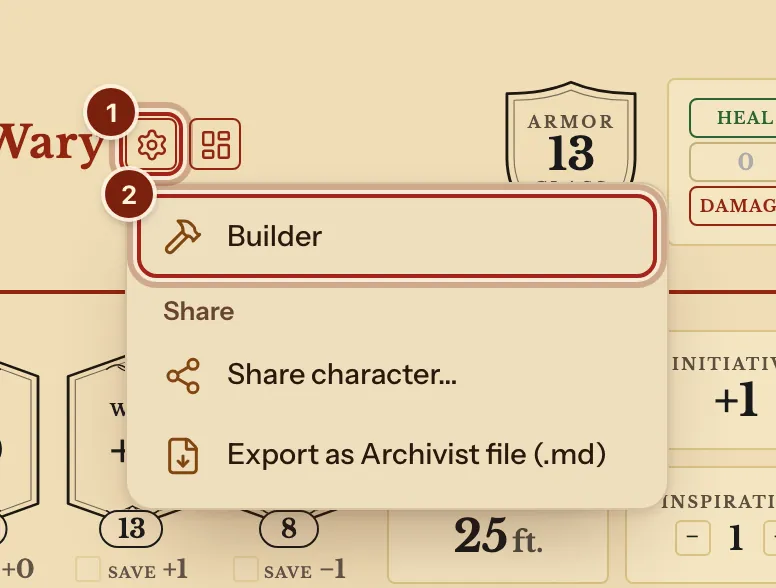
- On the left, press Class & Levels.
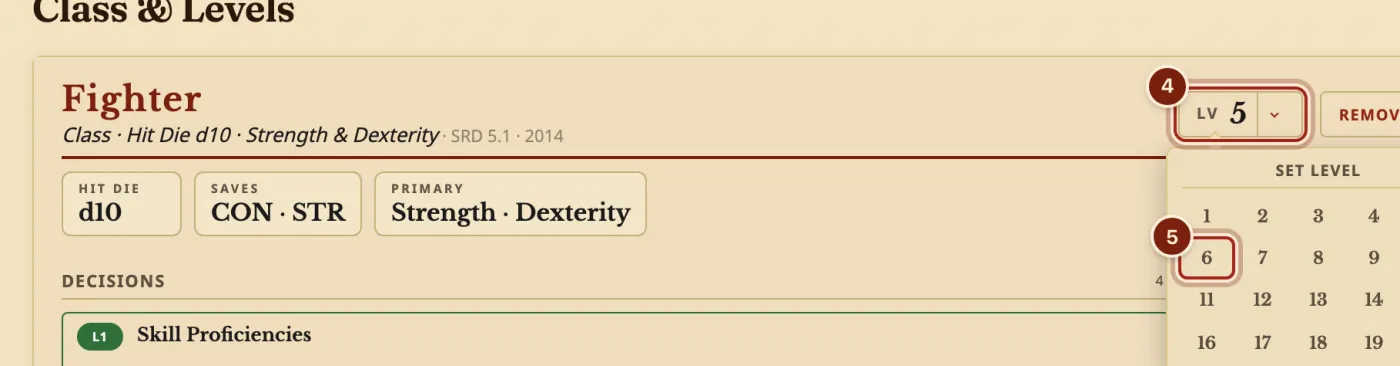
- On your class's card, press Lv.
- Press your new level.
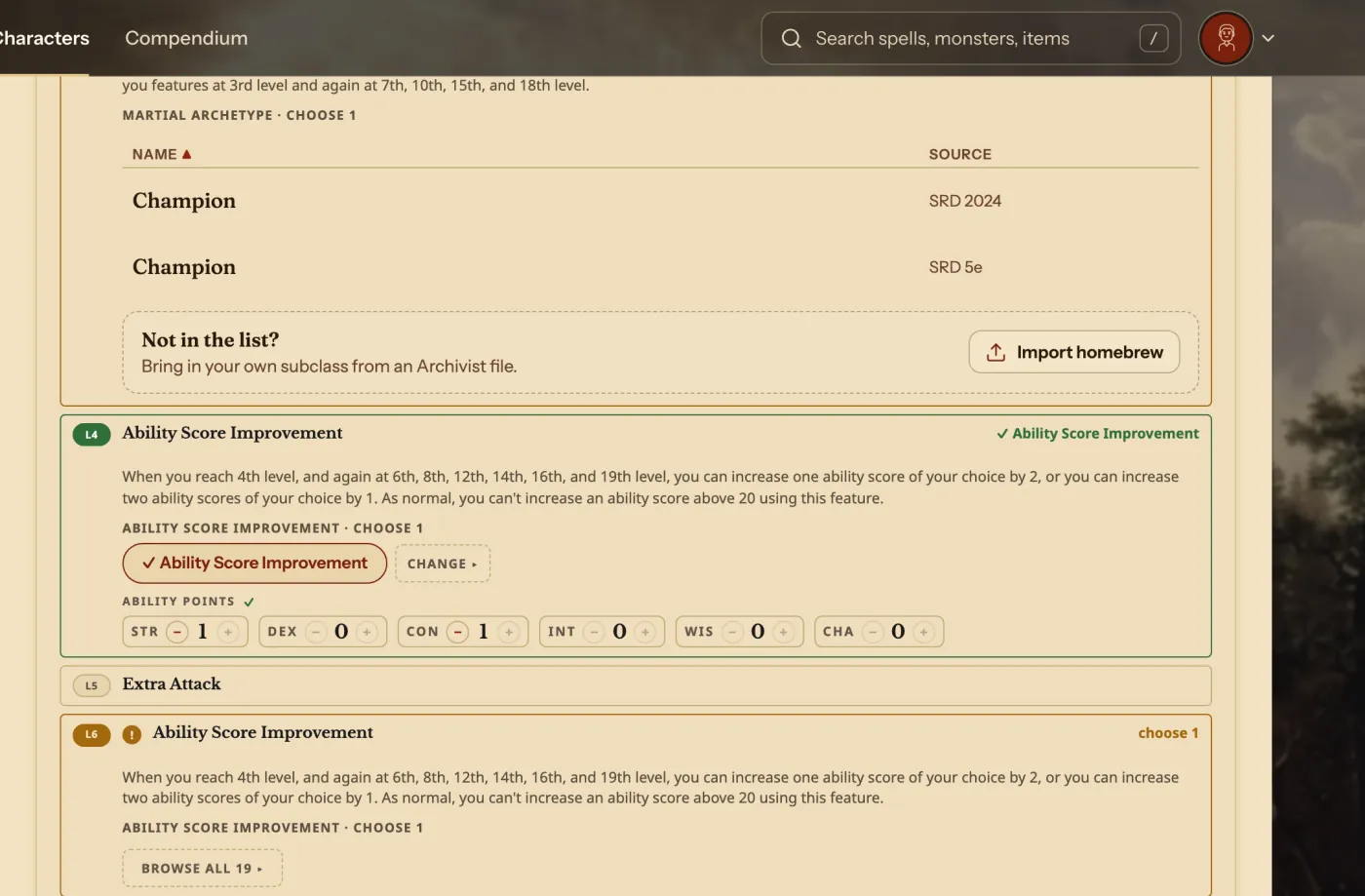
Make the new choices
- Find each choice marked with ! and make it. Here it is Ability Score Improvement at level 6.
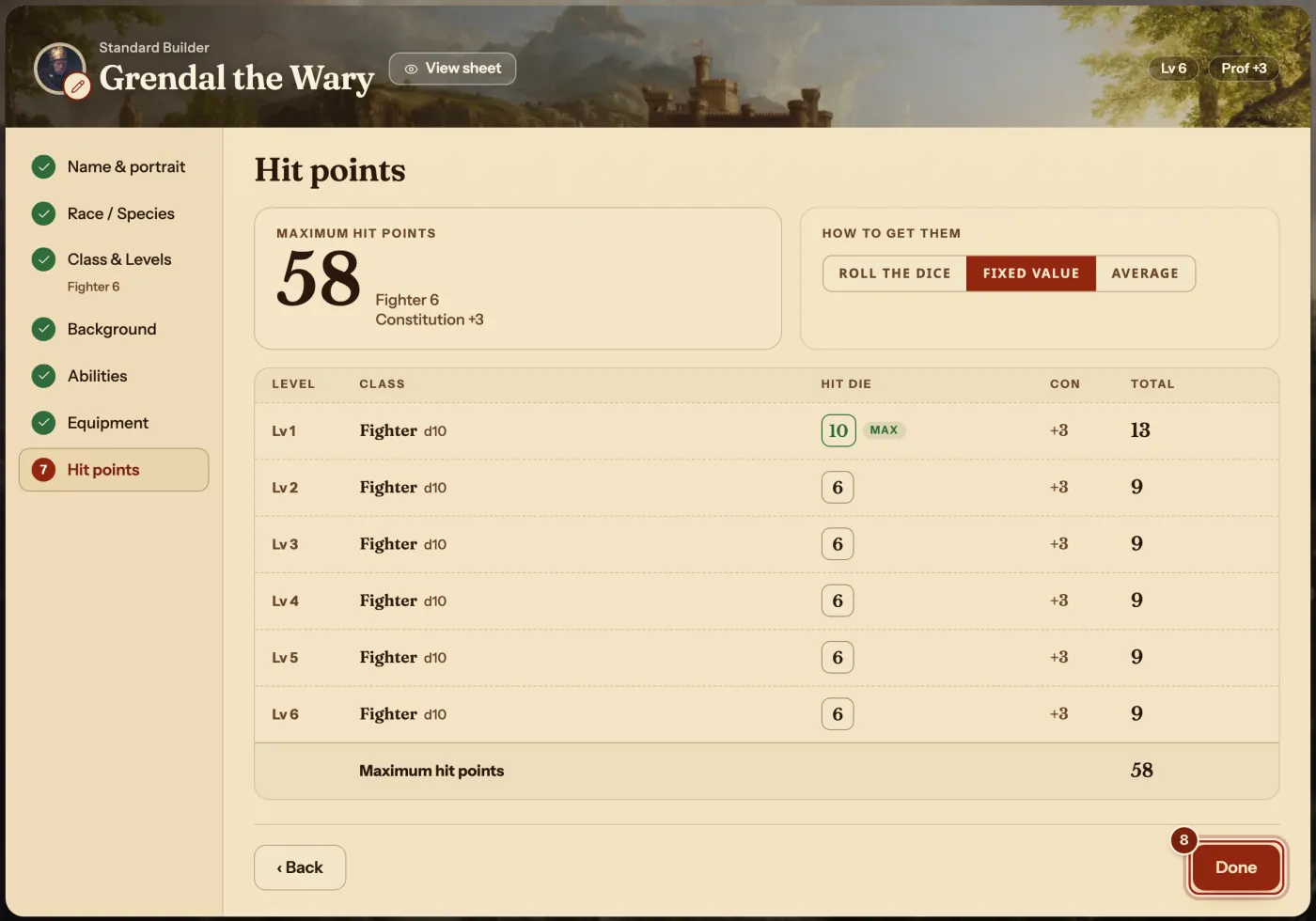
- On the left, press Hit points.
- Check the new row, then press Done.
- Play. Your sheet has the new hit points, features and proficiency bonus.
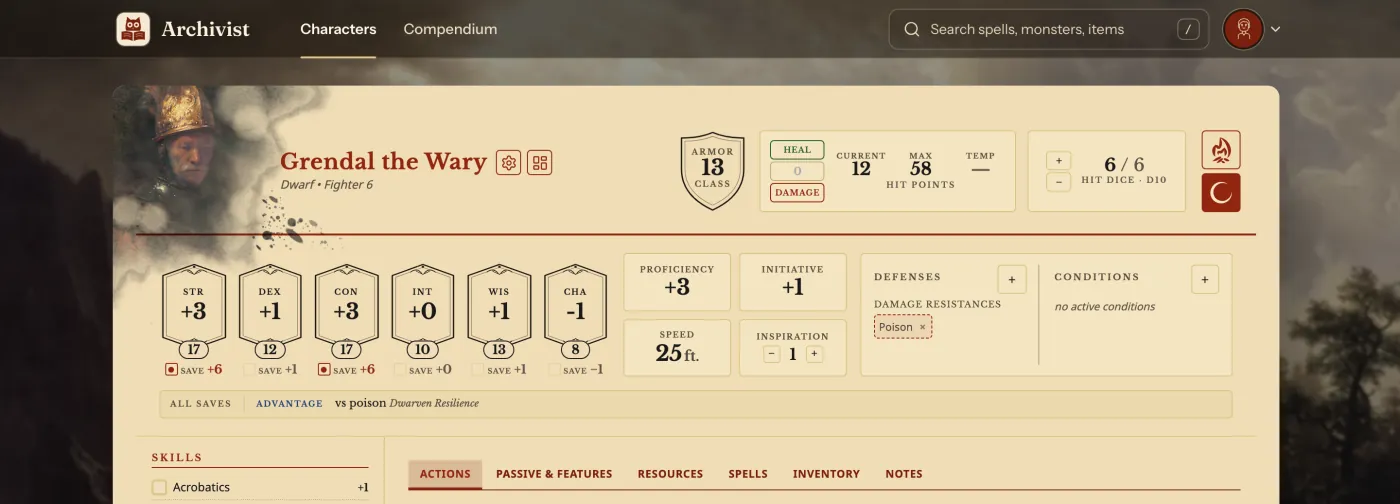
What the sheet works out for you
Press any step on the left of the Builder to change it, then Done.
| At a new level | Where it shows |
|---|---|
| Maximum hit points and Hit Dice | At the top of the sheet. |
| Proficiency bonus | Saves, skills, attacks and spell save DC follow it. |
| New features, with their uses | The Actions and Passive & Features tabs. |
| Spell slots | The Spells tab. |
Questions
Can I go back a level?
Yes. Press Lv and pick the lower level.
My DM uses different rules for this. Can I change a number?
Yes. Any number on the sheet can be changed by hand, and one click puts it back to the rules.
Does levelling up use my spells or rests?
No. Nothing you spent changes, and your current hit points stay as they are until you heal or rest.
Keep going
- Make a character, step by stepQuick build for one screen, Standard Builder for every choice.
- Track spell slots and prepare spellsCAST spends the slot; Manage spells prepares, swaps and learns.
- Make a homebrew featDescribe it to the Archivist Inquiry Assistant, or copy a feat and change it by hand.
- Make a homebrew subclassDescribe it to the Archivist Inquiry Assistant, or copy a subclass and change it by hand.
- Use Archivist on your phoneOpen it in your browser, and add it to your Home Screen.