How to choose the dice for each roll as the DM
The short answerOn your campaign's page, press the round dice button at the bottom right, then Choose dice, and pick a set under Yours to use. Every roll you make on that campaign's pages wears it until you choose again, so a dragon can roll red dice and a lich bone white. The same panel rolls any mix of dice, hundreds at a time, and a roll of more than 40 dice reaches your table as one card with its total.
- For DMs
- 8 short steps
- Updated 18 November 2026, for Archivist 1.6.2
This page's example is The Drowned Lantern, a campaign with three players, run by its DM.
Pick the dice for your next rolls
- Open your campaign. On the Party tab, press the round dice button at the bottom right.
- Under the dice, press Choose dice. The line beside it shows the set your next roll wears.
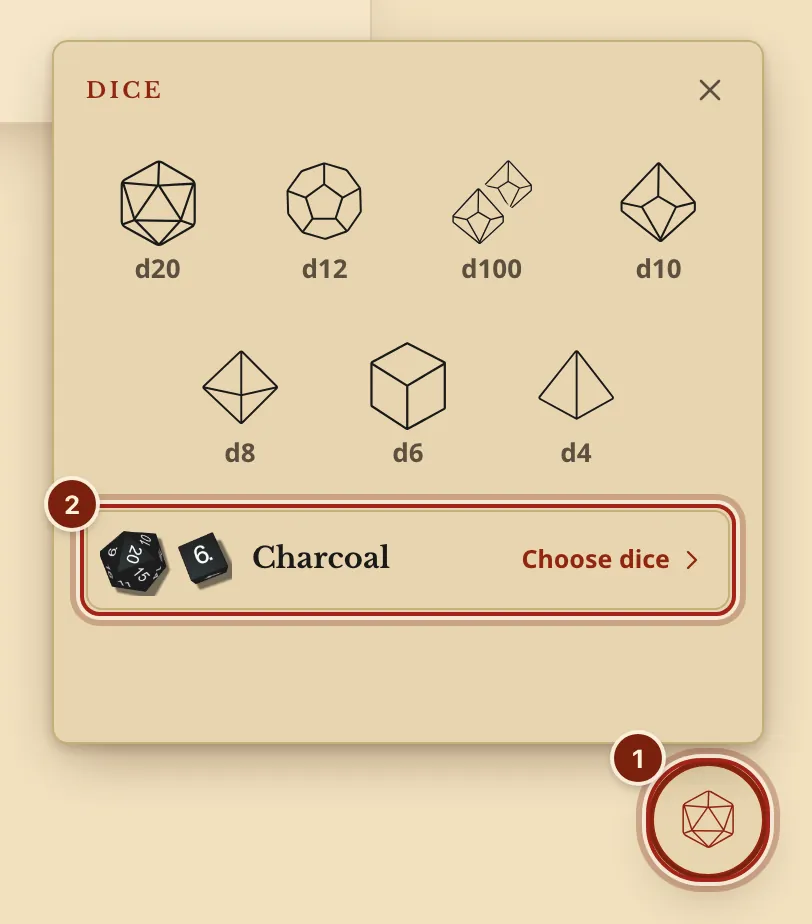
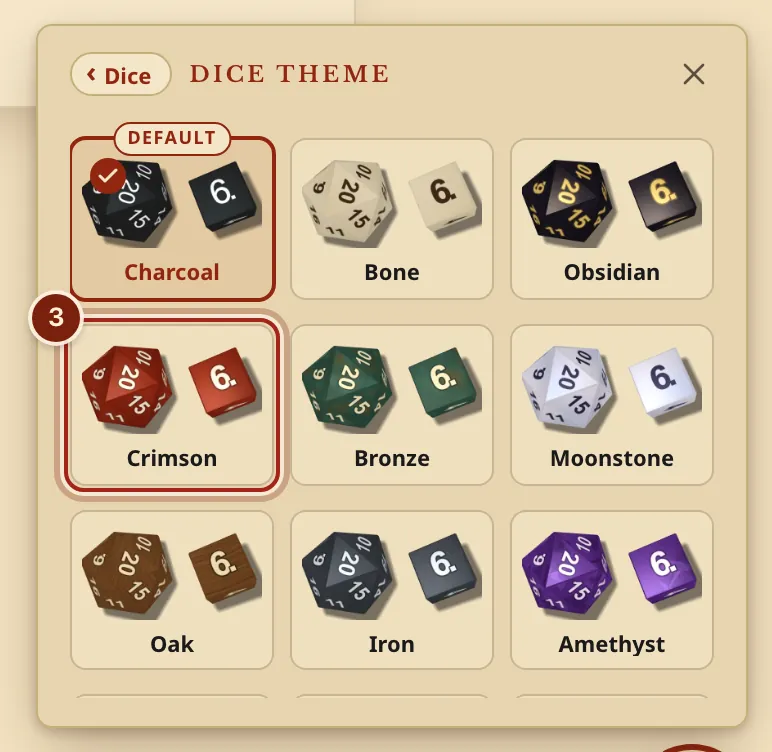
- Under Yours to use, press a set, such as Crimson. The panel turns back to the dice, wearing it.
The set marked Default is your own dice theme from Settings. Press it to go back to it.
Roll with them
- Roll the way you always do: a monster's attack on your page, the dice panel, or a player's sheet you opened from the campaign. Each roll wears the set you picked.
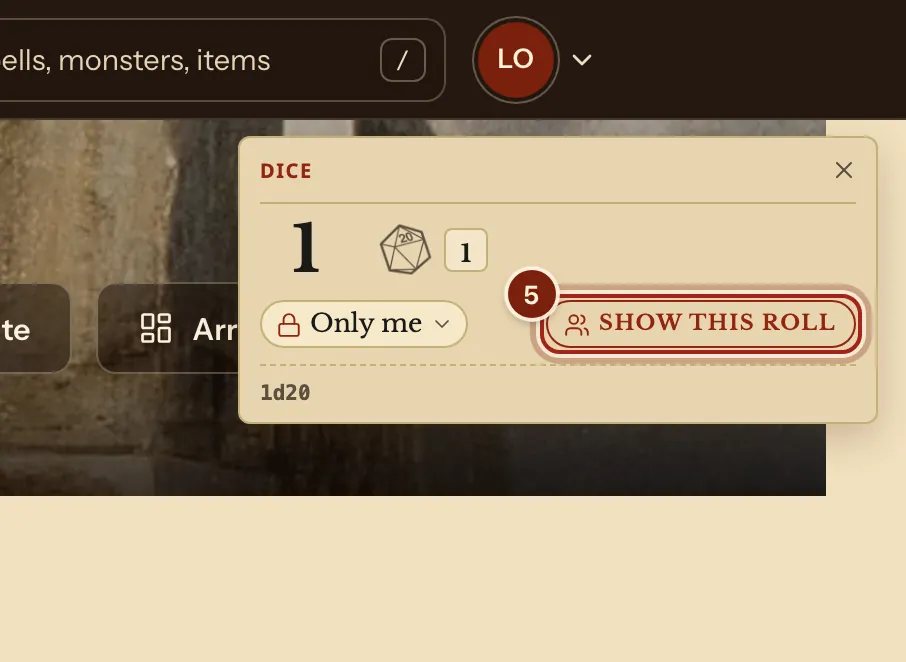
- To show a roll to your players, press Show this roll on its card. They see your dice in that set from the very first roll.
Your rolls start as Only me. To send every roll to the table, set the chip on a roll's card, or Who sees my rolls as the DM in Settings, to The table. See every roll at your table shows both.
Roll a big handful
- In the dice panel, press and hold a die until a box opens, type how many, such as 60 for a horde's arrows, and press Enter.
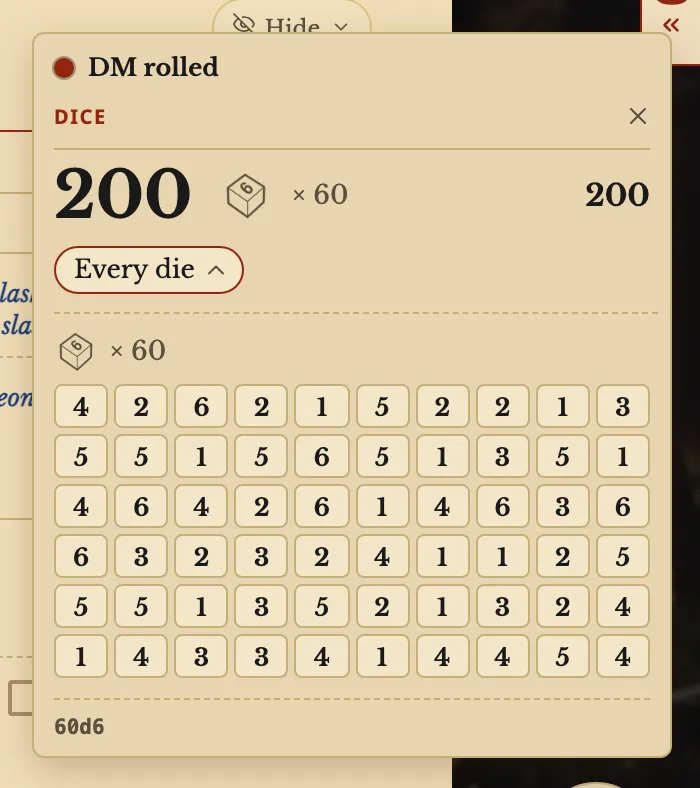
- Press Roll. A roll of more than 40 dice shows its result at once: the total, one line for each kind of die, and Every die to see every number.
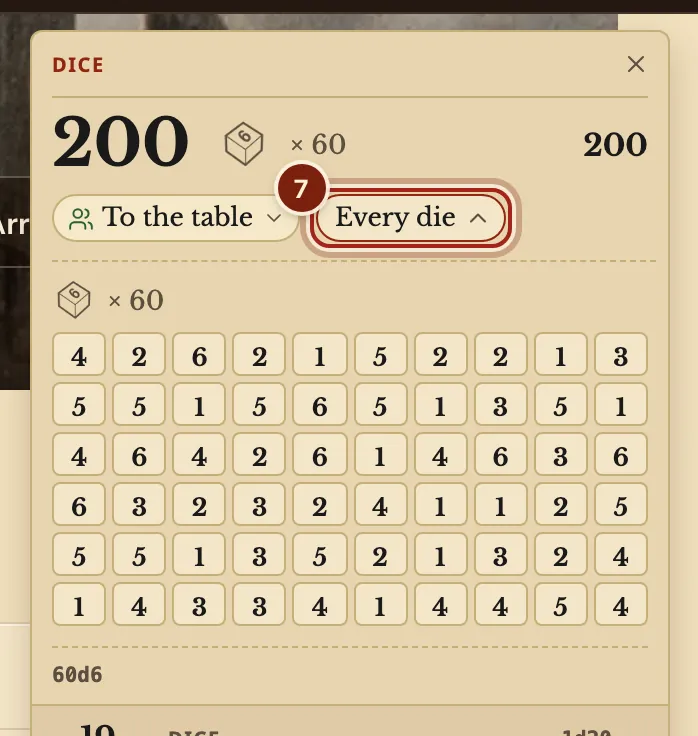
- Sent to the table, the same card arrives on your players' sheets, headed DM rolled, with no dice thrown on their screens. Every die opens each number there too.
Where your pick applies
The pick is for one campaign. Each of your campaigns keeps its own.
| Where you roll | The dice it wears |
|---|---|
| Your campaign's pages | The set you picked with Choose dice. |
| A player's sheet you opened from that campaign | The set you picked. |
| Another campaign | That campaign's own pick, or your dice theme. |
| Your own character's sheet | Your dice theme, from Settings or the sheet's Appearance. |
Questions
How long does the pick last?
Until you pick another set, or press the one marked Default.
Can my players choose their dice too?
Yes. Each player picks a dice theme in Settings, or one for a single character on the Dice tab of Appearance. The rest of the table sees each player's dice in their own set.
Can I hide my rolls from the players?
Yes. Your rolls start as Only me. Press Show this roll to reveal one.
Do my players' screens throw a big roll's dice?
No. A roll of more than 40 dice reaches them as its card, with the total and Every die.
Keep going
- See every roll at your table liveRolls go to the DM by default and land on your screen as they happen.
- Roll dice and build a custom rollClick a number to roll it; Option+click damage to build the roll.
- Use the DM's dashboard: the Party view and your own layoutThe Party tab shows everyone; Arrange moves and sizes the blocks.
- Run initiativeStart a fight, add the party and monsters, press Next turn.