How to roll dice and build a custom roll
The short answerPress any check, save, attack or damage number on your sheet to roll it. To add a critical hit, a smite or extra dice, right-click a damage number and choose Roll custom damage…, tick what this hit adds and press Roll. The result shows every die and each damage type.
- For players
- 10 short steps
- Updated 7 November 2026, for Archivist 1.4.0
This page's example is Ser Aldric Vane, a level 9 Paladin with a longsword.
Roll a number on your sheet
- On your sheet, press the Actions tab.
- Press a to-hit number. The result appears beside your sheet.
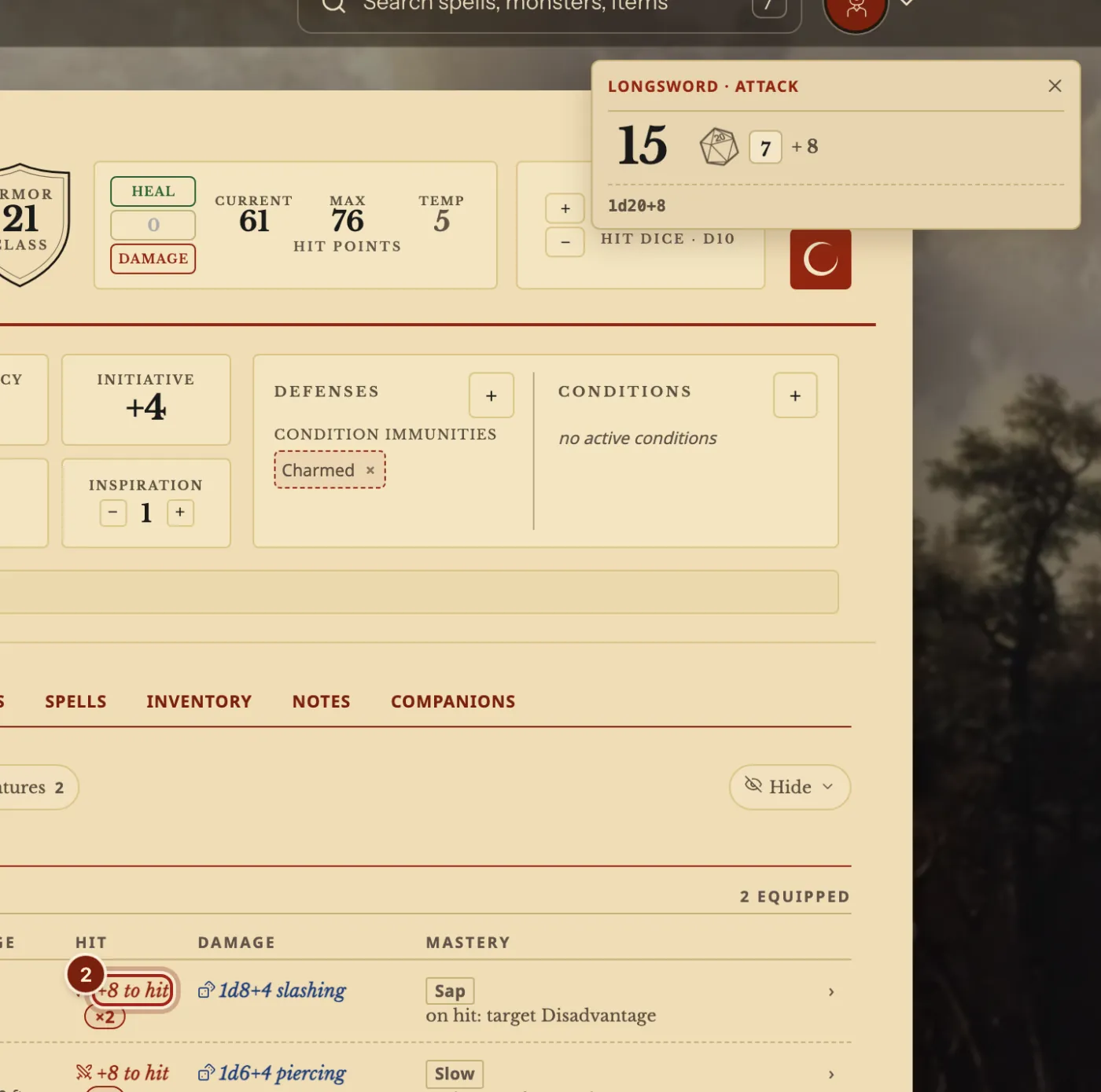
Build a custom roll
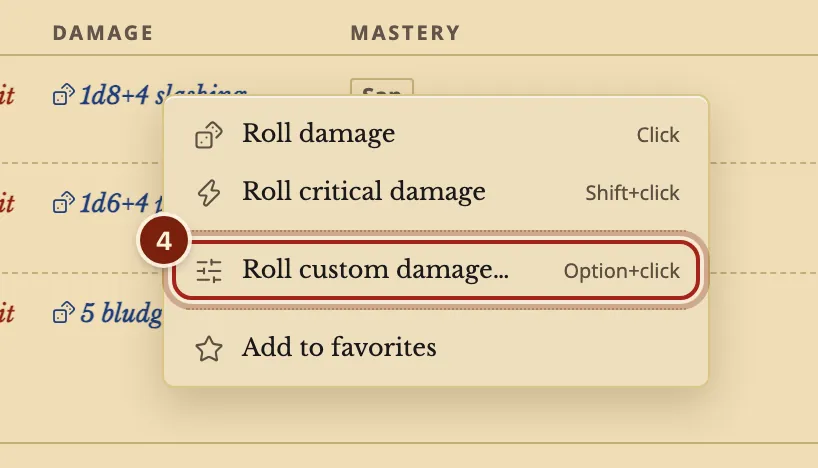
- Right-click a damage number. On a touch screen, press and hold it.
- Choose Roll custom damage….
Option+click (Alt+click on Windows) goes straight to this window, and Shift+click rolls critical damage.
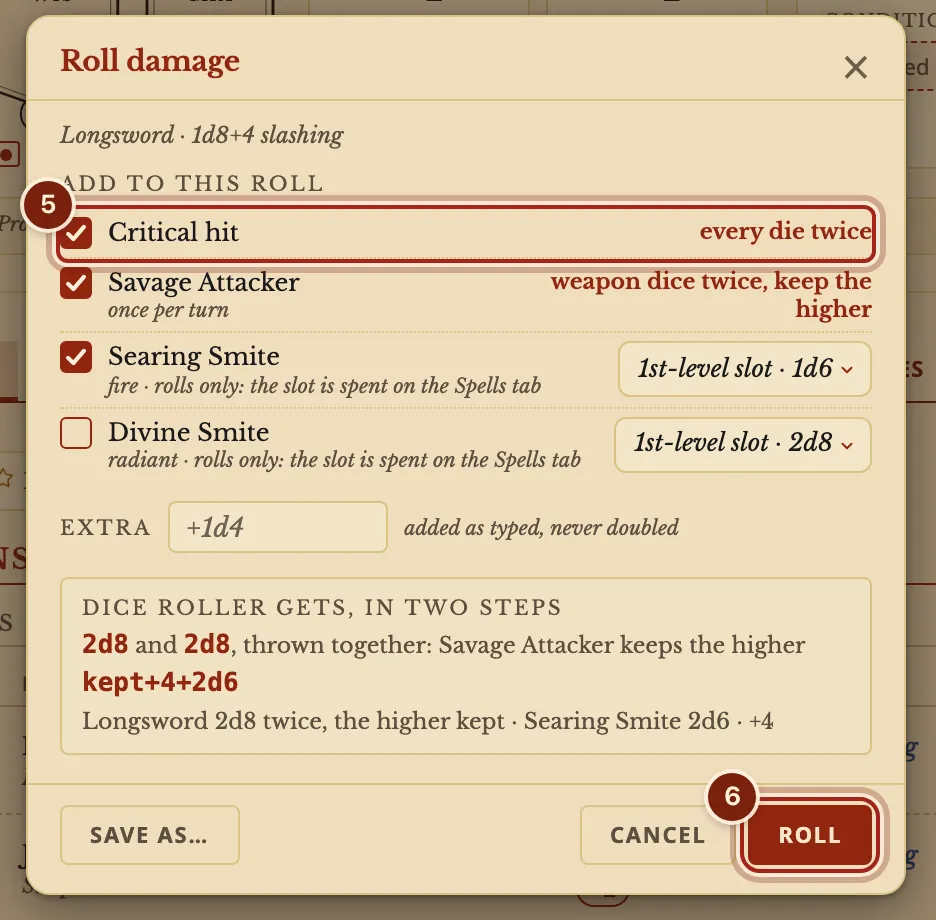
- Tick what this hit adds. The window shows the roll before you make it.
- Press Roll.
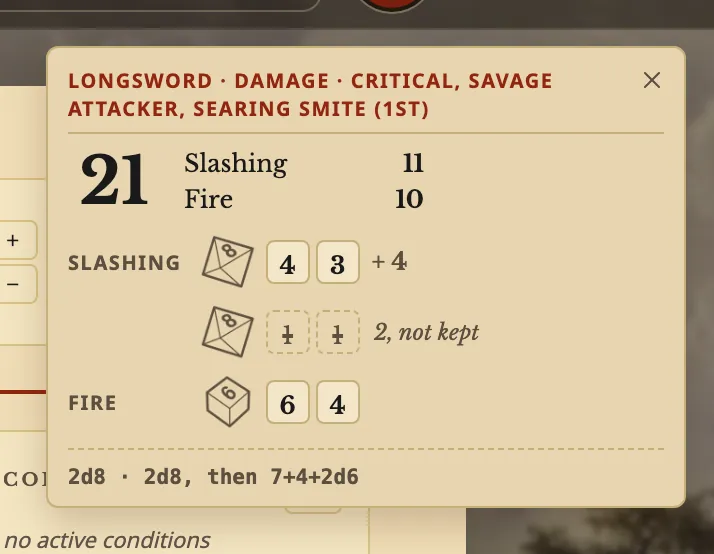
- Read the result. Every die shows, with each damage type apart.
Roll any dice
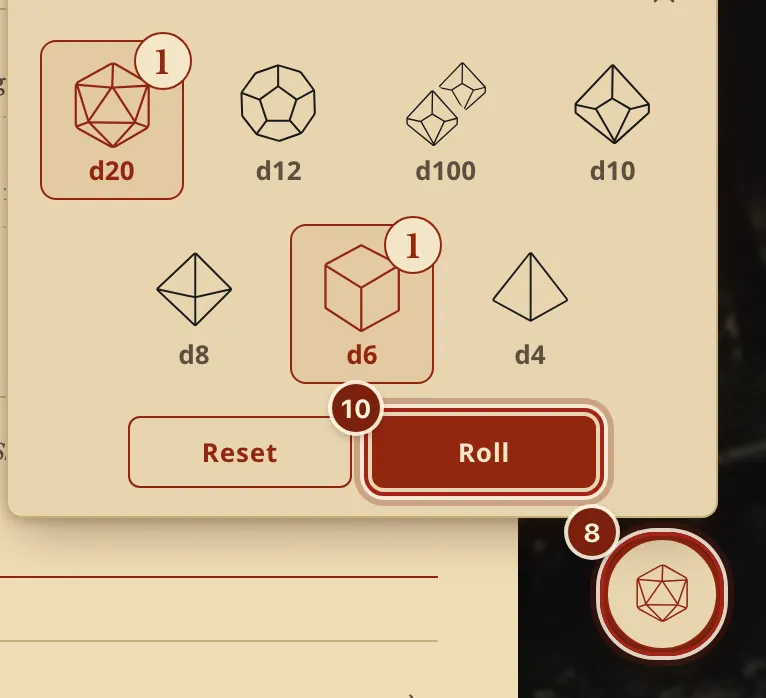
- Press the dice button at the bottom right.
- Press the dice you want. Each press adds one.
- Press Roll.
Every way to roll
These work on a damage number. A to-hit number and a check have the same menu with their own rolls.
| To do this | On a computer | On a touch screen |
|---|---|---|
| Roll it | Click | Tap |
| Roll critical damage | Shift+click | Press and hold, then Roll critical damage |
| Build a custom roll | Option+click or Alt+click | Press and hold, then Roll custom damage… |
Questions
How do I roll with advantage?
Right-click the to-hit number and choose Roll custom attack…, where you can pick normal, advantage or disadvantage. A condition or a feature that gives advantage is applied for you, and the result says where it came from.
Does a smite spend my spell slot?
No. A smite in this window only rolls. Spend the slot on the Spells tab.
Can my table see my rolls?
In a campaign, your rolls go to the DM unless you choose The table or Only me in Settings, under Rolls. Everyone's dice fly side by side at the same moment, and each roll leaves a card naming who rolled. See See every roll at your table.
Keep going
- See every roll at your table liveRolls go to the DM by default and land on your screen as they happen.
- Track spell slots and prepare spellsCAST spends the slot; Manage spells prepares, swaps and learns.
- Choose the resources on top of your sheetAppearance, then Pinned: pick up to five and put them in order.