How to give items to players
The short answerAs a player, right-click an item on your Inventory tab, choose Give to…, pick a player and press Give: they accept or decline. As the DM, open the campaign's ⋯ menu, choose Give an item, find it, pick a player and press Give, and it goes straight to their sheet.
- For DMs and players
- 11 short steps
- Updated 7 November 2026, for Archivist 1.4.0
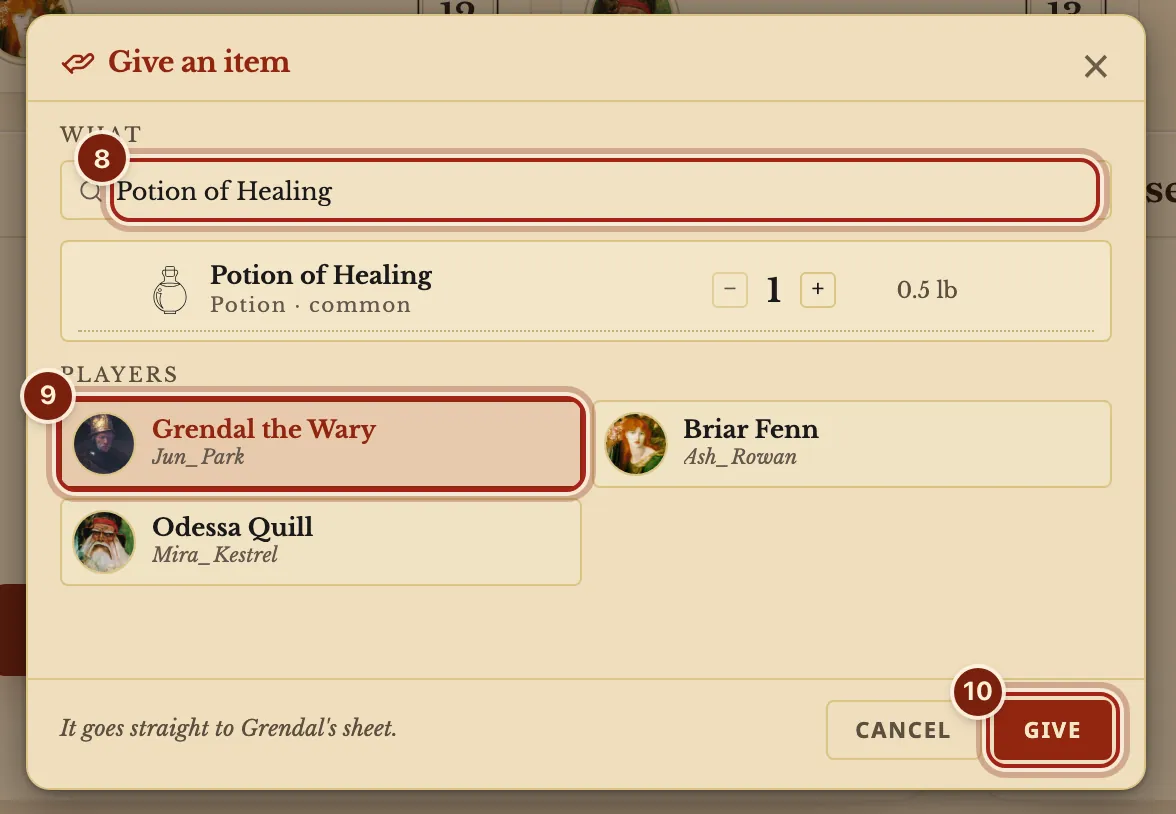
This page's example is The Drowned Lantern: a Potion of Healing goes to Grendal the Wary.
As a player
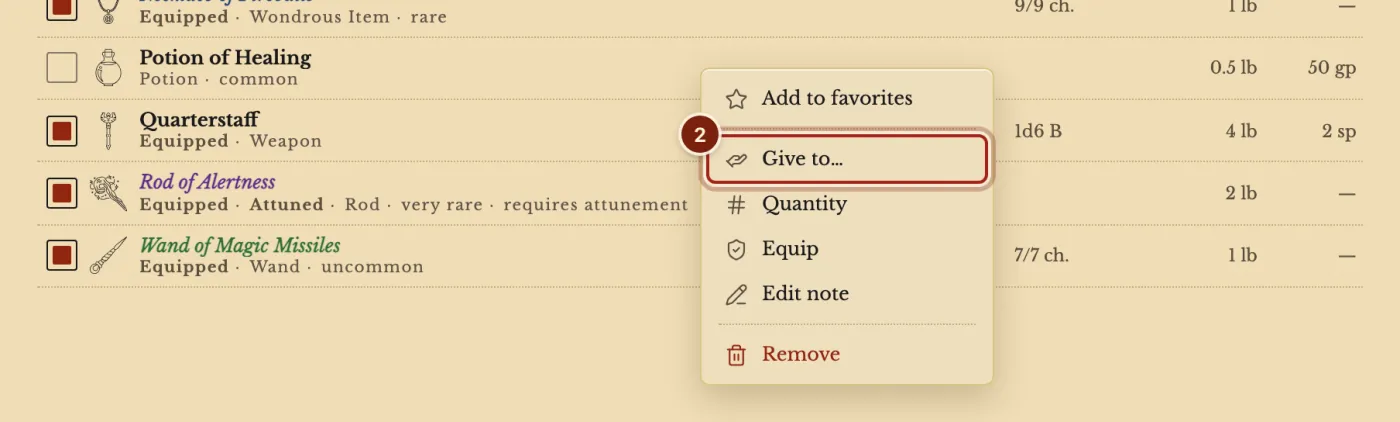
- On your Inventory tab, right-click an item. On a touch screen, press and hold it.
- Choose Give to….
Coins give the same way: right-click a coin.
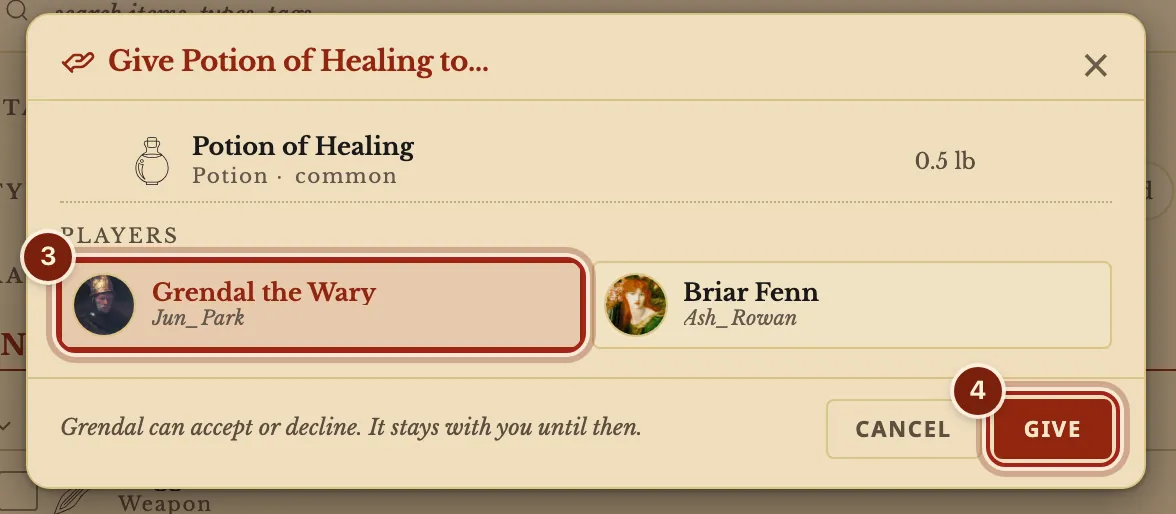
- Press a player.
- Press Give.
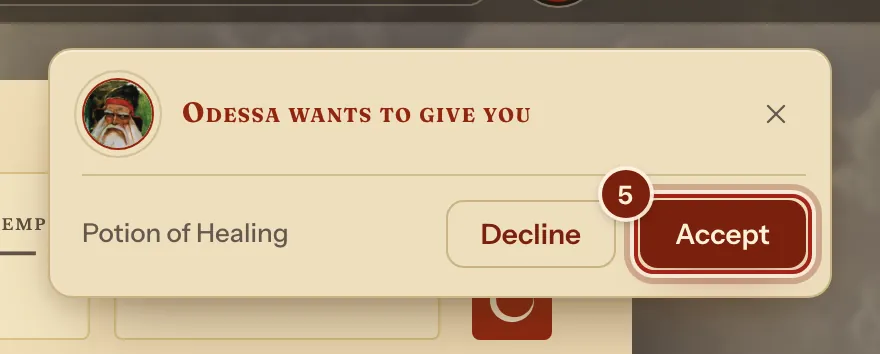
- The other player sees a card on their sheet. They press Accept or Decline.
As the DM
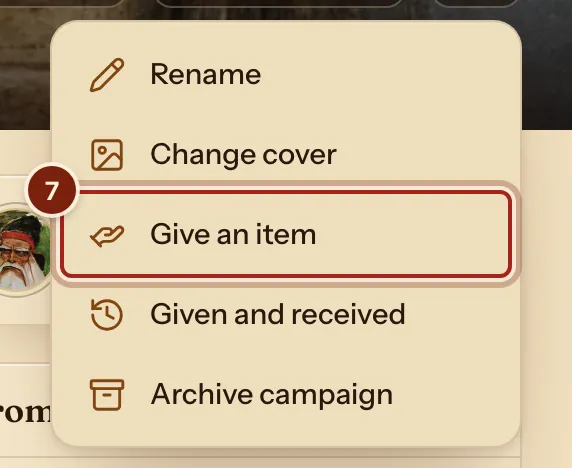
- At the top of the campaign's page, press ⋯.
- Choose Give an item.
- Type the item's name and press it.
- Press a player.
- Press Give.
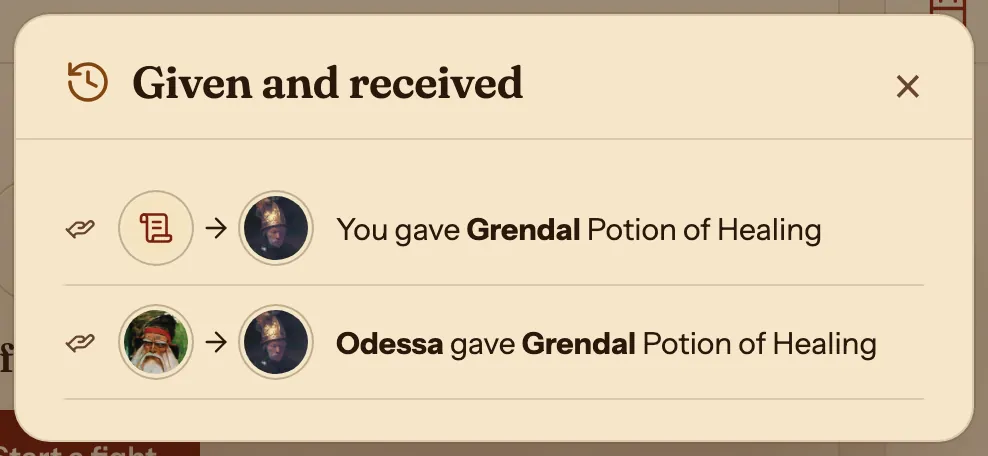
- To see everything that changed hands, choose Given and received from the same menu.
Who can do what
Giving works inside a campaign.
| You are | You can give | What happens |
|---|---|---|
| A player | Items and coins you carry | An offer. It stays with you until they accept, and Keep it takes it back. |
| The DM | Anything in your compendiums | It goes straight to the player's sheet. |
Questions
Can I take an offer back?
Yes. While it waits, the item's row says Offered, and its menu has Keep it.
What does a player see when the DM gives an item?
A notice on their sheet, and the item in their Inventory.
Can I give a homebrew item?
Yes. A homebrew item arrives whole: a copy of its entry also lands in the other player's own Compendium, under a compendium with your compendium's name, so their sheet shows it in full.
Can I make a magic item to give?
Yes. See Make a homebrew magic item.
Keep going
- Track inventory, bags and attunementAdd items, drag them into a bag, attune, and the sheet follows.
- Make a homebrew magic itemDescribe it to the Archivist Inquiry Assistant, or copy an item and change it by hand.
- Magic items: attunement, charges and rechargeAttune in the Inventory tab; charges come back on the right rest.