How to track inventory, bags and attunement
The short answerOn your sheet's Inventory tab, press Add Item, find an item and press Add. Press an item's name to open it: from there you can equip it, attune it or move it into a bag. Its bonuses reach your sheet by themselves, and the tab adds up the weight you carry.
- For players
- 9 short steps
- Updated 4 November 2026, for Archivist 1.3.2
This page's example is Ser Aldric Vane, a Paladin, with a Bag of Holding.
Add an item
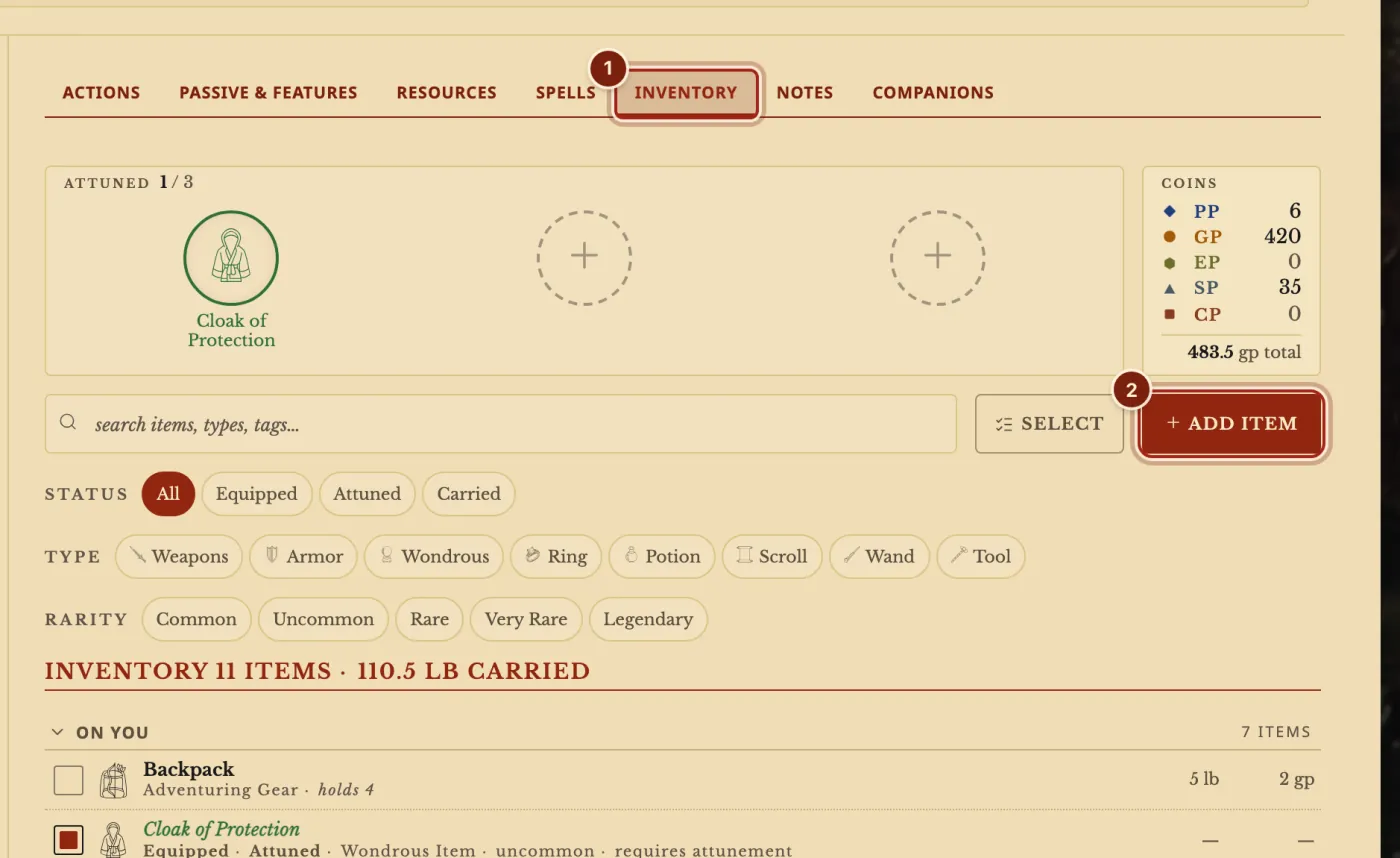
- On your sheet, press the Inventory tab.
- Press Add Item.
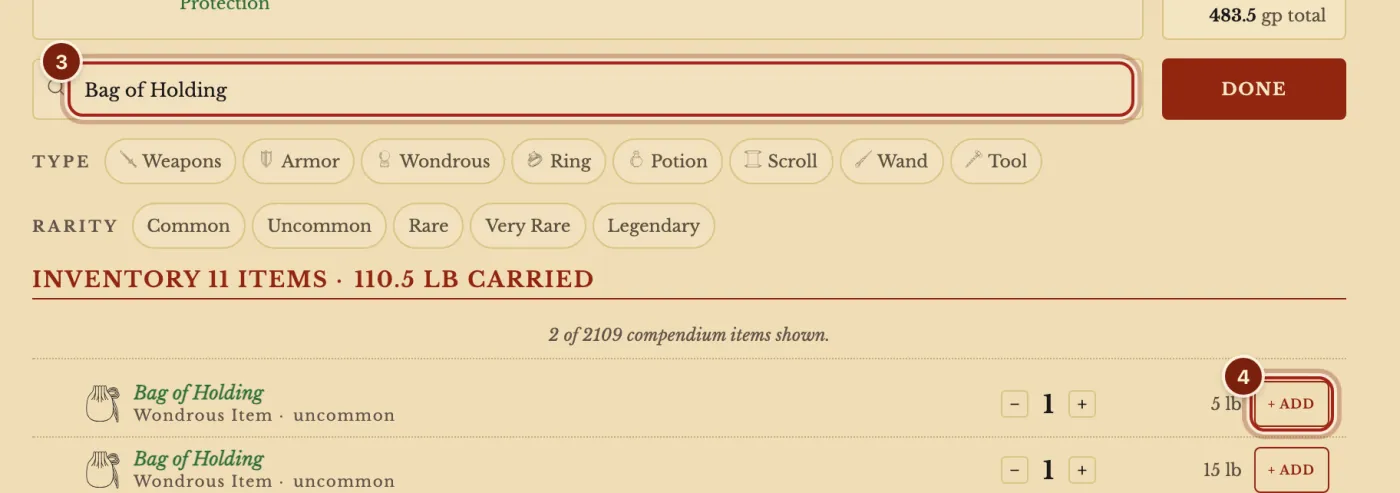
- Type the item's name in the search box.
- Press Add on its row, then Done.
Put it in a bag
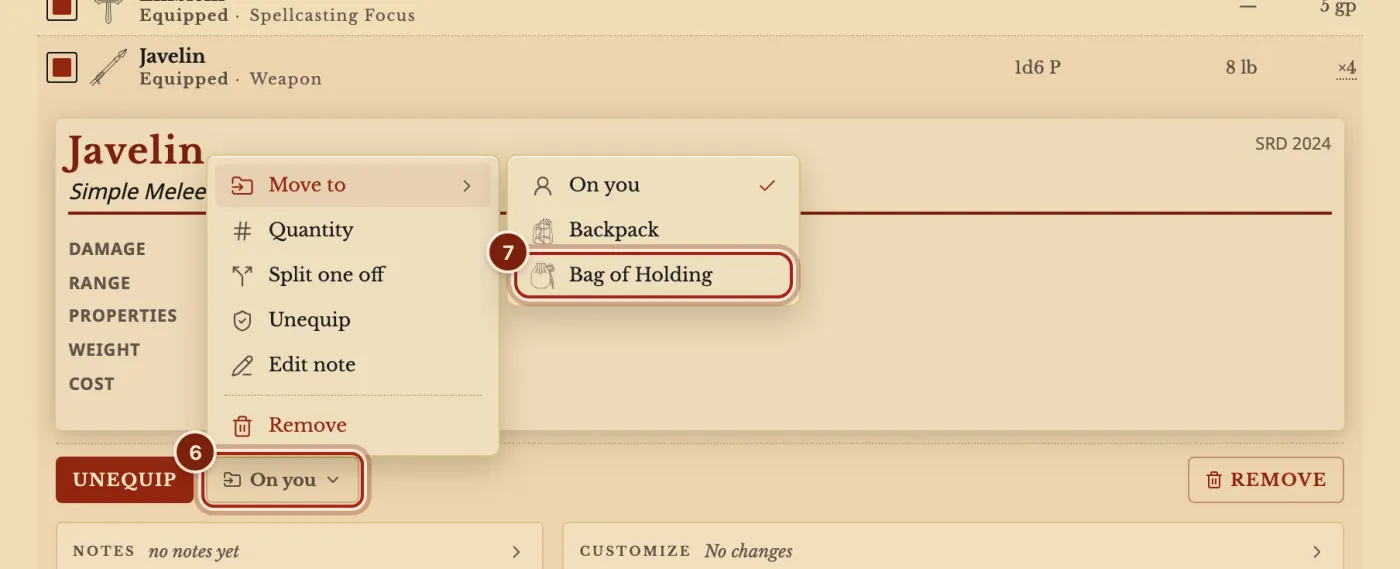
- Press an item's name to open it.
- Press the On you button.
- Under Move to, press your bag.
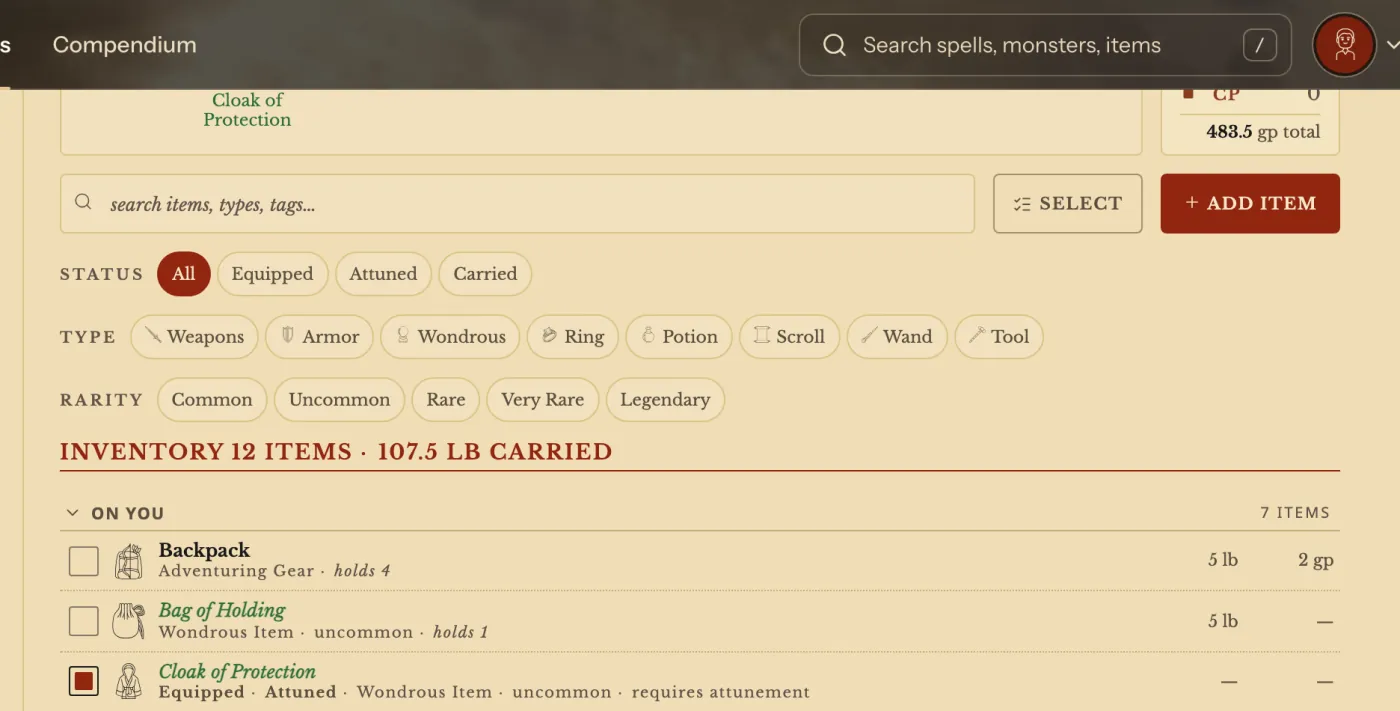
- To wear or attune an item, open it and press Equip or Attune. Its bonuses count from then on.
Count your coins
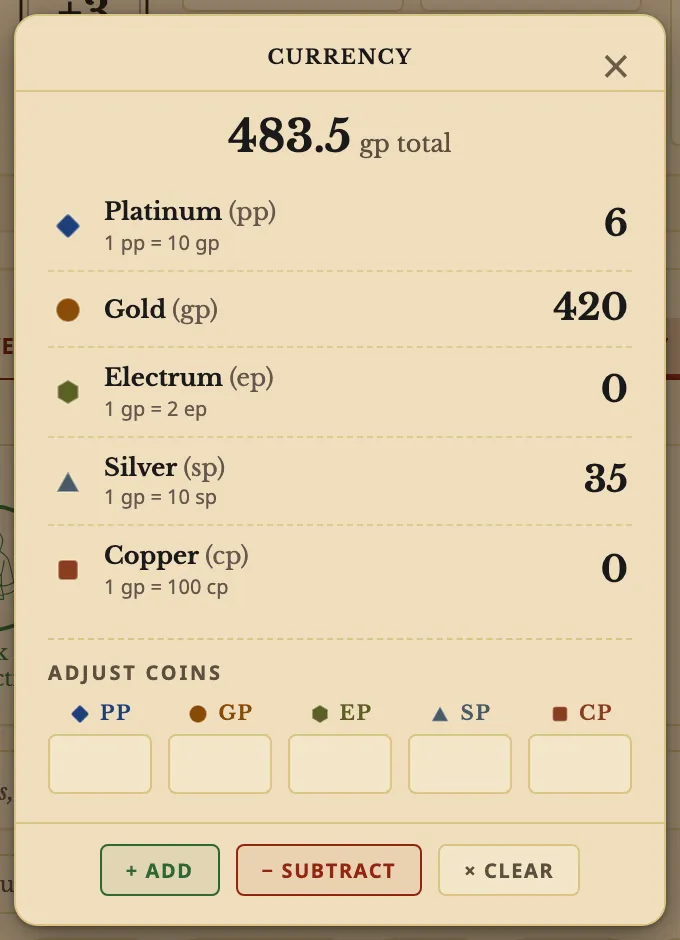
- Press the Coins box. Type amounts, then press + Add, − Subtract or × Clear.
What each action does on the sheet
An item's own lines decide what it adds. See Make a homebrew magic item.
| You press | What happens |
|---|---|
| Equip | A weapon gets an attack row on the Actions tab. Armor sets your Armor Class. |
| Attune | The item's bonuses and defenses count, and it joins the Attuned row on top. |
| Move to | It goes into a bag, a pack or back on you. |
| Give to… | In a campaign, it goes to another player. See Give items. |
Questions
What if I go over my attunement slots?
The window asks what to do. A warning on the sheet can always be dismissed: your table decides.
How do I track charges?
An item with charges shows them on its row, such as 3/3 ch., and they come back when its text says they do.
Can I change an item on just this character?
Yes. Open it and use Customize or Notes.
Keep going
- Make a homebrew magic itemDescribe it to the Archivist Inquiry Assistant, or copy an item and change it by hand.
- Give items to playersRight-click an item, Give to…; as DM, Give an item from the campaign page.
- Format guide: armor and weaponsAsk the Archivist Inquiry Assistant, or paste ready lines for armor and weapons.
- Make a character, step by stepQuick build for one screen, Standard Builder for every choice.
- Roll dice and build a custom rollClick a number to roll it; Option+click damage to build the roll.