How to track spell slots and prepare spells
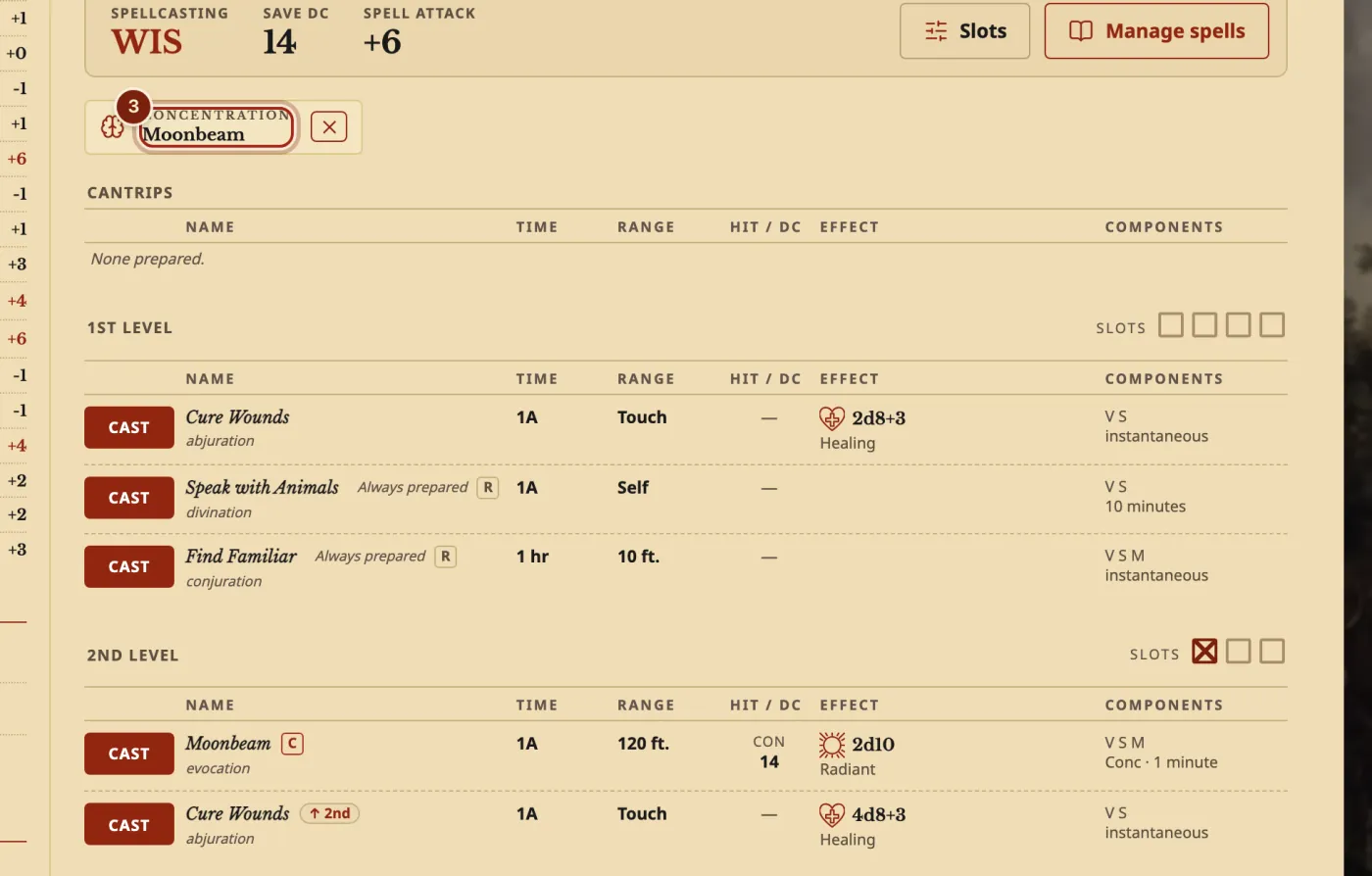
The short answerOn your sheet's Spells tab, press CAST to spend a slot. Spells that need concentration show at the top, with ✕ to drop them. To change your spells, press Manage spells, tick what you want and press Done. A Long Rest gives your slots back.
- For players
- 6 short steps
- Updated 7 November 2026, for Archivist 1.4.0
This page's example is Briar Fenn, a Druid, casting Moonbeam.
Cast a spell
- On your sheet, press the Spells tab.
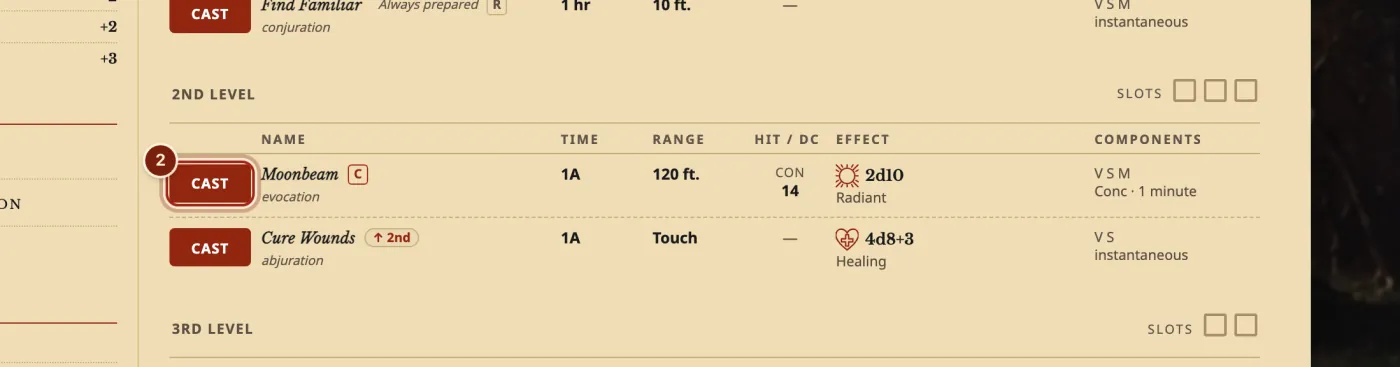
- Press CAST on a spell. It spends a slot of that level.
- A spell with concentration now shows at the top. Press ✕ to drop it.
Change your spells
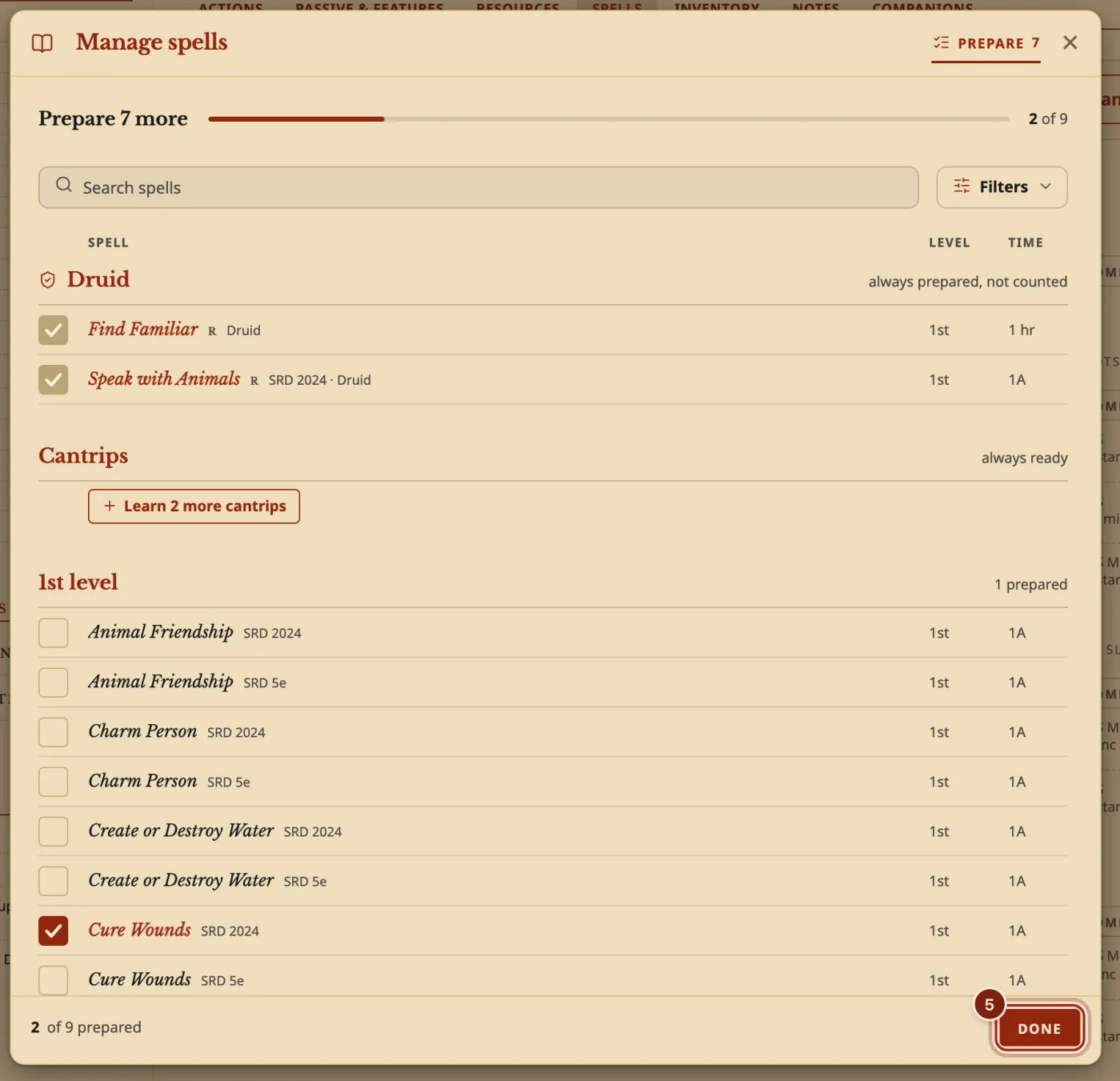
- Press Manage spells, then tick the spells you want. Press a spell's name to read its full block first.
- Press Done.
The window counts for you: Prepare 7 more. Going over is your table's call: a reminder you can dismiss tells you.
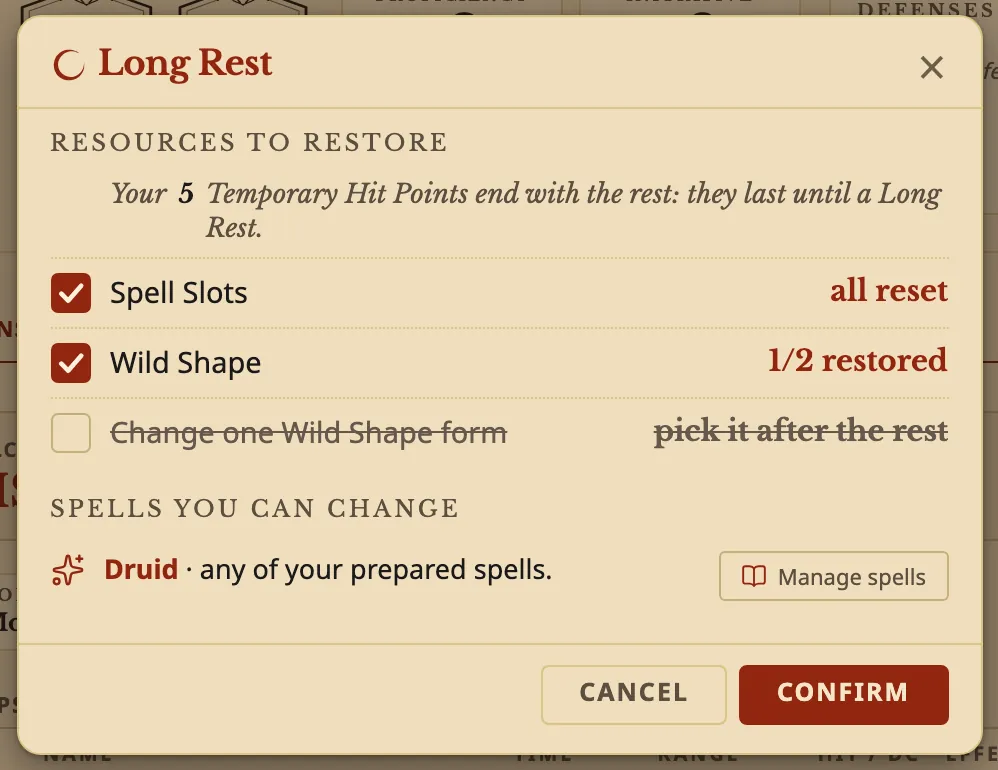
- To get your slots back, press the moon at the top of your sheet, then Confirm.
The window lists what comes back, and what your class may change after this rest.
What the marks mean
The same on every class's Spells tab.
| On a row | It means |
|---|---|
| C | Needs concentration. |
| R | Can be cast as a ritual. |
| Always prepared | It does not count against your number. |
| 1A | One action. |
| ↑ 2nd | The same spell cast with a higher slot. |
Questions
Does it handle Warlock Pact Magic?
Yes. A Warlock's Pact Magic slots have their own section, and come back on a Short Rest.
How do I track my wizard's spellbook?
In Manage spells, the Spellbook tab has Write a spell, and a lost book can be marked lost and found again. See Track a wizard's spellbook.
What happens when I cast Find Steed or Find Familiar?
The creature appears on your Companions tab with its full stat block. See Add a monster as a companion.
Can I prepare more spells than my number?
Yes. Tick them in Manage spells, and a reminder you can dismiss tells you when you go over.
Can I add my own spells?
Yes. See Make a homebrew spell.
Keep going
- Track a wizard's spellbook, and a lost bookWrite and copy spells into your book, prepare from it, and mark it lost or found.
- Make a homebrew spellDescribe it to the Archivist Inquiry Assistant, or copy a spell and change it by hand.
- Multiclass a characterAdd another class in the Builder; spell slots are worked out for you.