How to share your character with a link
The short answerOn your sheet, press the gear beside the name and choose Share character…, then press Copy link and send it. Anyone with the link sees your character's sheet in its own look, view only, and you turn the link off with the same switch.
- For players
- 5 short steps
- Updated 7 November 2026, for Archivist 1.4.0
The example is Grendal the Wary.
Copy the link
- Open your character's sheet and press the gear beside the name.
- Under Share, choose Share character….
- Press Copy link. It turns the link on and copies it.
- Paste it in a message to your DM, your group or a friend.
The same window makes a picture of your character: press Download image or Copy image, in the look you pick under Look.
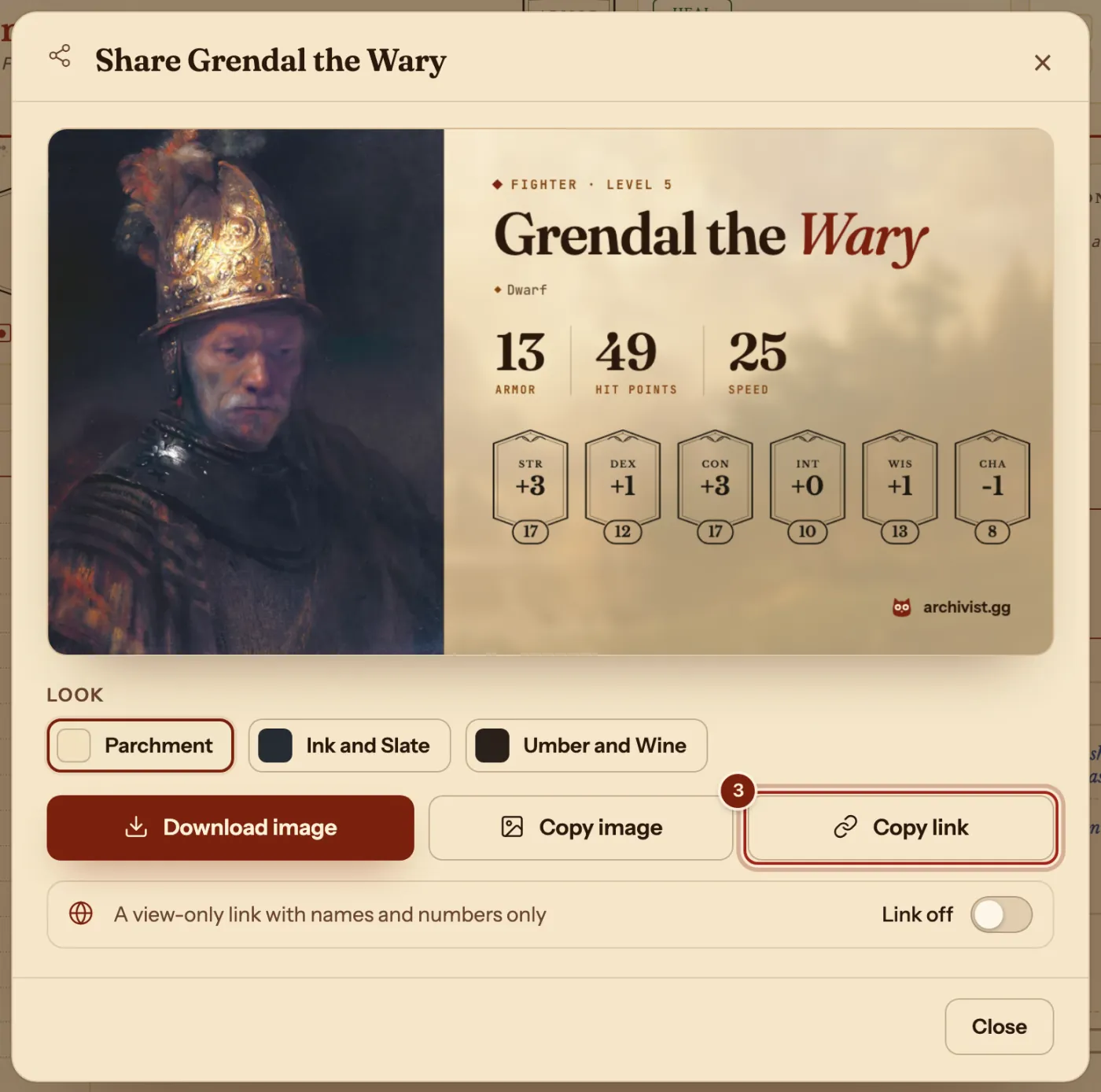
Turn the link off
- Open Share character… again and turn the switch to Link off. The link stops working at once.
What the link shows
A view-only page of your sheet.
| Shown | Left out |
|---|---|
| Your character's names and numbers, portrait and look | Your notes |
| Rules text for SRD entries | The text of your homebrew |
| Your username, as the player who shared it | Your email address |
Questions
Does the person need an account?
No. Anyone with the link can view the sheet.
Can they change my character?
No. The page is view only.
Is sharing free?
Yes. The link needs you signed in, and it is free for every account.
Keep going
- Keep a copy of your characterExport one character as a file, or back up them all with their portraits.
- Make your sheet yours: colors, paper and portrait looksPick a Color, a Paper, a backdrop and the portrait's look.
- Invite players and join a campaignSend the invite link; they ask to join with a character; you press Accept.