How to add a monster as a companion and roll from its stat block
The short answerCast a spell such as Find Steed or Find Familiar from your Spells tab and the creature appears on your Companions tab, or press Add a companion there to add any monster, such as an Adult Red Dragon. Its stat block is live: press an attack to roll it, its damage dice to roll damage, and its scores to roll a check or a save.
- For players and DMs
- 10 short steps
- Updated 7 November 2026, for Archivist 1.4.0
The examples are Ser Aldric Vane's Find Steed and an Adult Red Dragon from the SRD.
Cast a spell that brings a companion
- On your sheet's Spells tab, press CAST on a spell such as Find Steed or Find Familiar.
- Pick the form, and any choice the spell gives you, then press Cast.
- Open the Companions tab. The creature is there with its full stat block, its own hit points and its own conditions.
A companion your class gives, such as a Paladin's steed, also waits on the Companions tab with Summon…. Run familiars, summons and Wild Shape shows each window.
Add any monster by hand
- On the Companions tab, press Add a companion.
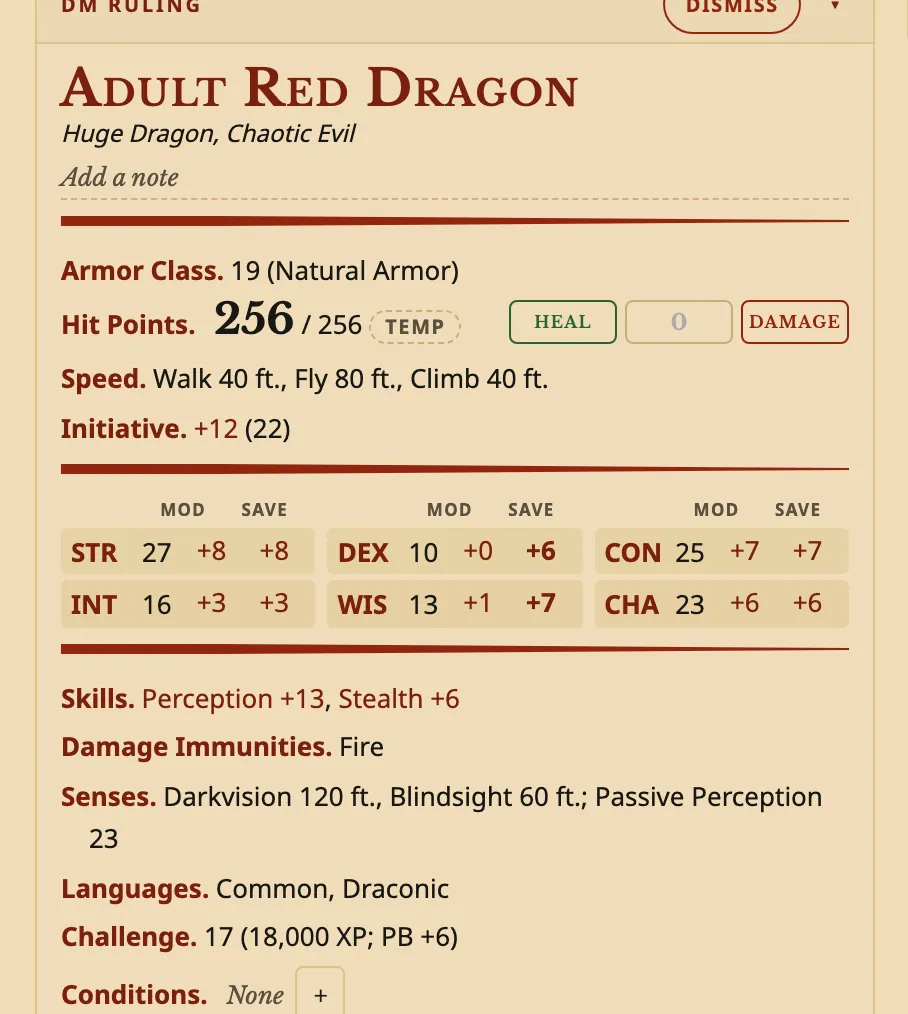
- Under Find a creature, type its name, such as Adult Red Dragon, and press it in the list. Its stat block shows beside the list.
- Press Add companion. You can give it a name and a few words under From, such as DM ruling.
Any creature in your compendiums works, your own homebrew monsters included, and nothing is spent.
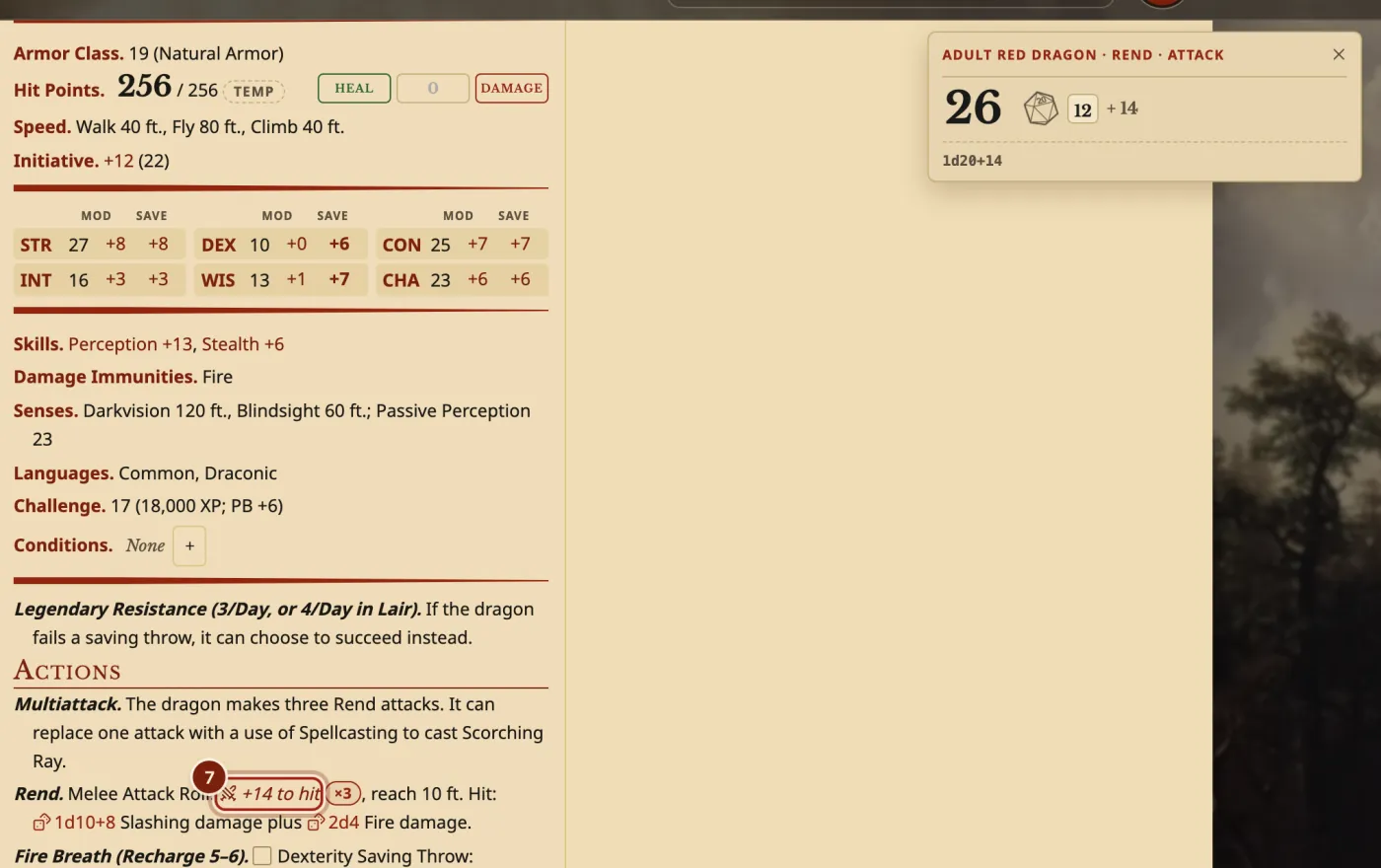
Roll from its stat block
- Press an attack's to-hit number, such as +14 to hit on Rend. The result shows with every die.
- Press the damage dice, such as 1d10+8, to roll the damage.
- Press a score's MOD or SAVE, or a skill, to roll a check or a saving throw for the creature.
- On an action with a recharge, such as Fire Breath, tick its box when it is used. A d6 button then rolls whether it can be used again.
Shift+click rolls with Advantage, and Cmd+click (Ctrl+click on Windows) with Disadvantage. A condition on the creature changes its rolls by itself.
What you can roll, and where
The same stat block works on the sheet, in notes and in the Compendium.
| Where it is | What you can press to roll |
|---|---|
| A companion on the Companions tab | Attacks, damage, ability checks, saving throws, skills, Initiative and recharges. |
A monster in a note, put there with {{ | Attacks and damage, and dice such as its hit point dice. |
| A monster in the Compendium | Attacks and damage, and dice such as its hit point dice. |
| A monster block on the campaign page | Its attacks and damage, for the DM. |
Questions
Can I add a monster that isn't in the SRD?
Yes. Make it in your own compendium and it is in Add a companion. See Make a homebrew monster.
How do I put a stat block in my notes?
Type {{ in a note and pick the monster. See Campaign notes for DMs.
How do I remove a companion?
Press Dismiss on its block.
Does a companion heal on a rest?
The Long Rest window offers to heal each companion.
Keep going
- Run familiars, summons and Wild ShapeThey get their own tab with full stat blocks; Shift turns a Druid into a beast.
- Campaign notes for DMsPages and handouts with links, stat blocks and pictures, private until shared.
- Make a homebrew monsterDescribe it to the Archivist Inquiry Assistant, or copy a monster and change it by hand.