How to make a homebrew spell
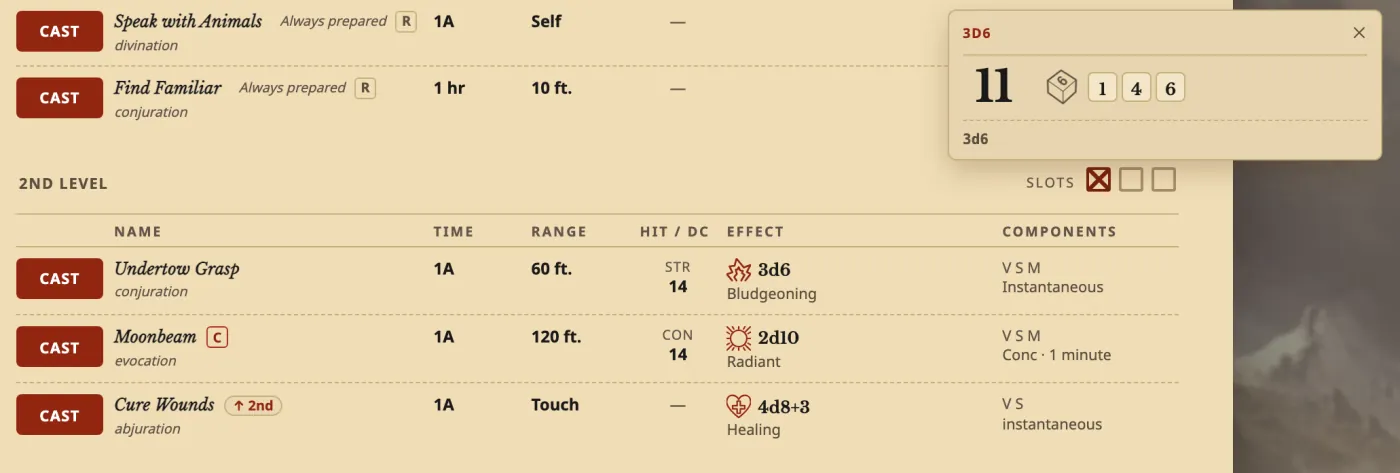
The short answerDescribe your spell to the Archivist Inquiry Assistant and approve what it suggests, or copy the closest spell and paste your text over it by hand. Then prepare it in Manage spells. It shows on the Spells tab with CAST, your save DC and its damage dice, and it goes up with higher spell slots.
- For players and DMs
- 18 short steps
- Updated 7 November 2026, for Archivist 1.4.0
This page's example is Undertow Grasp from the Drowned Coast, Archivist's own sample homebrew.
Make it with the Archivist Inquiry Assistant
- Press the owl at the right edge of the screen to open the Archivist Inquiry Assistant. On a phone, press the owl beside search.
- Describe your spell in a sentence.
- Check what it suggests and press Approve. Your spell is in your Compendium and on your sheet.
For exampleMake a 2nd-level spell called Undertow Grasp for my character: a Strength saving throw against my spell save DC, 3d6 Bludgeoning damage on a failed save or half as much on a success, and the target's Speed is 0 until the end of its next turn.
You can undo it. Can't see the owl? Turn on Archivist Inquiry Assistant in Settings.
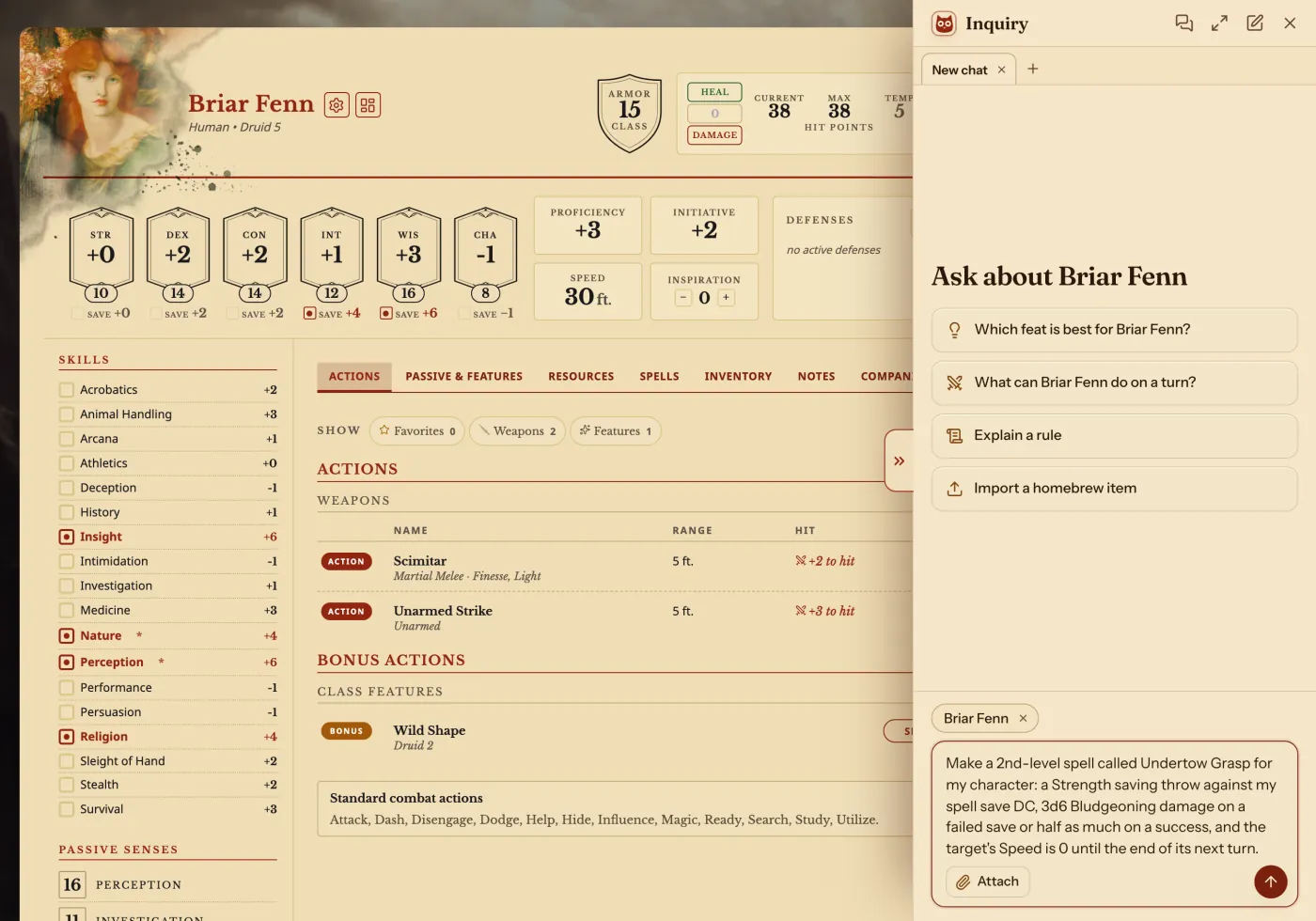
It may ask you something first. Pick an answer and press Send.
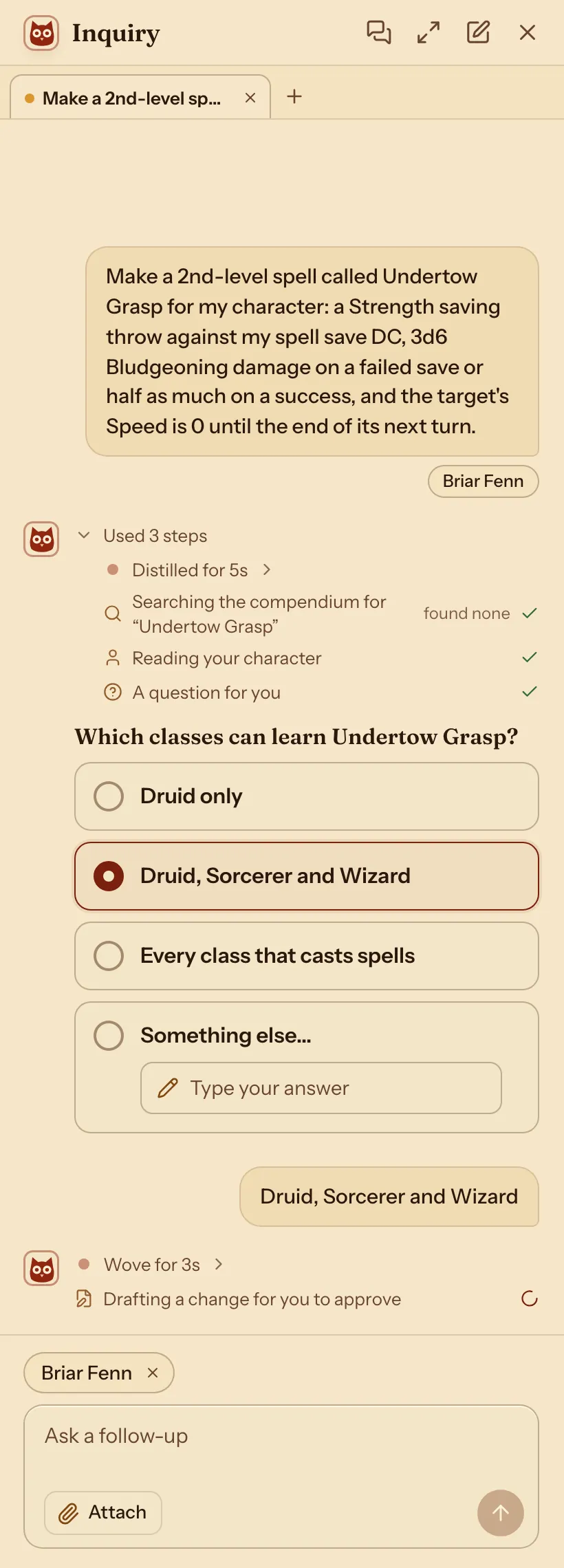
It shows what it adds. Nothing changes until you press Approve.
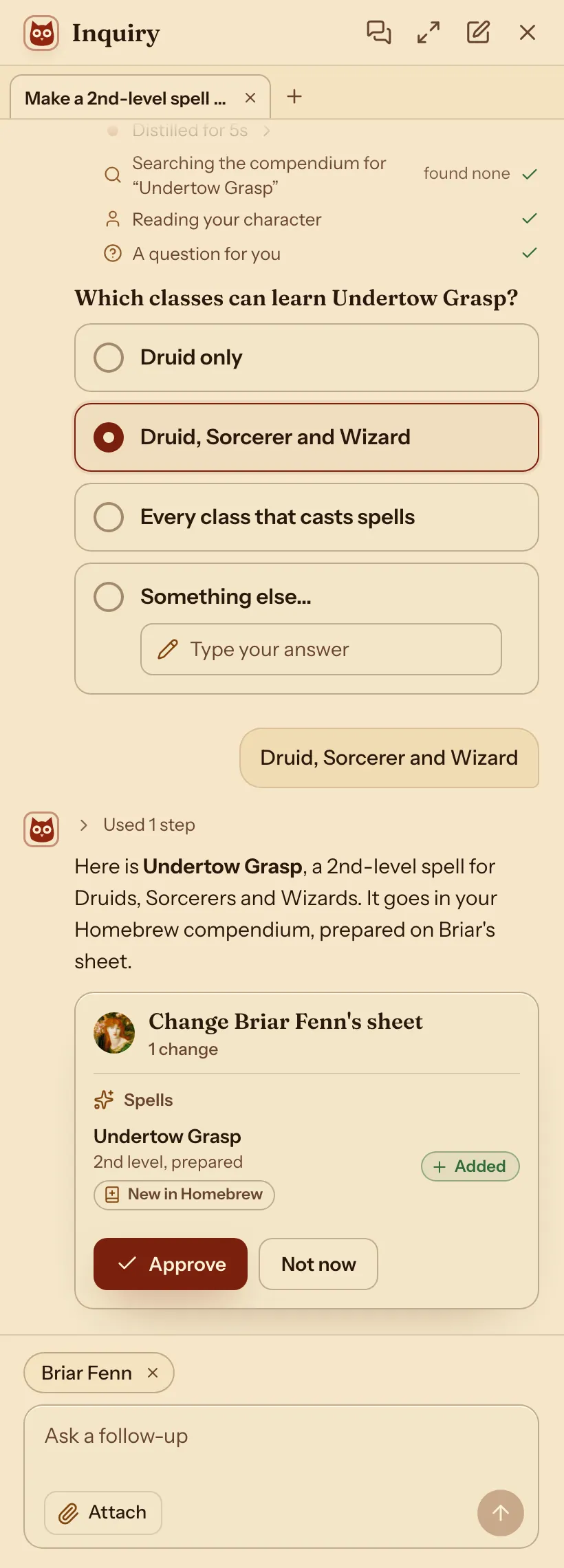
Your new spell is in the Compendium.
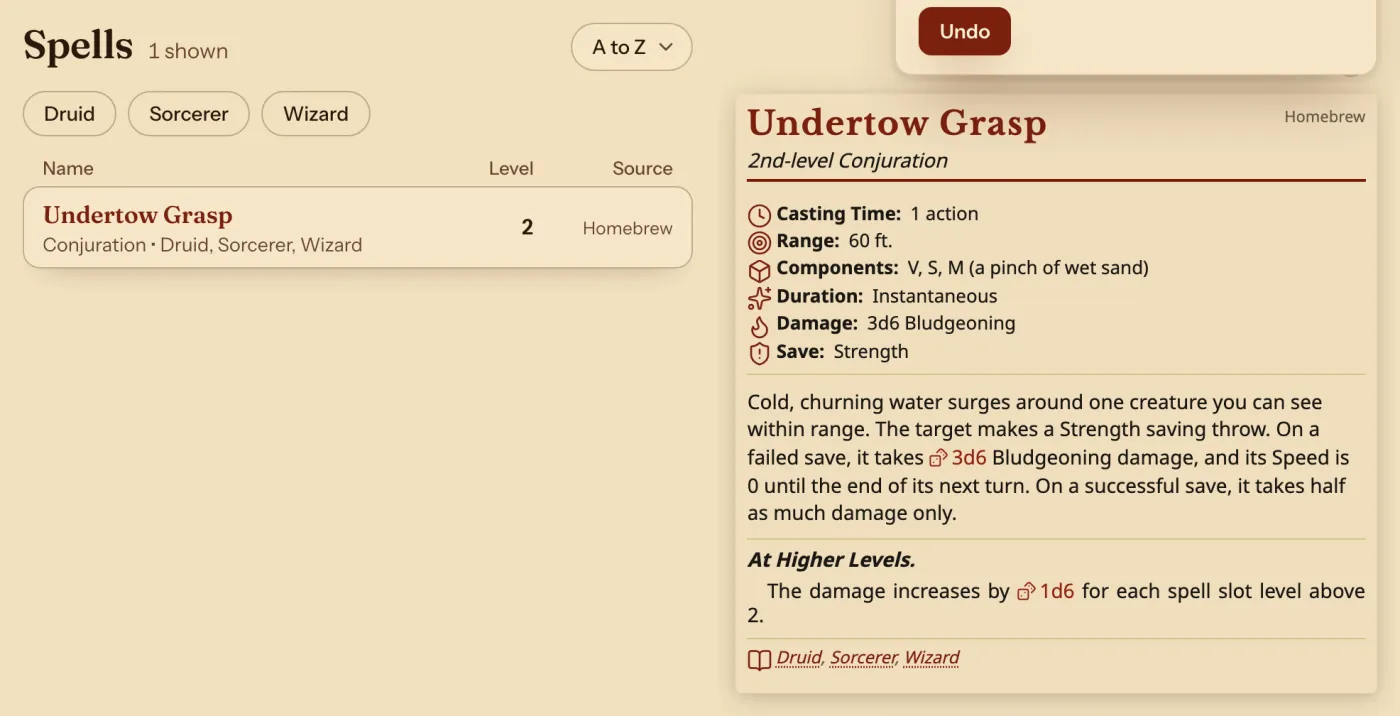
On your sheet, cast it and roll its damage.
Change an existing one with the Archivist Inquiry Assistant
- Open the Compendium, or a sheet that uses the spell, and press the owl.
- Say which spell and what to change.
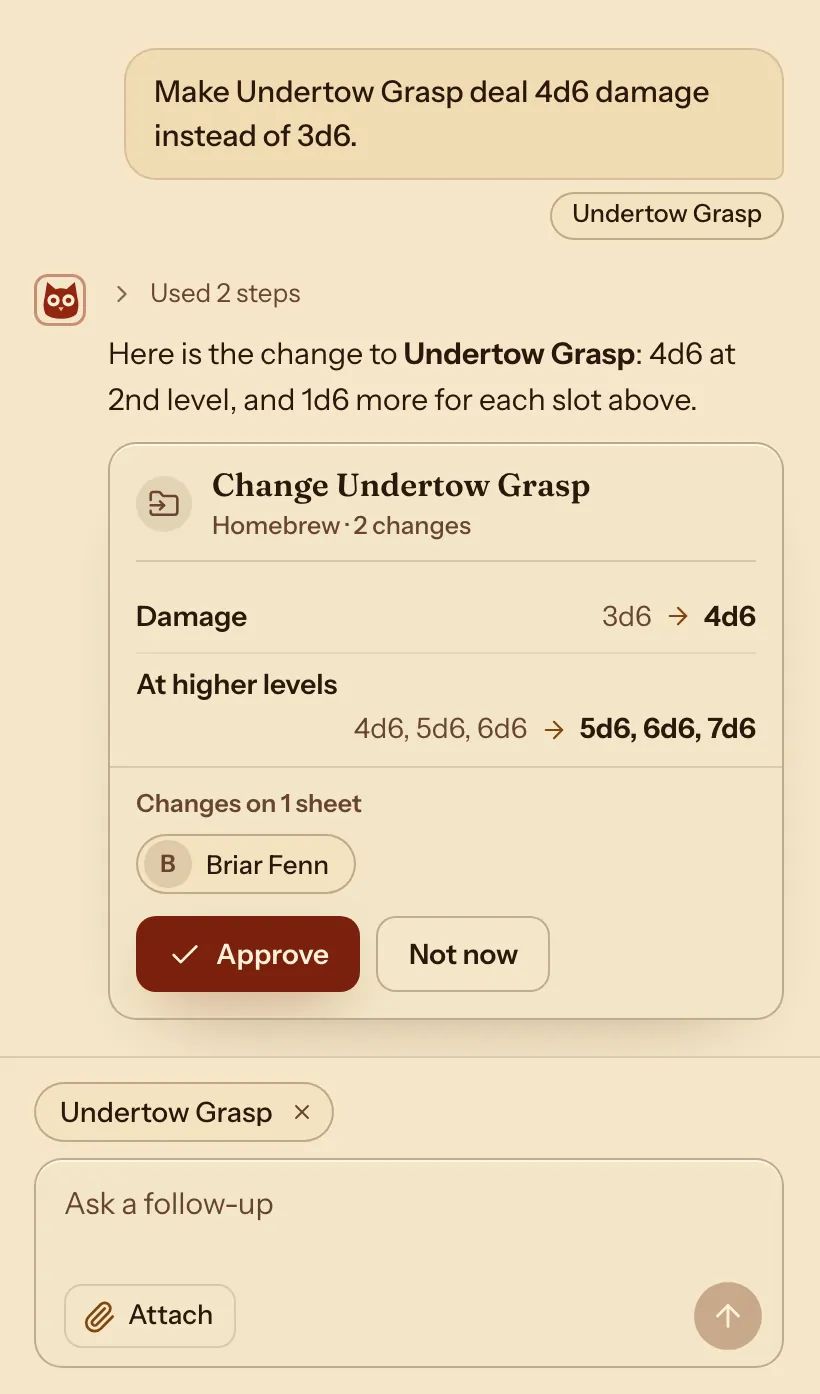
- Check what it suggests and press Approve. Characters who use the spell change with it.
For exampleMake Undertow Grasp deal 4d6 damage instead of 3d6.
You can undo it.
Do it by hand: copy the spell closest to your idea
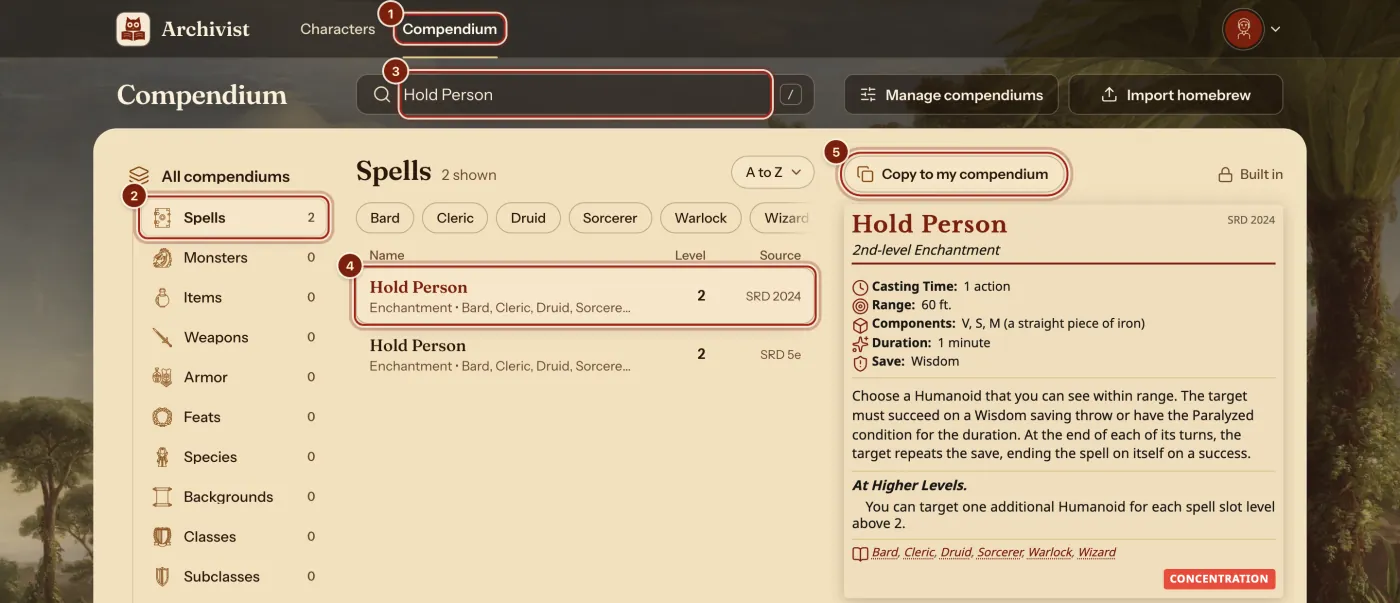
- In the top bar, press Compendium.
- In the list on the left, press Spells.
- In the search box, type a spell closest to your idea. Here it is Hold Person.
- Press it in the list. When two rows match, pick the one with the rules you play by.
- Press Copy to my compendium.
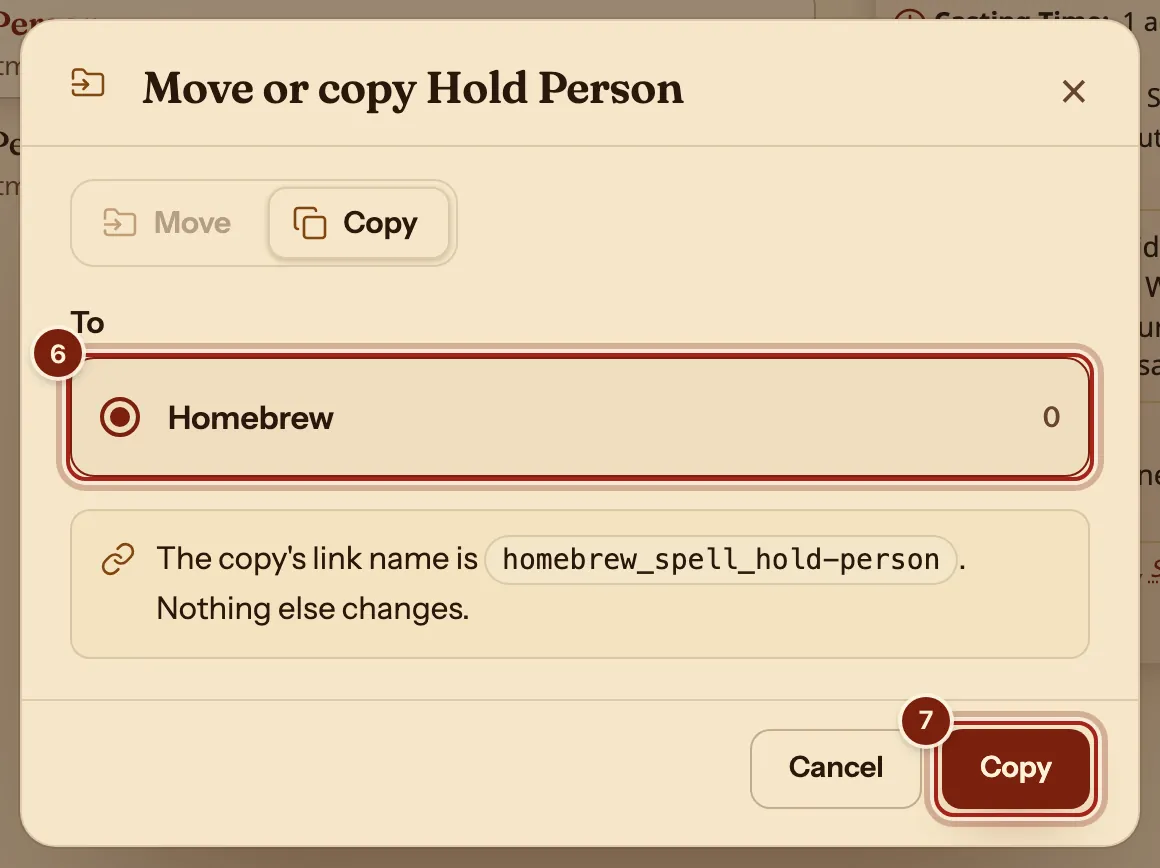
- Under To, press Homebrew. Every account starts with this compendium.
- Press Copy.
Change it into your spell
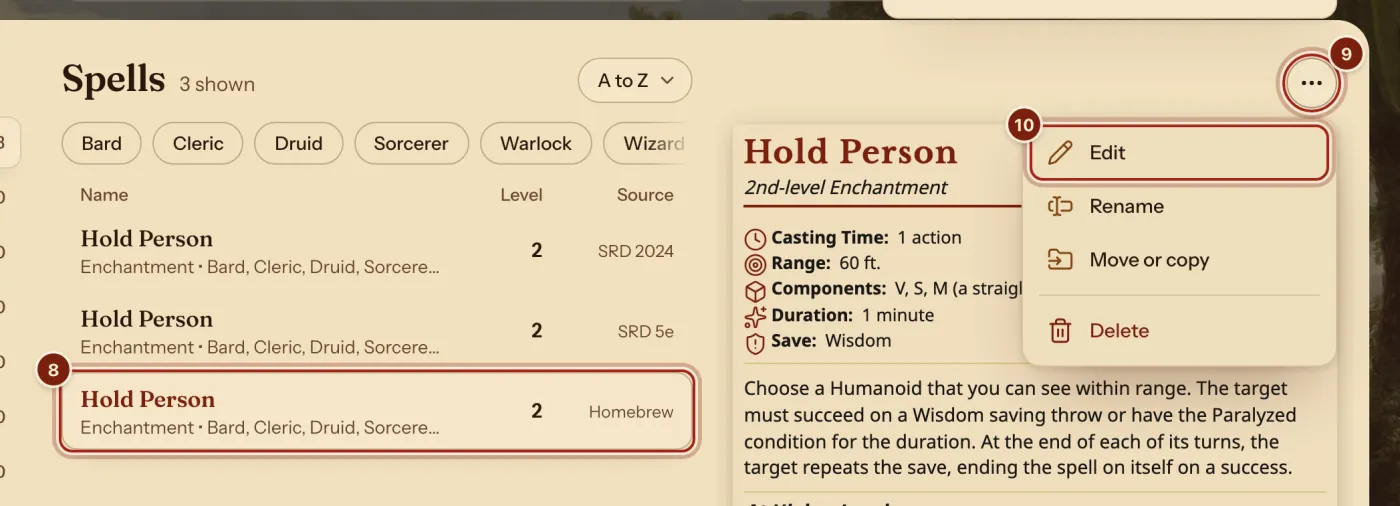
- In the list, press your copy: the Hold Person with Homebrew under Source.
- Above its card, press the ⋯ button.
- Press Edit.
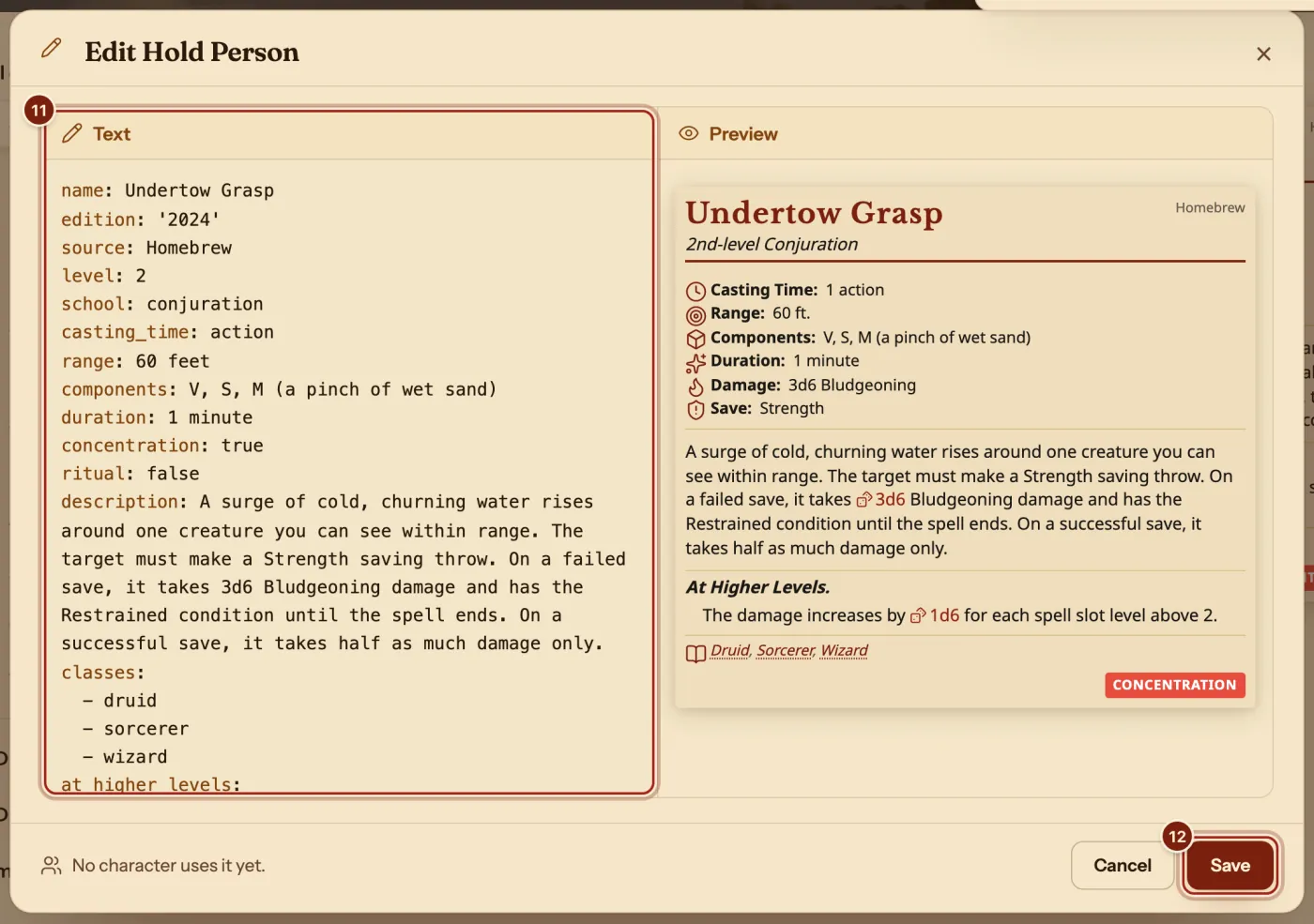
- Press in the Text box, select all of its text (Ctrl+A, or Cmd+A on a Mac), then paste these lines. Change the words to make it yours:Undertow Grasp
name: Undertow Grasp edition: '2024' source: Homebrew level: 2 school: conjuration casting_time: action range: 60 feet components: V, S, M (a pinch of wet sand) duration: 1 minute concentration: true ritual: false description: A surge of cold, churning water rises around one creature you can see within range. The target must make a Strength saving throw. On a failed save, it takes 3d6 Bludgeoning damage and has the Restrained condition until the spell ends. On a successful save, it takes half as much damage only. classes: - druid - sorcerer - wizard at_higher_levels: - The damage increases by 1d6 for each spell slot level above 2. saving_throw: ability: strength damage: types: - bludgeoning damage_roll: 3d6 casting_options: - type: slot_level_3 damage_roll: 4d6 - type: slot_level_4 damage_roll: 5d6 - type: slot_level_5 damage_roll: 6d6 - Press Save.
The Preview beside the text draws the spell again as you type. On a phone, Text and Preview are two tabs. Keep the spaces at the start of each line.
Prepare it and cast it
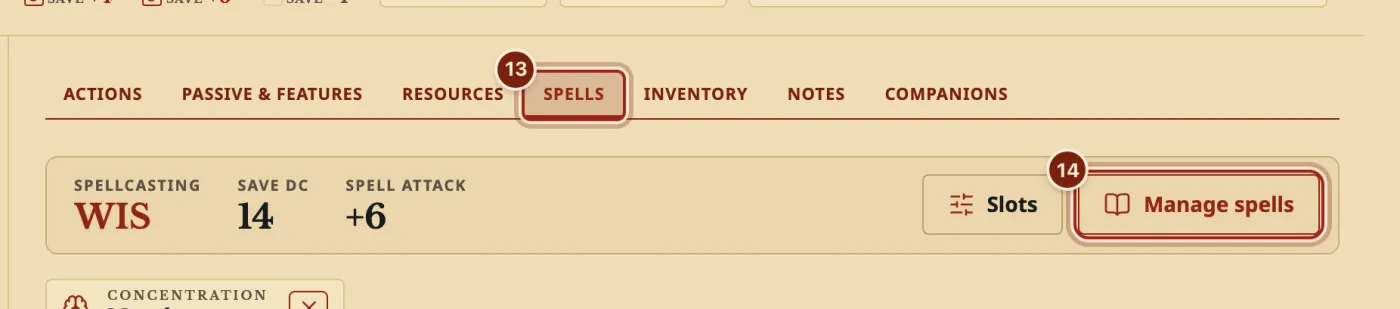
- On your character's sheet, press the Spells tab.
- Press Manage spells.
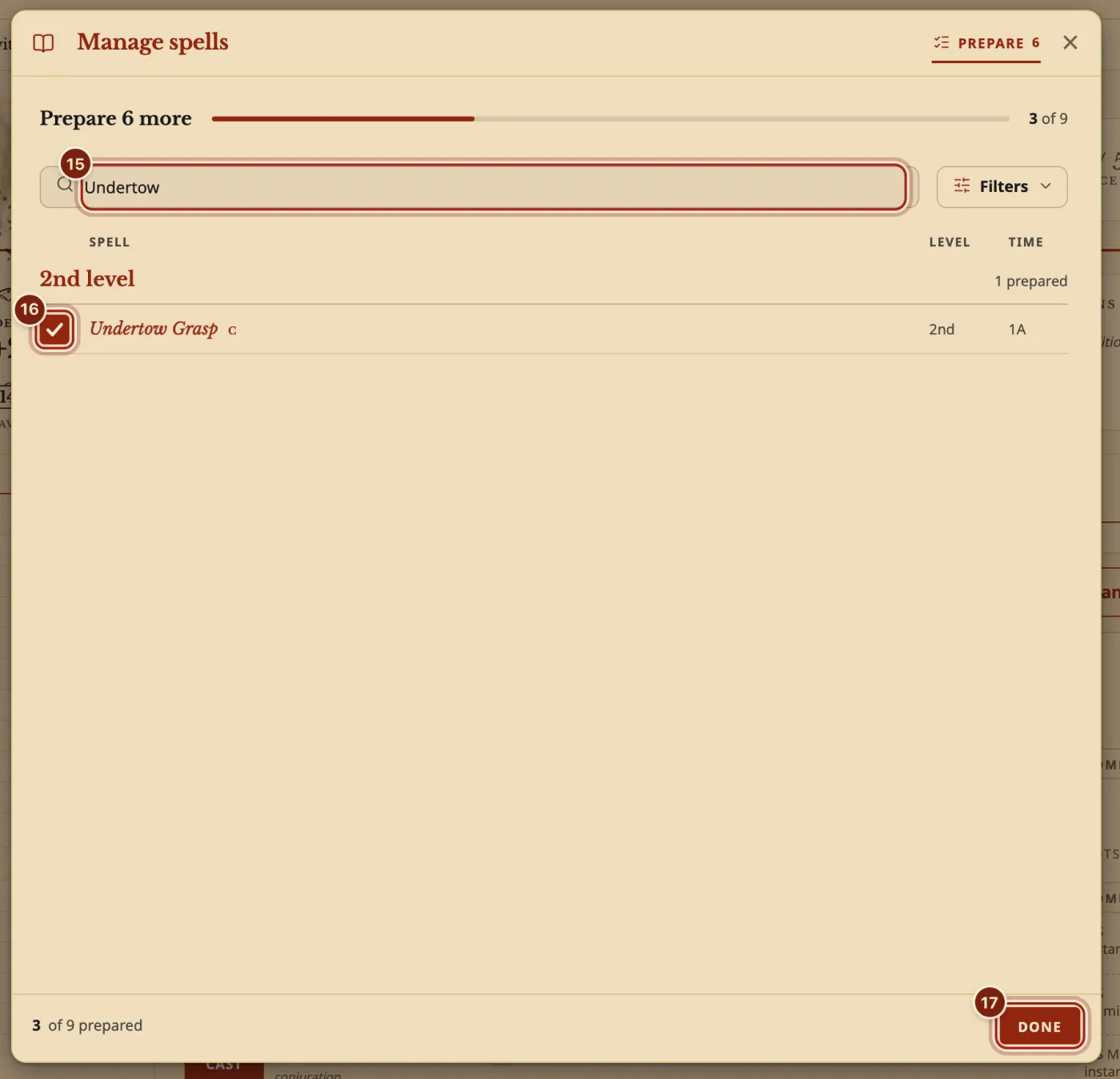
- In the search box, type your spell's name.
- Tick your spell.
- Press Done.
- On the Spells tab, press CAST when you cast it. It spends the slot.
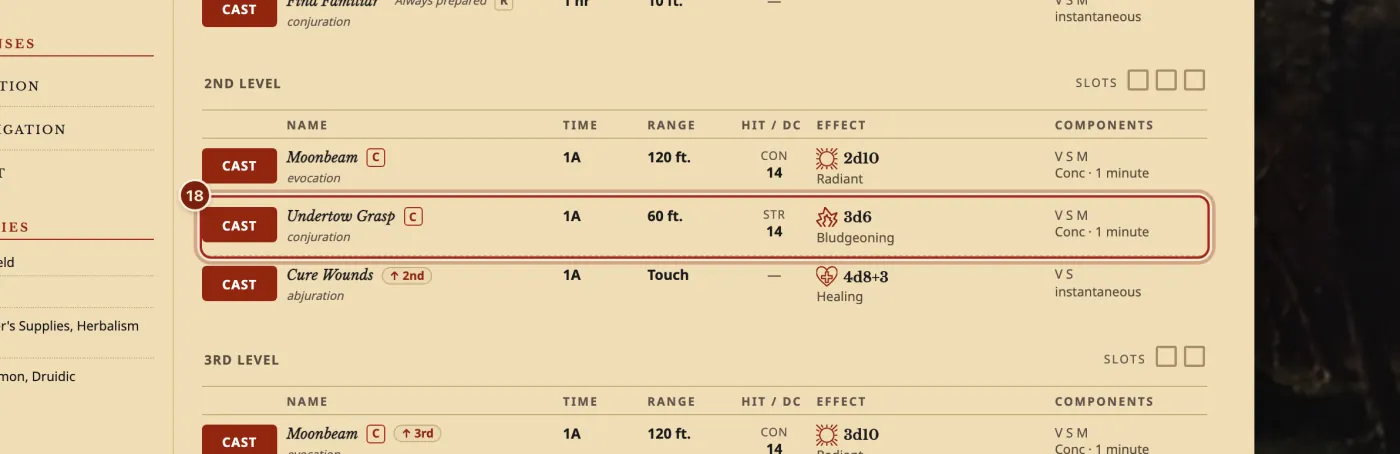
The lines you will use most in a spell
The Compendium format guide lists every kind of entry.
| Line | What it does | What you can write |
|---|---|---|
level | Groups the spell by slot. 0 is a cantrip. | level: 2 |
school | Under the spell's name. | conjuration, evocation and so on |
casting_time, range, duration | The spell's card and its row on the Spells tab. | action, 60 feet, 1 minute |
components | The letters on its row. | V, S, M (a pinch of wet sand) |
concentration, ritual | The C and R marks. | true or false |
classes | Which classes' lists offer it. | - druid on its own line, one per class |
saving_throw | Shows the ability and your save DC. | ability: strength |
spell_attack | Shows a rollable attack instead of a save. | melee or ranged |
damage_roll, damage | The dice on its row, and the damage type. | 3d6, then types: and - bludgeoning |
casting_options | The dice at each higher slot. | type: slot_level_3, damage_roll: 4d6 |
Questions
Save does nothing. What now?
Save waits until the text can be read, and a line over the Preview says what to fix, such as "Line 12 can't be read. Check its spacing and colons." Put the spaces back at the start of that line. If a sentence has a colon in it, put the whole sentence in double quotes.
My spell is not in the list. Why?
The list opens on your own class. Add your class to the classes lines, or use Filters in Manage spells to show every list. You can prepare more than your number too: a reminder you can dismiss tells you.
How do my players get my spell?
Press Manage compendiums, then Export beside your compendium, and send them the zip file. They press Import homebrew, choose Archivist files and drop it in. Share homebrew with your party shows each step.
Will I see it on my phone?
Yes. Your homebrew stays in sync on every device you sign in on, along with your characters and their portraits.
Keep going
- Track spell slots and prepare spellsCAST spends the slot; Manage spells prepares, swaps and learns.
- Make a homebrew magic itemDescribe it to the Archivist Inquiry Assistant, or copy an item and change it by hand.
- Share homebrew with your partyExport your compendium as a zip; they bring it in with Import homebrew.
- Compendium format guideLet the Archivist Inquiry Assistant write entries, or learn the lines by hand.
- Make a homebrew class and play itDescribe it to the Archivist Inquiry Assistant, or copy the closest class and change it by hand.