How to update your homebrew when it changes
The short answerOn the Compendium page, press Import homebrew, choose Archivist files and drop in the new compendium file. Archivist compares it with the one you have and shows how many entries are new, changed and unchanged; press Replace to update it, Keep both for a second copy, or Skip.
- For DMs and players
- 5 short steps
- Updated 7 November 2026, for Archivist 1.4.0
The example is a Homebrew compendium with one new entry, one changed and one unchanged.
Import the new version
- Press Compendium, then Import homebrew.
- Choose Archivist files, then press Choose file and pick the compendium's zip file. Press Import.
- Archivist compares it with yours and says, for example, 1 new, 1 changed, 1 unchanged. Press the arrow on the row to see the entries.
- Press Replace to add the new entries and update the changed ones, Keep both to bring it in as a second compendium, or Skip.
- Press Import.
Replace leaves entries only you have, and your hidden and read-only settings, as they are. A Replace can't be undone, so pick Keep both if you want to compare first.
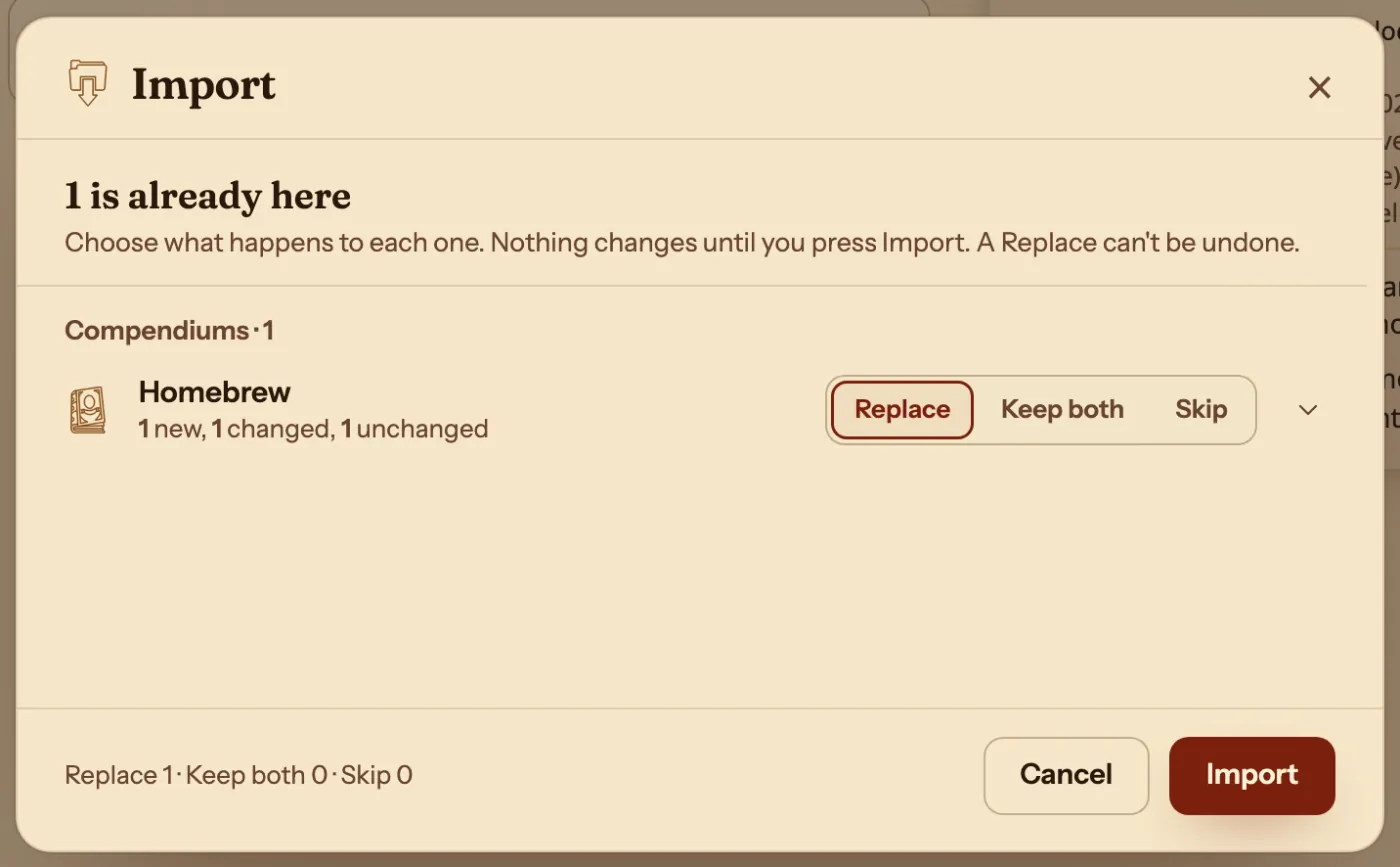
Replace, Keep both or Skip
You choose for each compendium in the file.
| Choice | What happens |
|---|---|
| Replace | New entries are added and changed ones updated. Your own extra entries stay. |
| Keep both | The file comes in as a second compendium, named with (2). |
| Skip | Nothing from that compendium comes in. |
Questions
Where do I get the compendium file?
Whoever keeps the homebrew presses Manage compendiums, then Export beside it, and sends the zip. See Share homebrew with your party.
Do my characters pick up the changes?
Yes. A changed entry reaches every character that uses it.
My homebrew is a PDF. How do I update it?
Import the new PDF with A PDF or pictures, and choose the same compendium under Content goes into. See Bring a whole homebrew book into Archivist.
Keep going
- Share homebrew with your partyExport your compendium as a zip; they bring it in with Import homebrew.
- Bring a whole homebrew book or supplement into ArchivistDrop the PDF in, say what you want from it, and review what comes in.
- Bring in homebrew from a PDF, a web page or pasted textPoint it at the source, then review each entry before adding it.