How to share homebrew with your party
The short answerPress Manage compendiums, then Export beside your compendium, and send the zip file to your players. Each player presses Import homebrew, drops the file in and presses Import. The whole compendium is then in their own list, and their Builder and sheets can use every entry.
- For DMs and players
- 8 short steps
- Updated 4 November 2026, for Archivist 1.3.2
Only share homebrew you made, or that its maker lets you share.
Save your compendium as one file
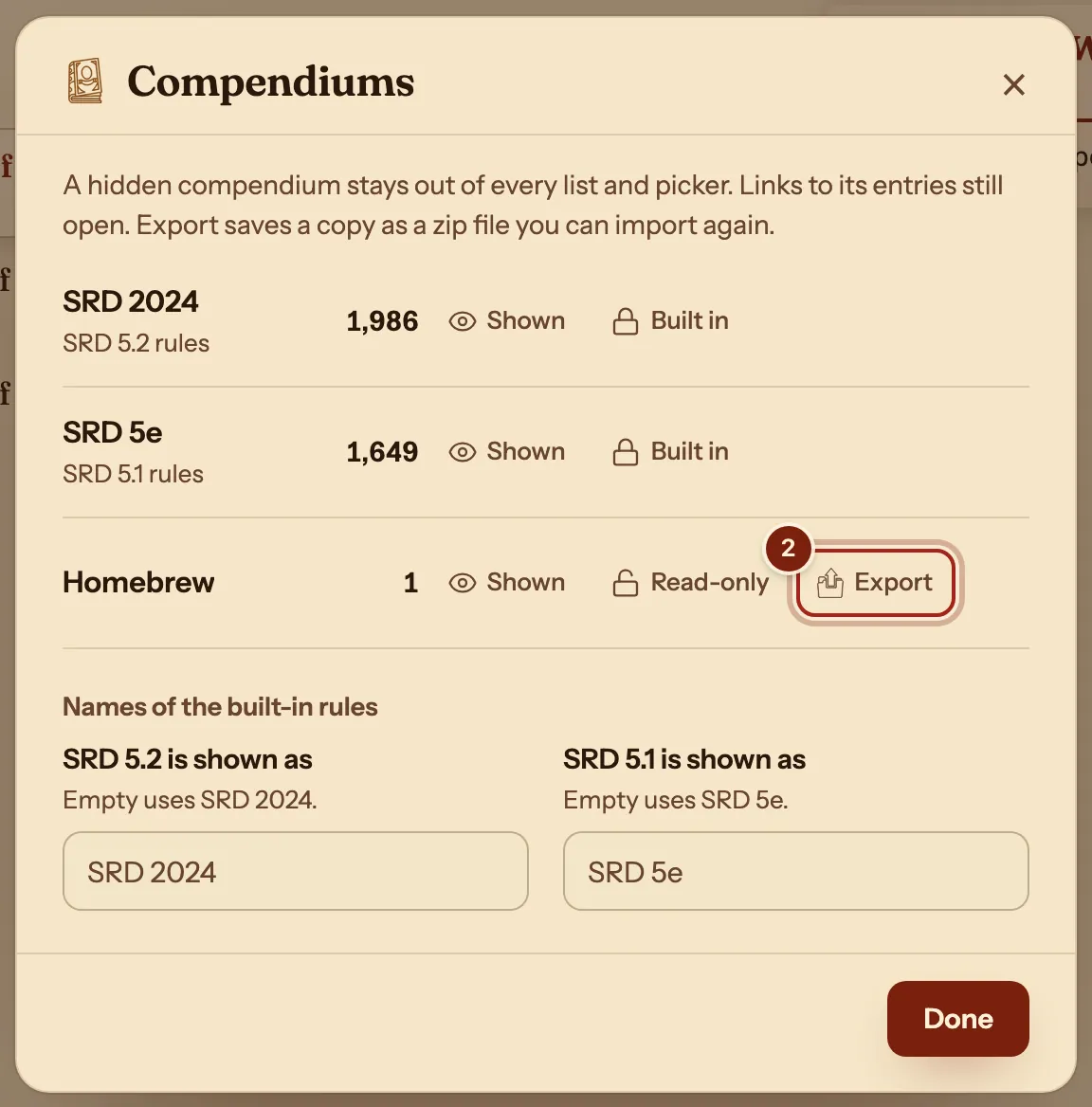
- On the Compendium page, press Manage compendiums.

- Beside your compendium, press Export. The zip file goes to your downloads.
- Press Done, then send the file to your players.
Your players bring it in
- On the Compendium page, the player presses Import homebrew.
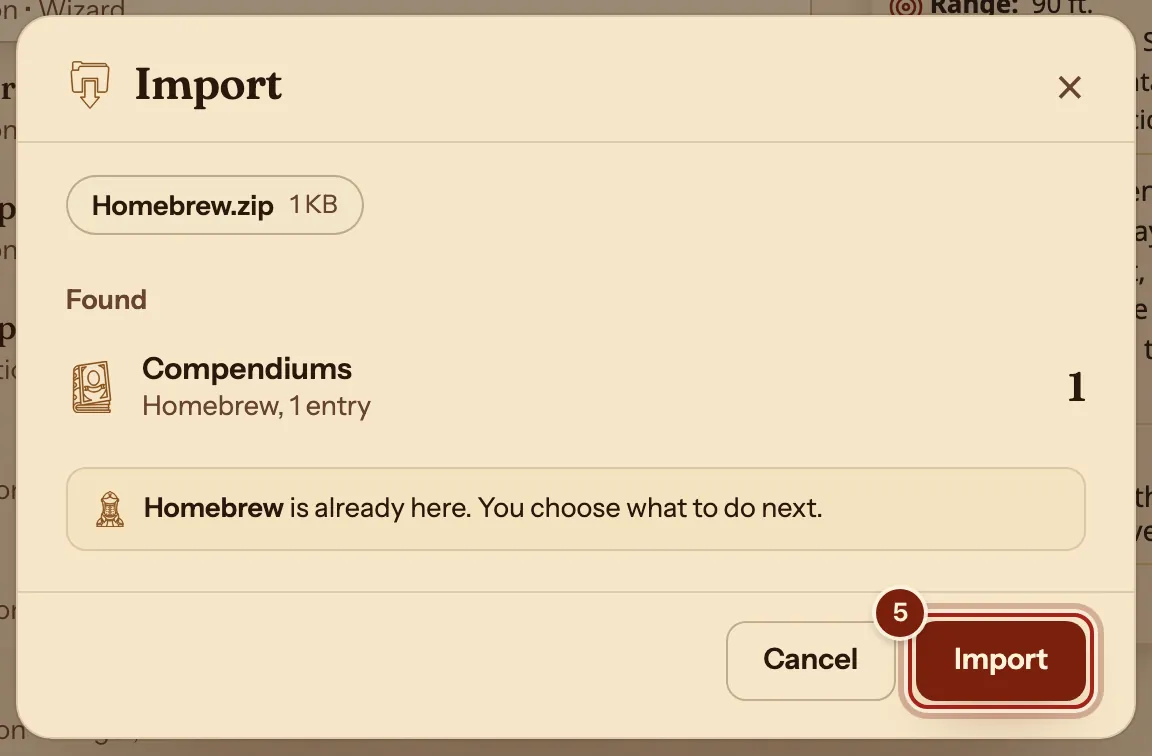
- With Archivist files picked, they drop the zip file in, or press Choose file, then press Import.
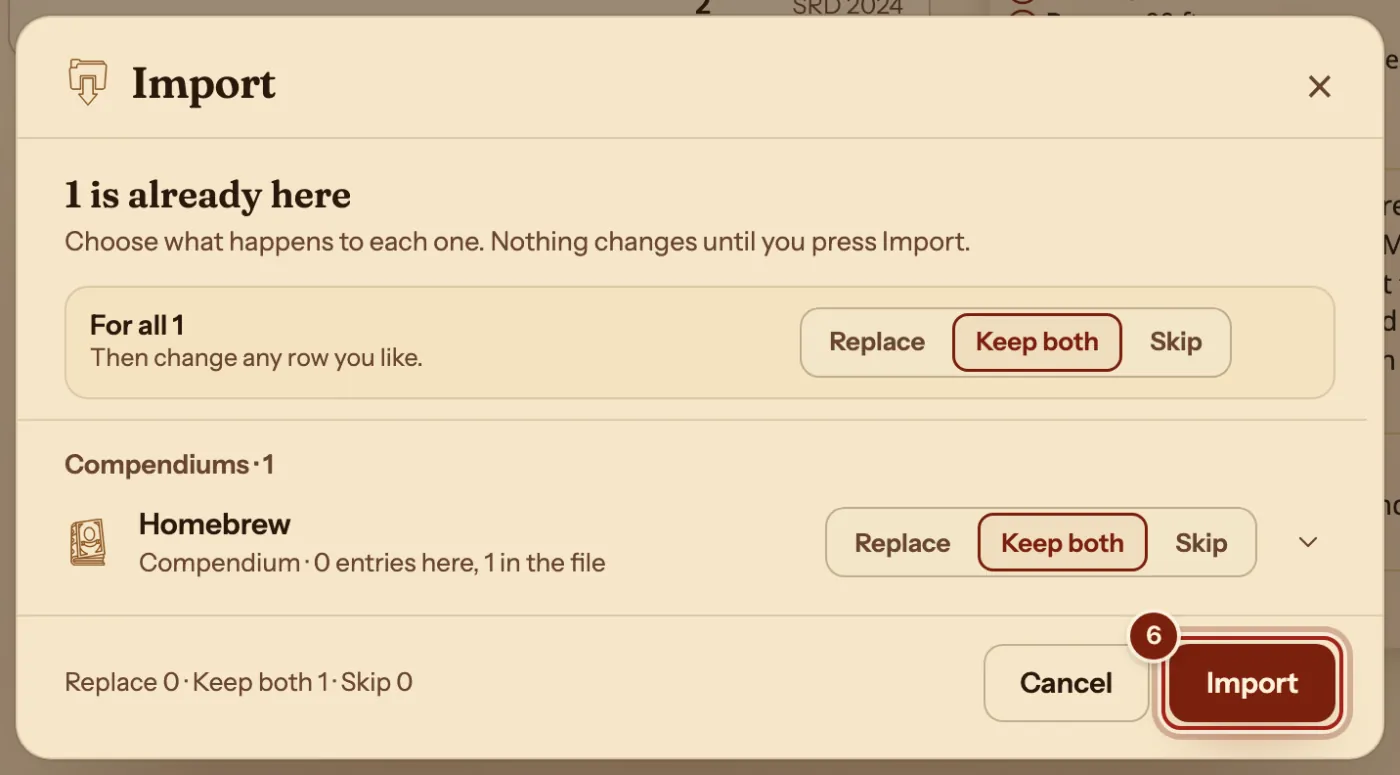
- If they already have a compendium of that name, Keep both is picked for them. Press Import again.
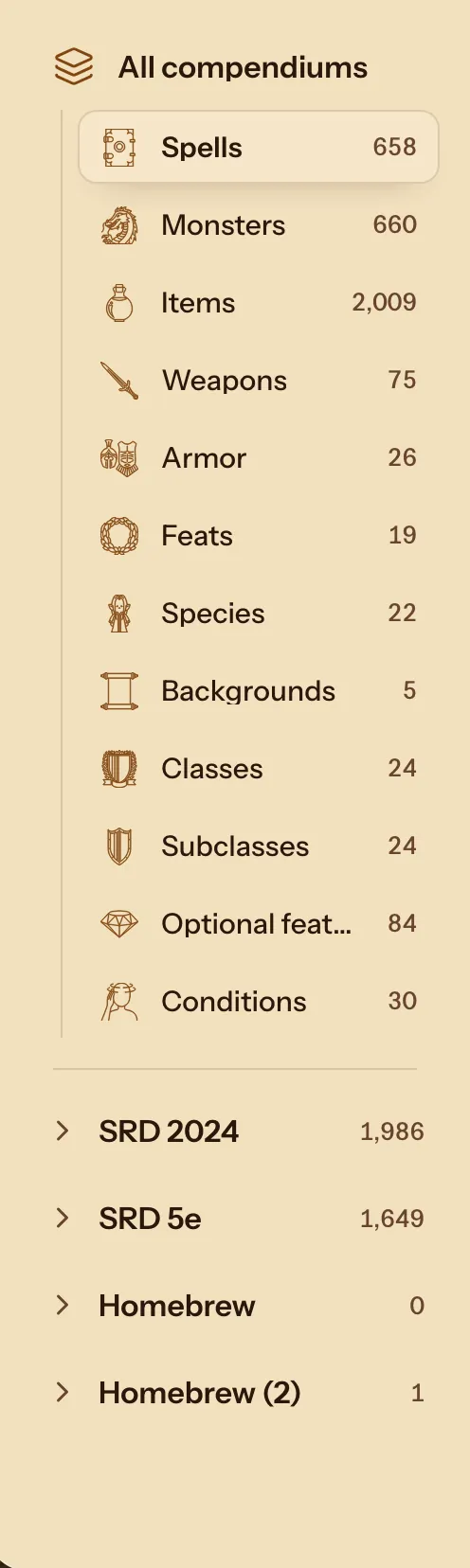
- Press Done. The compendium is in the list on the left.
- Build with it. Its entries sit in the same lists as the SRD, in the Builder and on the sheet.
What comes across
A zip from Export holds the whole compendium.
| In the file | On the other side |
|---|---|
| Every entry in the compendium | Classes, subclasses, species, spells, items and the rest, ready in every list. |
| Your later changes | Send a new file. The player chooses Replace, Keep both or Skip. |
Questions
Where can I find homebrew other people made?
Players share compendiums on our Discord. Download one, then drop it into Import homebrew in the same way.
Do my characters need the file too?
Your sheet uses entries from your own compendiums, so bring the file in before you pick its entries in the Builder.
Can I hide a compendium I am not using?
Yes. In Manage compendiums, press Shown beside it. A hidden compendium stays out of every list, and links to its entries still open.
Keep going
- Compendium format guideLet the Archivist Inquiry Assistant write entries, or learn the lines by hand.
- Make a homebrew class and play itDescribe it to the Archivist Inquiry Assistant, or copy the closest class and change it by hand.
- Bring in homebrew from a PDF, a web page or pasted textPoint it at the source, then review each entry before adding it.
- Invite players and join a campaignSend the invite link; they ask to join with a character; you press Accept.
- Make a homebrew magic itemDescribe it to the Archivist Inquiry Assistant, or copy an item and change it by hand.