How to use Archivist on your phone
The short answerOpen app.archivist.gg in your phone's browser and sign in. Your characters and homebrew are already there, with the sheet laid out for a phone. To open it like an app, press How on the strip at the top of the Characters page and add it to your Home Screen.
- For players and DMs
- 6 short steps
- Updated 7 November 2026, for Archivist 1.4.0
The same account works on a phone, a tablet and a computer.
Add it to your Home Screen
- In your phone's browser, open app.archivist.gg.
- Sign in with your email address, Discord or Google.
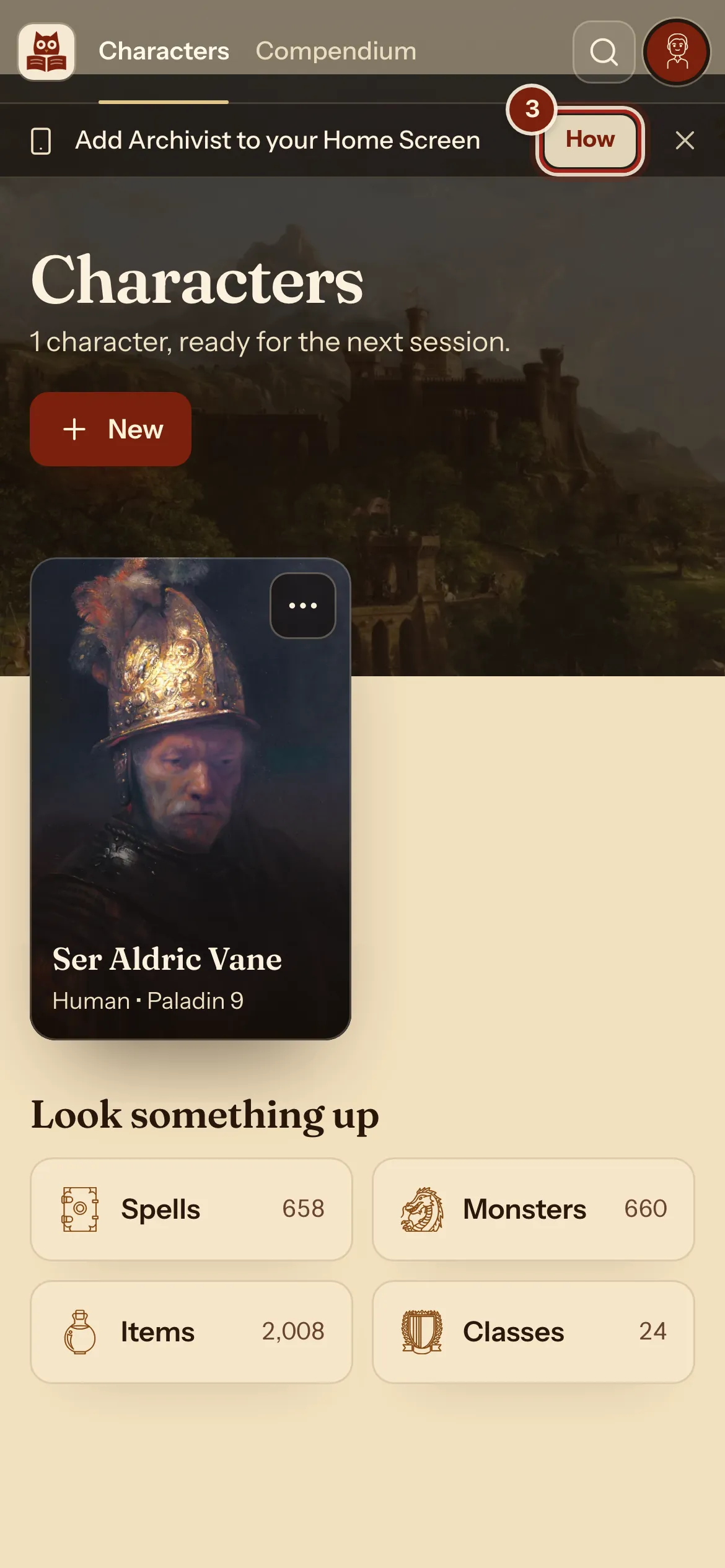
- On the Characters page, press How on the strip at the top.
On an Android phone the button may say Install. Press it and accept.
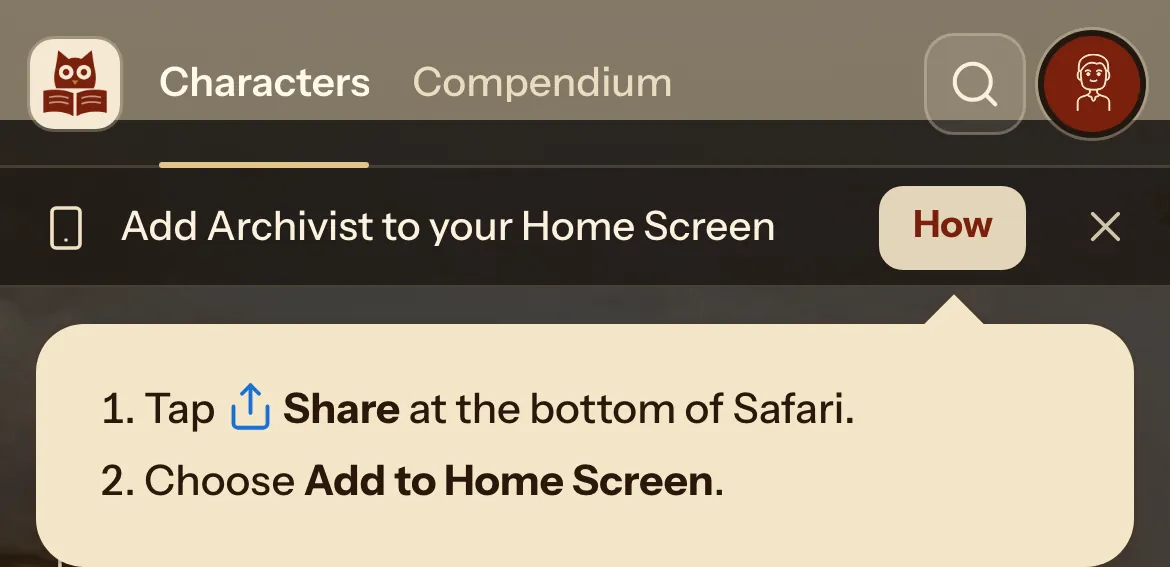
- On an iPhone, tap Share at the bottom of Safari.
- Choose Add to Home Screen.
On Android, open your browser's menu and choose Add to Home screen or Install app. Opened from the Home Screen, Archivist fills the whole screen, up to the top, like an app.
Play from your phone
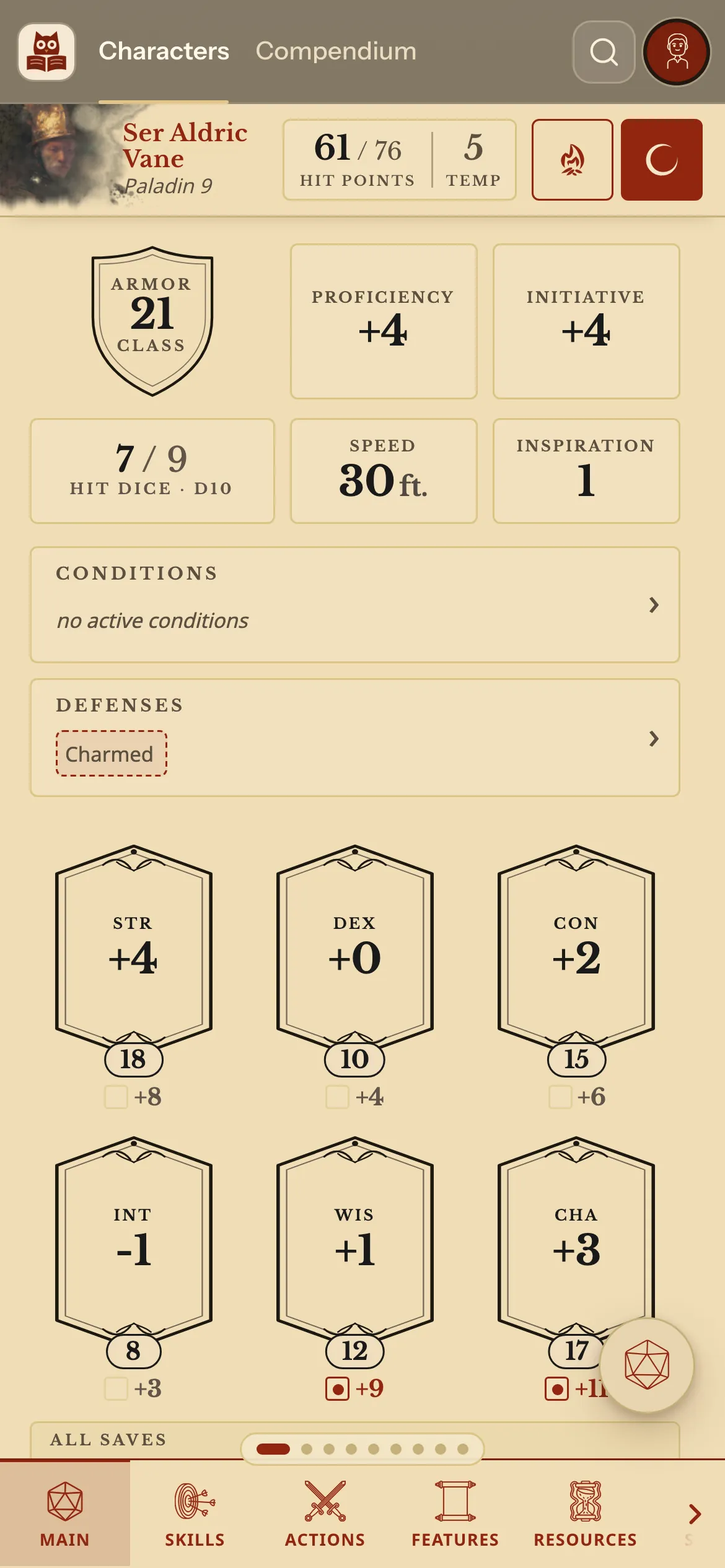
- Press a character. The bar at the bottom moves between Main, Skills, Actions, Features, Resources, Spells, Inventory and Notes.
Tap a box to change it: Hit points and each counter open a window made for your thumb.
Where things are on a phone
Everything from the computer is here.
| You want | Where it is |
|---|---|
| Your hit points and rests | Always in the strip at the top of the sheet. |
| To change your character | Press your portrait or name for the menu, then Builder. |
| A damage menu | Press and hold the number. |
| The Compendium | The menu at the top beside Characters. |
Questions
Does it work on a tablet?
Yes. On an iPad the sheet has its own layout too.
Are my characters the same on all my devices?
Yes. See Keep your character on every device.
Do I need an app store?
Archivist opens in your browser. The Home Screen icon is added from there, and opens it full screen like an app.
I added it to my iPhone a while ago. Why is there a bar at the top?
Remove the icon and add it to your Home Screen again. The new icon reaches the top of the screen with a soft fade under the clock.
Keep going
- Keep your character on every deviceSign in on each device and your characters are already there.
- Keep a copy of your characterExport one character as a file, or back up them all with their portraits.
- Make a 5e character in two minutes with Quick buildA name, a face, then species, class, background and level on one screen.