Initiative tracker: add monsters, set the order, step through turns
You write the order on a piece of paper, keep monster hit points somewhere else, and ask each player for their numbers again every fight.
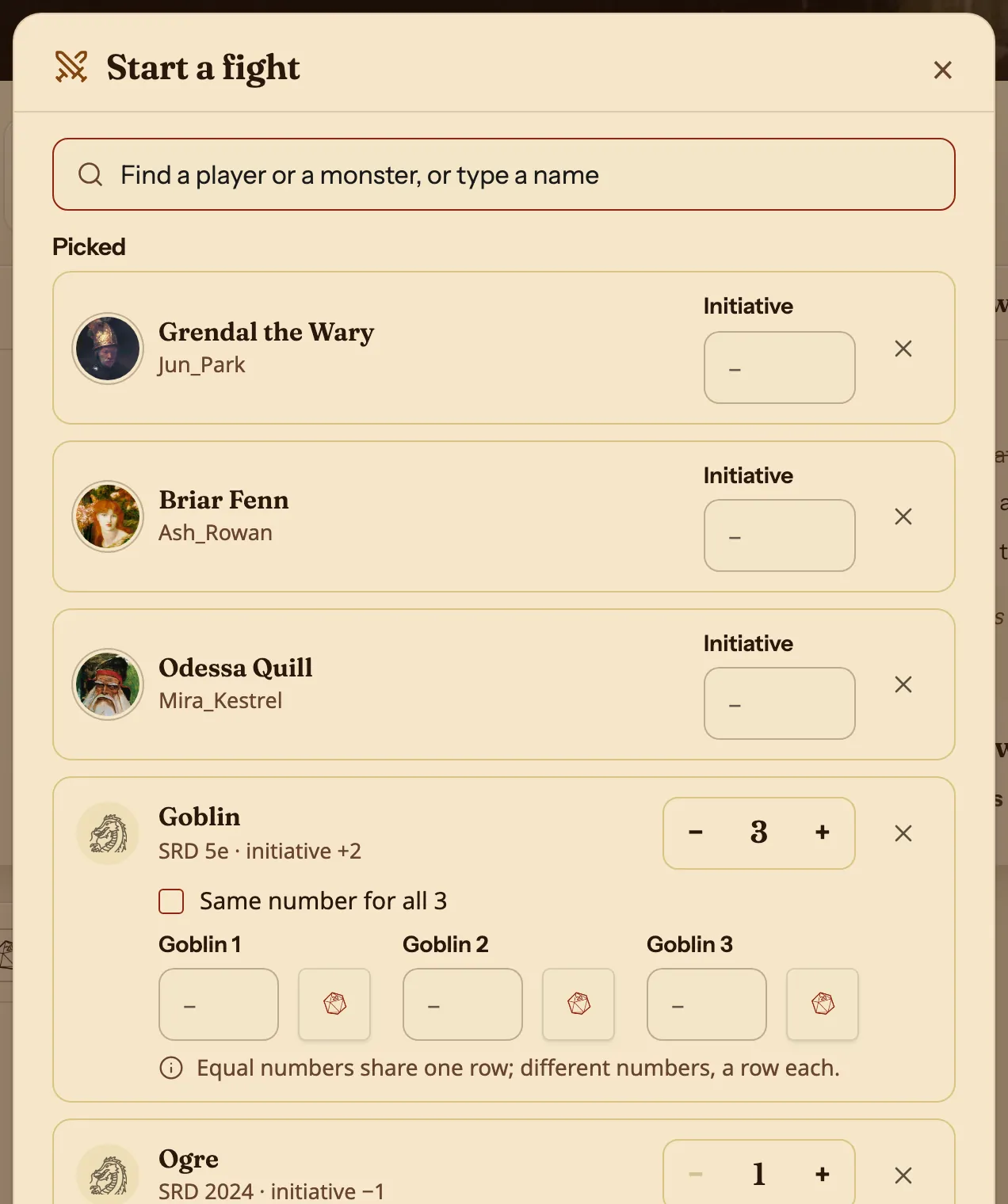
Press Start a fight on your campaign's page. Your players are already in it. Search for monsters, then type each player's number and press Roll for each monster. The order sorts itself, and Next turn moves to the next row.
- For DMs
Set up the fight
Search the Compendium, your homebrew monsters included. A monster brings its hit points, Armor Class and initiative bonus. Press + for more of the same, and tick Same number for all to give a group one row.
Type a name the Compendium does not have to add your own entry, such as a trap.
Step through the turns
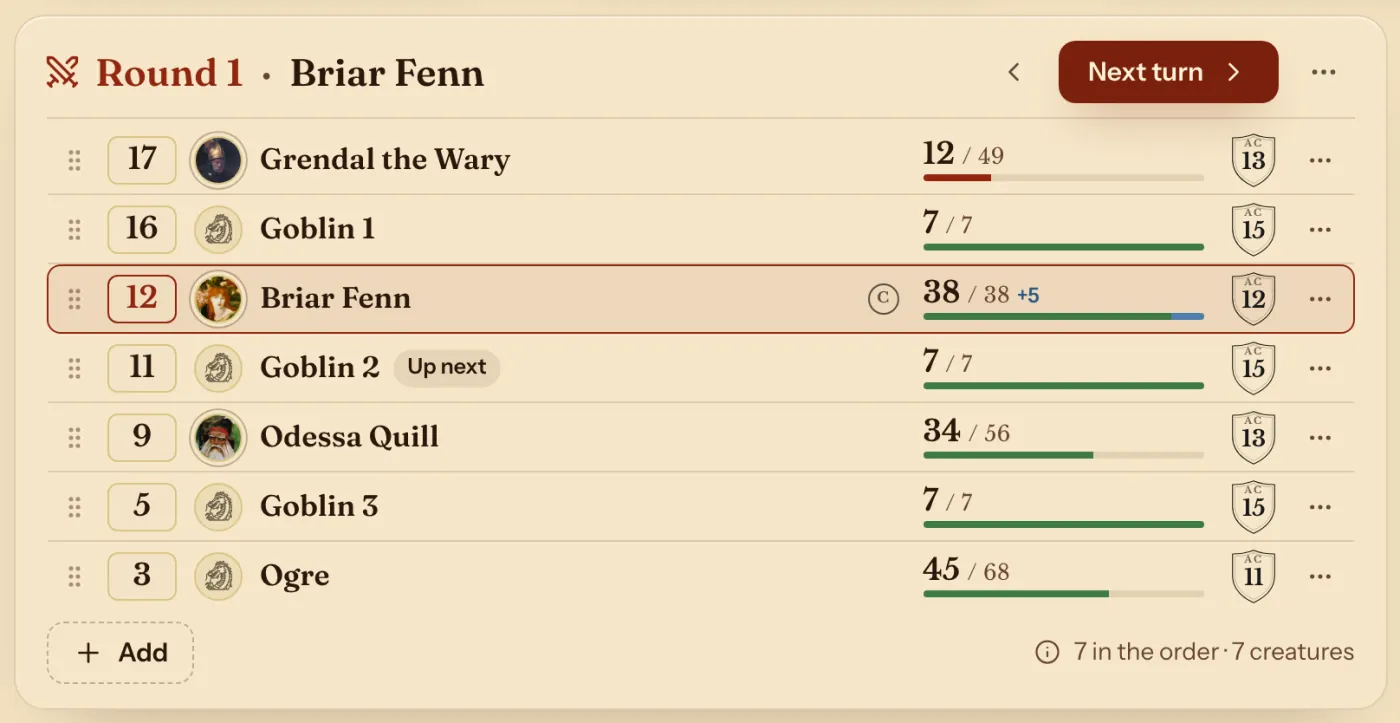
Next turn lights the next row and marks who is up next. Ties go to the higher Dexterity, and you can drag a row anywhere.
A row's ⋯ holds Damage or heal, Conditions and Mark as defeated. Damage to a player reaches their sheet.
On the DM's page
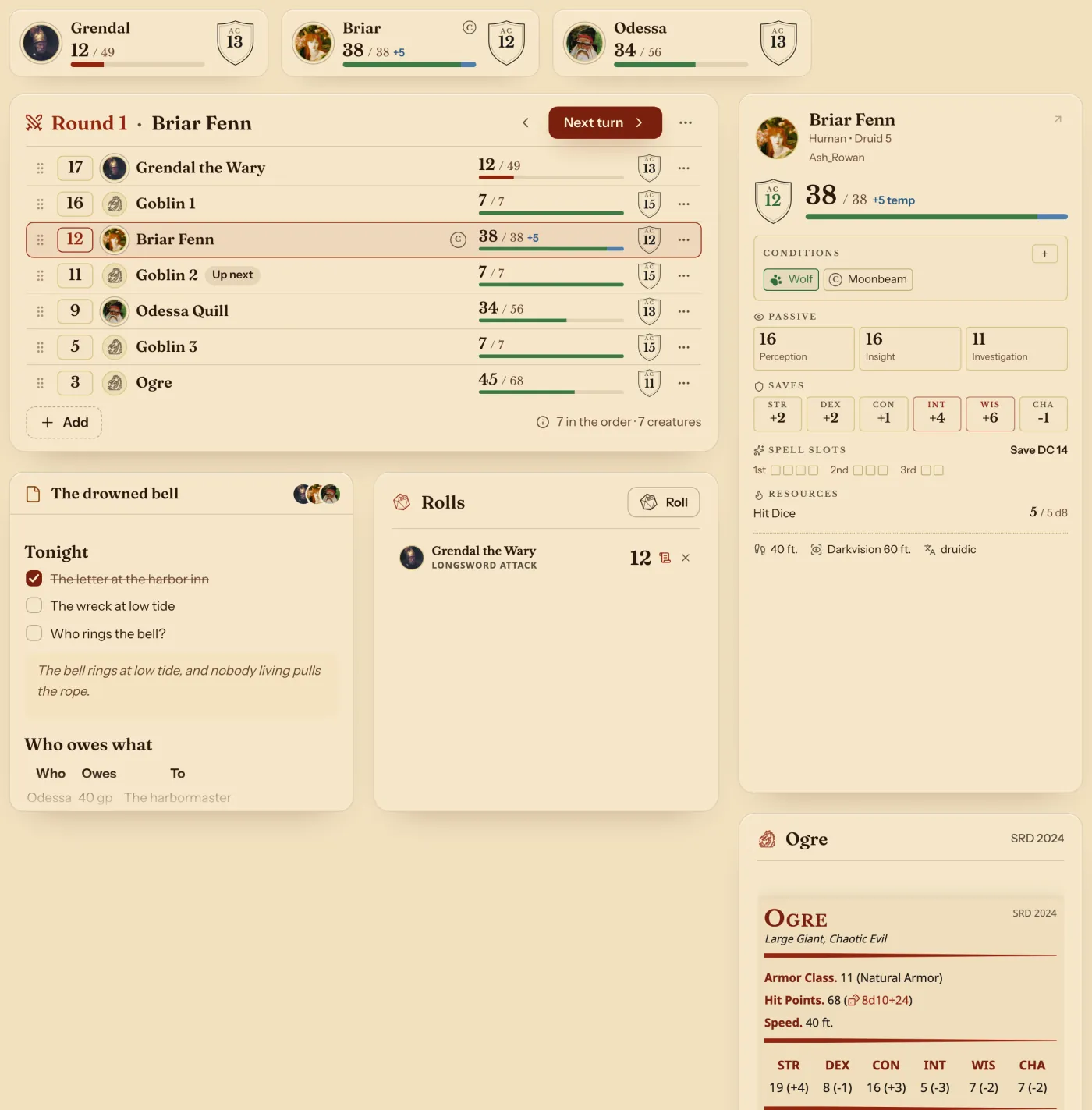
The tracker is a block on your page, so it can sit beside the card of whoever's turn it is, tonight's notes and a stat block. See the DM dashboard.
More in the fight
| To do this | Press |
|---|---|
| Add someone mid-fight | Add under the list. |
| Give a custom entry legendary actions | Legendary actions… on its row. |
| Add a monster's lair actions | Add its lair actions (20) on its row. |
| Go back a turn | The arrow beside Next turn. |
| Finish | End the fight. Hit points and conditions stay as they are on each sheet. |
Questions
Do monsters use their real stats?
Yes. A monster from the Compendium brings its hit points, Armor Class and initiative bonus. Your homebrew monsters work too.
Can I group monsters?
Yes. Monsters of one kind on the same number share one row with a count. On different numbers they get a row each, such as Goblin 1 and Goblin 2.
Does it work at an in-person table?
Yes. It runs in your browser on a laptop, tablet or phone, wherever you sit.
Keep going
- Step by step: Run initiativeStart a fight, add the party and monsters, press Next turn.
- DM dashboard: every player's HP, AC and conditions on one pageEvery player's HP, AC and conditions on one page, which the DM arranges with notes, monsters and rolls.
- Shared dice: choose who sees each roll, the table, the DM or only youChoose who sees each roll: the table, the DM or only you. Rolls sent to the table show as 3D dice on the other players' screens.
- Campaign notes in Markdown, with links to monsters, spells and party charactersPages written in Markdown, with links to monsters, spells, party characters and other pages.