DM dashboard: every player's HP, AC and conditions on one page
During a fight you want a running total of every player's hit points on one screen, without stopping to ask around the table.
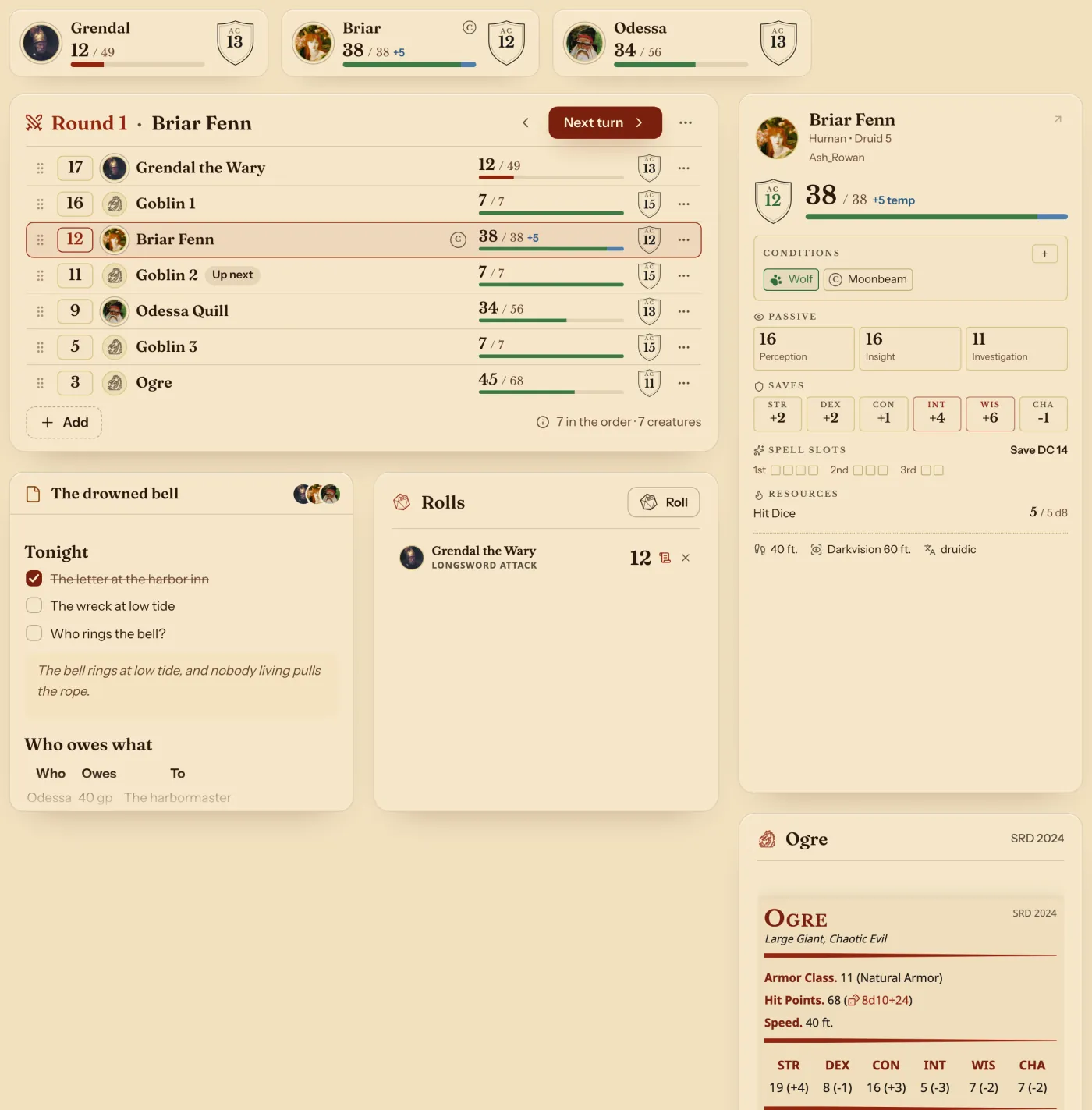
Your campaign's Party tab is that screen. It shows each player's hit points, Armor Class and conditions, and it changes as they play. You choose what else sits on the page: the fight's order, tonight's notes, a stat block, the table's rolls.
- For DMs
The whole party at once
The row on top holds each player's hit points and Armor Class. A player's card adds conditions, passive scores, saves, spell slots and Hit Dice.
Change a number from your side
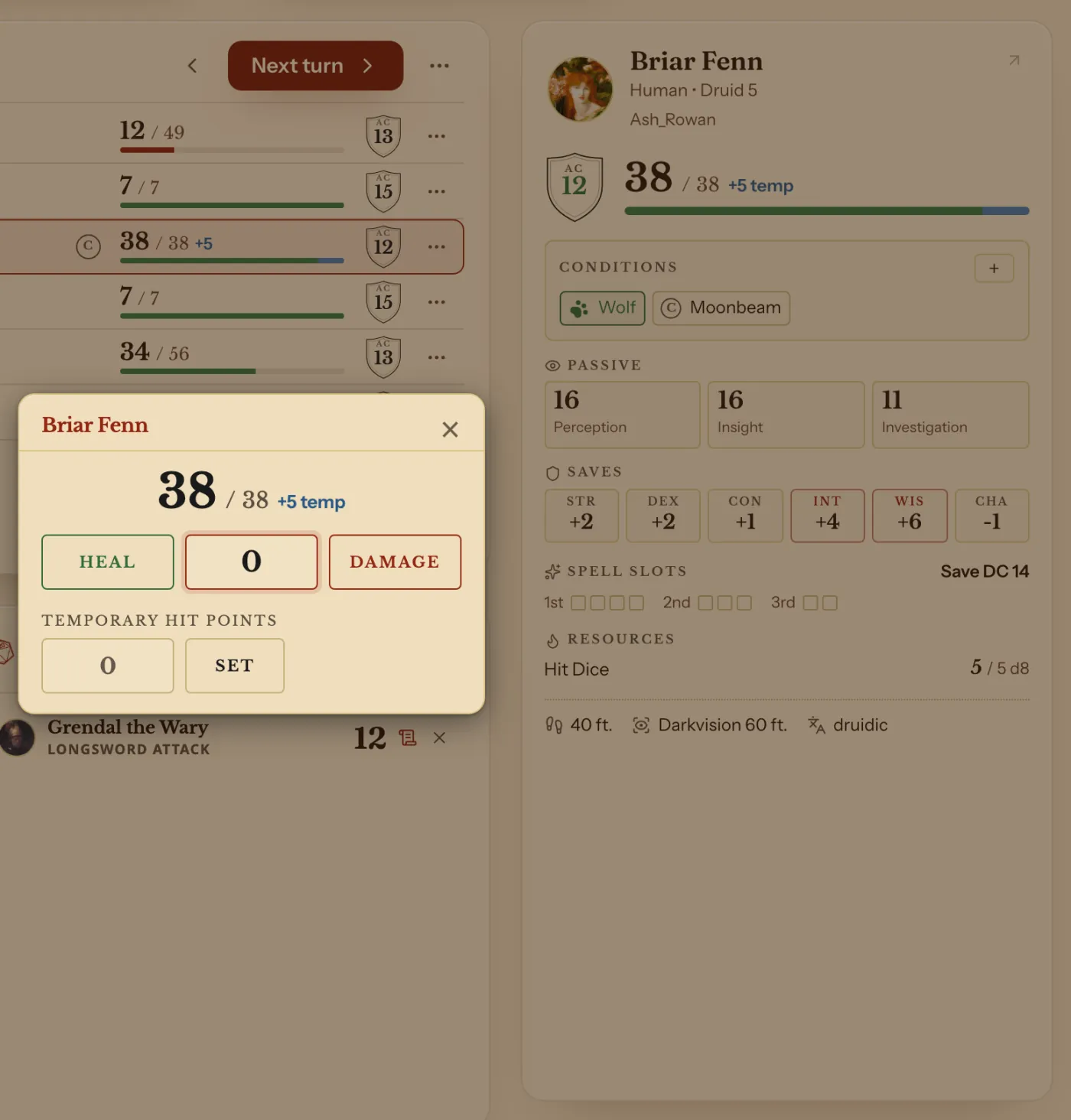
Press a player's hit points, type an amount and press Heal or Damage. Their sheet follows within seconds, and the change comes with Undo.
Press + under Conditions to add a condition. The arrow on a card opens the player's whole sheet.
Arrange it your way
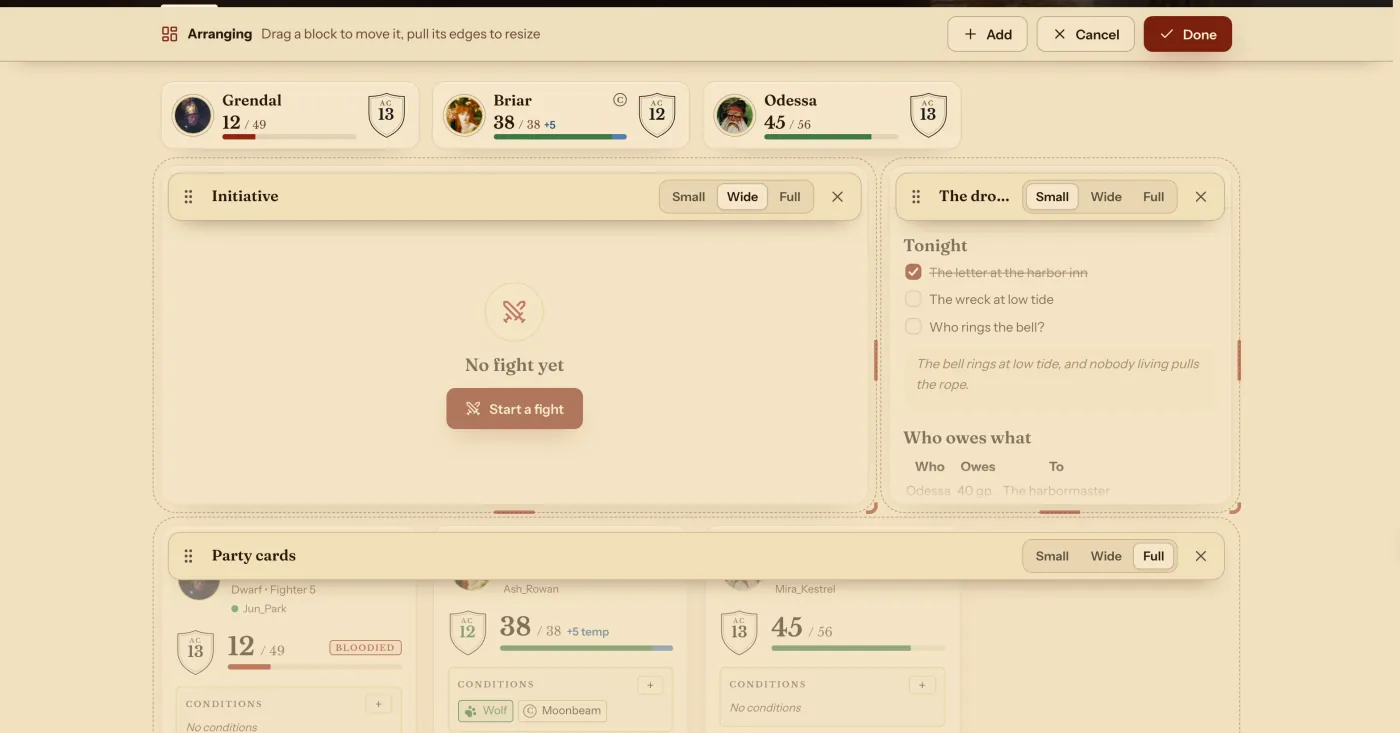
Press Arrange, then Add to bring in a block. Drag a block by its top, and pull its edges to size it. Done keeps the page, Cancel puts it back.
Each campaign keeps its own page. On a phone it becomes one column.
The blocks you can add
| Block | What it shows |
|---|---|
| Initiative | The fight's order and turns. |
| Turn card | The card of whoever's turn it is. |
| Party at a glance | Hit points, Armor Class and conditions on top. |
| Party cards | Every player's card. |
| Player | One player's card. |
| Note | A page or a handout. |
| Monster | A stat block from the Compendium, yours included. |
| Rolls | The table's rolls as they come. |
Questions
Can I see my party's health without asking or refreshing?
Yes. Hit points and conditions change on your page as your players change them on their sheets.
Do players see this page?
They see their own version of the campaign, without your blocks and notes.
Can I undo a change to a player's hit points?
Yes. A change you make comes with Undo.
Keep going
- Step by step: Use the DM's dashboard: the Party view and your own layoutThe Party tab shows everyone; Arrange moves and sizes the blocks.
- Initiative tracker: add monsters, set the order, step through turnsAdd monsters to a fight with your players, set each number, and step through the turns.
- Campaign notes in Markdown, with links to monsters, spells and party charactersPages written in Markdown, with links to monsters, spells, party characters and other pages.
- Shared dice: choose who sees each roll, the table, the DM or only youChoose who sees each roll: the table, the DM or only you. Rolls sent to the table show as 3D dice on the other players' screens.