How to archive a finished campaign
The short answerOpen the campaign, press ⋯, choose Archive campaign and press Archive. Everyone can still open it and read it, notes and handouts included, but nothing in it can change, and you can reopen it at any time from Archived on the Campaigns page.
- For DMs
- 5 short steps
- Updated 7 November 2026, for Archivist 1.4.0
Archiving keeps the campaign's story for the whole table.
Archive it
- Open the campaign and press ⋯ at the top.
- Choose Archive campaign.
- Press Archive.
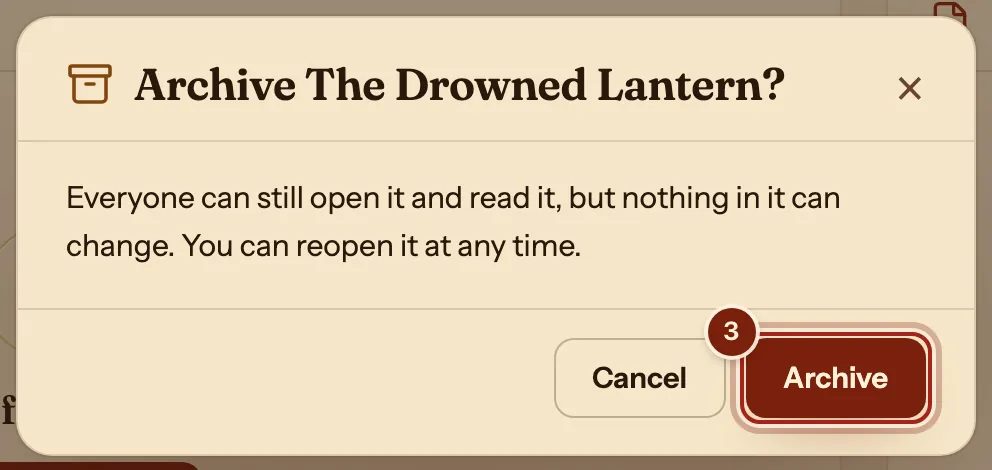
Find it again
- On the Campaigns page, press Archived at the bottom of the list.
- Open the campaign to read it. To play in it again, press ⋯ and choose Reopen campaign.
Only an archived campaign offers Delete for good, which asks you to type its name first.
What archiving keeps
The campaign becomes read-only for everyone.
| After archiving | |
|---|---|
| Notes and handouts | Everyone who could read them still can. |
| The party page | Open to read; nothing changes. |
| Players | Can read it, or press Leave campaign to free their character for another one. |
| Given and received | The record of what was given stays, in the ⋯ menu. |
Questions
Do my players lose their characters?
No. Characters belong to their players. A player who leaves an archived campaign can bring that character to a new one.
Can I start a new campaign with the same players?
Yes. Make a new campaign and send them its invite link: see Run a campaign.
Can I change notes in an archived campaign?
Reopen it first with Reopen campaign.
Keep going
- Run a campaignCreate it, send the invite link, accept your players, run it from the Party tab.
- Campaign notes for DMsPages and handouts with links, stat blocks and pictures, private until shared.
- Invite players and join a campaignSend the invite link; they ask to join with a character; you press Accept.