How to run a D&D campaign in Archivist
The short answerPress Campaigns, then Create campaign, and give it a name and a cover. Press Invite and send your players the link. Each one asks to join with a character and you press Accept. The Party tab then shows every player's hit points, conditions, saves and spell slots as they change.
- For DMs
- 15 short steps
- Updated 7 November 2026, for Archivist 1.4.0
This page's pictures show The Drowned Lantern, a sample campaign, with three players.
Create it and invite your players
- In the top bar, press Campaigns.
- Press Create campaign.
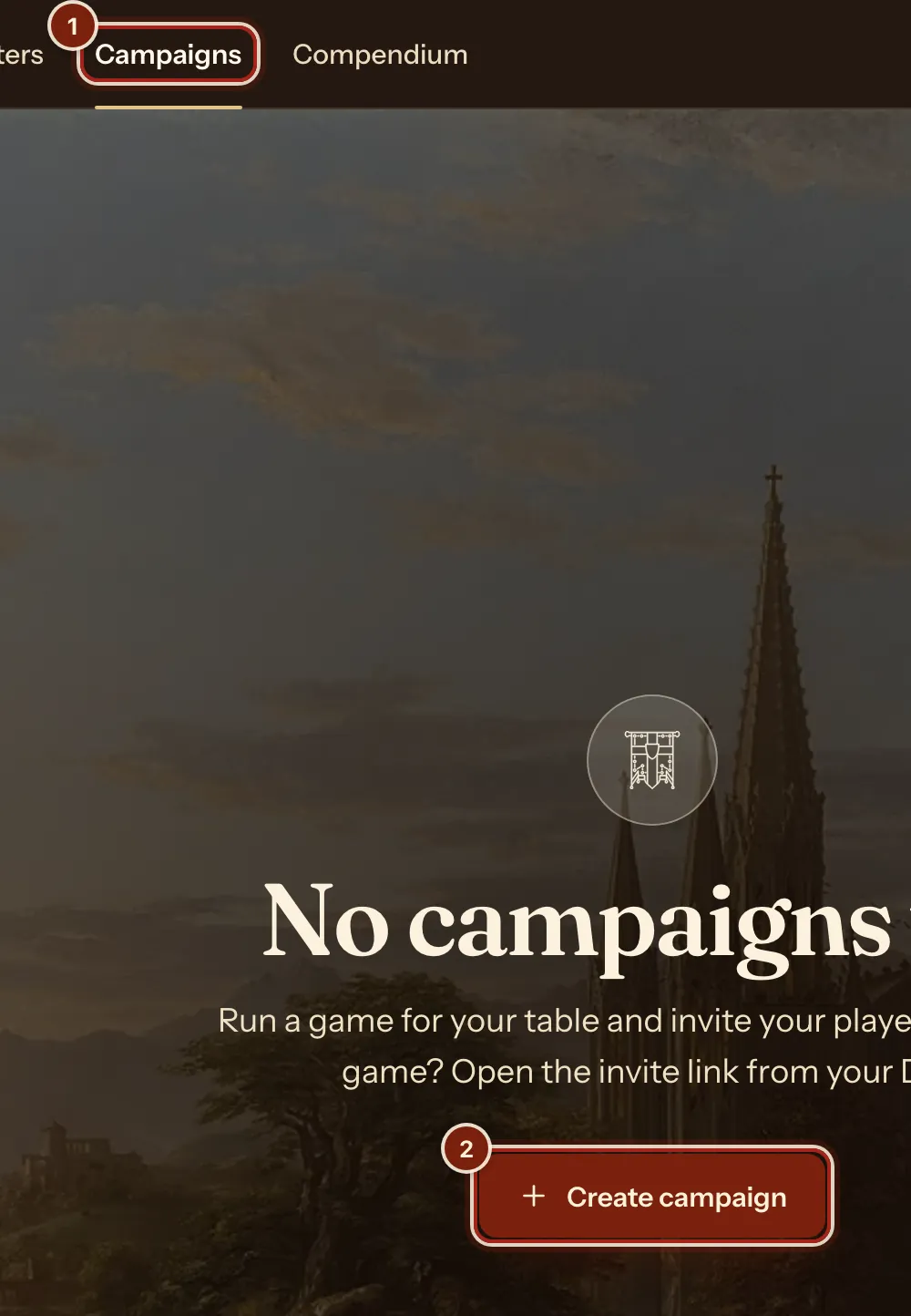
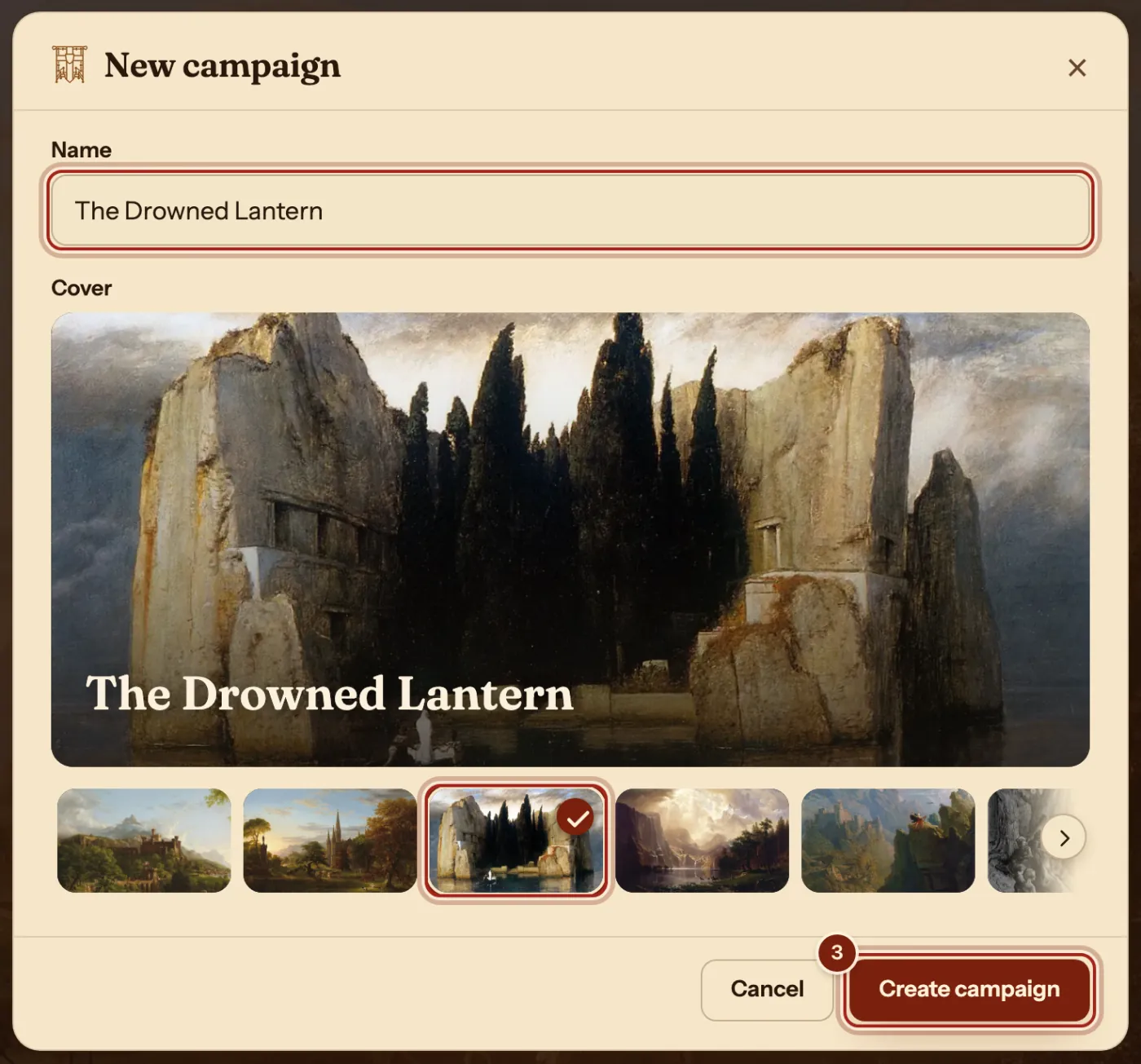
- Type a Name, pick a Cover, then press Create campaign.
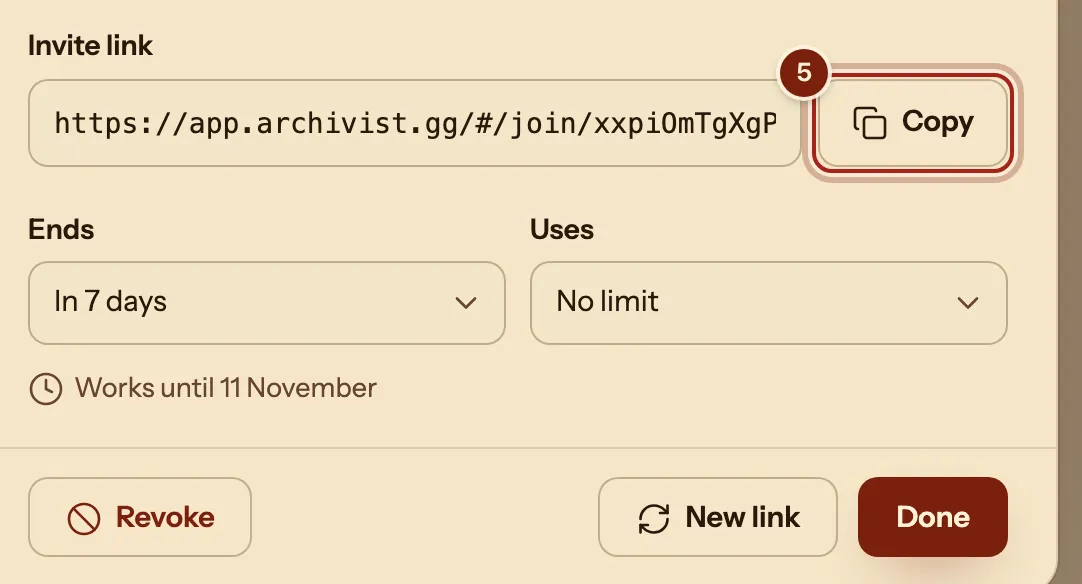
- On your campaign's page, press Invite.
- Press Copy and send the link to your players.
- Each player opens the link, picks a character and presses Ask to join. A player with no character makes one first.
- On the Players tab, under Join requests, press Accept for each one.

Run it from the Party tab
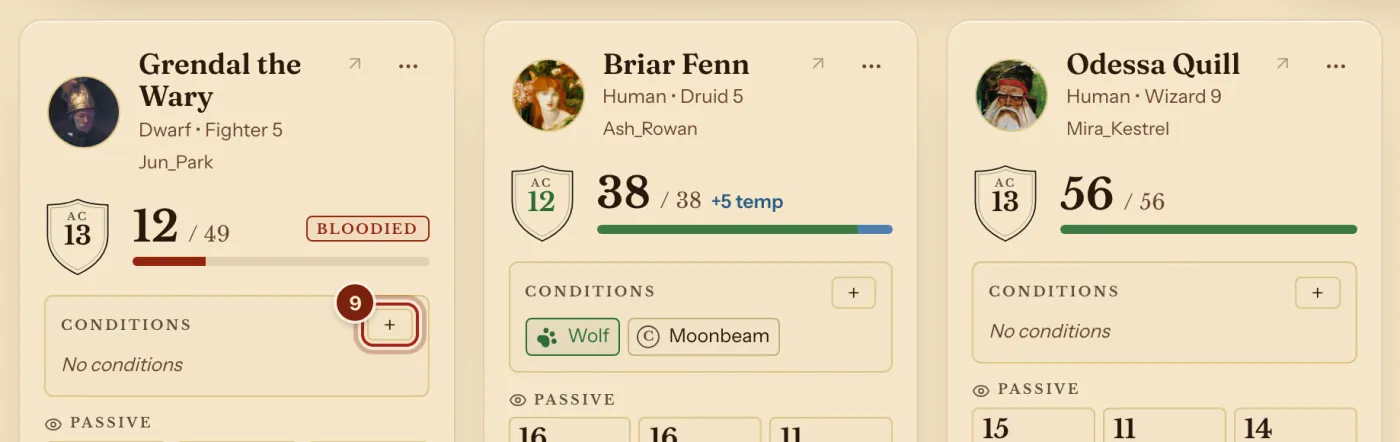
- Press the Party tab. Each card follows that player's sheet as they play.
- Press + under Conditions on a card to add a condition, or press a card's hit points to change them.
- For a fight, press Start a fight, add monsters, then press Start round 1 and Next turn. Run initiative shows each step.
- To shape the page, press Arrange. Use the DM's dashboard shows each step.
- Your players' rolls come to you as they roll. See every roll at your table shows who sees what.
Keep notes and hand things out
- On the Notes tab, press New and choose Handout or Page. Campaign notes for DMs and Share maps and handouts show each step.
- To give loot, open the ⋯ menu and choose Give an item. Give items to players shows each step.
- When the story ends, open the ⋯ menu and choose Archive campaign. Archive a finished campaign shows each step.
Where things are on a campaign's page
Each tab has its own address, so you can bookmark it.
| Tab | What it holds |
|---|---|
| Party | Cards for each player, initiative, your notes, a monster and the table's rolls, arranged your way. |
| Players | Who is in, join requests and the invite link. |
| Notes | Your pages, the pages you share, and handouts. |
Questions
Can my players use their own homebrew?
Yes. A player's sheet uses their own compendiums. To give everyone the same homebrew, see Share homebrew with your party.
Do my players see my notes?
No. Your pages stay private to you until you share one with Seen by.
Can a player bring more than one character?
Yes, one at a time. They ask from the campaign with Add a character, and you press Accept each time. See Let a player bring more characters.
How many campaigns can I run?
As many as you like. Unlimited characters and campaigns are free.
Can I change a player's hit points?
Yes, from their card on the Party tab, and their sheet follows.
Can a player join from a phone?
Yes. Archivist works on phones, tablets and computers. See Use Archivist on your phone.
Keep going
- Invite players and join a campaignSend the invite link; they ask to join with a character; you press Accept.
- Use the DM's dashboard: the Party view and your own layoutThe Party tab shows everyone; Arrange moves and sizes the blocks.
- Campaign notes for DMsPages and handouts with links, stat blocks and pictures, private until shared.