How to run familiars, summons and Wild Shape
The short answerCast a spell such as Find Familiar, pick the form and press Cast, and the creature appears on your Companions tab with a full stat block and its own hit points. For Wild Shape, press SHIFT on your Actions tab, then SHIFT on a form: your sheet takes on the beast's numbers.
- For players
- 10 short steps
- Updated 4 November 2026, for Archivist 1.3.2
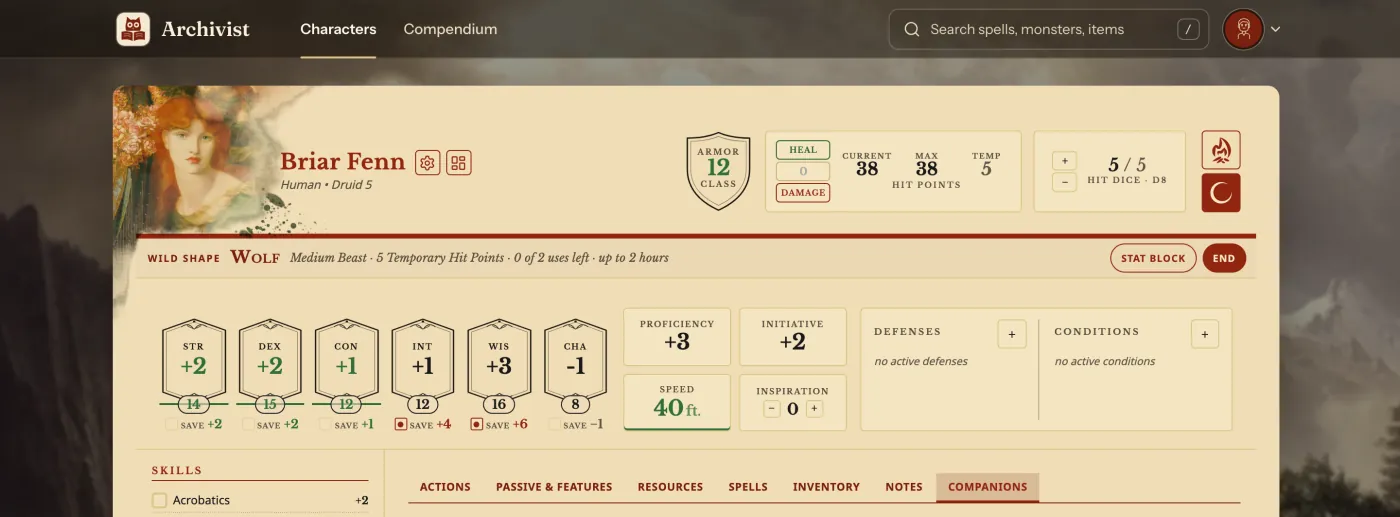
This page's examples are Odessa Quill's owl and skeletons, and Briar Fenn, a Druid, as a wolf.
Summon a creature
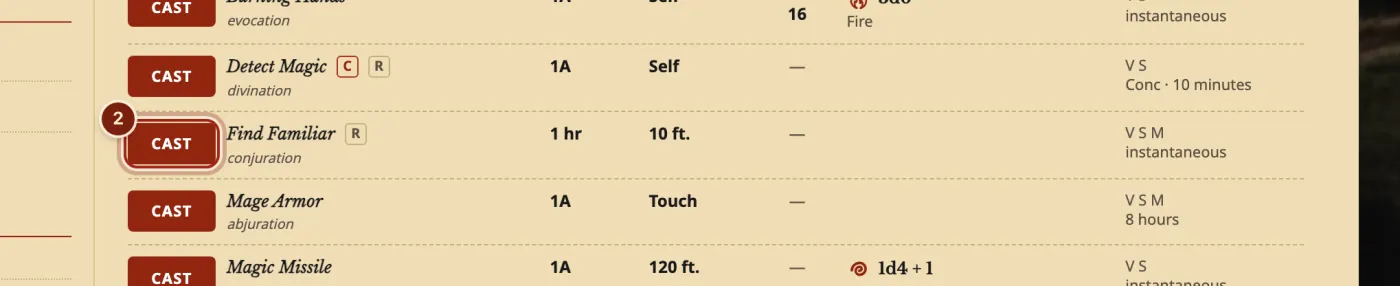
- On your sheet, press the Spells tab.
- Press CAST on the spell.
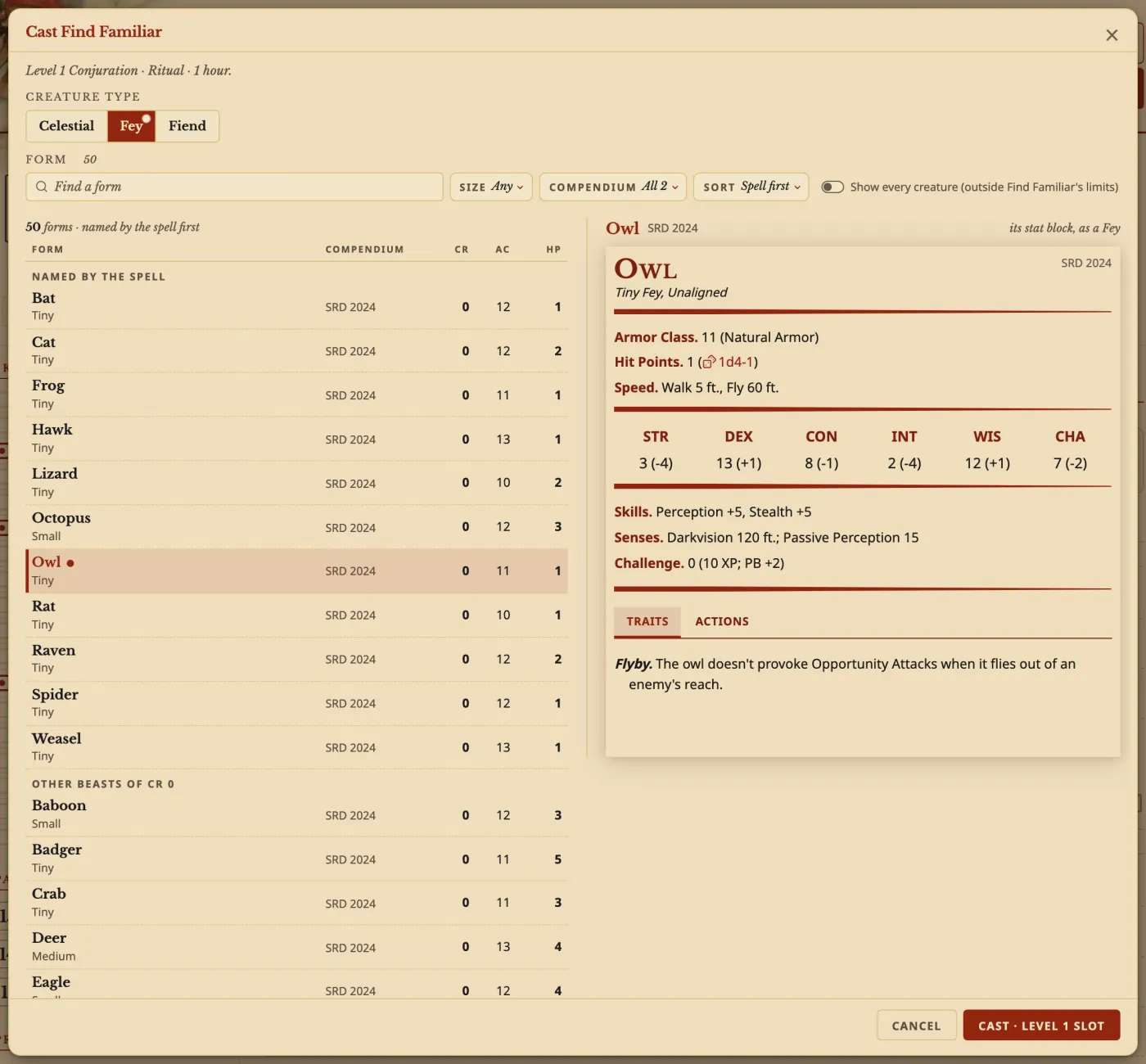
- Pick the form, and any choice the spell gives you.
- Press Cast.
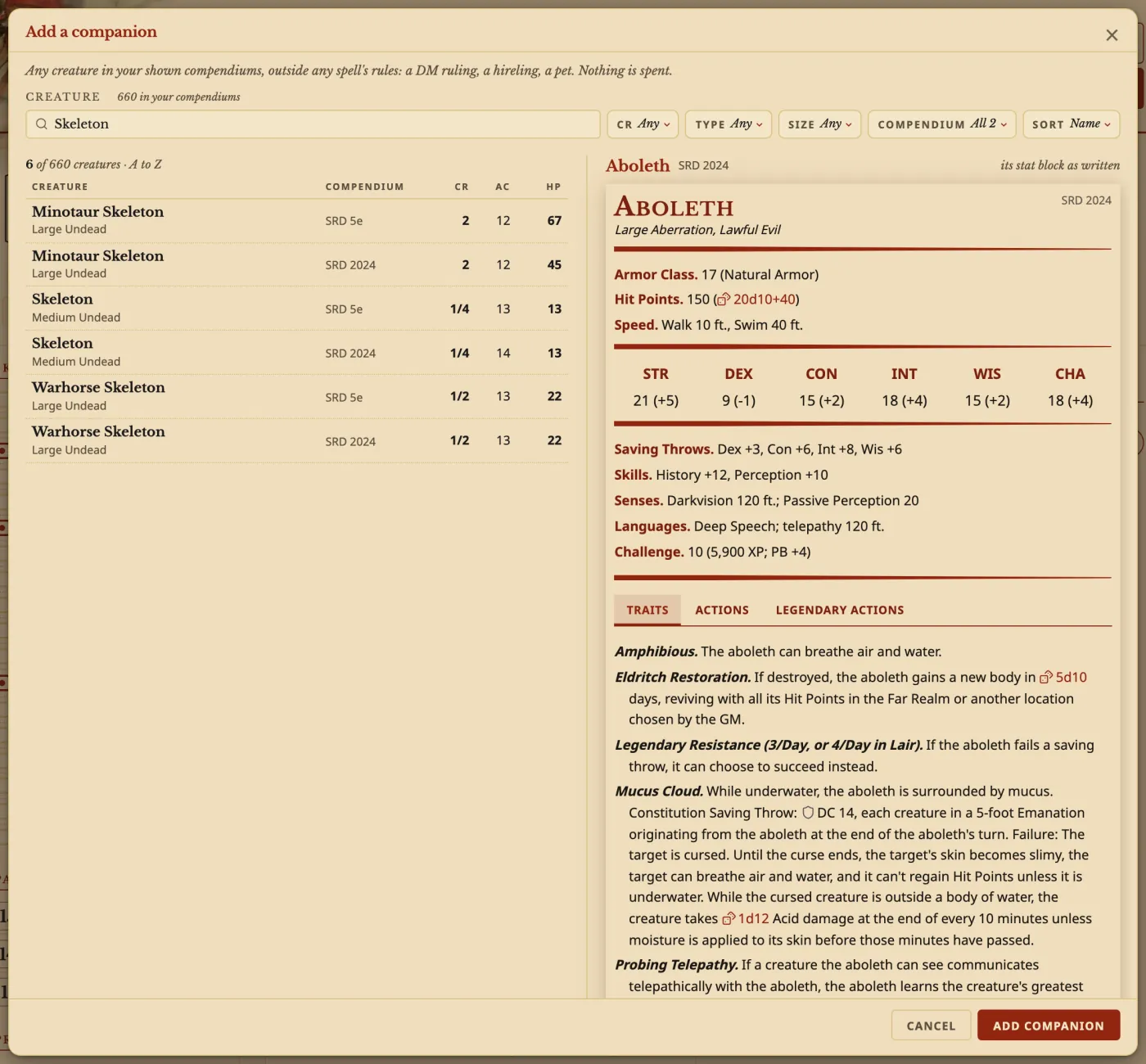
- Press the Companions tab. To add a creature any other way, such as a DM's ruling or a pet, press Add a companion.

- In Add a companion, search for any creature and press Add companion.
Run them at the table
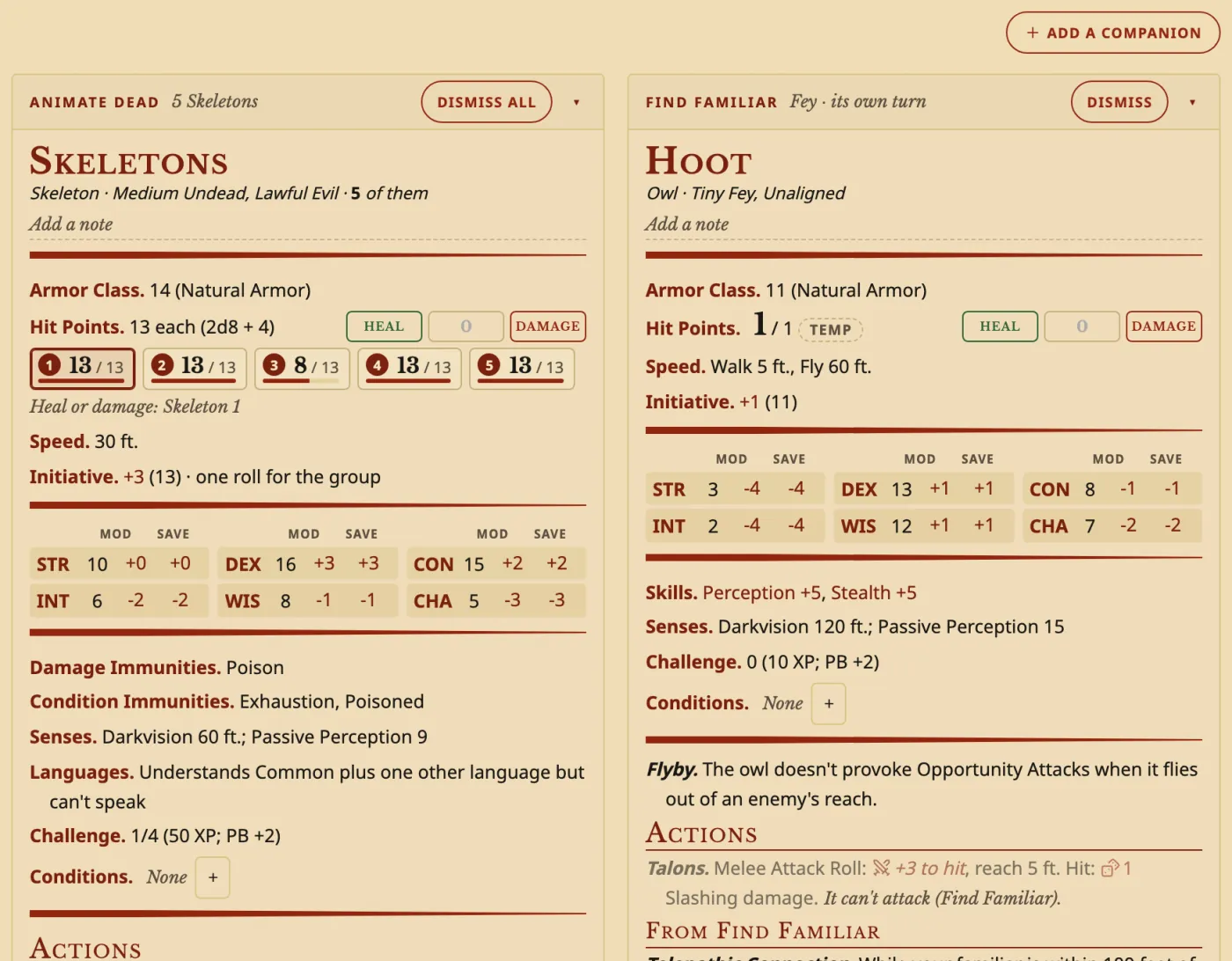
- Use its Heal and Damage buttons, and press its attacks to roll them.
A group has a box for each creature, such as five skeletons: press a box, then Heal or Damage.
Use Wild Shape
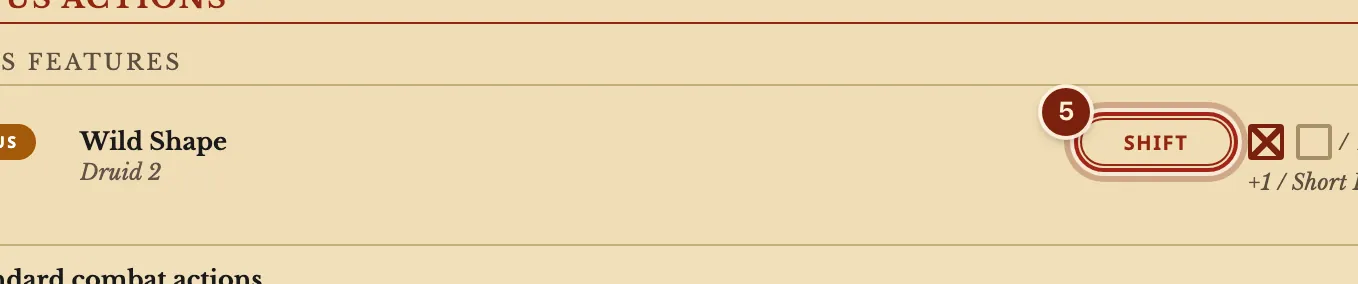
- On your Actions tab, press SHIFT on Wild Shape.
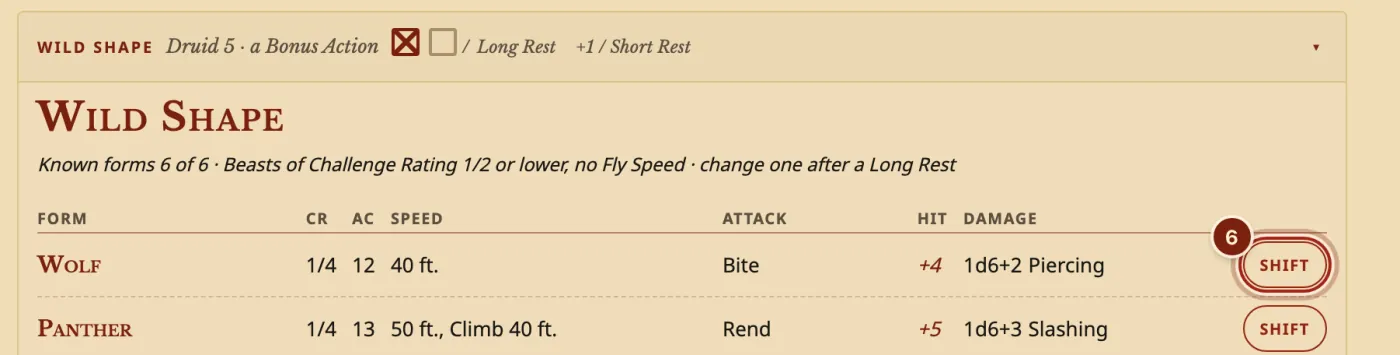
- On the Companions tab, press SHIFT on a form.
- Play. Numbers the form changes turn green, and END on your sheet goes back to yourself.
What a companion keeps
Each creature is worked out for your character.
| On its block | What it does |
|---|---|
| Hit points | Its own, with Heal, Damage and temporary hit points. |
| Conditions | Its own, added with +. |
| Attacks | Press to roll. |
| A note | Press Add a note. |
Questions
What happens to them on a Long Rest?
The rest window offers to heal each one and give its uses back.
Can I use a homebrew creature?
Yes. Your own monsters are in Add a companion. See Make a homebrew monster.
Can a group roll together?
Yes. Each attack can roll for each creature still standing.
Keep going
- Add a monster as a companion and roll from its stat blockCast Find Steed, or add any monster by hand, then roll from its stat block.
- Track spell slots and prepare spellsCAST spends the slot; Manage spells prepares, swaps and learns.
- Make a homebrew monsterDescribe it to the Archivist Inquiry Assistant, or copy a monster and change it by hand.