Format guide: backgrounds
The short answerA background gives skills, tools, languages, ability increases, an Origin feat and starting equipment, each on its own lines. Describe it to the Archivist Inquiry Assistant and approve what it suggests, or copy the closest background and paste your lines over it by hand. It then sits in the Builder's Background list.
- For players and DMs
- 13 short steps
- Updated 7 November 2026, for Archivist 1.4.0
This page's example is the Wreck Diver, a background made up for the Drowned Coast.
Make it with the Archivist Inquiry Assistant
- Press the owl at the right edge of the screen to open the Archivist Inquiry Assistant. On a phone, press the owl beside search.
- Describe your background in a sentence.
- Check what it suggests and press Approve. Your background is in your Compendium ready to pick in the Builder.
For exampleMake a background called the Wreck Diver: Athletics and Survival, Navigator's Tools, and the Skilled feat.
You can undo it. Can't see the owl? Turn on Archivist Inquiry Assistant in Settings.
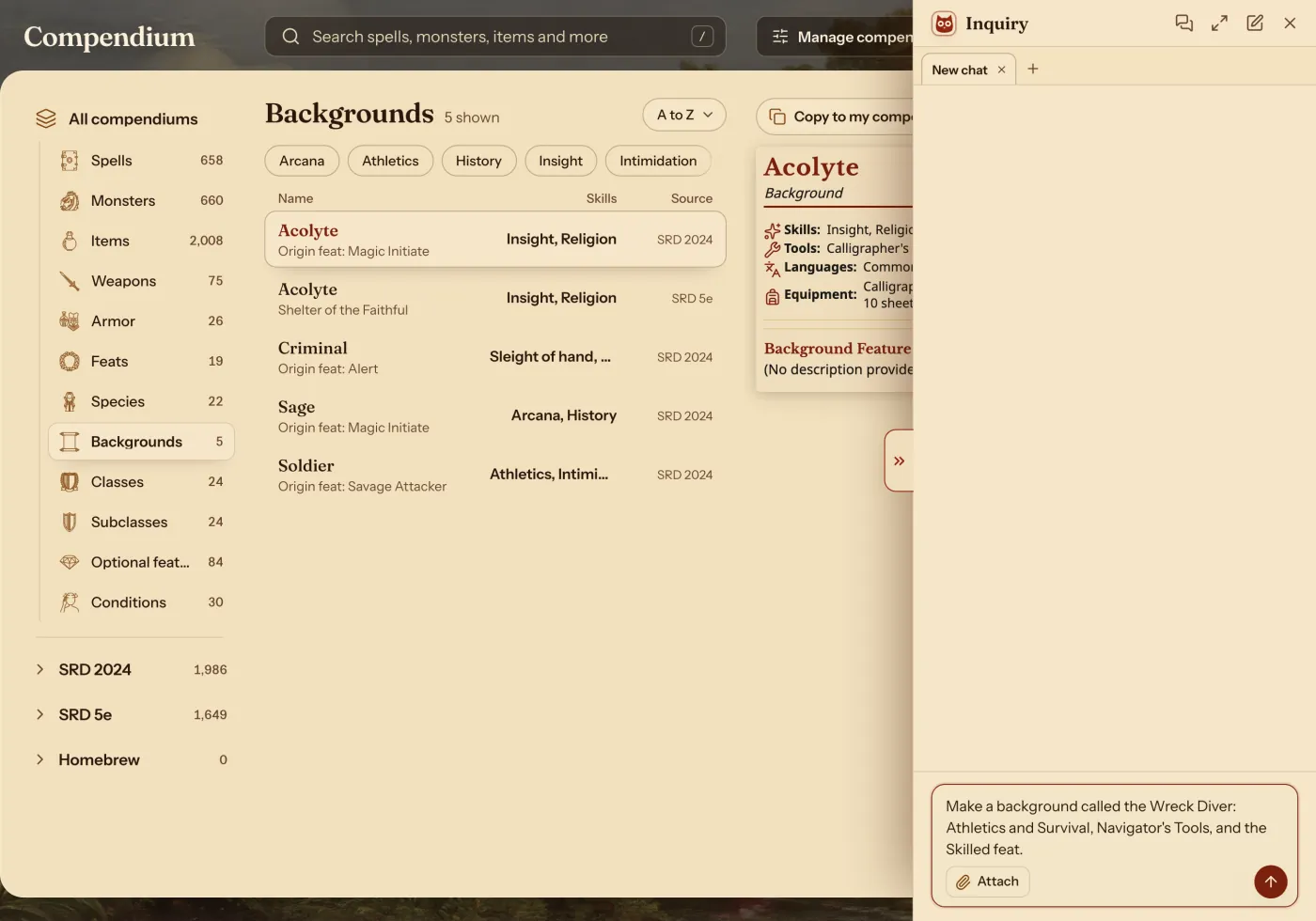
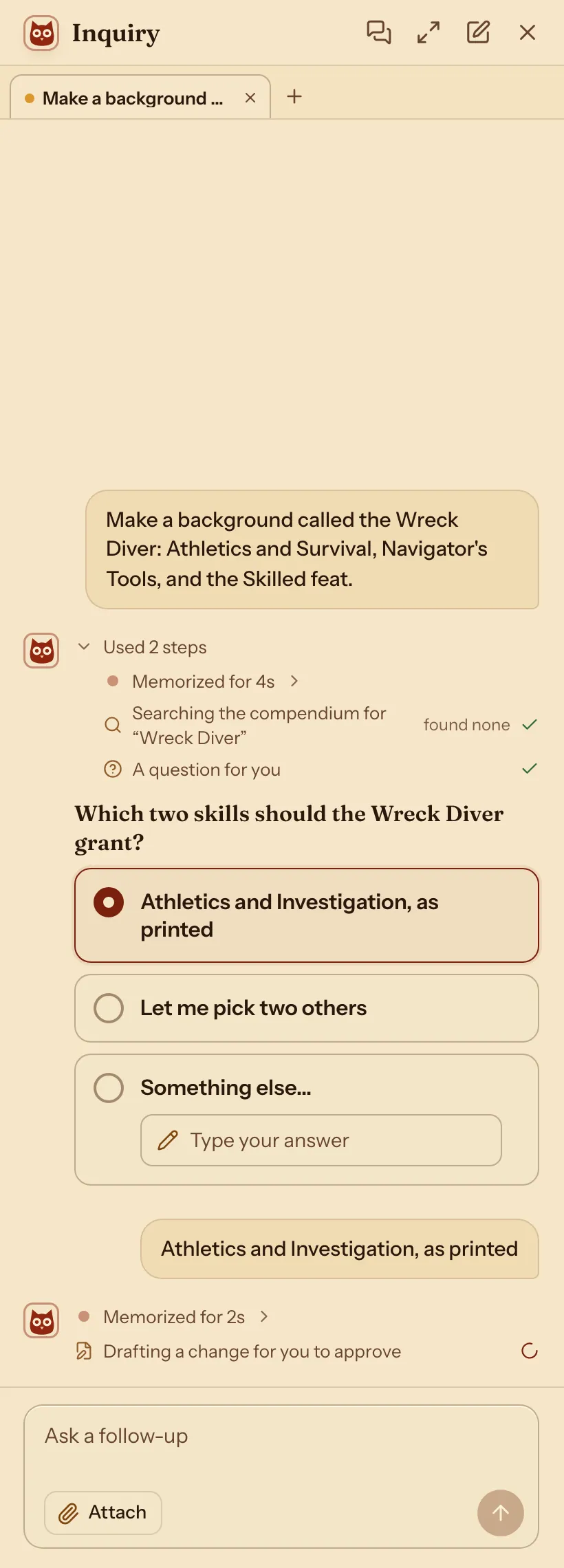
It may ask you something first. Pick an answer and press Send.
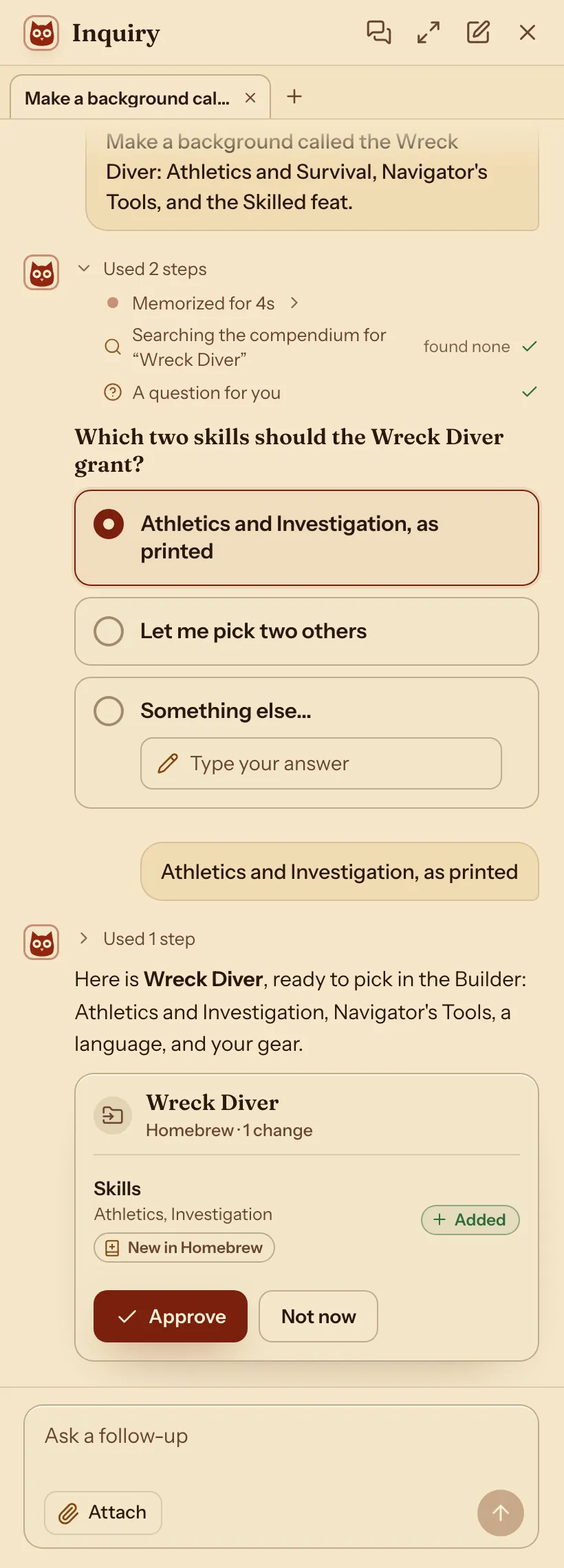
It shows what it adds. Nothing changes until you press Approve.
Your new background is in the Compendium.
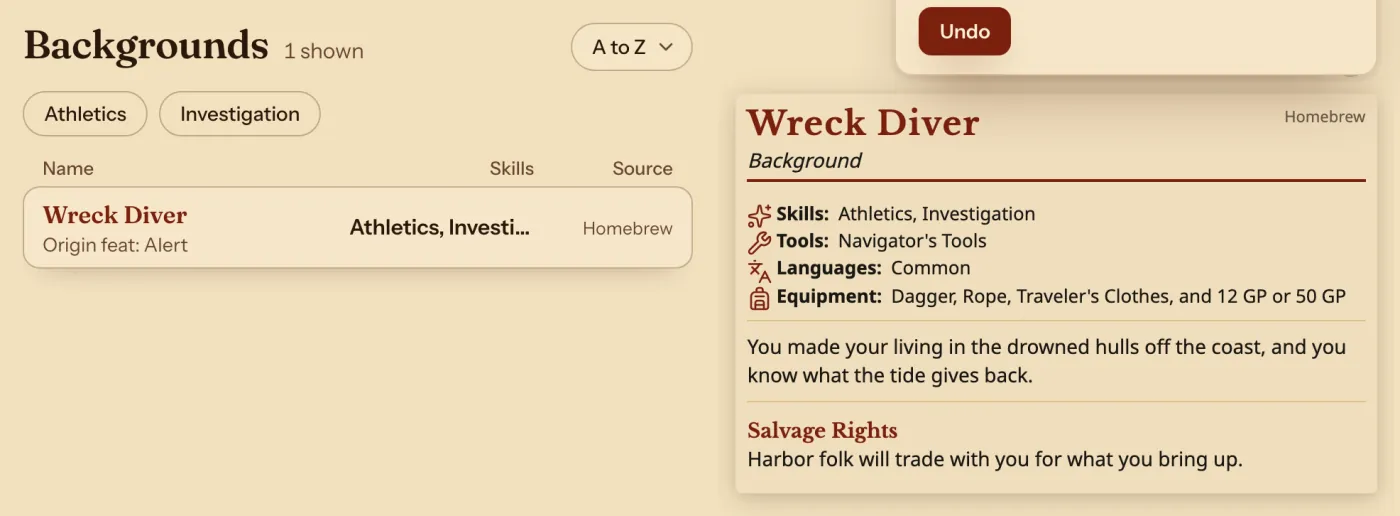
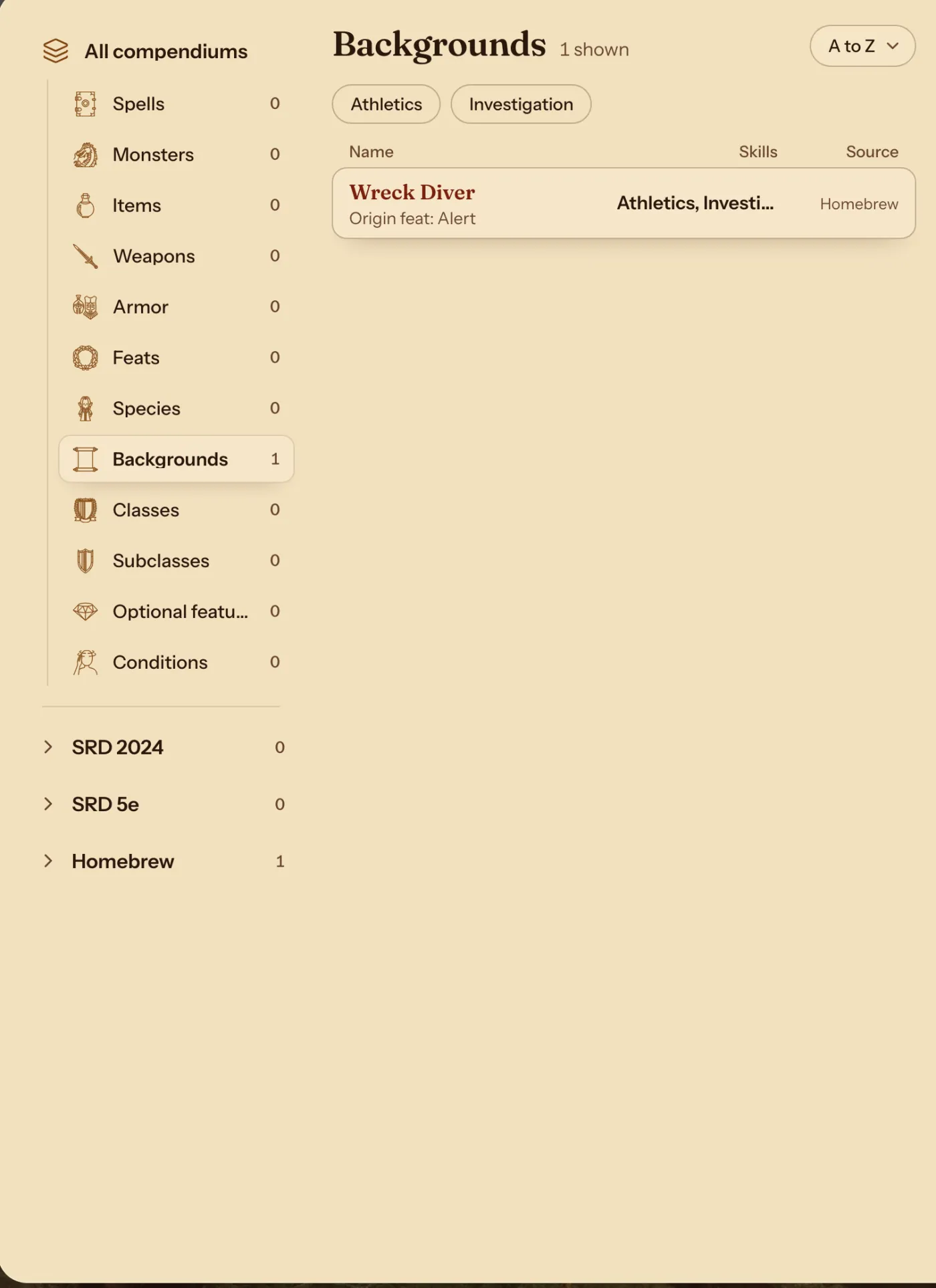
The Compendium's Backgrounds list: Wreck Diver from Homebrew.
Change an existing one with the Archivist Inquiry Assistant
- Open the Compendium, or a sheet that uses the background, and press the owl.
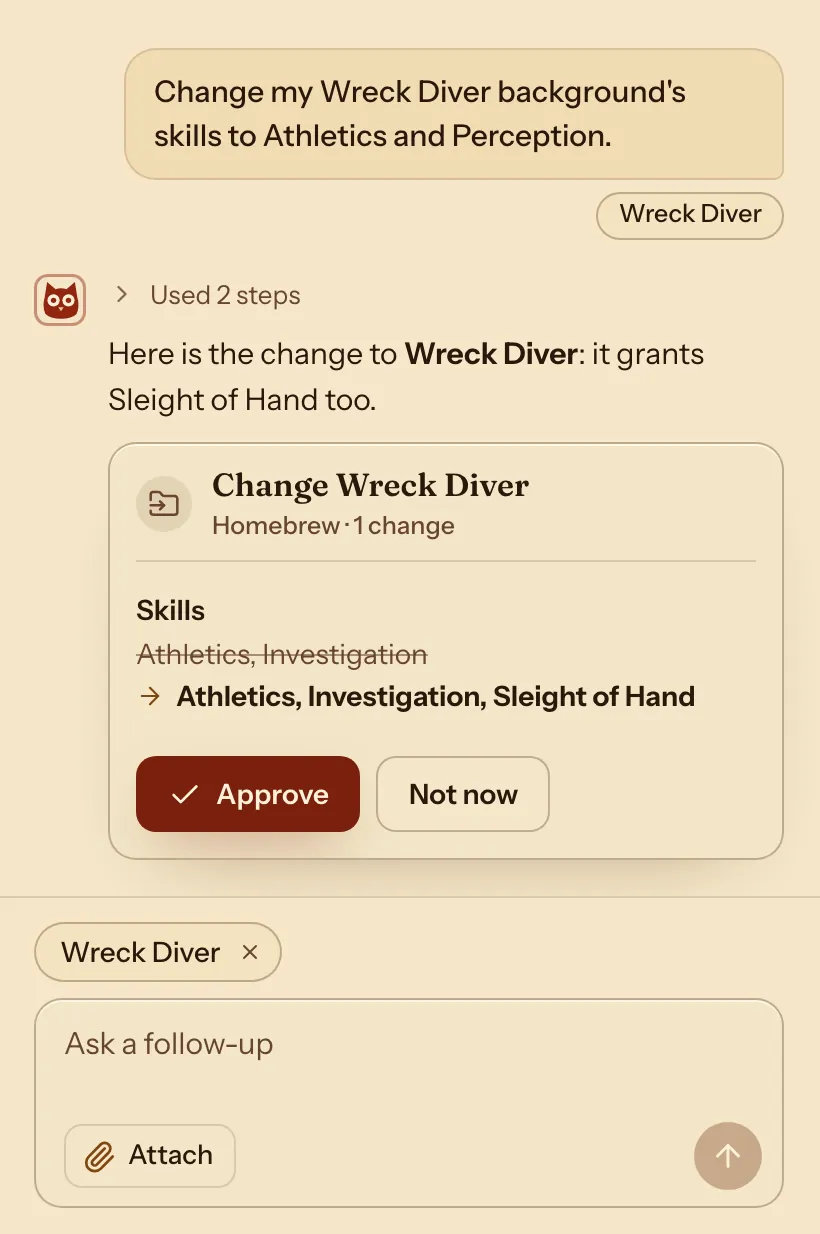
- Say which background and what to change.
- Check what it suggests and press Approve. Characters who use the background change with it.
For exampleChange my Wreck Diver background's skills to Athletics and Perception.
You can undo it.
Do it by hand: copy the background closest to your idea
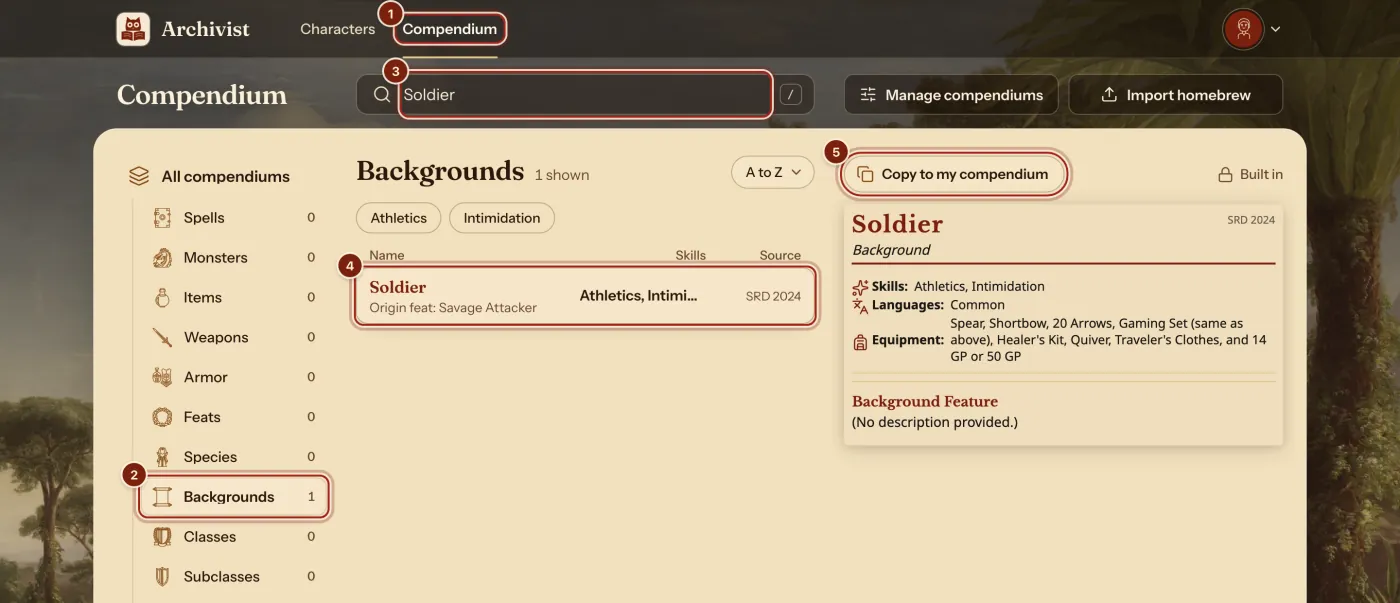
- In the top bar, press Compendium.
- In the list on the left, press Backgrounds.
- In the search box, type a background closest to your idea. Here it is Soldier.
- Press it in the list. When two rows match, pick the one with the rules you play by.
- Press Copy to my compendium.
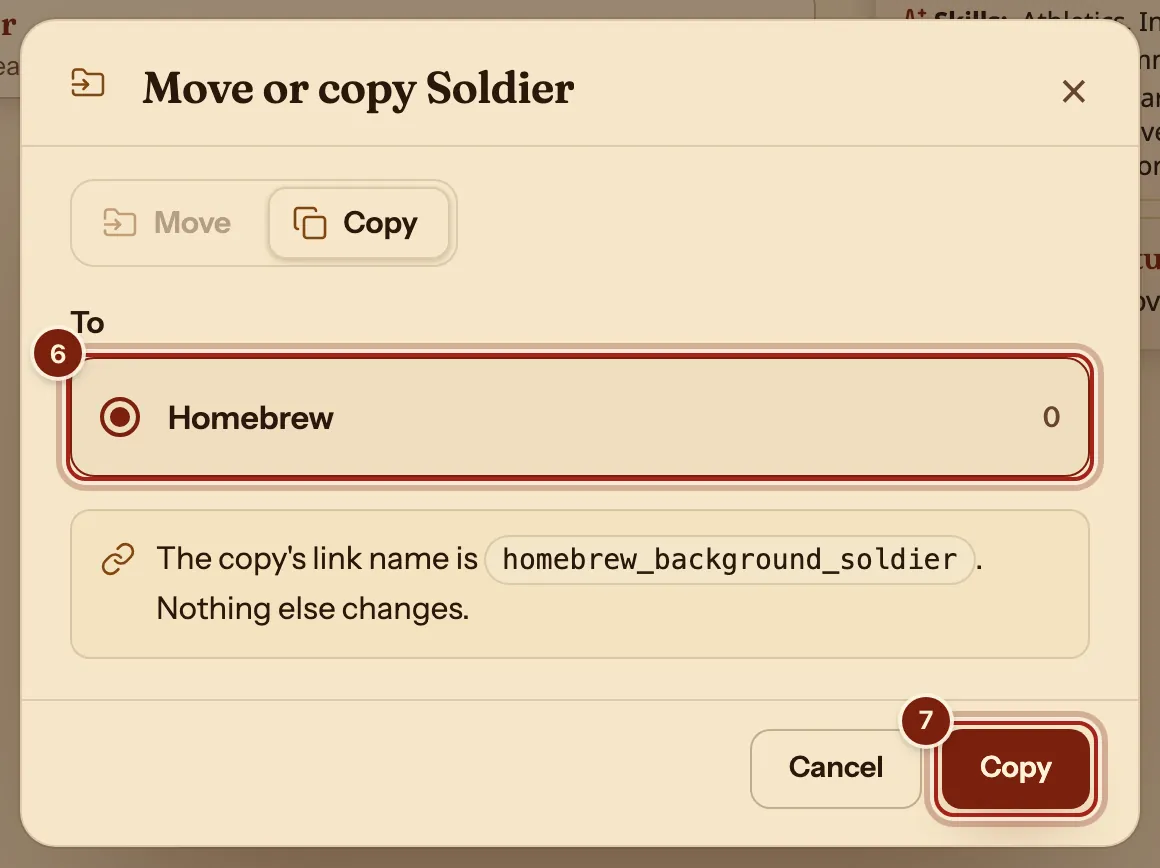
- Under To, press Homebrew. Every account starts with this compendium.
- Press Copy.
Change it into your background
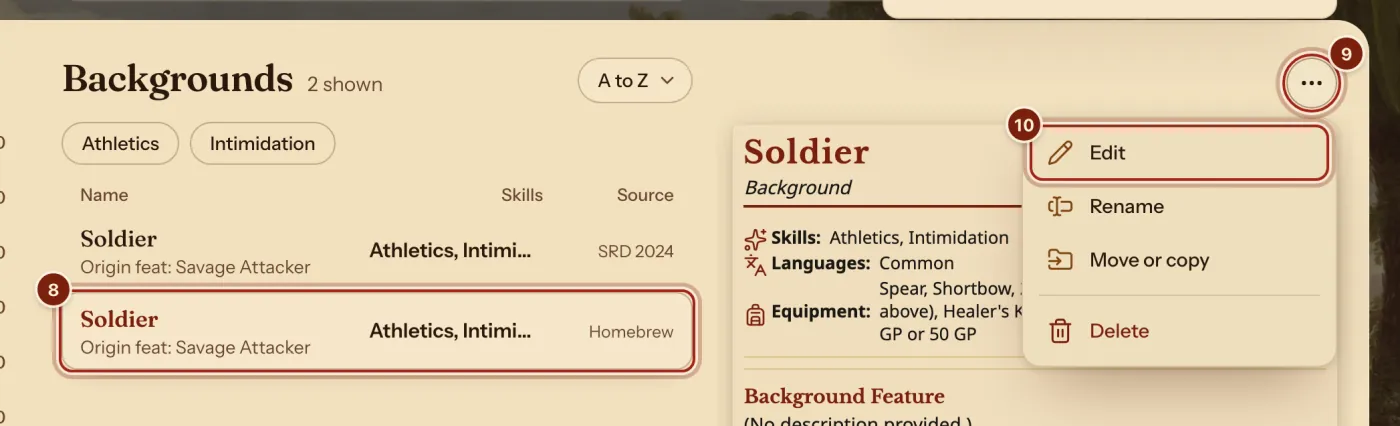
- In the list, press your copy: the Soldier with Homebrew under Source.
- Above its card, press the ⋯ button.
- Press Edit.
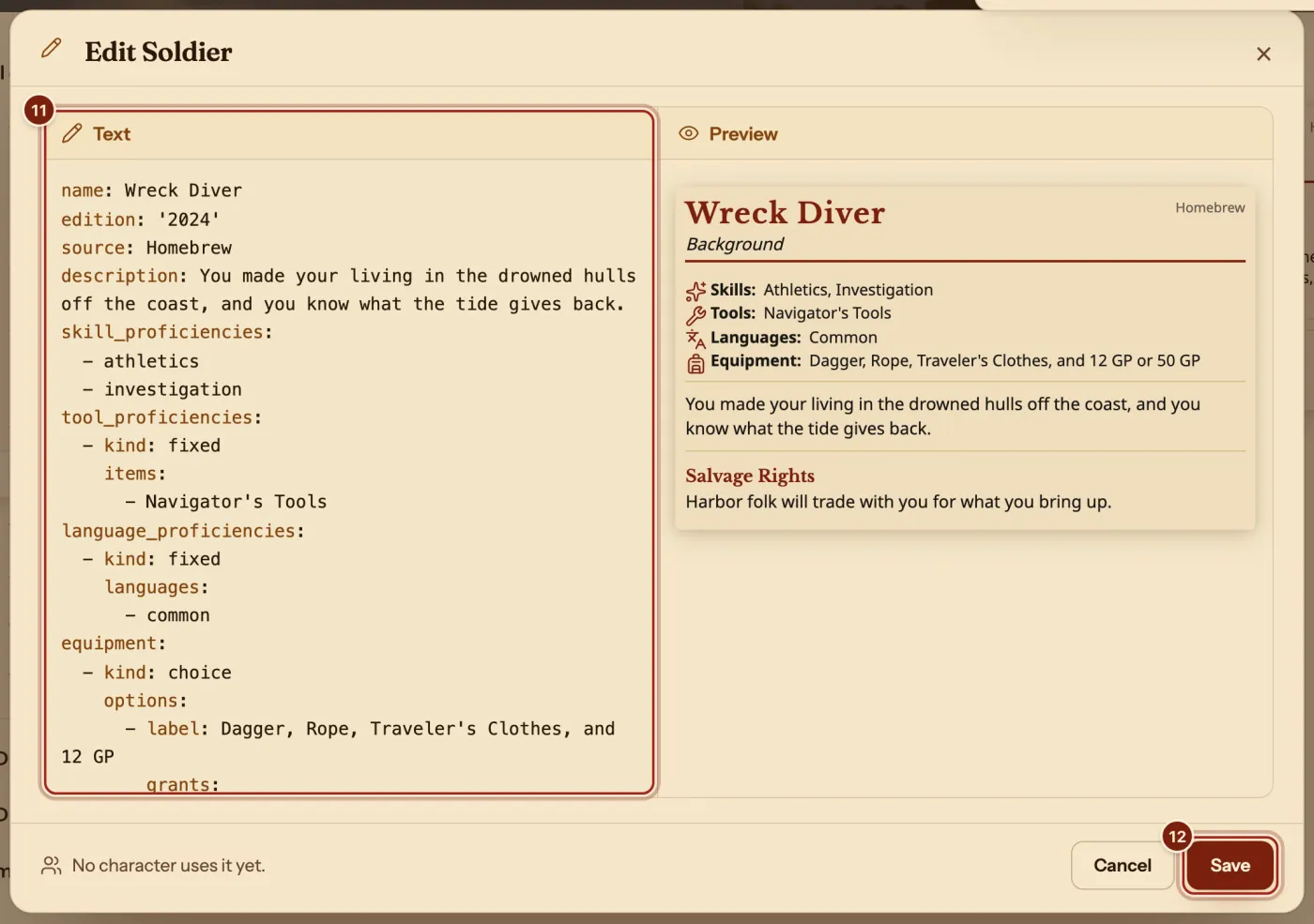
- Press in the Text box, select all of its text (Ctrl+A, or Cmd+A on a Mac), then paste these lines. Change the words to make it yours:The Wreck Diver
name: Wreck Diver edition: '2024' source: Homebrew description: You made your living in the drowned hulls off the coast, and you know what the tide gives back. skill_proficiencies: - athletics - investigation tool_proficiencies: - kind: fixed items: - Navigator's Tools language_proficiencies: - kind: fixed languages: - common equipment: - kind: choice options: - label: Dagger, Rope, Traveler's Clothes, and 12 GP grants: - item: dagger - item: rope - item: travelers-clothes - gold: 12 - label: 50 GP grants: - gold: 50 feature: name: Salvage Rights description: Harbor folk will trade with you for what you bring up. ability_score_increases: pool: - str - dex - con origin_feat: '[[SRD 2024/Feats/Alert]]' suggested_characteristics: null choices: - kind: ability-points id: abilities points: 3 max_per: 2 pool: - str - dex - con - Press Save.
The Preview beside the text draws the background again as you type. On a phone, Text and Preview are two tabs. Keep the spaces at the start of each line.
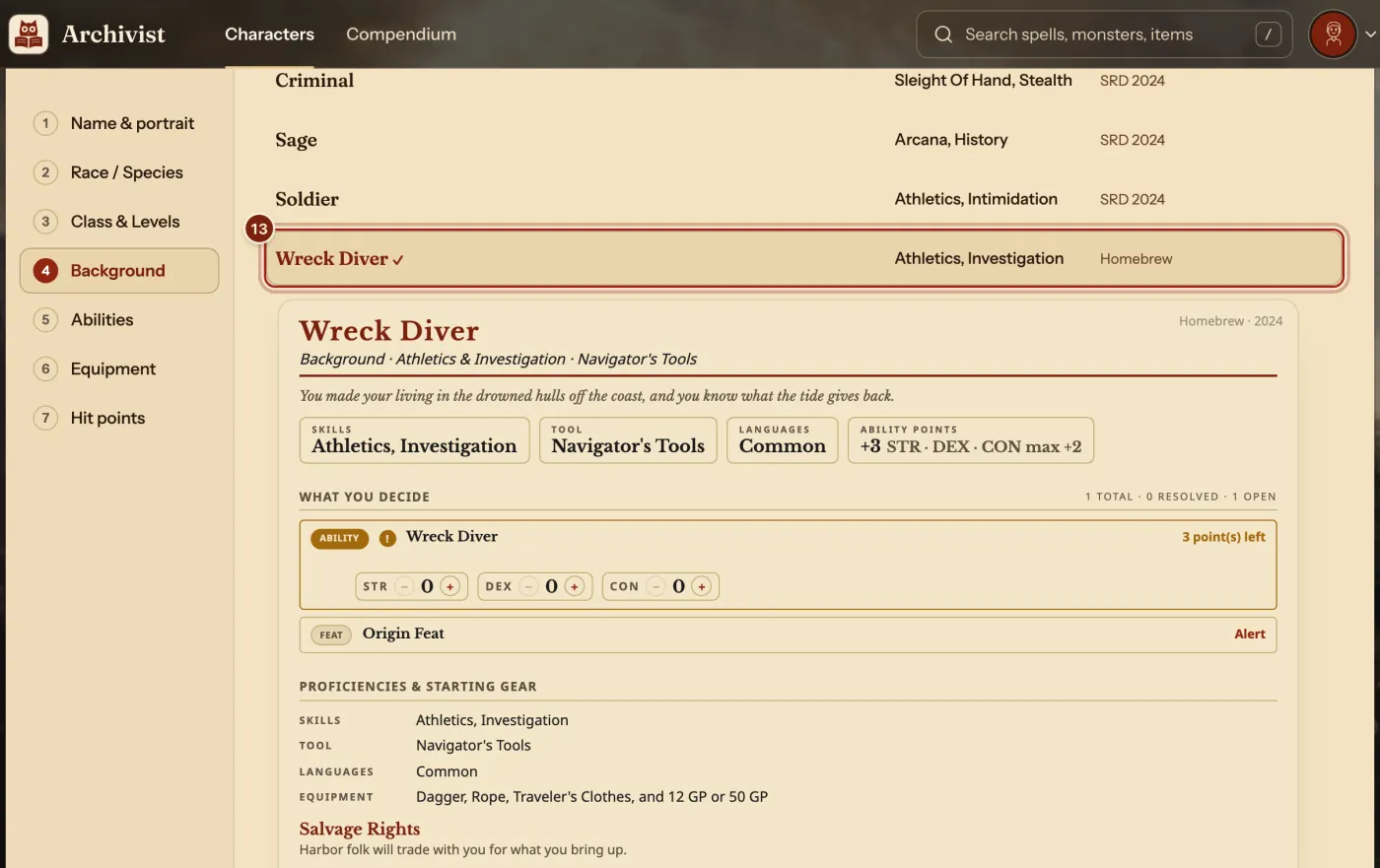
Pick it in the Builder
- In the Builder, on the Background step, press your background.
For one character only, press Custom Background at the top of this step instead.
The lines in a background
Every line below is in the ready lines above.
| Line | What it does | What you can write |
|---|---|---|
skill_proficiencies | Skills on the sheet. A skill you already have raises a pick for another. | - athletics on its own line |
tool_proficiencies | Tools on the sheet. | kind: fixed, then items: |
language_proficiencies | Languages on the sheet. | kind: fixed, then languages: |
equipment | The Equipment step's kits and gold. | label:, then grants: with item: or gold: |
ability_score_increases | Which abilities it can raise. | pool:, then - str |
choices | The picks it asks for, such as ability points. | kind: ability-points, points: 3, max_per: 2 |
origin_feat | The feat it gives. | A link, such as '[[SRD 2024/Feats/Alert]]' |
Questions
Save does nothing. What now?
Save waits until the text can be read, and a line over the Preview says what to fix, such as "Line 12 can't be read. Check its spacing and colons." Put the spaces back at the start of that line. If a sentence has a colon in it, put the whole sentence in double quotes.
How do my players get my background?
Press Manage compendiums, then Export beside your compendium, and send them the zip file. They press Import homebrew, choose Archivist files and drop it in. Share homebrew with your party shows each step.
Will I see it on my phone?
Yes. Your homebrew stays in sync on every device you sign in on, along with your characters and their portraits.
Keep going
- Compendium format guideLet the Archivist Inquiry Assistant write entries, or learn the lines by hand.
- Make a character, step by stepQuick build for one screen, Standard Builder for every choice.
- Make a homebrew featDescribe it to the Archivist Inquiry Assistant, or copy a feat and change it by hand.
- Format guide: optional featuresAsk the Archivist Inquiry Assistant, or paste ready lines for an option.
- Share homebrew with your partyExport your compendium as a zip; they bring it in with Import homebrew.