How to make a homebrew feat
The short answerDescribe your feat to the Archivist Inquiry Assistant and approve what it suggests, or copy the closest feat and paste your text over it by hand. Then take it in the Builder when your class offers a feat. Its effects change the sheet by themselves: here, 1 more Constitution and Resistance to Cold.
- For players and DMs
- 17 short steps
- Updated 7 November 2026, for Archivist 1.4.0
This page's example is Salt-Hardened, a feat made up for the Drowned Coast, Archivist's own sample homebrew.
Make it with the Archivist Inquiry Assistant
- Press the owl at the right edge of the screen to open the Archivist Inquiry Assistant. On a phone, press the owl beside search.
- Describe your feat in a sentence.
- Check what it suggests and press Approve. Your feat is in your Compendium and on your sheet.
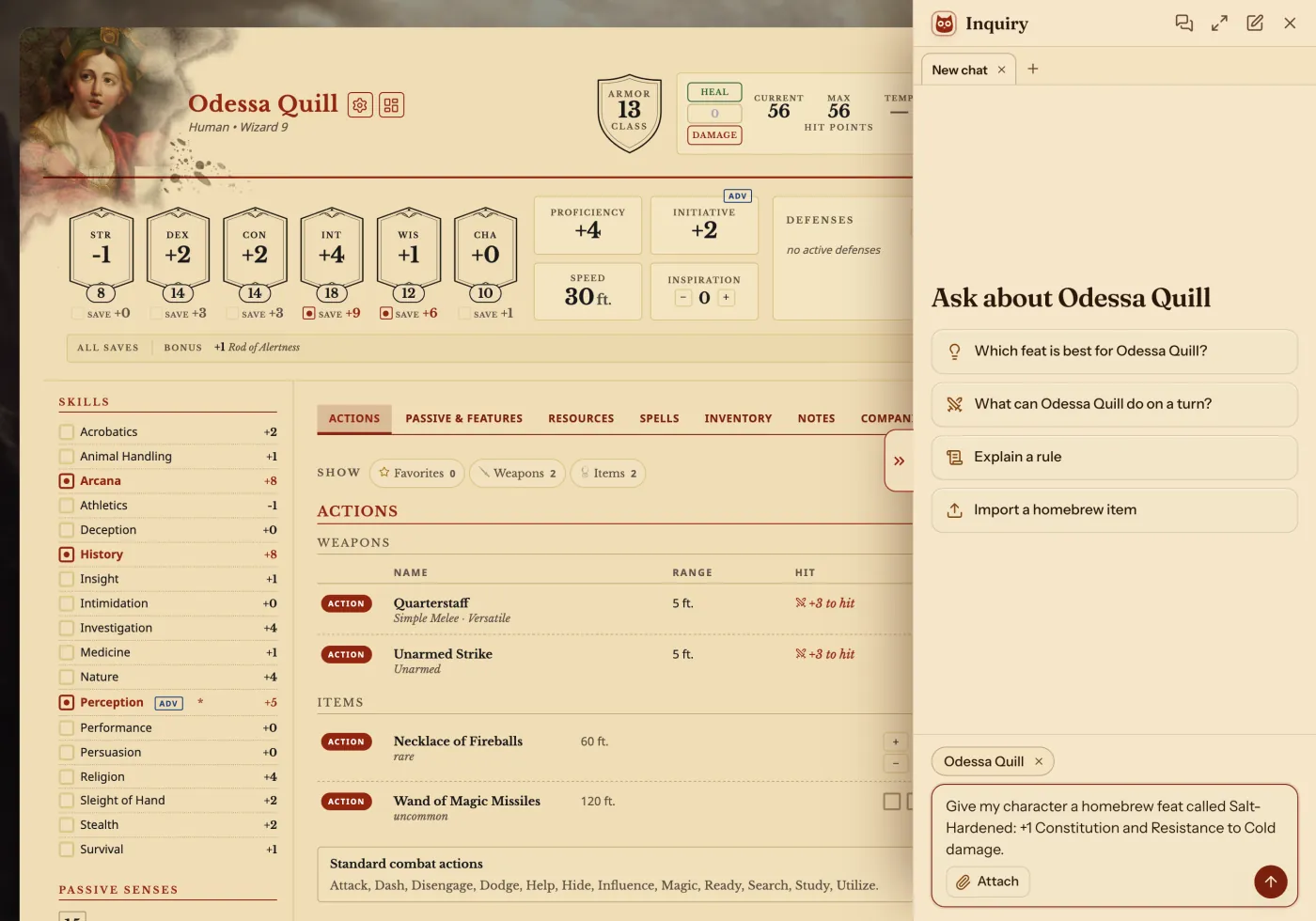
For exampleGive my character a homebrew feat called Salt-Hardened: +1 Constitution and Resistance to Cold damage.
You can undo it. Can't see the owl? Turn on Archivist Inquiry Assistant in Settings.
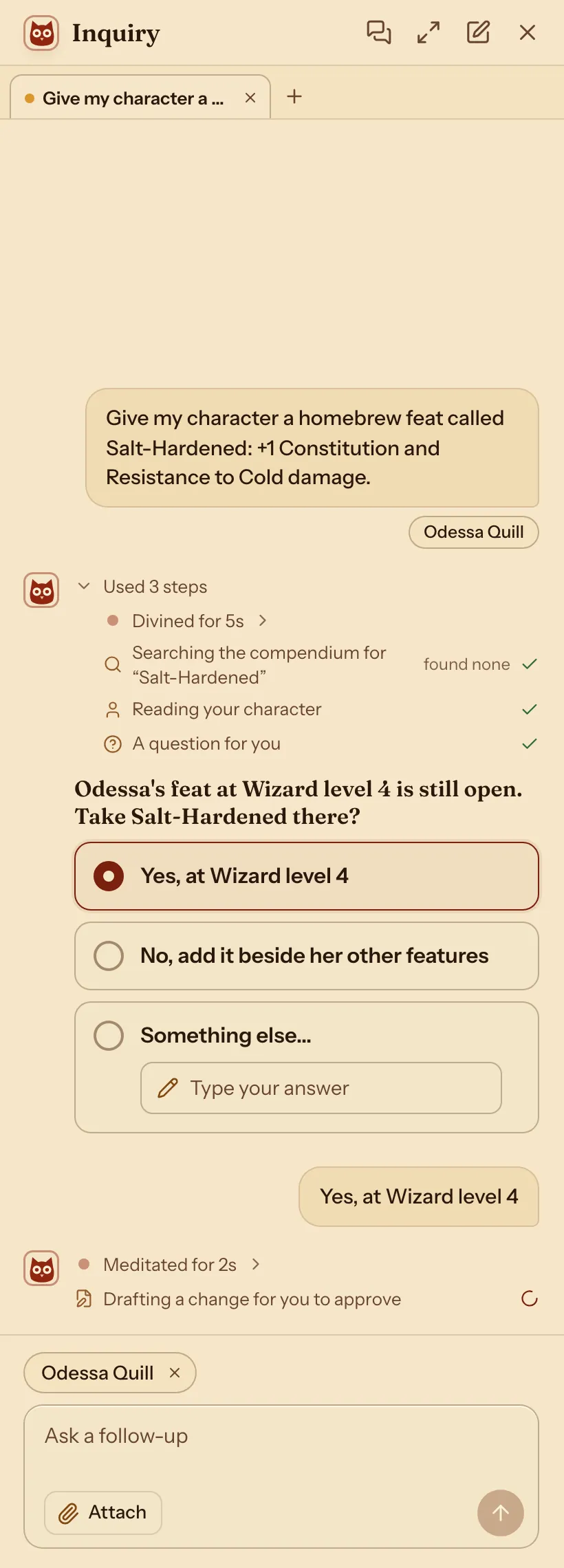
It may ask you something first. Pick an answer and press Send.
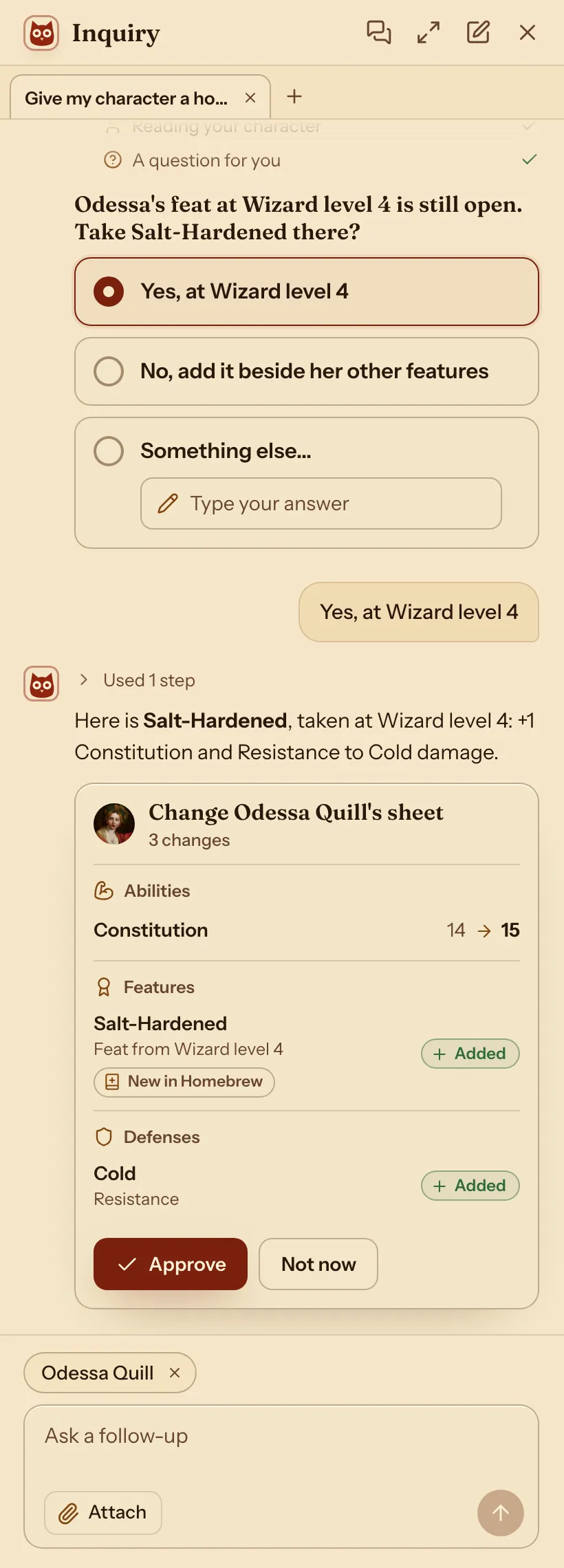
It shows what it adds. Nothing changes until you press Approve.
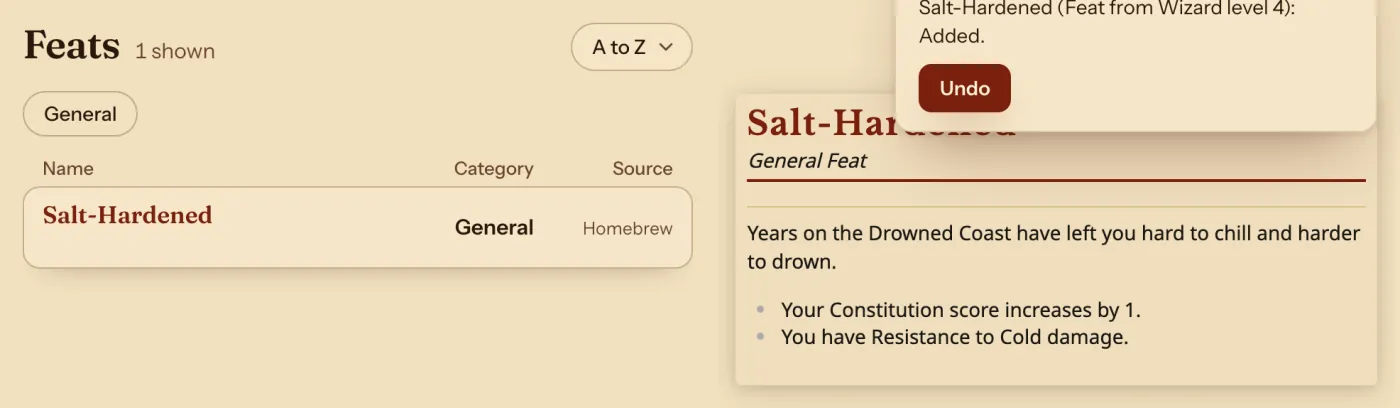
Your new feat is in the Compendium.
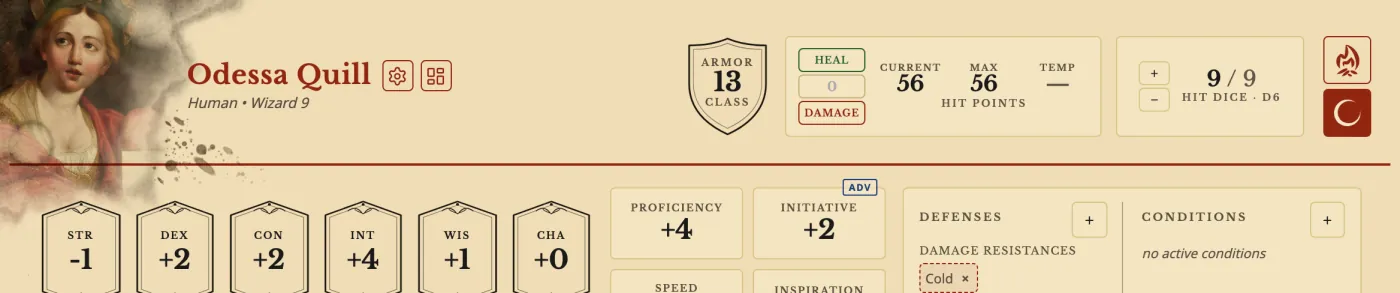
Odessa Quill's sheet with Salt-Hardened taken at Wizard level 4: +1 Constitution and Cold Resistance.
Change an existing one with the Archivist Inquiry Assistant
- Open the Compendium, or a sheet that uses the feat, and press the owl.
- Say which feat and what to change.
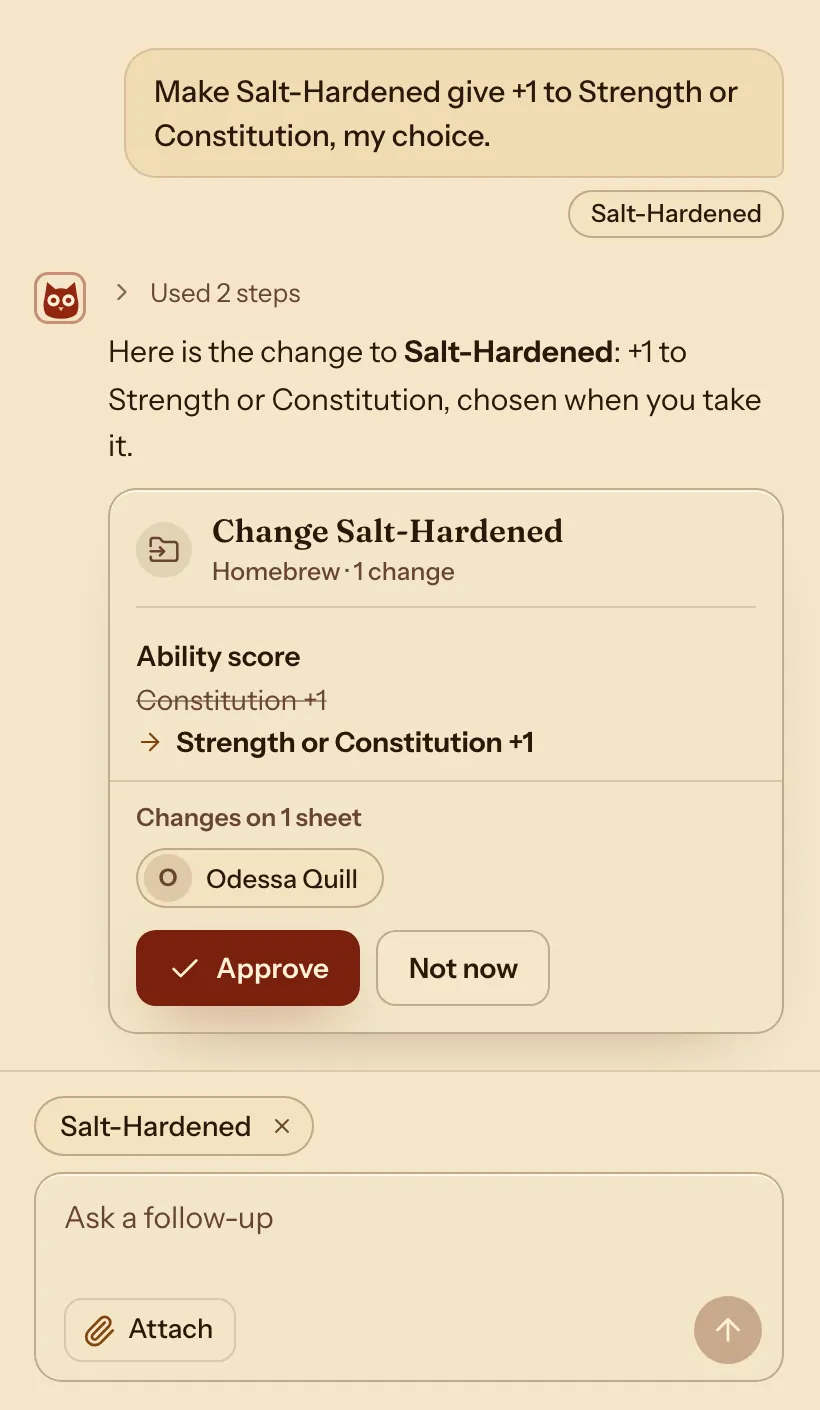
- Check what it suggests and press Approve. Characters who use the feat change with it.
For exampleMake Salt-Hardened give +1 to Strength or Constitution, my choice.
You can undo it.
Do it by hand: copy the feat closest to your idea
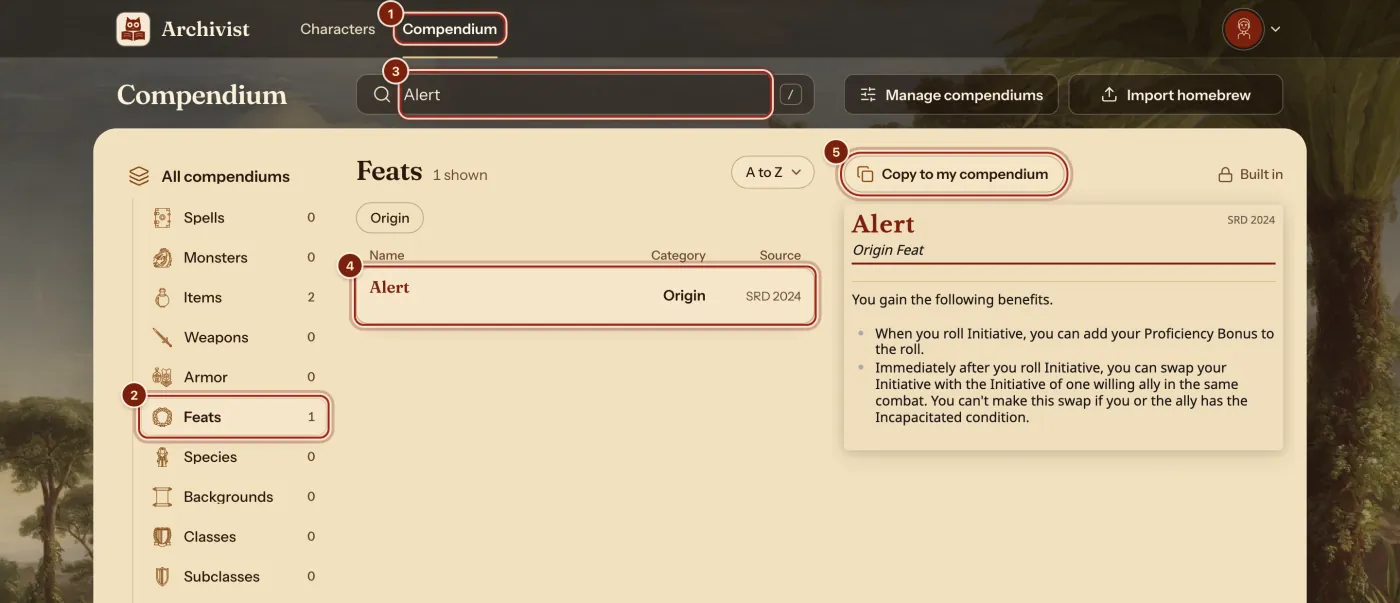
- In the top bar, press Compendium.
- In the list on the left, press Feats.
- In the search box, type a feat closest to your idea. Here it is Alert.
- Press it in the list. When two rows match, pick the one with the rules you play by.
- Press Copy to my compendium.
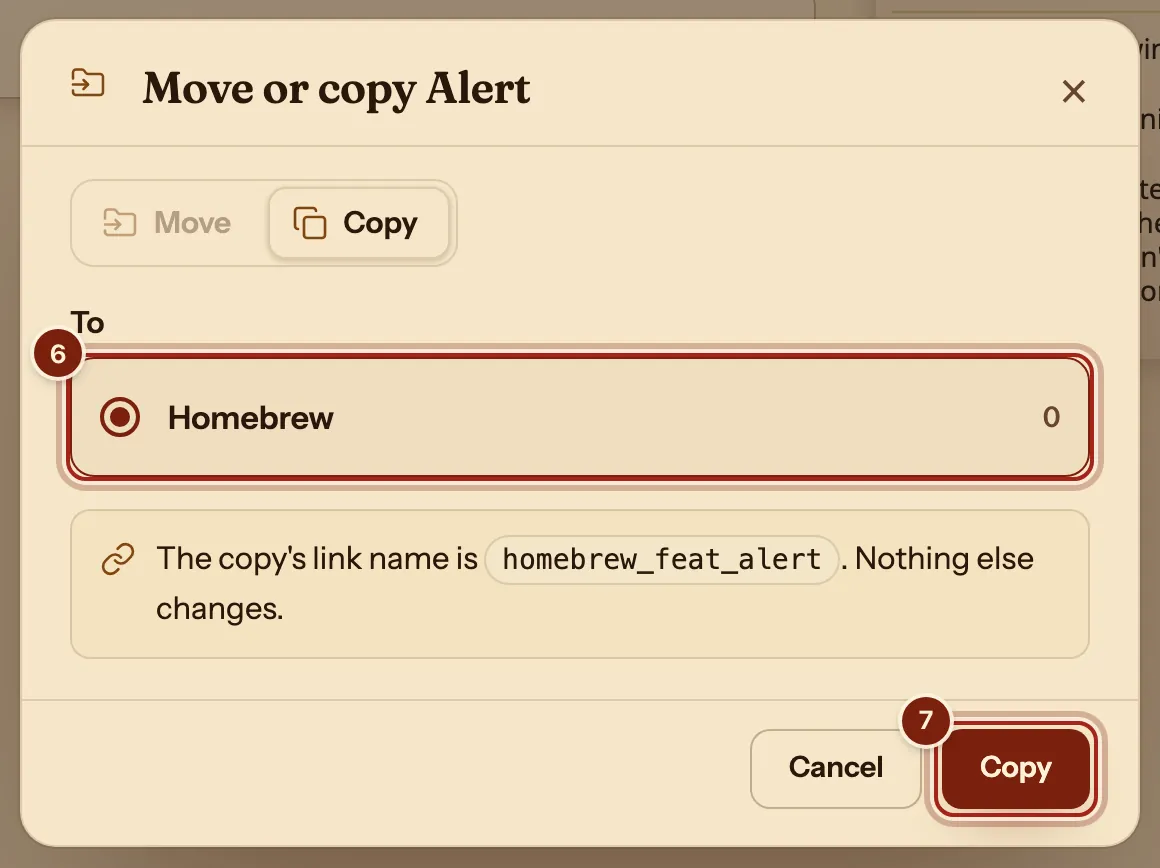
- Under To, press Homebrew. Every account starts with this compendium.
- Press Copy.
Change it into your feat
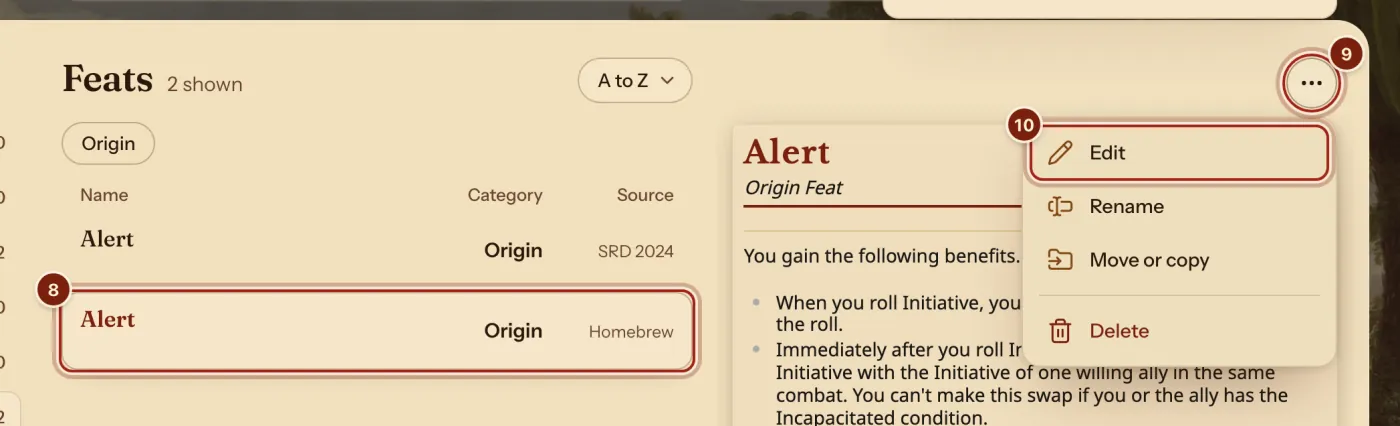
- In the list, press your copy: the Alert with Homebrew under Source.
- Above its card, press the ⋯ button.
- Press Edit.
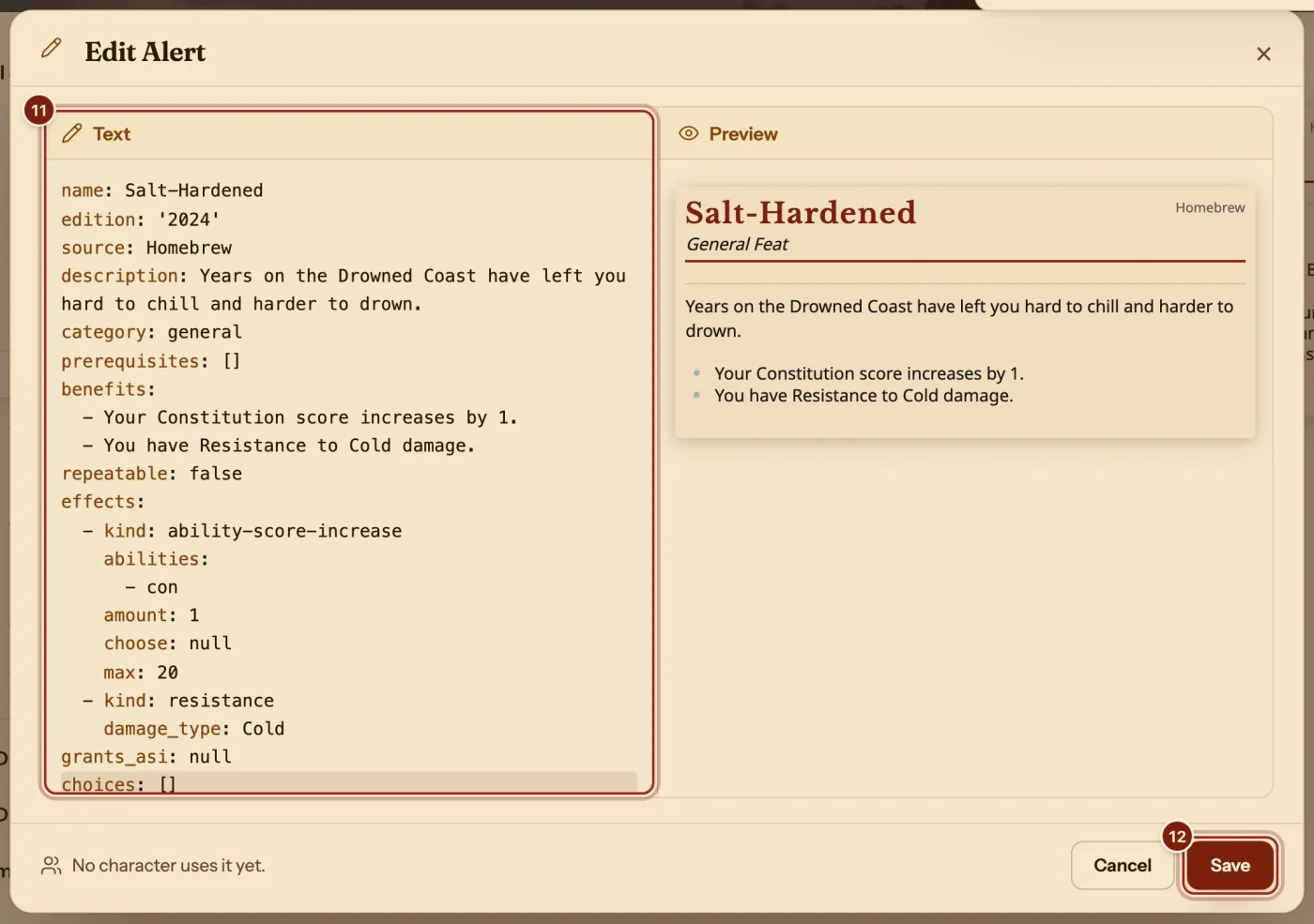
- Press in the Text box, select all of its text (Ctrl+A, or Cmd+A on a Mac), then paste these lines. Change the words to make it yours:Salt-Hardened
name: Salt-Hardened edition: '2024' source: Homebrew description: Years on the Drowned Coast have left you hard to chill and harder to drown. category: general prerequisites: [] benefits: - Your Constitution score increases by 1. - You have Resistance to Cold damage. repeatable: false effects: - kind: ability-score-increase abilities: - con amount: 1 choose: null max: 20 - kind: resistance damage_type: Cold grants_asi: null choices: [] - Press Save.
The Preview beside the text draws the feat again as you type. On a phone, Text and Preview are two tabs. Keep the spaces at the start of each line.
Take it in the Builder
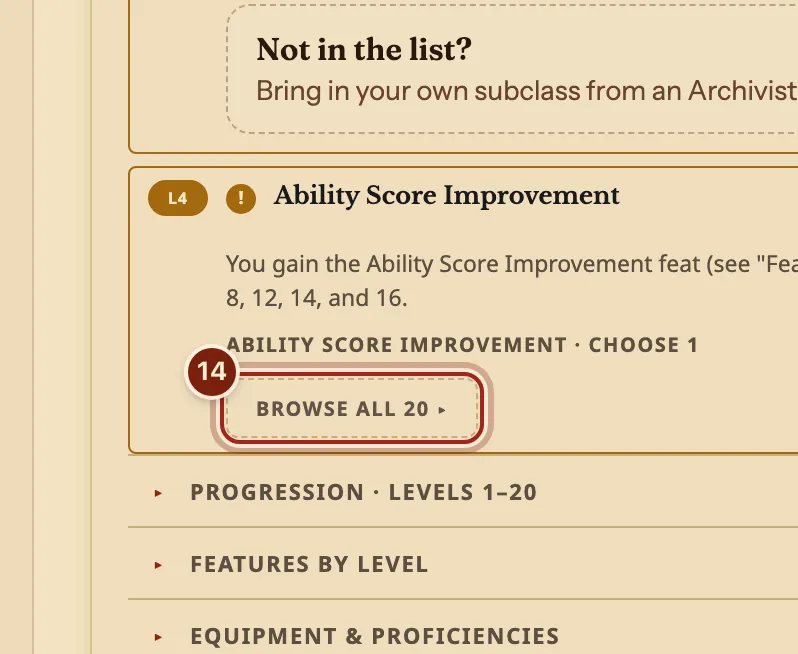
- In the Builder, on Class & Levels, find the level where your class offers a feat. Here it is Ability Score Improvement at level 4.
- Press Browse all.
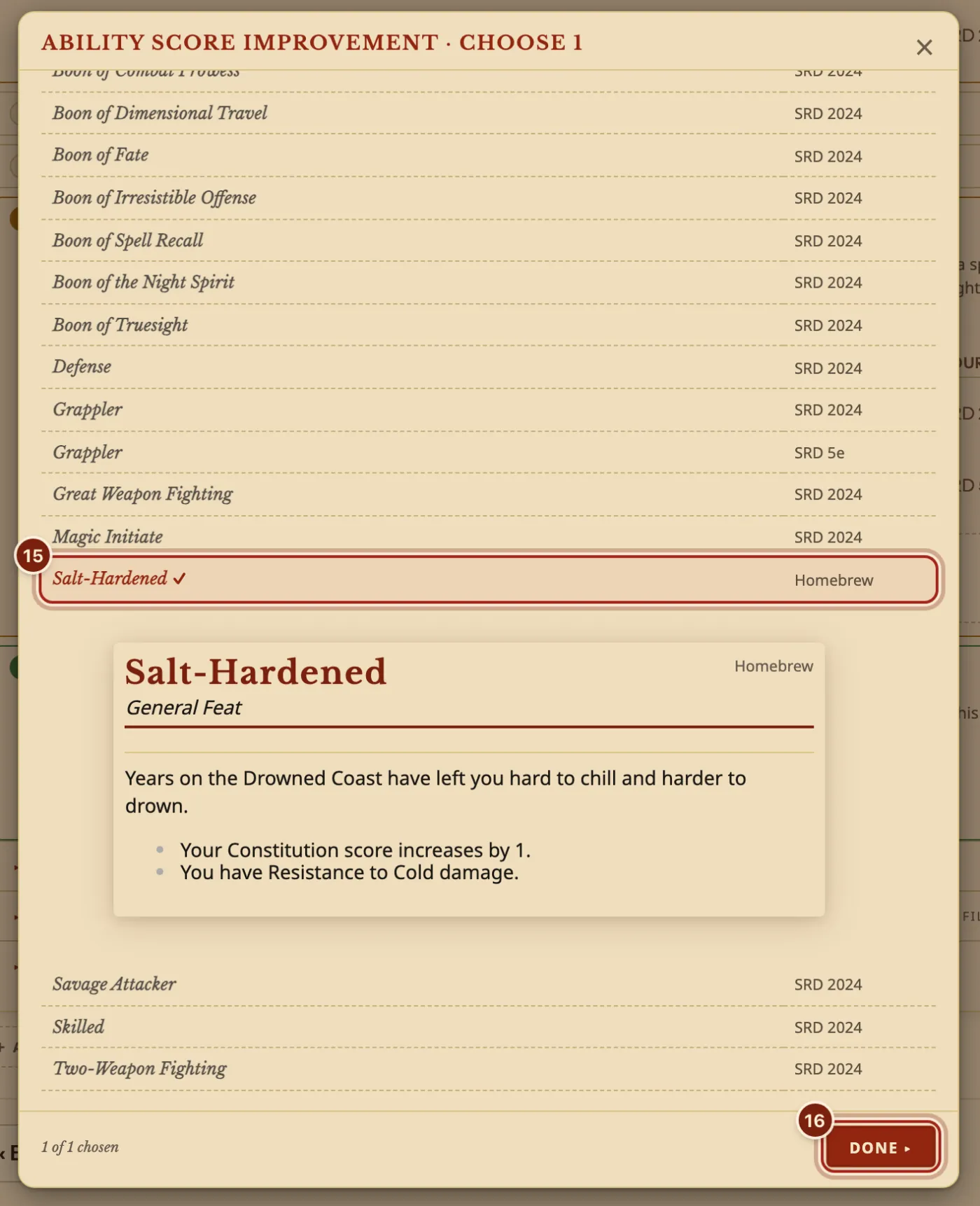
- Press your feat.
- Press Done.
- Finish the Builder. Your feat's effects are already on the sheet.
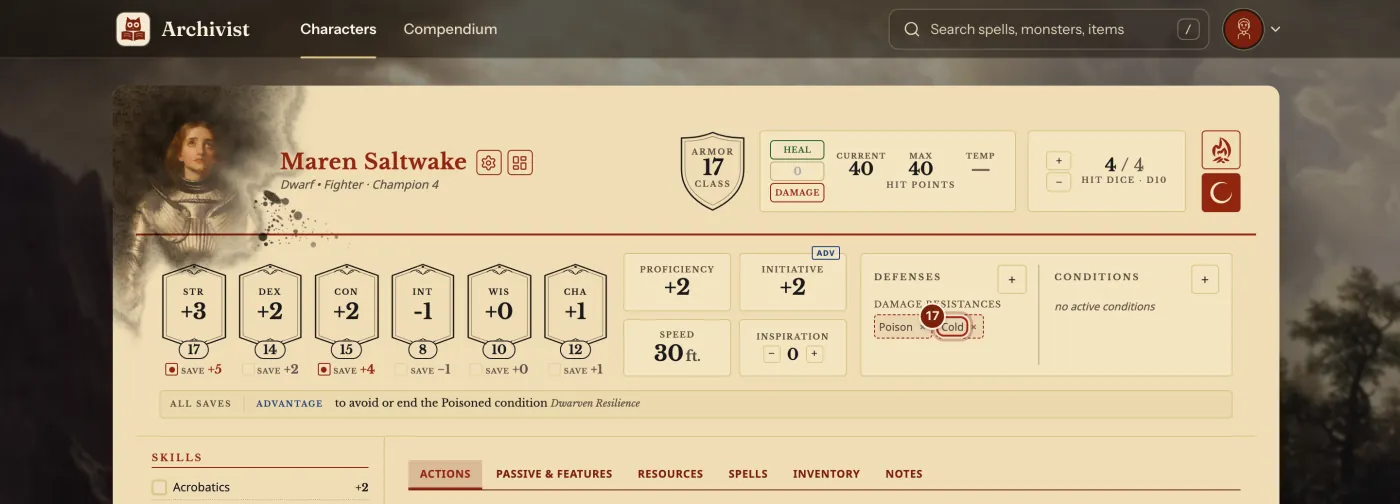
kind: resistance and kind: ability-score-increase did this.The lines you will use most in a feat
The Compendium format guide lists every kind of entry.
| Line | What it does | What you can write |
|---|---|---|
category | Which feat choices offer it, and the words on its card. | origin, general, fighting-style, epic-boon |
description, benefits | The words on its card. | One line each under benefits:, starting with - |
prerequisites | Printed on its card. Nothing is enforced. | - kind: level, min: 4 |
effects | What it does to the numbers. | kind: resistance, kind: ability-score-increase |
repeatable | Whether it can be taken twice. | true or false |
choices | Picks the Builder asks for. | choices: [] for none |
Questions
Save does nothing. What now?
Save waits until the text can be read, and a line over the Preview says what to fix, such as "Line 12 can't be read. Check its spacing and colons." Put the spaces back at the start of that line. If a sentence has a colon in it, put the whole sentence in double quotes.
How do my players get my feat?
Press Manage compendiums, then Export beside your compendium, and send them the zip file. They press Import homebrew, choose Archivist files and drop it in. Share homebrew with your party shows each step.
Will I see it on my phone?
Yes. Your homebrew stays in sync on every device you sign in on, along with your characters and their portraits.
Keep going
- Level up a characterOpen the Builder from the sheet and raise the class's level.
- Make a homebrew class and play itDescribe it to the Archivist Inquiry Assistant, or copy the closest class and change it by hand.
- Make a homebrew speciesDescribe it to the Archivist Inquiry Assistant, or copy a species and change it by hand.
- Share homebrew with your partyExport your compendium as a zip; they bring it in with Import homebrew.
- Compendium format guideLet the Archivist Inquiry Assistant write entries, or learn the lines by hand.