Compendium format guide
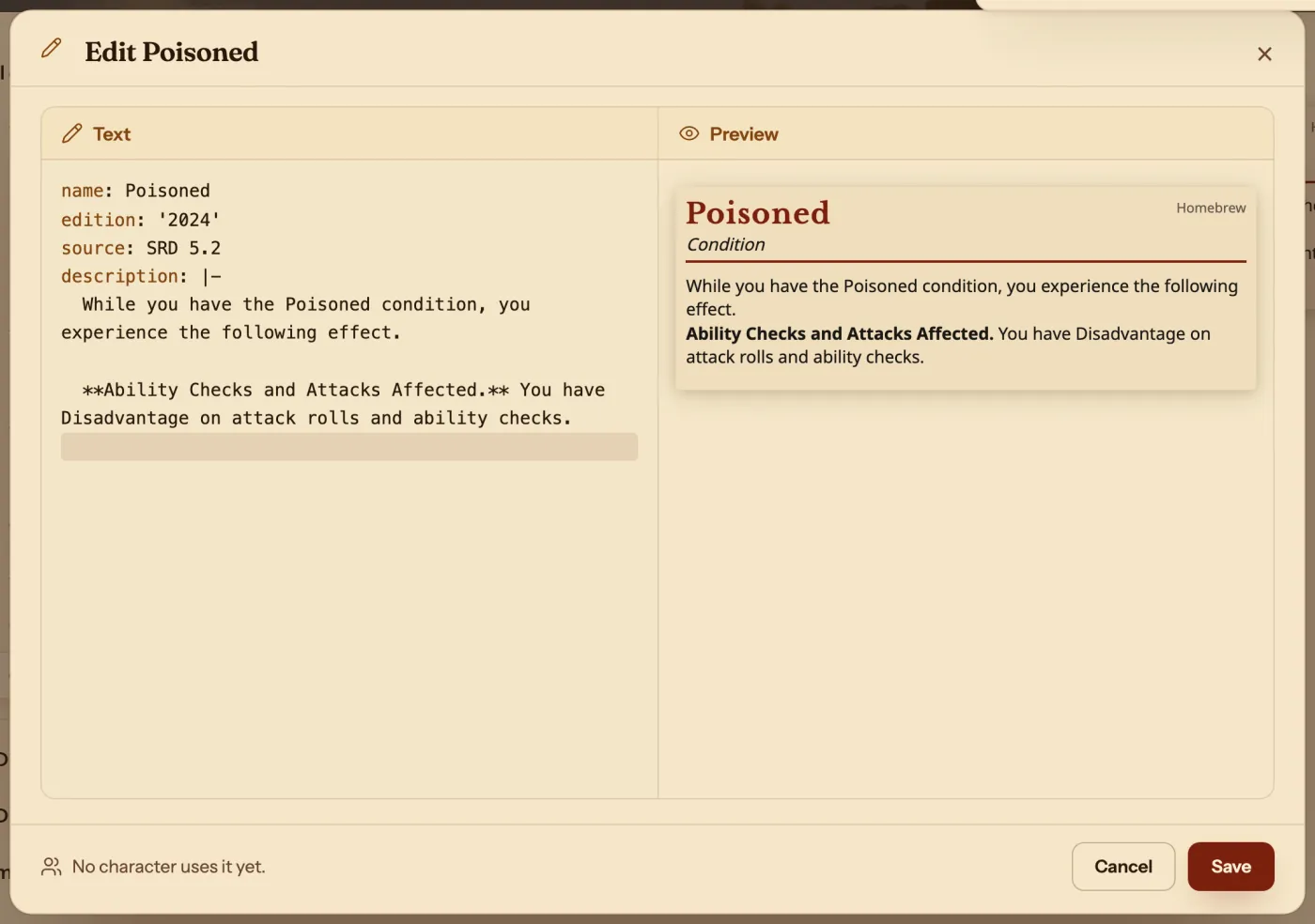
The short answerEvery entry in the Compendium is short text: a label, a colon and a value on each line, and the Archivist Inquiry Assistant can write and change it for you from a sentence. To see one yourself, copy an entry into your own compendium and press Edit. The Preview beside the text draws the entry as you type, so the fastest way to learn the format is to change a line and watch.
- For players and DMs
- 10 short steps
- Updated 7 November 2026, for Archivist 1.4.0
This page's example opens the Poisoned condition from the SRD. The built-in rules stay as they are: you work on your own copy.
Make it with the Archivist Inquiry Assistant
- Press the owl at the right edge of the screen to open the Archivist Inquiry Assistant. On a phone, press the owl beside search.
- Describe the entry you want in a sentence: a class, a spell, an item, a monster or anything else.
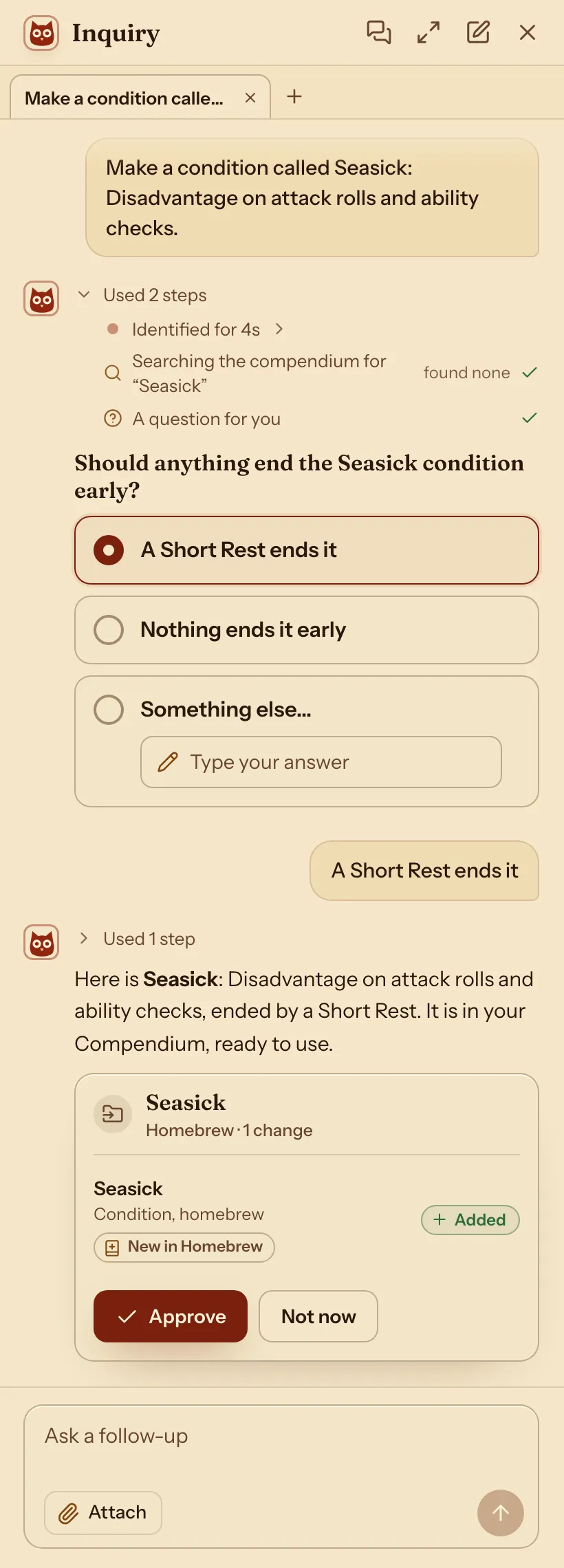
- Check what it suggests and press Approve. It is in your Compendium, ready to use.
- To change an entry you already have, say what to change, and approve it the same way.
For exampleMake a condition called Seasick: Disadvantage on attack rolls and ability checks.
You can undo it. Each kind's guide below has an example to start from.
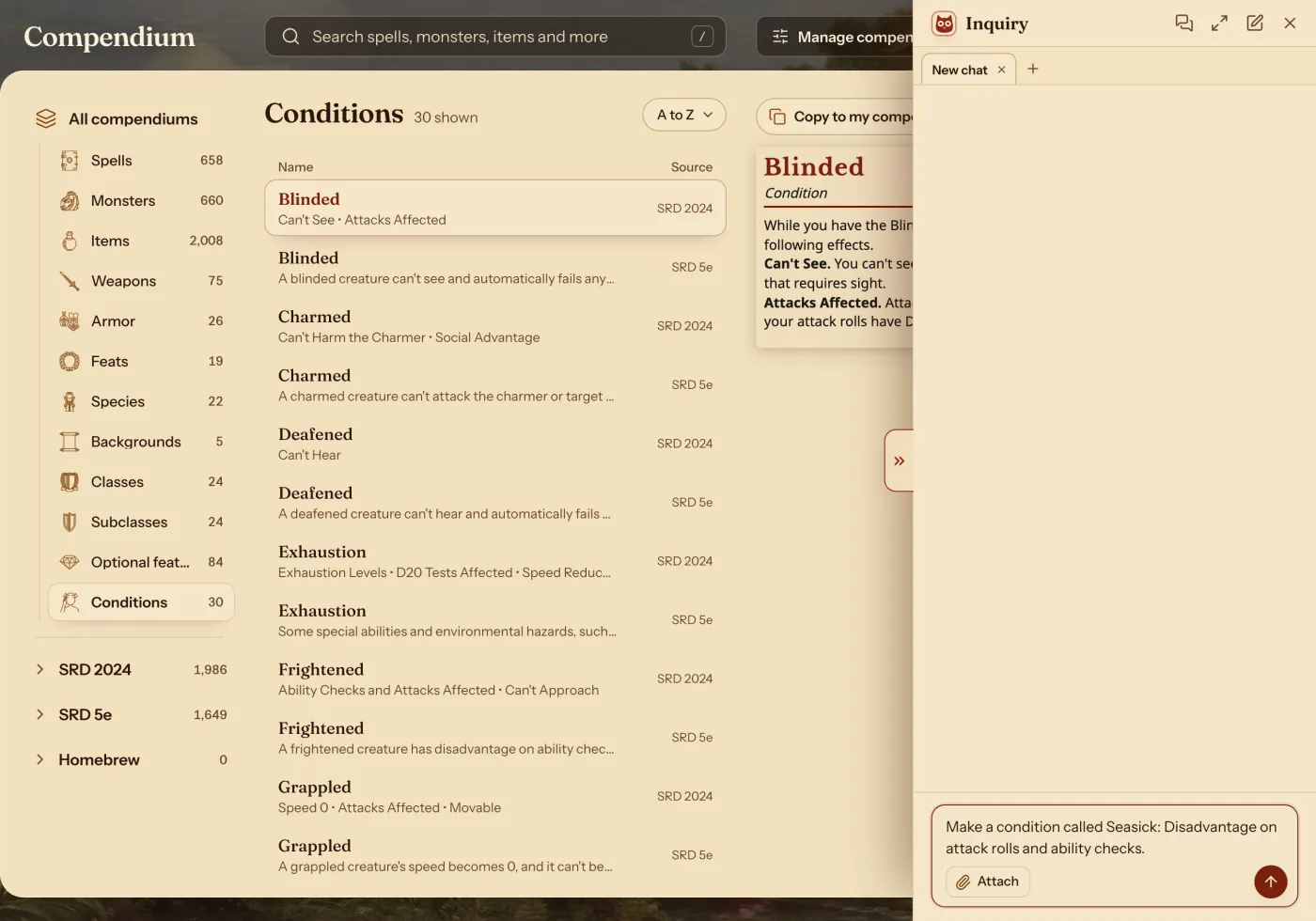
It may ask you something first. Pick an answer and press Send.
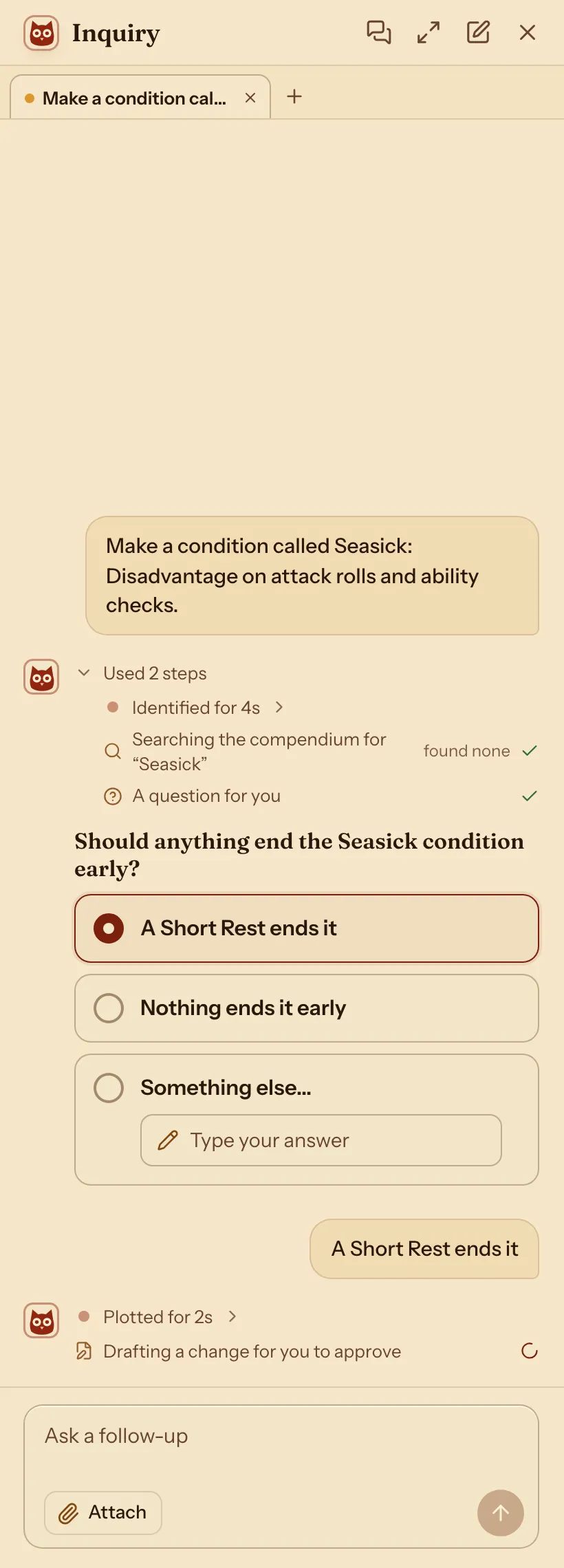
It shows what it adds. Nothing changes until you press Approve.
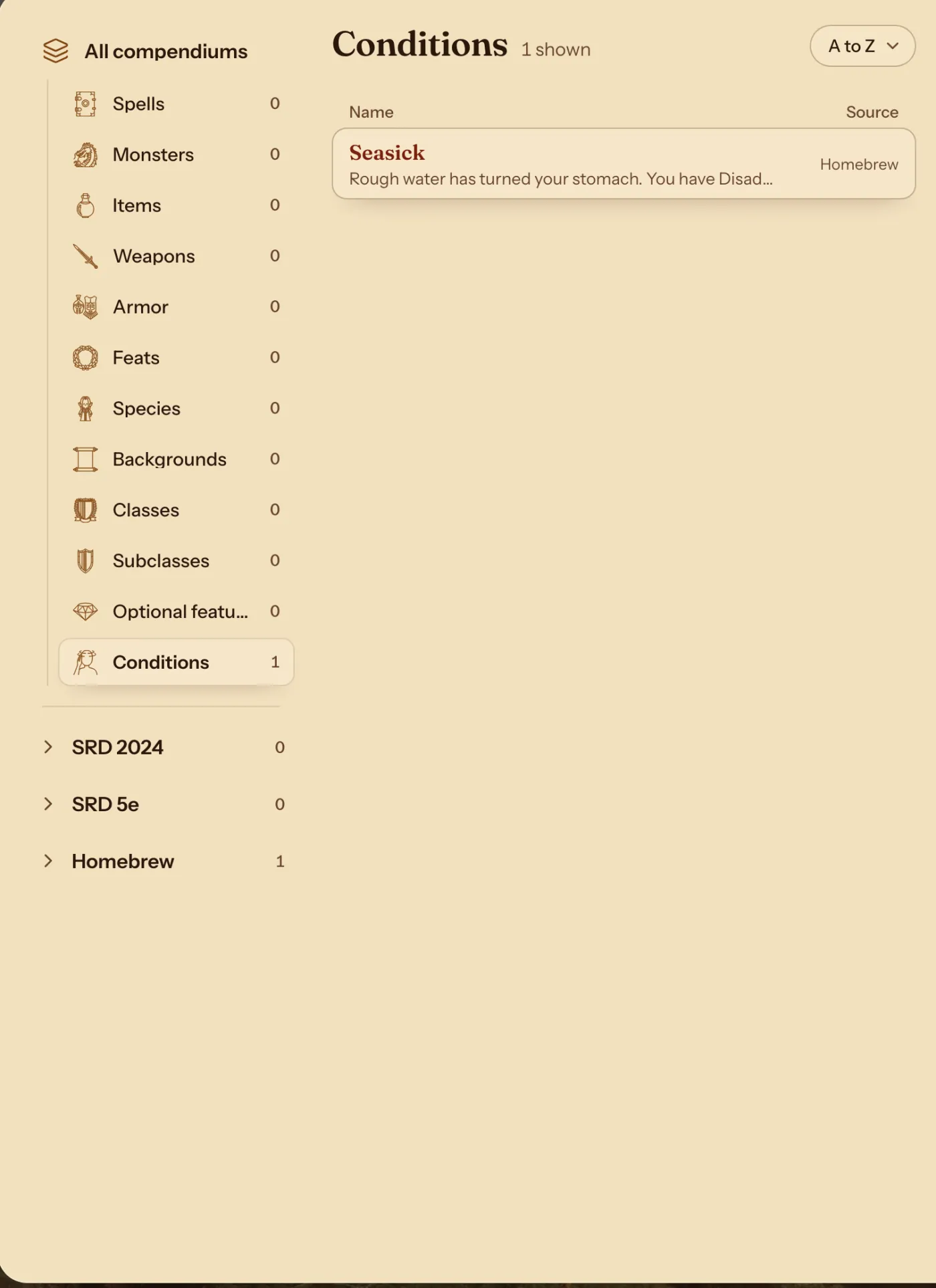
Your new condition is in the Compendium.
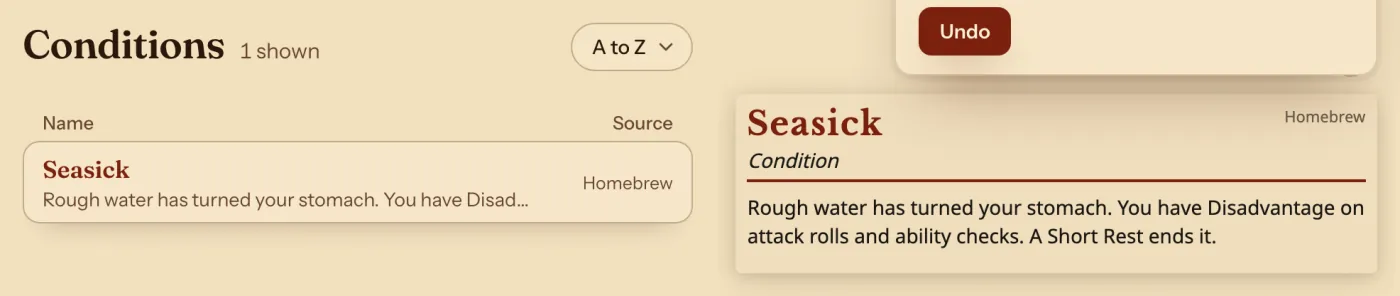
The Compendium's Conditions list: Seasick from Homebrew.
Do it by hand: open any entry as text
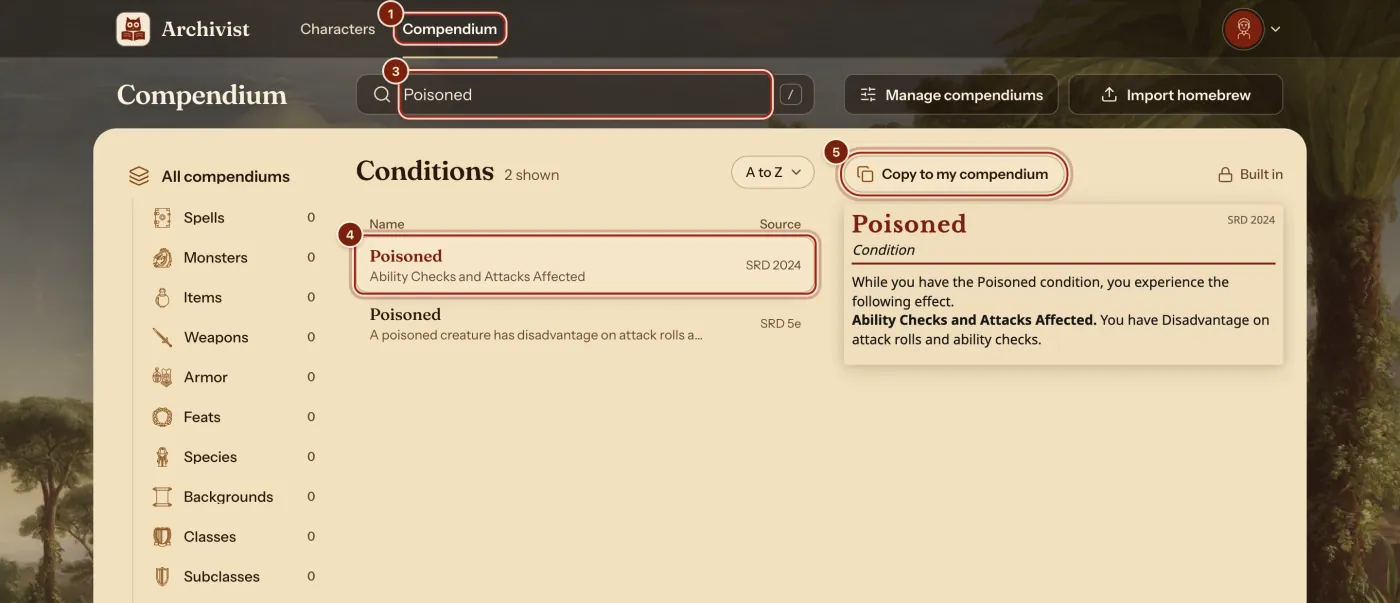
- In the top bar, press Compendium.
- In the list on the left, press a kind of entry. Here it is Conditions.
- In the search box, type its name.
- Press it in the list.
- Press Copy to my compendium.
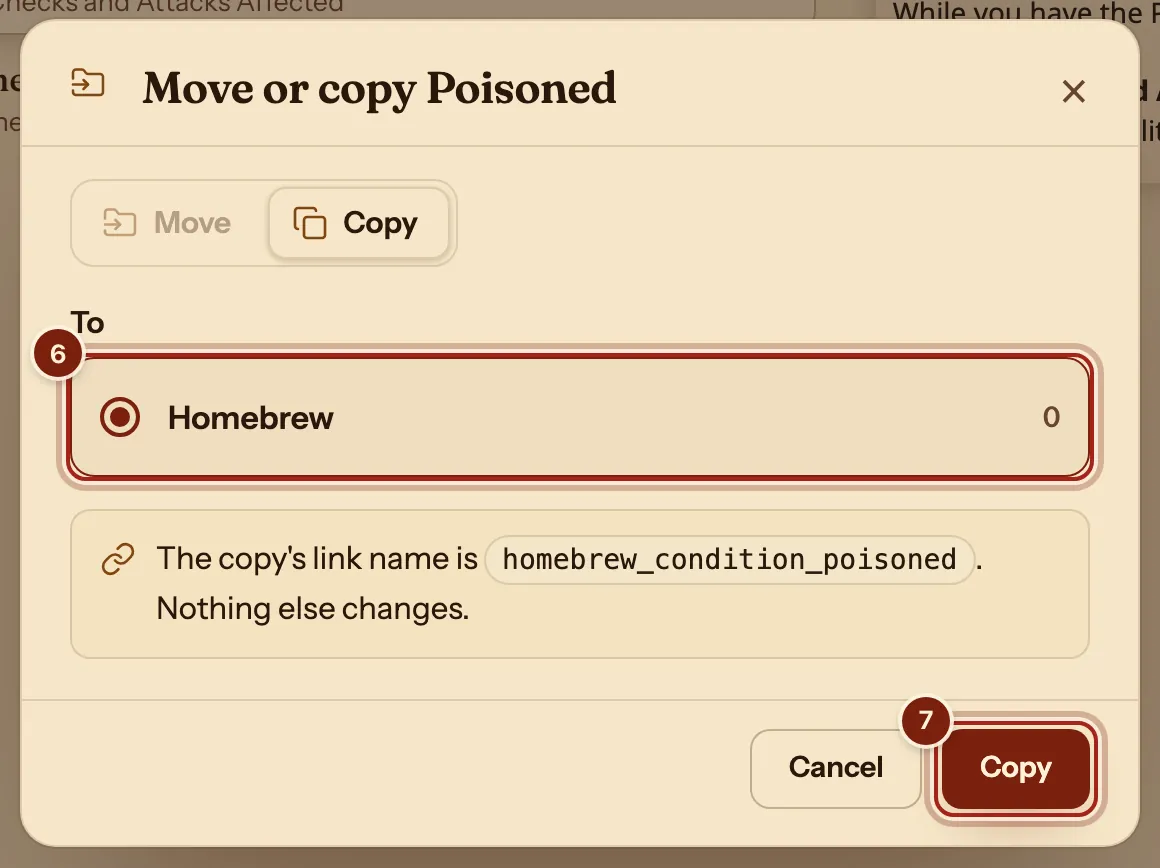
- Under To, press Homebrew.
- Press Copy.
- In the list, press your copy, the one with Homebrew under Source.
- Above its card, press the ⋯ button.
- Press Edit.
On a phone, Text and Preview are two tabs.
The twelve kinds of entry
Each guide below has ready lines you can paste, and a table of the lines used most.
| Kind | What it gives a character | The guide |
|---|---|---|
| Class | Hit points, saves, proficiencies, features by level, spell slots. | Make a homebrew class |
| Subclass | Features by level, inside its class. | Make a homebrew subclass |
| Species | Speeds, senses, traits and defenses. | Make a homebrew species |
| Background | Skills, tools, ability increases, an Origin feat, equipment. | Format guide: backgrounds |
| Feat | Effects on the numbers, and its benefits. | Make a homebrew feat |
| Optional feature | An option a class picks from, such as an invocation. | Format guide: optional features |
| Item | Charges, attunement, bonuses and defenses. | Make a homebrew magic item |
| Armor | Armor Class. | Format guide: armor and weapons |
| Weapon | An attack row, with its to-hit and damage. | Format guide: armor and weapons |
| Spell | A row on the Spells tab, with its save or attack and its dice. | Make a homebrew spell |
| Monster | A full stat block with rollable attacks. | Make a homebrew monster |
| Condition | A chip on the sheet, with effects on the rolls. | Track conditions and make your own |
How a line works
Four rules cover almost everything you will type.
| Rule | Example | What it means |
|---|---|---|
| A label, a colon, a value | hit_die: d10 | One fact per line. A space follows the colon. |
| Spaces show what belongs to what | speed:, then walk: 30 on the next line | Two spaces at the start put a line inside the one above it. |
| A dash starts an item of a list | classes:, then - druid | One item per line. |
| Quotes keep a sentence whole | name: "Rule of Three: The Tide" | Use double quotes when your words hold a colon. |
Questions
Save does nothing. What now?
Save waits until the text can be read, and a line over the Preview says what to fix, such as "Line 12 can't be read. Check its spacing and colons." Put the spaces back at the start of that line. If a sentence has a colon in it, put the whole sentence in double quotes.
Can I write an entry from nothing?
Copying the closest entry is the quickest way, because every line it needs is already there. Then replace what you want to change.
Can I share what I write?
Yes. Share homebrew with your party shows how to send a whole compendium as one file.
Keep going
- Make a homebrew class and play itDescribe it to the Archivist Inquiry Assistant, or copy the closest class and change it by hand.
- Make a homebrew magic itemDescribe it to the Archivist Inquiry Assistant, or copy an item and change it by hand.
- Make a homebrew spellDescribe it to the Archivist Inquiry Assistant, or copy a spell and change it by hand.
- Format guide: backgroundsAsk the Archivist Inquiry Assistant, or paste ready lines for a background.
- Share homebrew with your partyExport your compendium as a zip; they bring it in with Import homebrew.