How to let a player bring more characters
The short answerThe player opens the campaign, presses ⋯, chooses Add a character, picks the character and presses Send request. You see the request under Join requests on the Players tab and press Accept. A player can add more characters this way, one at a time, each when you say yes, and each plays with its own card, rolls and turn.
- For DMs and players
- 5 short steps
- Updated 7 November 2026, for Archivist 1.4.0
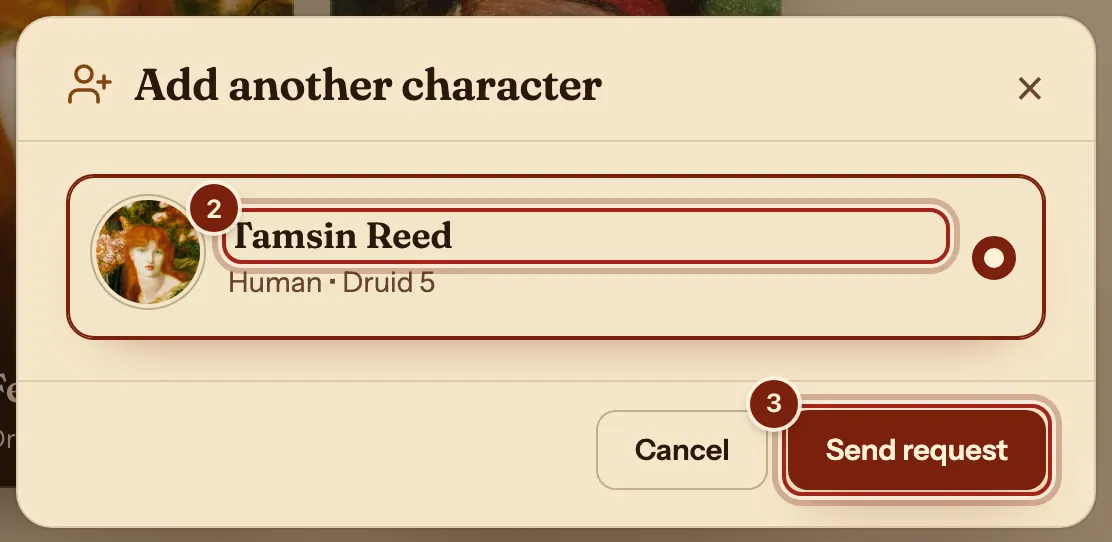
The example is Jun_Park adding Tamsin Reed beside Grendal the Wary.
The player asks
- Open the campaign and press ⋯ at the top.
- Choose Add a character, then pick the character in Add another character.
- Press Send request. A card says Waiting for the DM.
One request waits at a time. To take it back, open the card's ⋯ and choose Take back request.
The DM says yes
- Open the Players tab. The request is under Join requests, saying Wants to add a character.
- Press Accept, or Decline.

More than one character at one table
Each character plays on its own.
| Part | With more than one character |
|---|---|
| Party view | A card for each character. |
| Rolls | Each roll names the character who made it. |
| Initiative | A row and a turn for each. |
| Leaving | Take out, in one character's menu, removes only that character. |
Questions
Can a player have more than one character in a campaign?
Yes. A player can add more characters, one at a time, each when the DM says yes.
How many characters can one player bring?
As many as the DM accepts. The player asks for one at a time.
Can a player swap one character for another?
Yes. The character's menu has Change character.
Does each new character need its own invite?
No. The player asks from inside the campaign.
Keep going
- Invite players and join a campaignSend the invite link; they ask to join with a character; you press Accept.
- Run a campaignCreate it, send the invite link, accept your players, run it from the Party tab.
- Use the DM's dashboard: the Party view and your own layoutThe Party tab shows everyone; Arrange moves and sizes the blocks.