How to keep character notes as a player
The short answerOn your character's Notes tab, press New note. Write your notes in Markdown: headings, lists and checklists format as you type, [[ links another note or any Compendium entry, and pictures can be pasted in. Your DM's handouts wait at the top of the same tab, and your notes stay private unless you choose to share them with your DM.
- For players
- 6 short steps
- Updated 7 November 2026, for Archivist 1.4.0
The example is Grendal the Wary's notes on the harbor.
Write a note
- Open your character's sheet and press the Notes tab.
- Press New note and type a title.
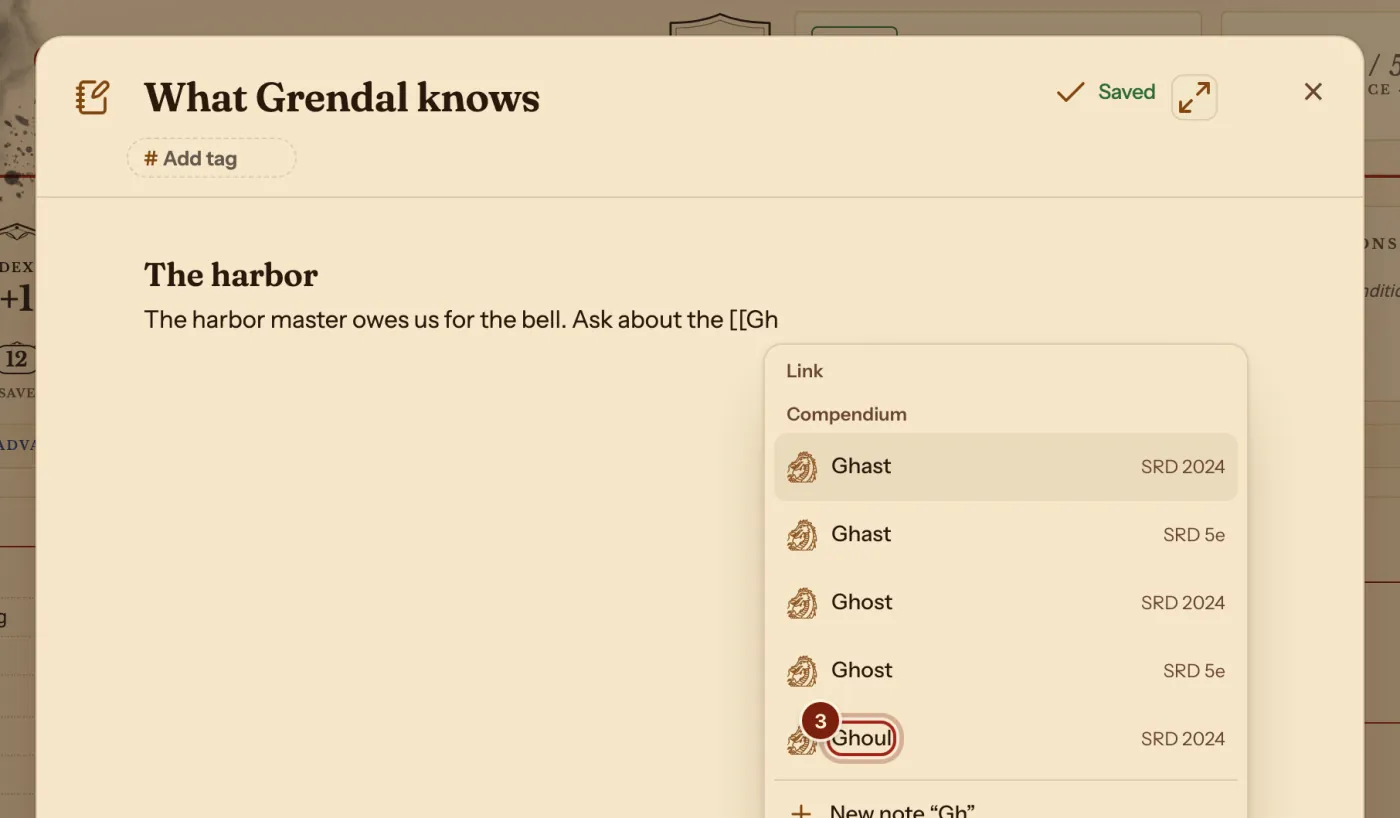
- Write. Type
[[and a few letters to link another note or a Compendium entry, such as a monster you met, and press Enter. - Paste or drop a picture to keep it in the note.
Notes save as you type and stay in sync on every device you sign in on.
Read your DM's handouts
- When your DM shares a handout, a notice says DM shared a handout. Press Read.
- Later, find it under Handouts at the top of your Notes tab. New ones are marked New.
Pages your DM shares without a file are on the campaign's Notes tab, under From your DM.
Who reads what
Your notes are yours unless you choose otherwise.
| Notes | Who can read them |
|---|---|
| Your character's notes | Only you, unless you turn on Share my character notes with my DM in Settings, under Campaigns. |
| Handouts and pages your DM shares | You and the players the DM chose. |
| The DM's own pages | Only the DM. |
Questions
Can I write my notes in Markdown?
Yes: headings, bold and italic, lists, checklists, quotes, tables, code, pictures, and [[ ]] links between notes. Most of it formats as you type. Type / for a list of them.
Can I link a spell or a monster?
Yes. Type [[ and its name. Type {{ instead to put its full block in the note.
Where do my notes go if I play on my phone?
They are already there: notes stay in sync on every device you sign in on.
Keep going
- Campaign notes for DMsPages and handouts with links, stat blocks and pictures, private until shared.
- Keep campaign notes and share handoutsPages on the Notes tab, and handouts with a PDF or a picture.
- Add a monster as a companion and roll from its stat blockCast Find Steed, or add any monster by hand, then roll from its stat block.