How to keep campaign notes and share handouts
The short answerOn your campaign's Notes tab, press New and choose Handout or Page. A handout can carry a PDF or a picture, which your players open full screen to zoom, pan and download. Every page starts private: use Seen by to share it with all your players or some of them, and they find it on their own Notes tab.
- For DMs and players
- 12 short steps
- Updated 7 November 2026, for Archivist 1.4.0
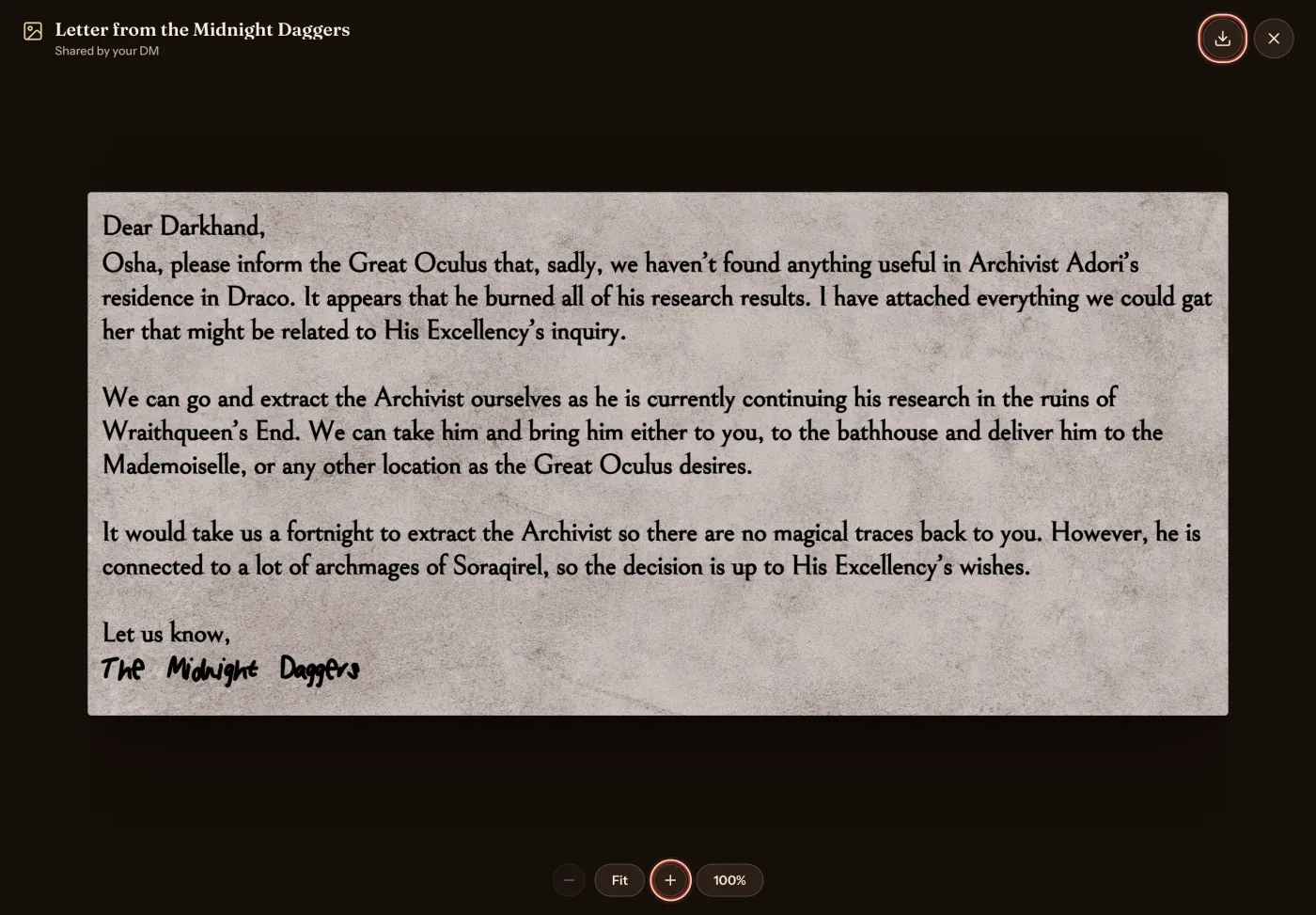
This page's example is a letter from the Midnight Daggers, handed to the party of The Drowned Lantern.
Write a handout
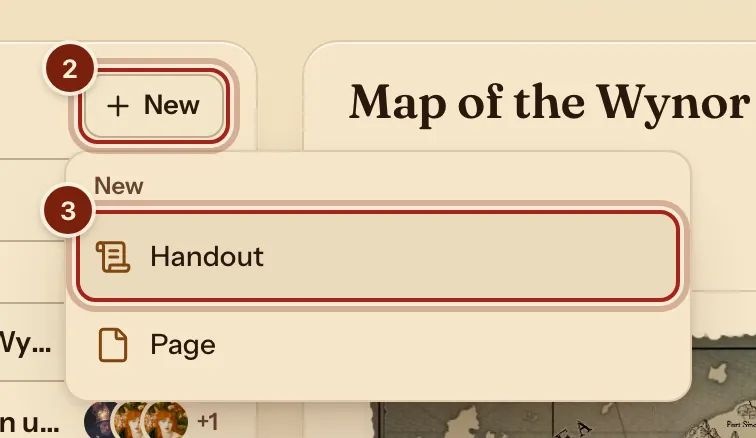
- On your campaign's page, press the Notes tab.
- Press New.
- Choose Handout.
- Type a title and your words.
- Under Attach a PDF or a picture, press Choose.
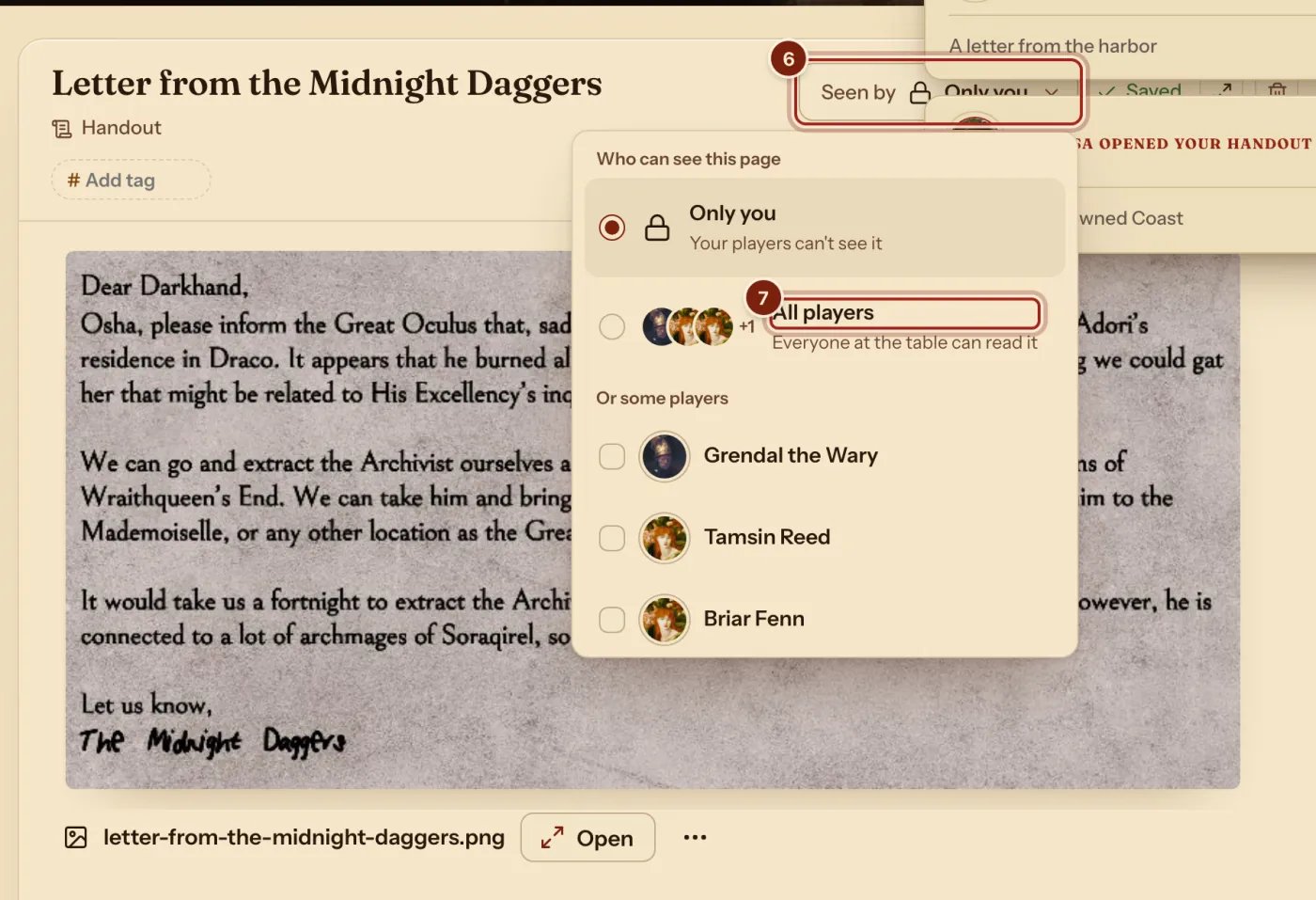
- Press Seen by.
- Press All players, or tick some of them.
As a player, read it
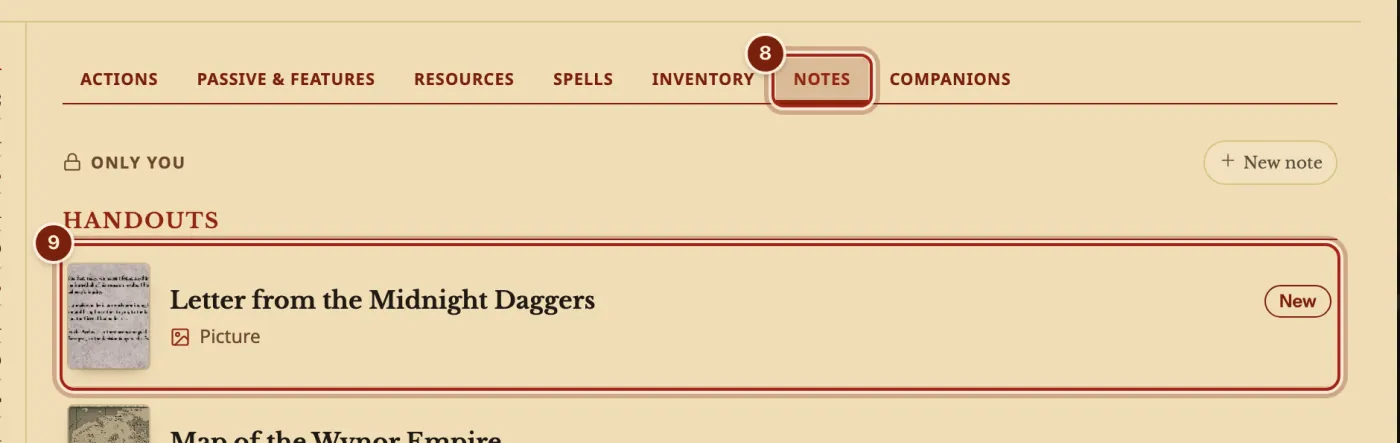
- On your character's sheet, press the Notes tab.
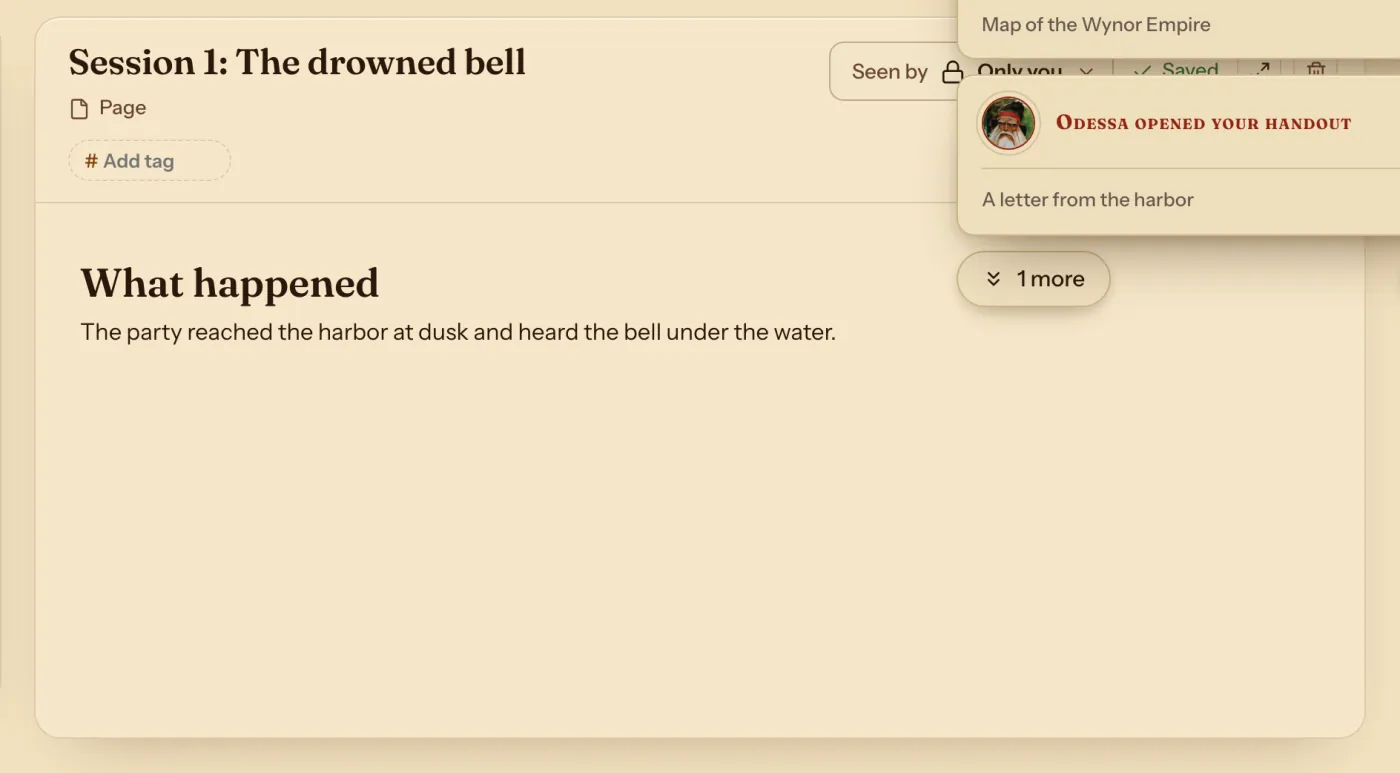
- Press the handout. A notice on your sheet with Read opens it too.
- To read a file full screen, press Open. Zoom in, Zoom out and Fit the page to the screen are at the bottom; drag to pan.
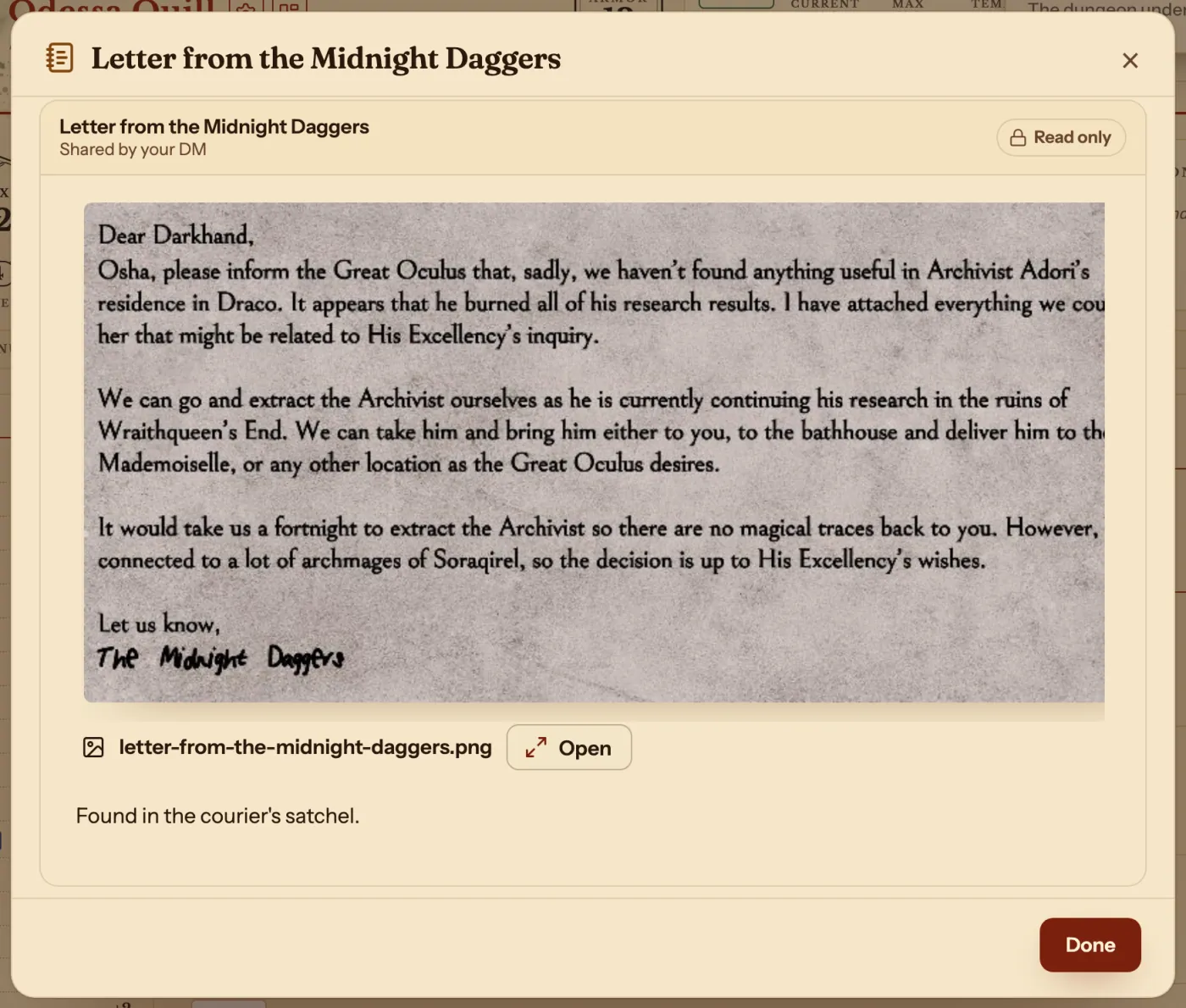
- Press Download to keep the file, and × at the top right when you are done.
Keep your session notes
- Press New, then Page, and write. It saves as you go.
The two kinds of page
Both can be shared with Seen by.
| Kind | Use it for |
|---|---|
| Handout | A letter, a map or a clue, with a PDF or a picture players can zoom, pan and download. |
| Page | Anything else: a session, a place, a person, a plan. Older session notes show here as pages. |
Questions
Can I show a note on my campaign page?
Yes. A Note block shows one on the Party tab. See Use the DM's dashboard.
Can players keep their own notes?
Yes. Press New note on a character's Notes tab. Those are only yours.
What happens if I remove a file from a handout?
It asks first, since the players lose it too.
Keep going
- Share maps and handouts players can zoom, pan and downloadAttach the picture or PDF to a handout and share it.
- Campaign notes for DMsPages and handouts with links, stat blocks and pictures, private until shared.
- Character notes for playersYour character's Notes tab: links, pictures and the DM's handouts.