Give items to players: from the DM, or from one player to another
As a DM you want to send an item to one of the characters in your game without opening their sheet. As a player you want the potion to leave your sheet and land on your friend's.
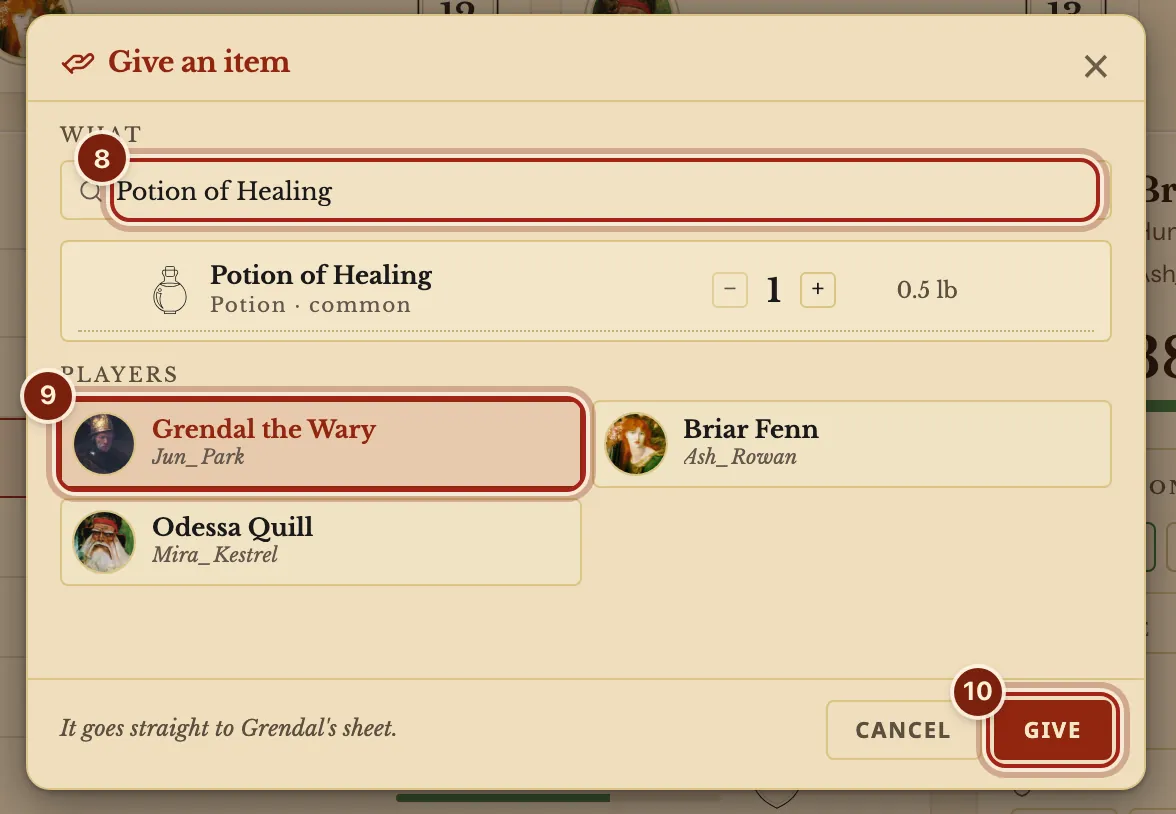
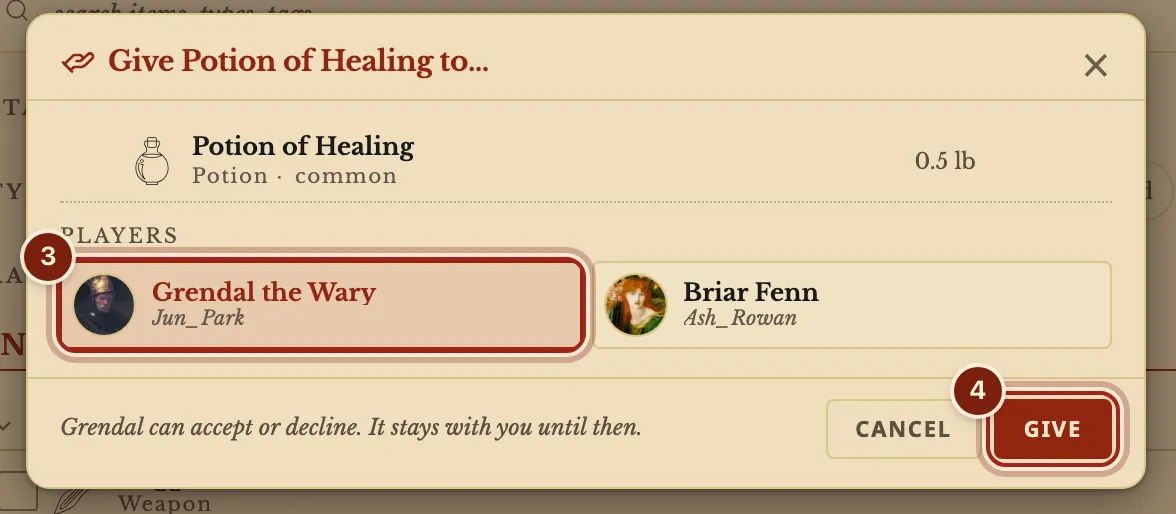
As the DM, choose Give an item, find it, pick a player and press Give, and it goes straight to their sheet. As a player, right-click an item, choose Give to…, pick a player and press Give: they accept or decline.
- For DMs and players
From the DM
Open the campaign's ⋯ menu, or the one on a player's card. Search your compendiums, your homebrew items included, set how many, pick a player. The player gets a notice, and the item is in their Inventory.
From one player to another
Right-click an item or a coin on your Inventory tab, or press and hold on a touch screen. The item stays with you until the other player answers, and Keep it takes the offer back. A homebrew item reaches the other player's Compendium too.
Accept or decline
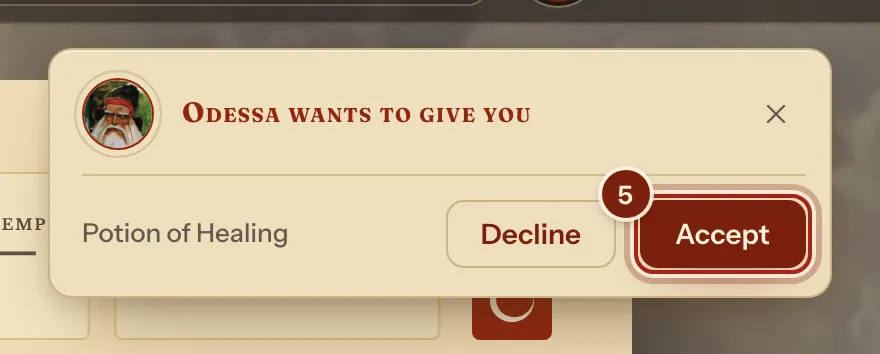
The other player sees a card on their sheet with Accept and Decline. It waits until they open that character's sheet.
See what changed hands
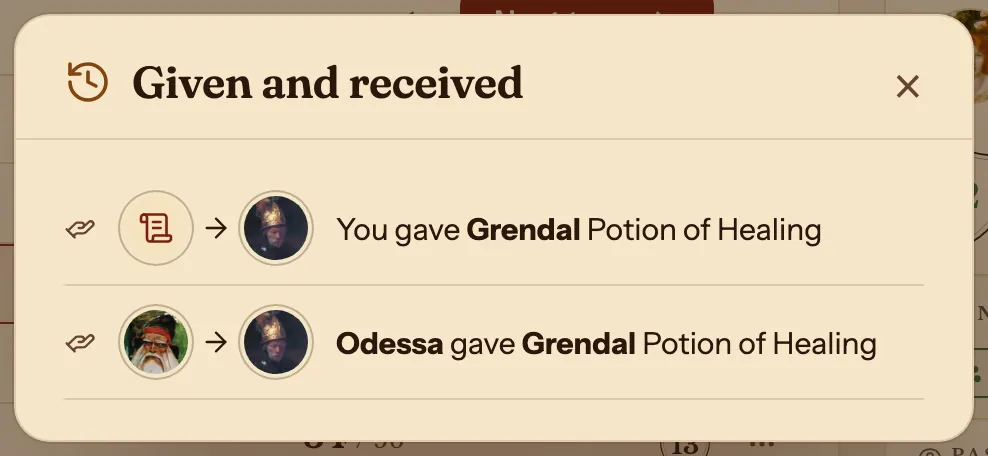
Given and received in the campaign's menu lists everything, newest first.
Questions
What does a player see when the DM gives an item?
A notice on their sheet, and the item in their Inventory.
Can I give an item I made myself?
Yes. Your homebrew items are in the DM's search and can be handed from player to player. See Make a homebrew magic item.
Can a player take an offer back?
Yes. While it waits, the item's row says Offered, and its menu has Keep it.
Keep going
- Step by step: Give items to playersRight-click an item, Give to…; as DM, Give an item from the campaign page.
- Share handouts with players: a PDF, a picture or a page, with one player or allShare a PDF, a picture or a page with some or all of your players, and see who has opened a handout.
- DM dashboard: every player's HP, AC and conditions on one pageEvery player's HP, AC and conditions on one page, which the DM arranges with notes, monsters and rolls.
- Summons on the character sheet: casting the spell adds the creatureCasting a summoning spell adds the creature to your Companions tab, with its stat block and hit points.