Share handouts with players: a PDF, a picture or a page, with one player or all
You want to share a handout easily with your players when the party finds it, without giving them access to the entire campaign to read ahead.
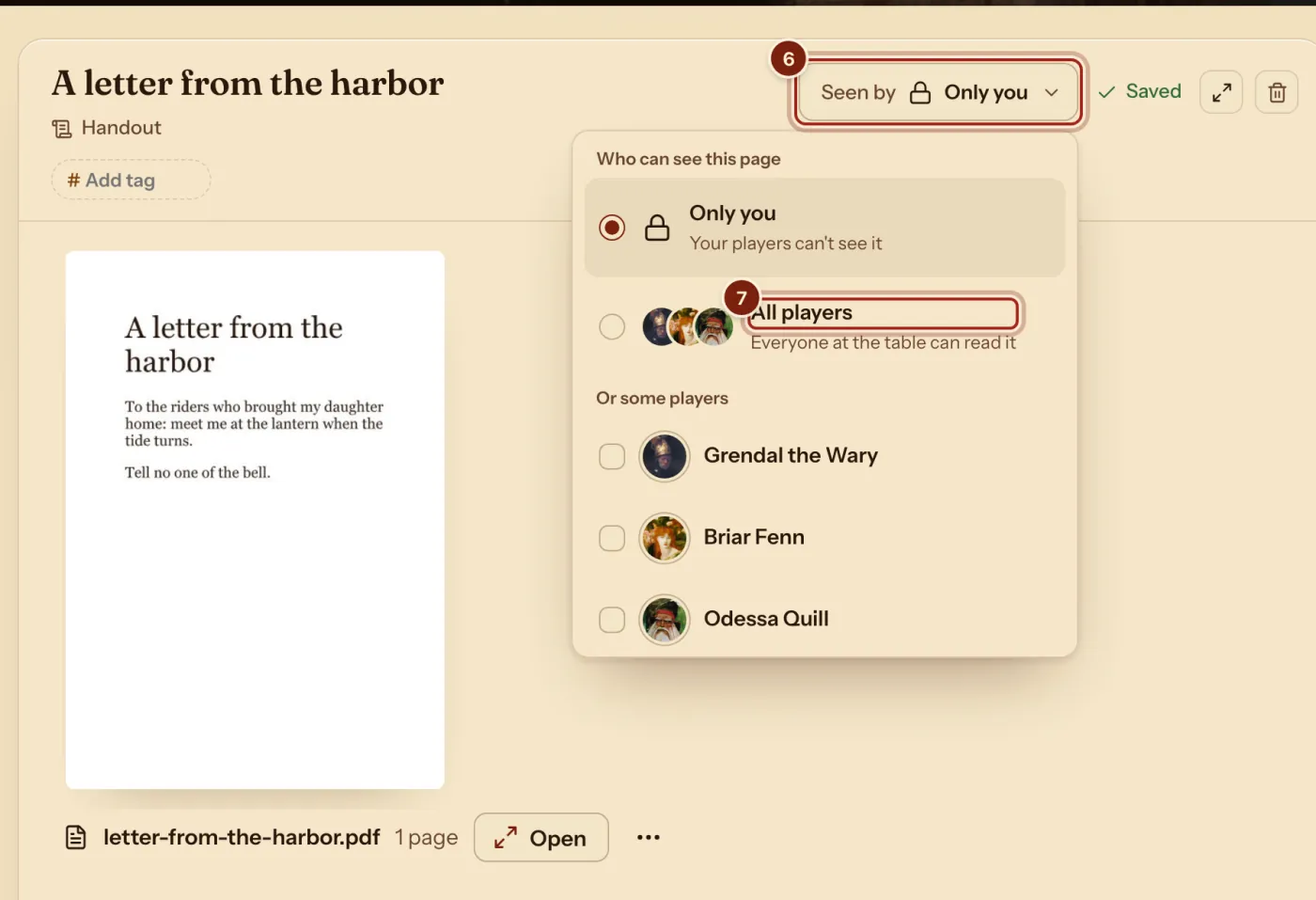
Write a handout or a page on your campaign's Notes tab, and attach a PDF or a picture if you have one. It stays private until you press Seen by and choose all your players or some of them. They find it on their side, and you can see who has opened it.
- For DMs and players
Choose who sees it
A handout can be words alone, or carry a PDF or a picture. Seen by starts at Only you. Press All players, or tick the ones who found the letter.
Where your players find it
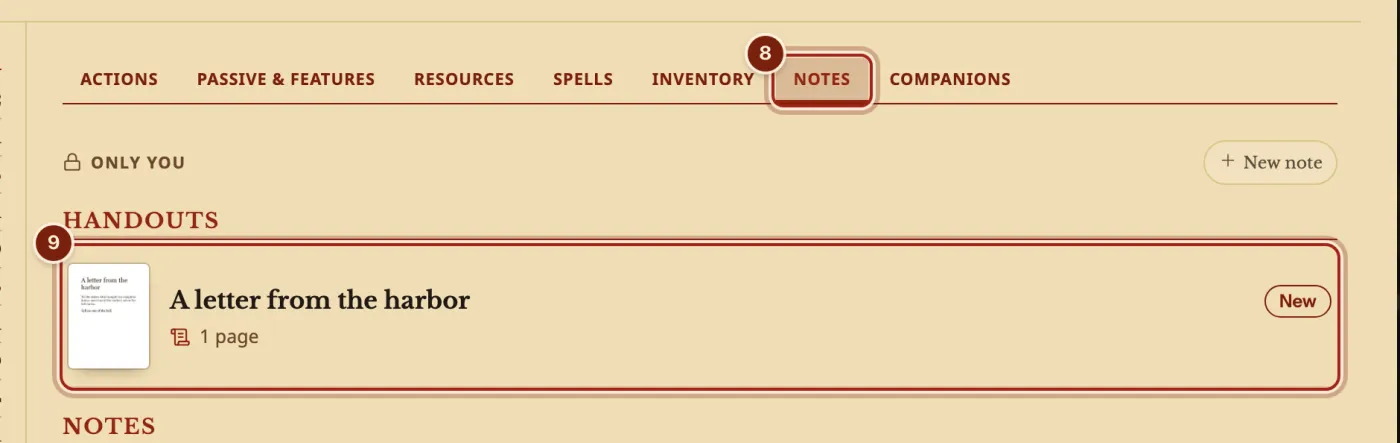
A handout appears at the top of the Notes tab on their character's sheet, marked New, and a notice on the sheet opens it. Pages you share are on their campaign's Notes tab, under From your DM.
When a player opens a handout, you get a notice saying so.
How a player reads a file
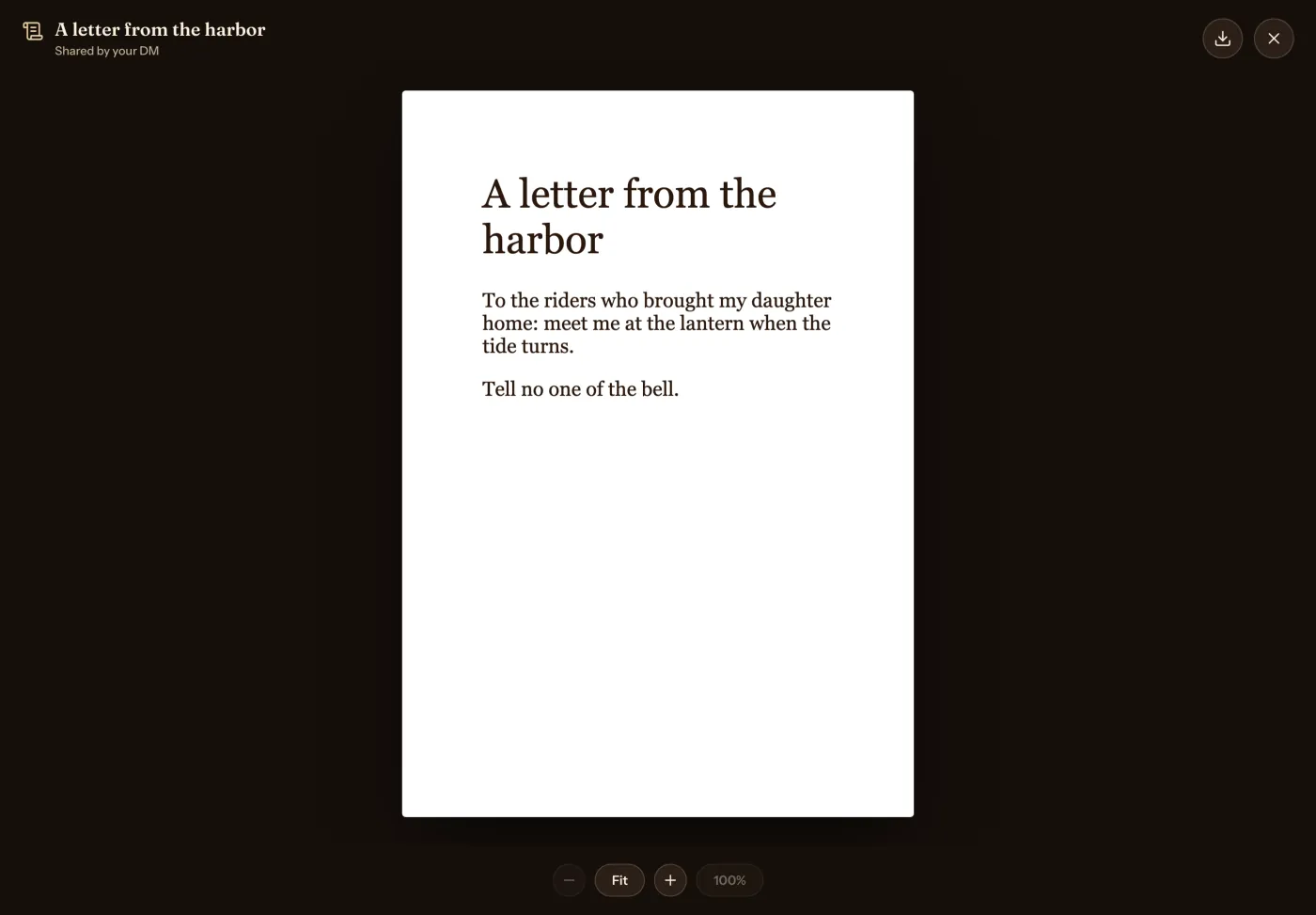
The file opens full screen. Players can zoom into a big map, drag around it, turn the pages of a PDF and download the file.
Questions
Can I share something with only one player?
Yes. In Seen by, tick that player alone.
Can I take a handout back?
Yes. Set Seen by back to Only you.
What is the difference between a handout and a page?
A handout is for a letter, a map or a clue, and can carry a PDF or a picture. A page is for anything else: a place, a person or a plan. Both share the same way.
Keep going
- Step by step: Keep campaign notes and share handoutsPages on the Notes tab, and handouts with a PDF or a picture.
- Campaign notes in Markdown, with links to monsters, spells and party charactersPages written in Markdown, with links to monsters, spells, party characters and other pages.
- Give items to players: from the DM, or from one player to anotherThe DM sends an item straight to a player's sheet. A player offers an item or coins to another player, who accepts or declines.
- DM dashboard: every player's HP, AC and conditions on one pageEvery player's HP, AC and conditions on one page, which the DM arranges with notes, monsters and rolls.