How to track conditions and make your own
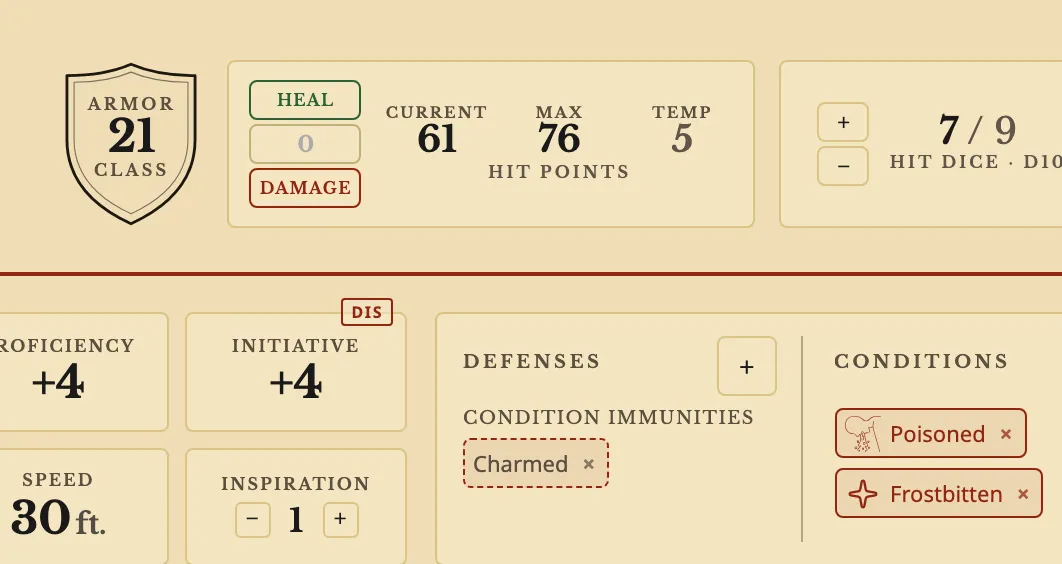
The short answerPress + beside Conditions on your sheet and press a condition. Its effects reach your rolls, such as Disadvantage while Poisoned. To make your own, press New condition, name it, add its effects and press Create. It goes on your character, and stays in your compendium for every other.
- For players and DMs
- 8 short steps
- Updated 4 November 2026, for Archivist 1.3.2
This page's example is Frostbitten, a condition made up for the Drowned Coast.
Add a condition
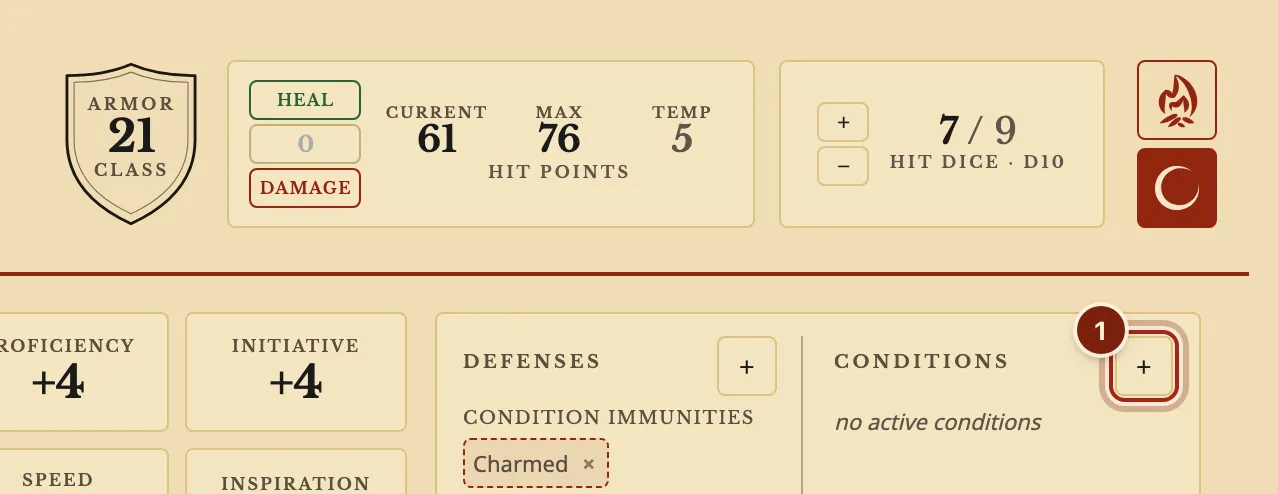
- On your sheet, press + beside Conditions.
- Press a condition.
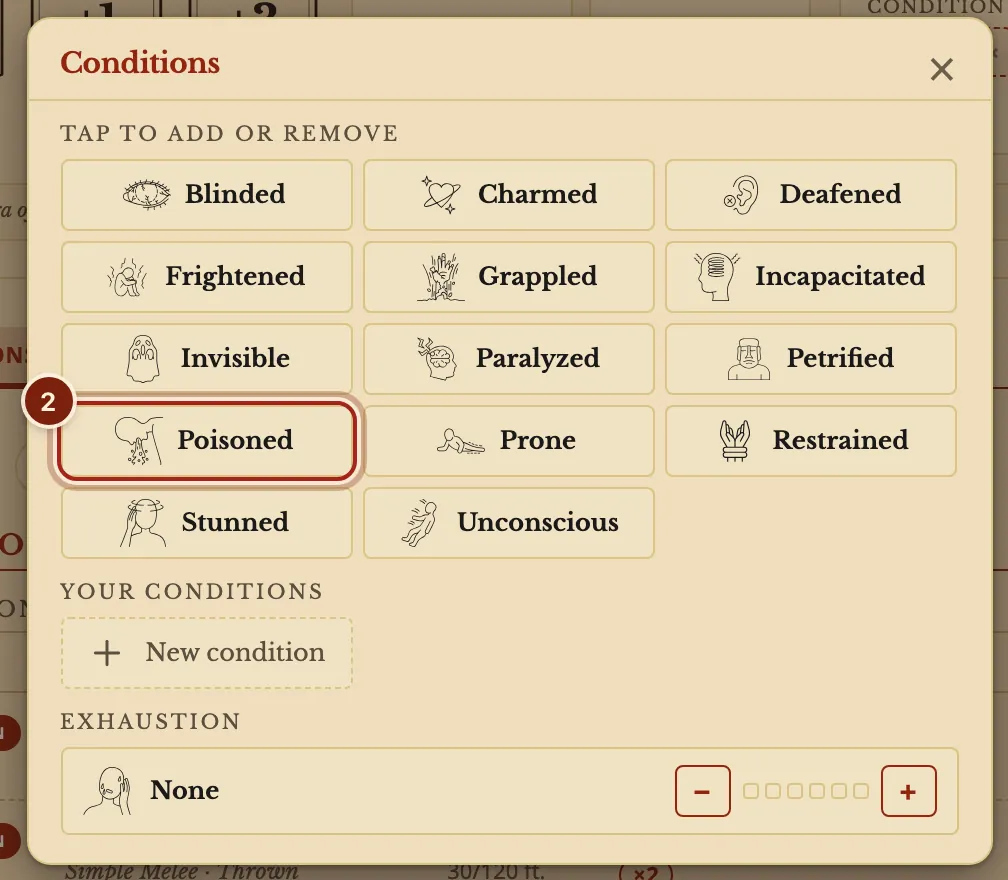
Make your own
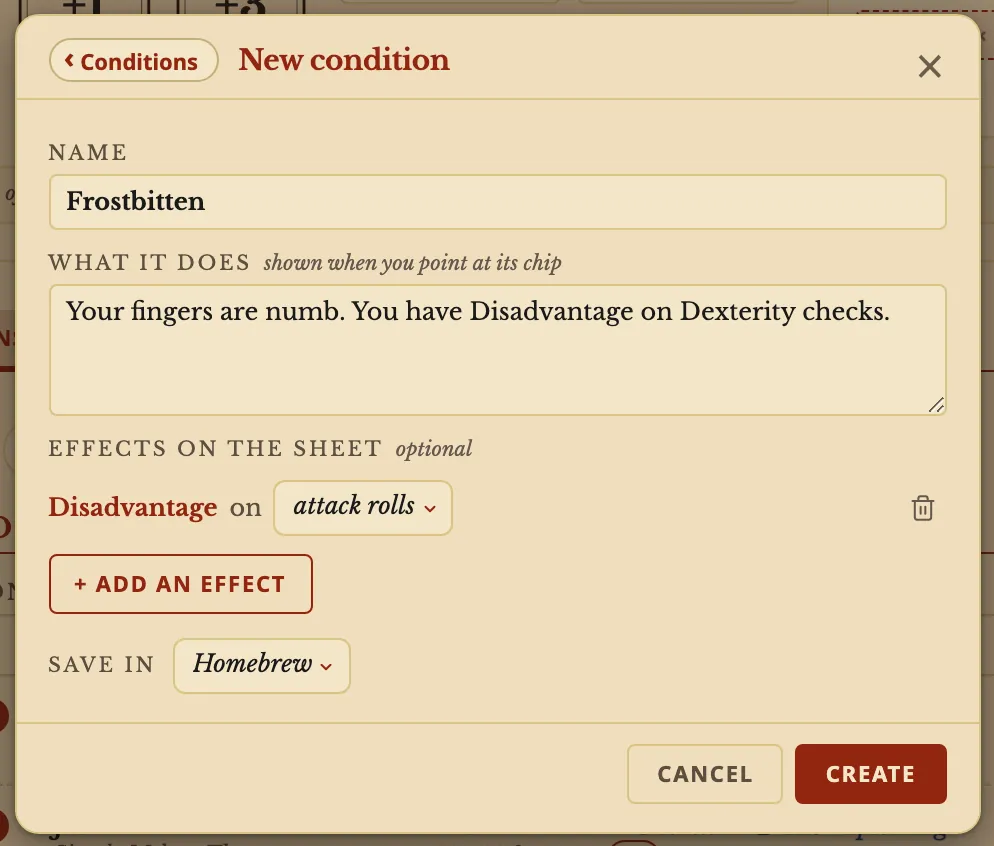
- In the same window, press New condition.
- Type a Name and What it does.
- Press + Add an effect and pick one, such as Disadvantage on a roll.
- Press Create.
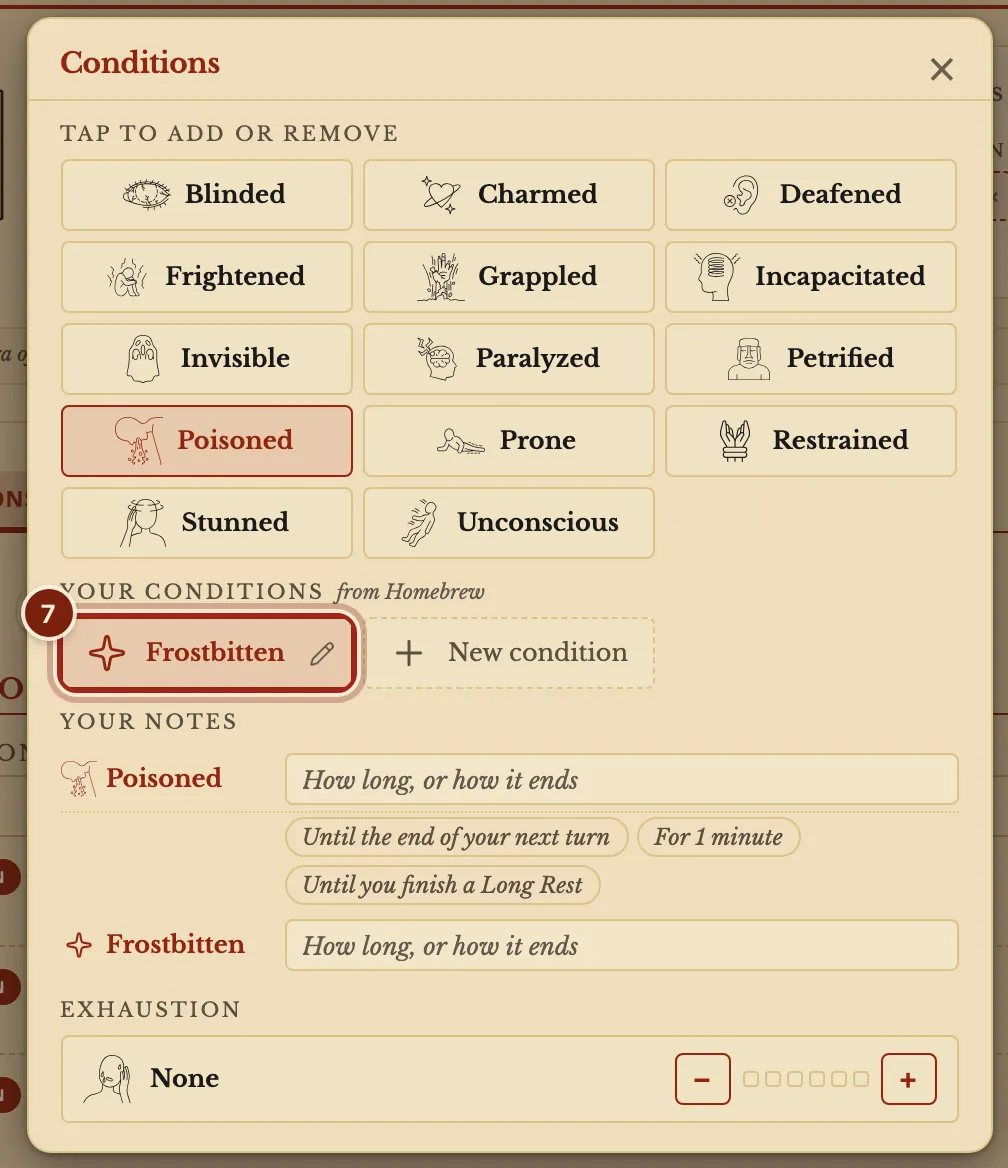
- Your condition is on already, lit under Your conditions. Close the window.
Your notes lets you write how long a condition lasts, such as Until the end of your next turn.
- On your sheet, both show as chips. Point at one to read it, and press × to take it off.
The lines in a condition
A condition is also an entry in your compendium, with Edit like any other. The Compendium format guide explains how lines work.
| Line | What it does | What you can write |
|---|---|---|
name | The name on its chip. | name: Frostbitten |
description | The words shown when you point at its chip. | A sentence or two |
effects | What it does on the sheet. The window's + Add an effect writes these for you. | Advantage or Disadvantage on a roll, Speed, Armor Class and more |
Questions
Can my DM add a condition to me?
Yes. A DM can add one from your card on the Party tab, and your sheet follows.
How does Exhaustion work?
Press + or − beside Exhaustion in the same window to set its level.
Can a warning about a condition be dismissed?
Yes. Every warning on the sheet can be dismissed.
Keep going
- Roll dice and build a custom rollClick a number to roll it; Option+click damage to build the roll.
- Compendium format guideLet the Archivist Inquiry Assistant write entries, or learn the lines by hand.
- Use the DM's dashboard: the Party view and your own layoutThe Party tab shows everyone; Arrange moves and sizes the blocks.
- Run initiativeStart a fight, add the party and monsters, press Next turn.
- Share homebrew with your partyExport your compendium as a zip; they bring it in with Import homebrew.