How to add feats, boons and DM gifts with Extra features
The short answerOn your sheet, press the gear beside your name, choose Builder and press Extra features at the foot of its steps. Press Add a feature, find the feat, optional feature or spell your DM gave you, read it and add it. Make its picks on its row, press Done, and it is on your sheet under Extra features. For a gift of your own, Write your own saves it in your compendium and adds it at once.
- For players and DMs
- 17 short steps
- Updated 18 November 2026, for Archivist 1.6.2
This page's example is Odessa Quill, a Wizard, given the Skilled feat and Misty Step by her DM, and a gift written for her table.
Open Extra features
- On your sheet, press the gear beside your name and choose Builder. On a phone, press your portrait or name for this menu.
- Below the steps on the left, press Extra features. On a phone it is the last of the steps.
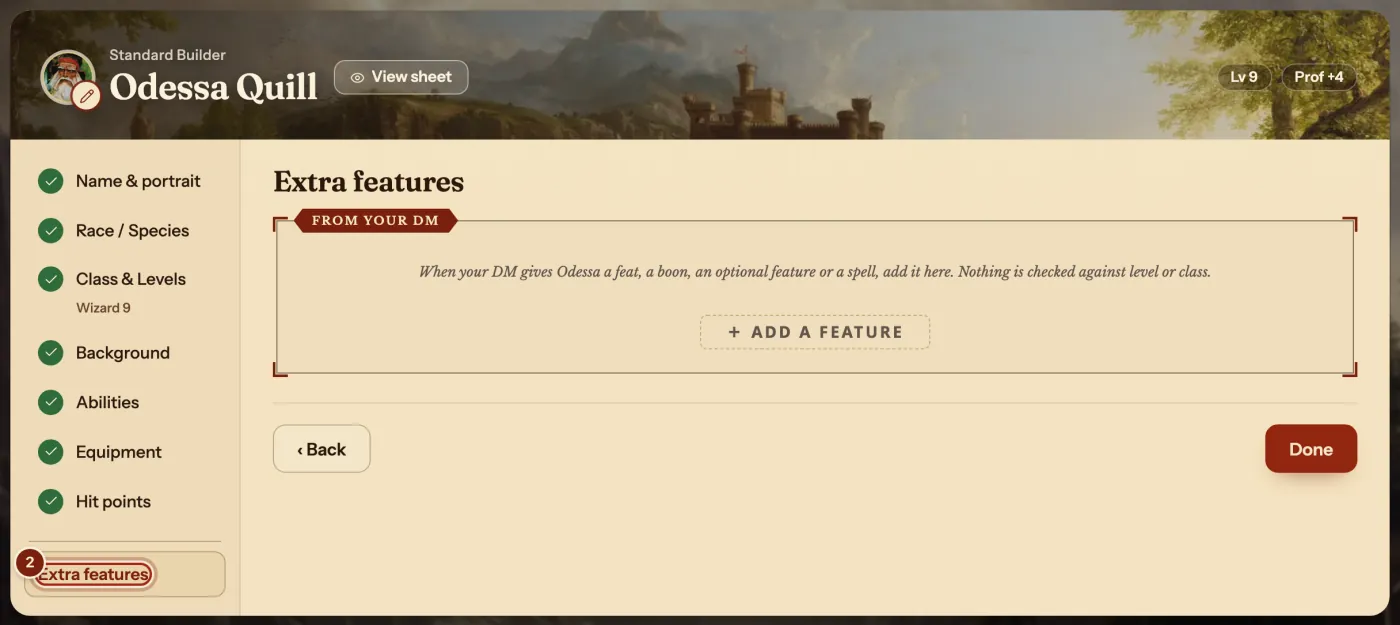
Add a feat, an optional feature or a spell
- Press Add a feature.
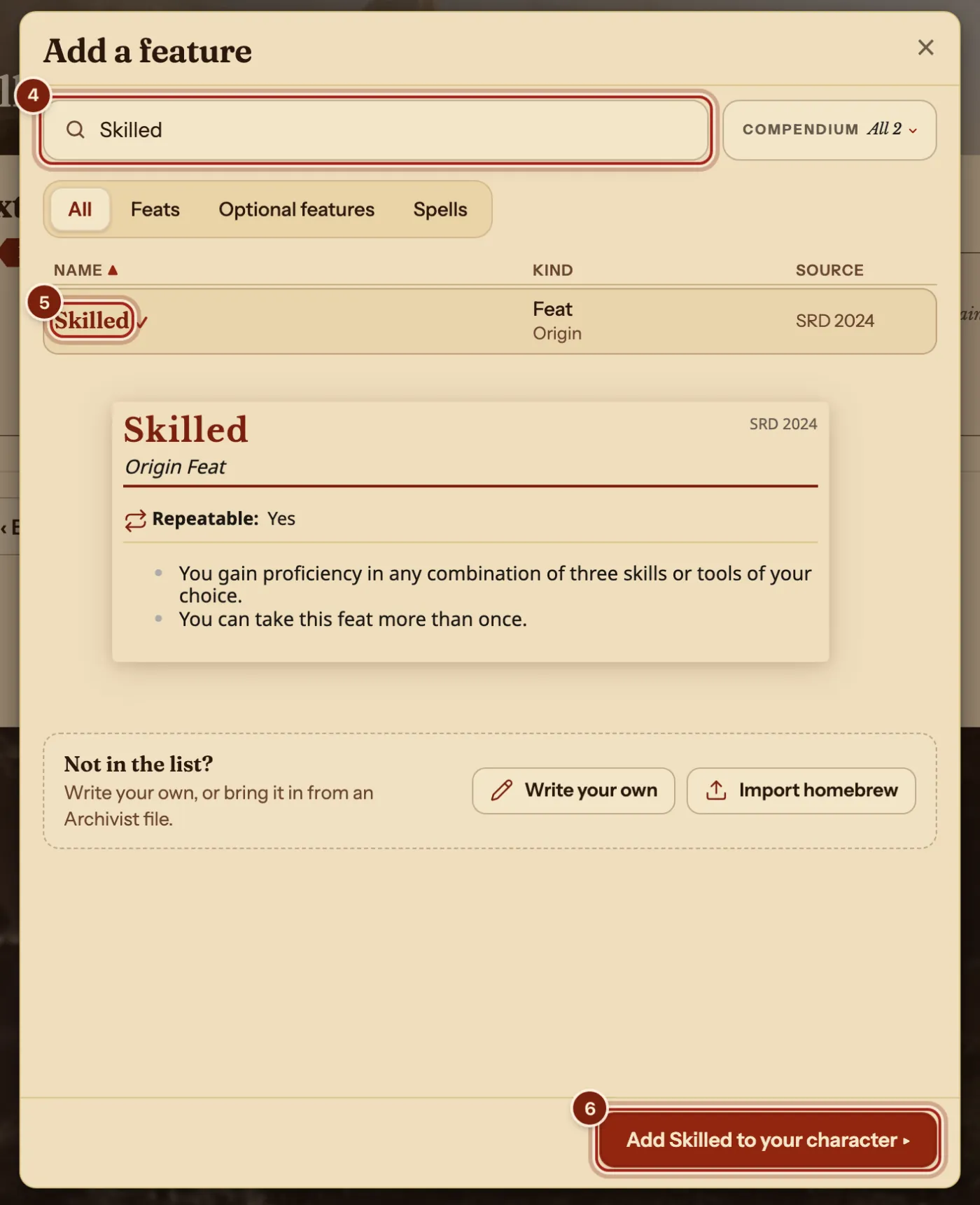
- Type its name in the search box, such as Skilled. Feats, Optional features and Spells above the list narrow it to one kind.
- Press it in the list to read it.
- Press Add Skilled to your character, or the button with your feature's name.
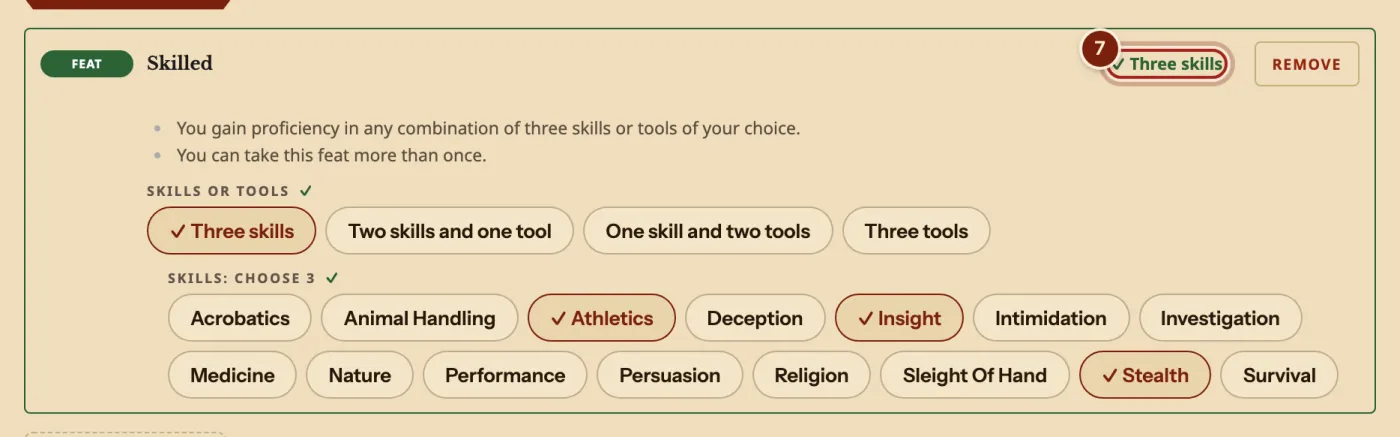
- Its row opens on the Extra features page. Make each pick marked with !: for Skilled, press Three skills, then pick three. Press a row's name to close it or open it again.
A pick that gives a skill you already have gives Expertise in it instead, and says so on its row.
Give a spell its casting
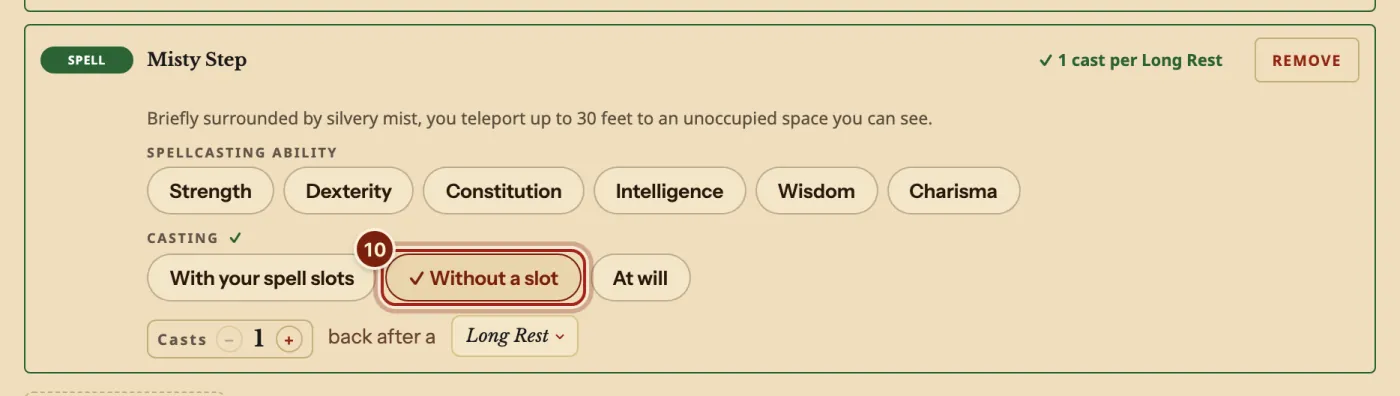
- Add a spell the same way, such as Misty Step. Its row opens with the spell's text and its casting.
- Under Spellcasting ability, pick the ability it casts with.
- Under Casting, pick With your spell slots, Without a slot or At will. For Without a slot, set how many Casts and when they come back, such as after a Long Rest.
Write your own gift
- In Add a feature, press Write your own under the list.
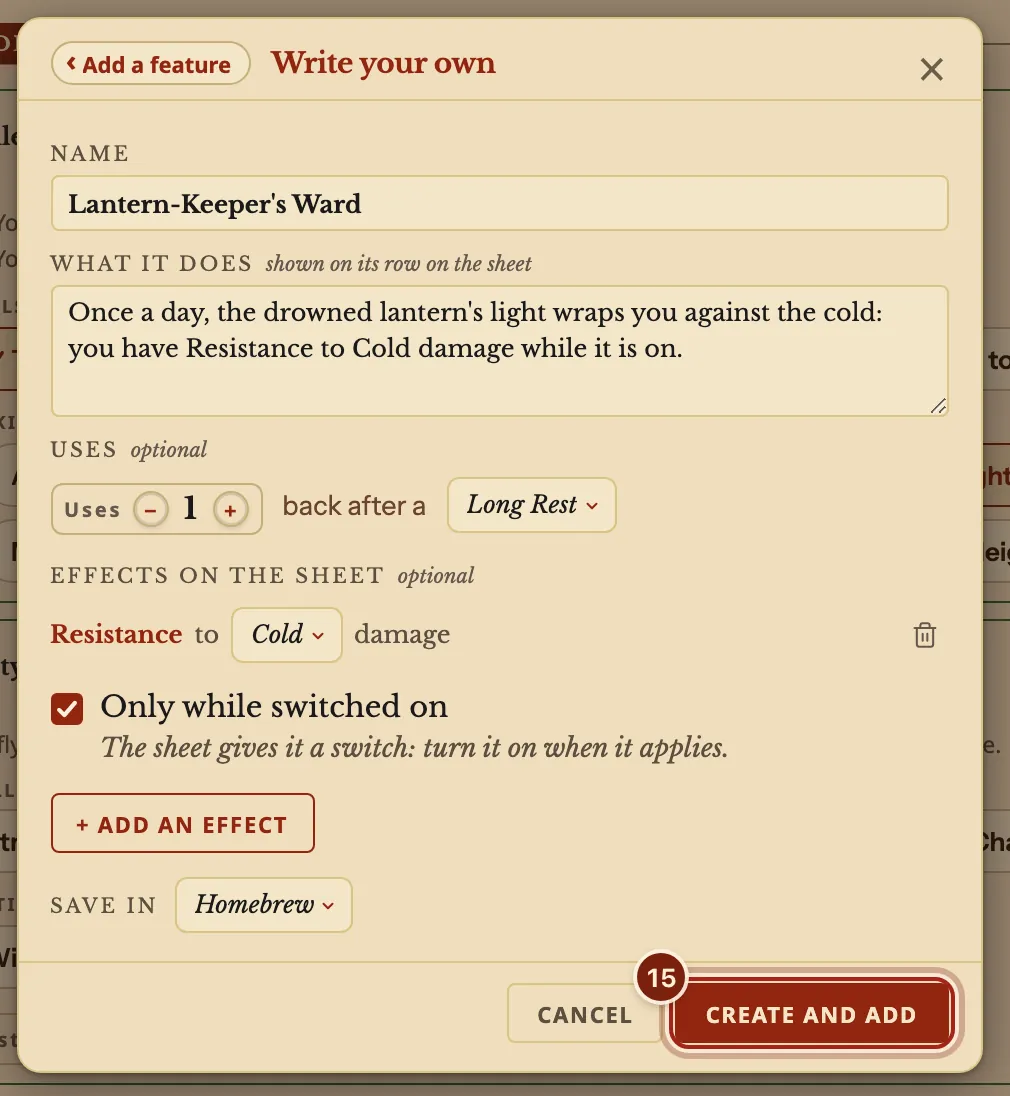
- Type a Name and What it does, the words shown on its row on the sheet.
- If it has uses, set Uses and when they come back.
- To change the sheet, press + Add an effect and pick one, such as Resistance to a damage type, then the type.
- Under Save in, keep Homebrew or pick one of your compendiums, and press Create and add.
Tick Only while switched on for a gift that applies only sometimes: the sheet gives it a switch.
See them on your sheet
- Press Done, then Keep changes.
- On your sheet, your extra features sit under Extra features: on the Actions tab when they take an action, and on the Passive & Features tab when they do not. A gift with uses has its tick boxes on the Resources tab. A spell joins your Spells tab.

What you can add
Add a feature lists feats, optional features and spells from every compendium you show.
| Kind | Such as | On its row |
|---|---|---|
| Feat | Skilled, Alert, a boon | Its picks, such as skills or an ability score. |
| Optional feature | An invocation or a homebrew tracker | Its picks and its uses. |
| Spell | Misty Step | Its ability, and how it is cast: with your slots, without a slot, or at will. |
| Your own | A one-off gift from your DM | Its words, uses and effects, from Write your own. |
Questions
Does it check my level or my class?
No. Nothing on the Extra features page is checked against level or class: your DM decides what you get.
How do I take one off?
On the Extra features page, press its row, then Remove, then Confirm.
Where is a gift I wrote kept?
In the compendium you picked under Save in, as an optional feature. Another character can add it from Add a feature, and you can change its text in the Compendium later.
A row says Not found. What now?
That entry is in none of your compendiums, so it does nothing on the sheet yet. Press Import homebrew on the row to bring in the compendium that has it, or ask your DM for its file.
I am the DM. How do I give one to a player?
Send them the entry's name, or your compendium file if it is homebrew: see Share homebrew with your party. The player adds it here.
Keep going
- Level up a characterChoose Level up in the sheet's gear menu and follow its steps.
- Make a homebrew featWrite it in the homebrew editor, then take it in the Builder.
- Format guide: optional featuresPaste ready lines for an option into the homebrew editor.
- Share homebrew with your partyExport your compendium as a zip; they bring it in with Import homebrew.
- Add Sanity to a character sheetMake a Sanity tracker and an ability that spends it, then add both to your character.